
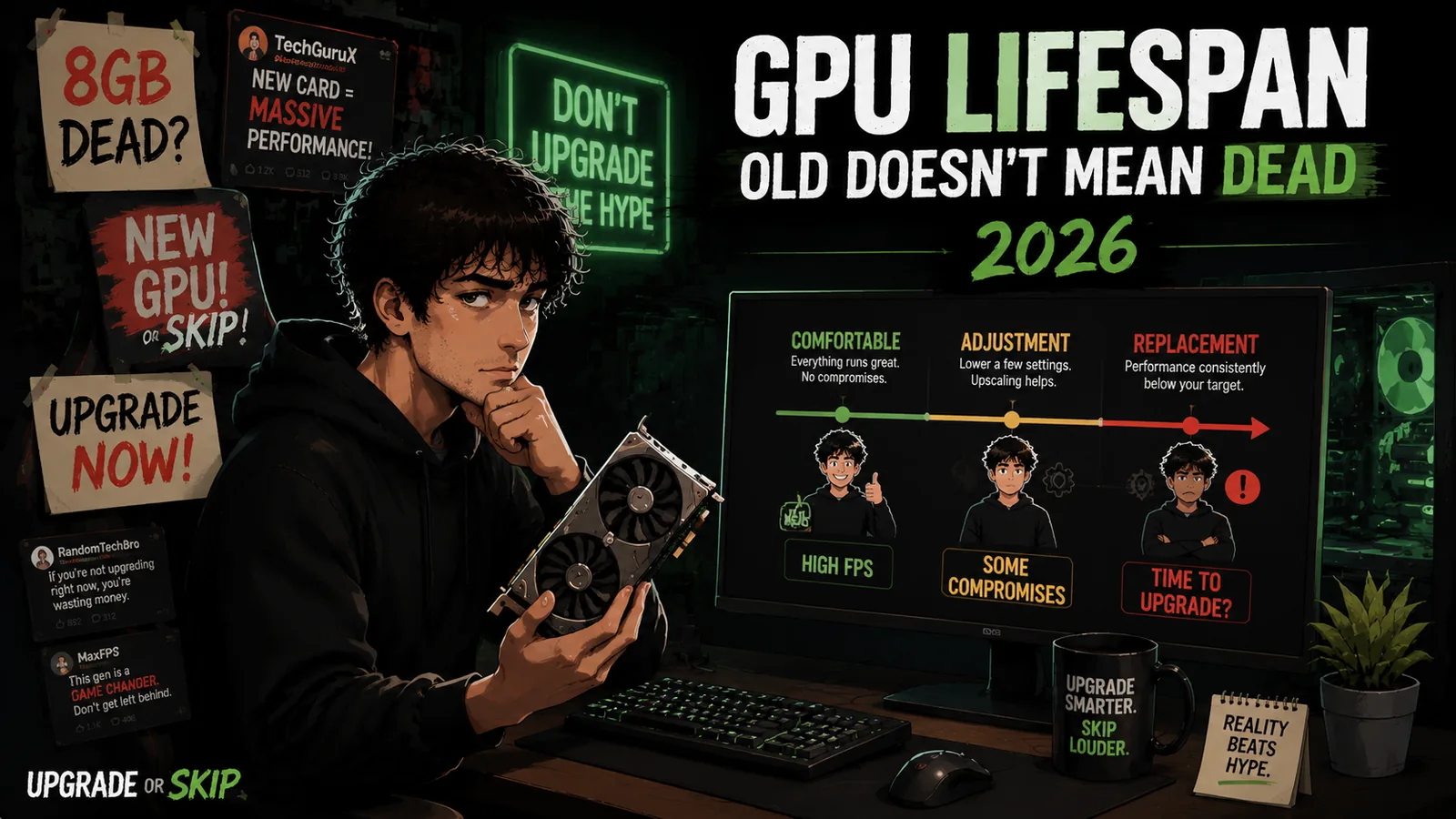
Disclosure: This post may contain affiliate links. If you buy through them, we may earn a small commission at no extra cost to you.
Welcome back to Upgrade or Skip.
In the last post, we talked about slow PCs.
More specifically:
Your PC can feel slow even when the hardware is still completely fine.
- Startup apps.
- Browser tabs.
- Full SSDs.
- Heat.
- Background software.
The usual Windows side quests.
Now we need to talk about the component everyone loves blaming first:
The GPU.
Because when a game stutters, a new trailer looks better than your actual gameplay, or a fresh graphics card launches with a dramatic YouTube thumbnail, the same question appears:
“Is my GPU done?”
Maybe.
Maybe not.
Because in 2026, GPU lifespan is a much messier conversation than it used to be.
GPU prices are still weird.
Memory prices are still weird.
AI demand has made regular PC buyers feel like they accidentally walked into a server hardware auction.
And the internet has turned almost every graphics card into one of two things:
“Still a beast.”
or:
“Dead. Ancient. E-waste. Throw it into the sun.”
Very balanced.
Very reasonable.
Very normal internet behavior.
So if you are searching:
“How long does a GPU last?”
The real answer is:
Longer than marketing wants.
But not forever.
The better question is not:
“Is my GPU old?”
It is:
“What can my GPU still do, and where does it actually start struggling?”
Because a graphics card does not have an expiration date.
It has a useful lifespan.
And those are not the same thing.
A GPU Does Not Die Overnight
A graphics card usually does not wake up one morning and decide:
“Sorry, I am now outdated.”
That is not how hardware aging works.
Most GPUs slowly move through different stages.
The mistake is assuming that the moment a GPU leaves its best years, it has become useless.
It has not.
A GPU can be past its peak and still be a great card.
It can struggle with Ultra settings and still handle High settings comfortably.
It can lose a benchmark comparison and still deliver a great gaming experience.
It can be a poor choice for 4K ray tracing and still be excellent for 1080p or 1440p gaming.
The internet often measures GPU life by:
- New launches
- Benchmark charts
- Maximum settings
- Hardware forums
- Comment section panic
Real users measure it by:
- Does the game run well?
- Does it feel smooth?
- Can I enjoy my games?
- Is the upgrade worth the money?
That last one matters more than people admit.
Because the goal of a GPU is not to win a benchmark spreadsheet.
The goal is to make games enjoyable.
The Three Stages Of GPU Lifespan
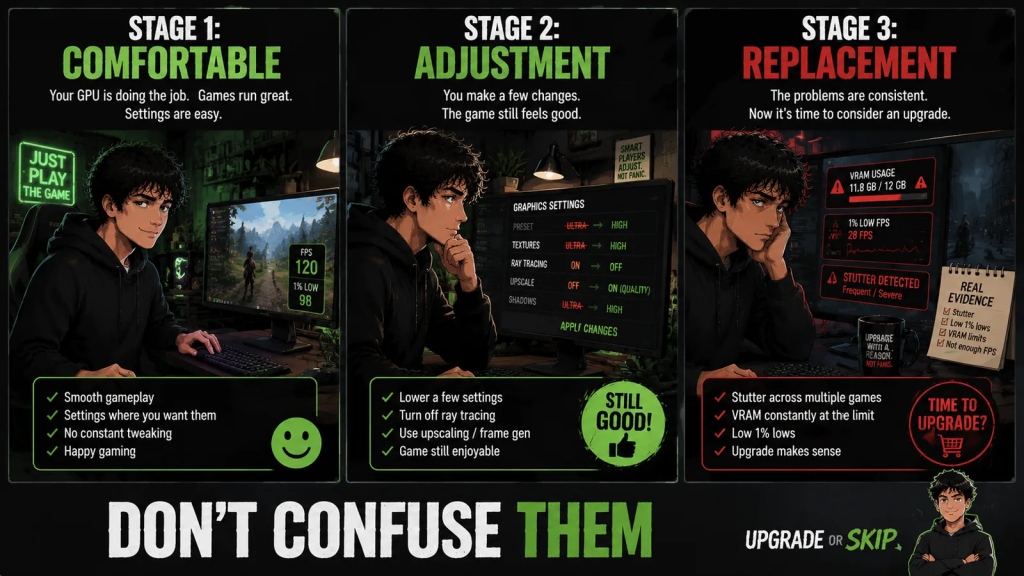
A GPU usually goes through three stages:
- The Comfortable Stage
- The Adjustment Stage
- The Replacement Stage
The mistake is treating Stage Two like Stage Three.
That is where a lot of unnecessary upgrades happen.
Stage One: Comfortable
This is the best part of a GPU’s life.
The card simply works.
You launch a game.
You play.
You do not spend twenty minutes changing settings before actually starting.
Your GPU meets your target:
- Resolution
- Frame rate
- Visual quality
- Noise expectations
Everything feels normal.
That is the golden period.
For some users, this lasts two years.
For others, it lasts five or more.
Why?
Because GPU lifespan depends heavily on what you ask from it.
A GPU used for:
- Esports games
- Older titles
- Indie games
- 1080p gaming
- Reasonable settings
can stay comfortable for a very long time.
A GPU used for:
- New AAA releases
- 1440p high refresh
- 4K gaming
- Ray tracing
- Ultra textures
will reach its limits much sooner.
The GPU did not suddenly become worse.
Your target simply became more demanding.
That distinction matters.
Stage Two: Adjustment
This is where most GPU arguments happen.
The card still works.
The games still run.
But now you start making compromises.
Maybe Ultra becomes High.
Maybe ray tracing gets turned off.
Maybe texture quality drops one setting.
Maybe 1440p becomes 1080p for heavier games.
Maybe upscaling becomes part of your normal setup.
This is not failure.
This is normal aging.
Every generation of hardware eventually reaches this point.
The internet hates this stage because it is complicated.
It wants simple answers:
“8GB is dead.”
“12GB is the minimum.”
“16GB is future-proof.”
“Buy now.”
“Wait forever.”
Reality is much less dramatic.
A GPU can be aging and still useful.
A GPU can be limited and still worth keeping.
Both things can exist at the same time.
VRAM Is Part Of The Story, Not The Whole Story

VRAM matters.
A lot more than some people wanted to admit.
But VRAM is not the whole GPU lifespan story.
An 8GB VRAM graphics card in 2026 can still be usable for many 1080p gaming setups, especially if you are willing to control texture settings.
But 8GB VRAM can also become the first wall you hit in newer games.
That is why the argument gets so loud.
Some players say:
“8GB is dead.”
Some say:
“It is fine.”
Both sides can be right depending on:
- The game
- Resolution
- Settings
- Expectations
For 1080p gaming, 8GB can still survive.
For 1440p gaming, 12GB VRAM feels much more comfortable.
For heavier textures, ray tracing, newer AAA games, and longer ownership, 16GB VRAM gives you more breathing room.
But here is the part people miss:
More VRAM does not automatically make a weak GPU strong.
And a fast GPU with too little VRAM can still hit a wall.
Very annoying.
Very PC gaming.
The real question is not:
“How much VRAM does the internet say I need?”
The better question is:
“Is VRAM actually limiting the games I play?”
Look for real symptoms:
- Texture pop-in
- Heavy stutter
- Bad 1% lows
- Settings that only improve when texture quality is lowered
- VRAM usage constantly near the limit
- Newer games behaving worse than older games at the same resolution
That is evidence.
A comment section yelling:
“Dead card.”
is not evidence.
Upscaling Can Extend A GPU’s Life
DLSS, FSR, XeSS, and frame generation have changed how long GPUs can feel useful.
Not because they are magic.
Because they give older or midrange cards more ways to survive demanding games.
A GPU that would have struggled at native resolution may still feel playable with smart upscaling.
That can extend the useful life of a card.
But there is a catch.
Upscaling works best when the base experience is already close.
If a game is already a stuttery mess because VRAM is overflowing or the GPU is completely overwhelmed, upscaling may not save it.
It may just create a softer mess.
Or a smoother mess.
Technology is beautiful.
Also occasionally cursed.
Use upscaling as a tool.
Not as an excuse to pretend every GPU lasts forever.
Resolution Changes Everything
“How long does a GPU last?”
is not a complete question.
You have to add:
“At what resolution?”
A GPU can be tired at 4K and still strong at 1440p.
It can be tired at 1440p and still excellent at 1080p.
It can be bad for ray tracing and great for normal rasterized gaming.
It can struggle in one badly optimized new release and feel completely fine everywhere else.
That is why GPU lifespan is personal.
Not motivational-poster personal.
Actually personal.
If you play competitive shooters at 1080p low settings, your GPU may last longer than someone chasing 1440p Ultra in every new AAA game.
If you are using a 60Hz monitor, you may be satisfied for years longer than someone trying to feed 165Hz.
If you mostly play older games, your GPU may age like a reliable tool.
If you want every new game at maximum settings, your GPU ages much faster.
That is not failure.
That is the cost of the target you chose.
Heat And Power Also Count
Performance is not the only lifespan.
There is also physical lifespan.
Fans wear out.
Thermal paste dries.
Dust builds up.
Power supplies age.
Cases get hotter than they should.
A GPU that runs hot for years may become louder, less stable, or more annoying even before it becomes too slow.
That does not always mean the GPU needs replacing.
Sometimes it needs cleaning.
Sometimes it needs better airflow.
Sometimes it needs a fan curve.
Sometimes the case is the problem.
The GPU is just the part screaming loudly enough to get blamed.
If your card performs fine but sounds like it is preparing for takeoff, do not immediately assume it is obsolete.
Check temperatures.
Check dust.
Check airflow.
Old does not always mean slow.
Sometimes old just means dirty and dramatic.
Driver Support Is The Quiet Ending
There is another kind of GPU lifespan people forget:
Driver support.
Even if the hardware still works, older cards eventually stop getting the same level of driver updates, game fixes, and feature support.
That matters more for some users than others.
If you mostly play older games, this may not bother you for a long time.
If you play new releases on day one, driver support matters more.
If you use:
- Streaming
- AV1 encoding
- AI tools
- Creator apps
- Newer display features
newer GPUs may offer quality-of-life upgrades that benchmarks do not fully explain.
That does not mean you must upgrade immediately.
It means GPU lifespan is not only FPS.
It is also:
- Features
- Compatibility
- Efficiency
- Noise
- Drivers
- Stability
The boring stuff becomes important exactly when it breaks.
Stage Three: Replacement
A GPU being old does not mean it is finished.
But sometimes the answer really is:
Yes.
Upgrade.
The difference is whether the problem is becoming constant.
A GPU has reached the end of its useful life for you when:
- You are lowering settings everywhere and still unhappy.
- Your target resolution is no longer realistic.
- New games consistently struggle.
- VRAM limitations are constantly affecting your experience.
- Performance problems happen across multiple games.
- Driver support or features no longer match your needs.
- The upgrade creates a noticeable improvement.
The key word is:
Consistently.
One bad game does not automatically mean your GPU is dead.
One poorly optimized release does not define your entire system.
One benchmark chart showing a newer card winning does not mean your current card became useless overnight.
A real GPU problem appears repeatedly.
Across the things you actually do.
The Internet Makes GPU Lifespan Look Shorter Than It Is
This is where many people get trapped.
Every year:
A new GPU launches.
A new architecture appears.
A new feature gets a fancy name.
A reviewer shows a graph.
Someone says:
“This changes everything.”
And suddenly your current GPU feels ancient.
Even though yesterday:
It worked.
Your games ran.
You were happy.
The hardware did not change.
The marketing environment did.
This is one of the biggest reasons GPU lifespan feels shorter than reality.
You are not only comparing hardware.
You are comparing your hardware against every new product announcement happening around it.
That is exhausting.
And expensive.
The Best GPU Upgrade Is The One You Can Feel
A good GPU upgrade should create a real improvement.
Not just a better number on a website.
The best upgrades solve problems like:
Before:
- Game runs poorly at your target settings.
- You constantly adjust options.
- You avoid certain games.
- You deal with annoying stutters.
- You cannot use the monitor you bought properly.
After:
- Games feel smoother.
- Settings become easier.
- Performance matches expectations.
- You spend less time troubleshooting.
That is a meaningful upgrade.
The point is not:
“I bought something newer.”
The point is:
“My experience improved.”
Upgrade If:
- Your GPU cannot handle the games you actually play.
- You have changed resolution or refresh-rate targets.
- You consistently hit VRAM limits that affect gameplay.
- You need features your current GPU does not support.
- You are constantly lowering settings and still unhappy.
- Performance problems happen across multiple games.
- The upgrade creates a noticeable improvement.
- The price makes sense compared with the benefit.
Skip If:
- Your GPU still runs your games comfortably.
- You only feel outdated because a new GPU launched.
- A benchmark chart made you nervous.
- You are chasing Ultra settings you do not actually need.
- One badly optimized game is your only problem.
- You have not checked temperatures, drivers, or settings.
- The upgrade only improves numbers you will never notice.
- You cannot explain what the new GPU will improve besides vibes.
The Upgrade or Skip Take
A GPU does not have a fixed expiration date.
It does not become worthless because a newer card exists.
It does not suddenly stop working because a reviewer says:
“This generation is old.”
A good GPU can have a long life because performance is not only about maximum settings.
It is about matching your needs.
The real question is not:
“Is my GPU old?”
The better question is:
“Is my GPU stopping me from doing what I want?”
If the answer is no:
Keep playing.
Keep using it.
Enjoy the hardware you already paid for.
If the answer is yes:
Upgrade with a reason.
Not because the internet got excited.
Not because a chart made you feel behind.
Not because someone told you your GPU is:
Change text alignment
“Dead.”
Because it actually improves your experience.
That is the difference between upgrading smarter and upgrading out of panic.
Next up:
The Biggest PC Upgrade Mistakes Everyone Makes
Because sometimes the worst upgrade is not the wrong hardware.
It is upgrading for the wrong reason.
Upgrade smarter. Skip louder.