

Disclosure: This post may contain affiliate links. If you buy through them, we may earn a small commission at no extra cost to you.
Welcome back to Upgrade or Skip.
We are near the end of our PC Upgrade Reality Check series.
So far, we have talked about:
- How long a gaming PC should actually last.
- Why a slow PC does not always need new hardware.
- And how a GPU can be aging without being dead.
Now we need to talk about the part nobody likes admitting:
Sometimes the problem is not your PC.
Sometimes the problem is the upgrade plan.
Across Reddit build threads, YouTube comment sections, PC forums, and “help, I upgraded and nothing changed” posts, the same patterns show up again and again.
Someone buys a new GPU and still gets stutter.
Someone buys more RAM and still has the same FPS.
Someone buys a faster SSD and learns that storage does not magically create frames.
Someone builds a “future-proof” PC and then changes what they actually play six months later.
Very normal.
Very expensive.
Especially in 2026, when PC parts are not exactly giving “casual mistake” pricing.
RAM prices are acting weird.
SSD prices are acting weird.
GPU prices remain emotionally complicated.
AI demand keeps making normal buyers feel like they are shopping in the leftovers aisle of a server warehouse.
So today we are not asking:
“What should I buy?”
We are asking:
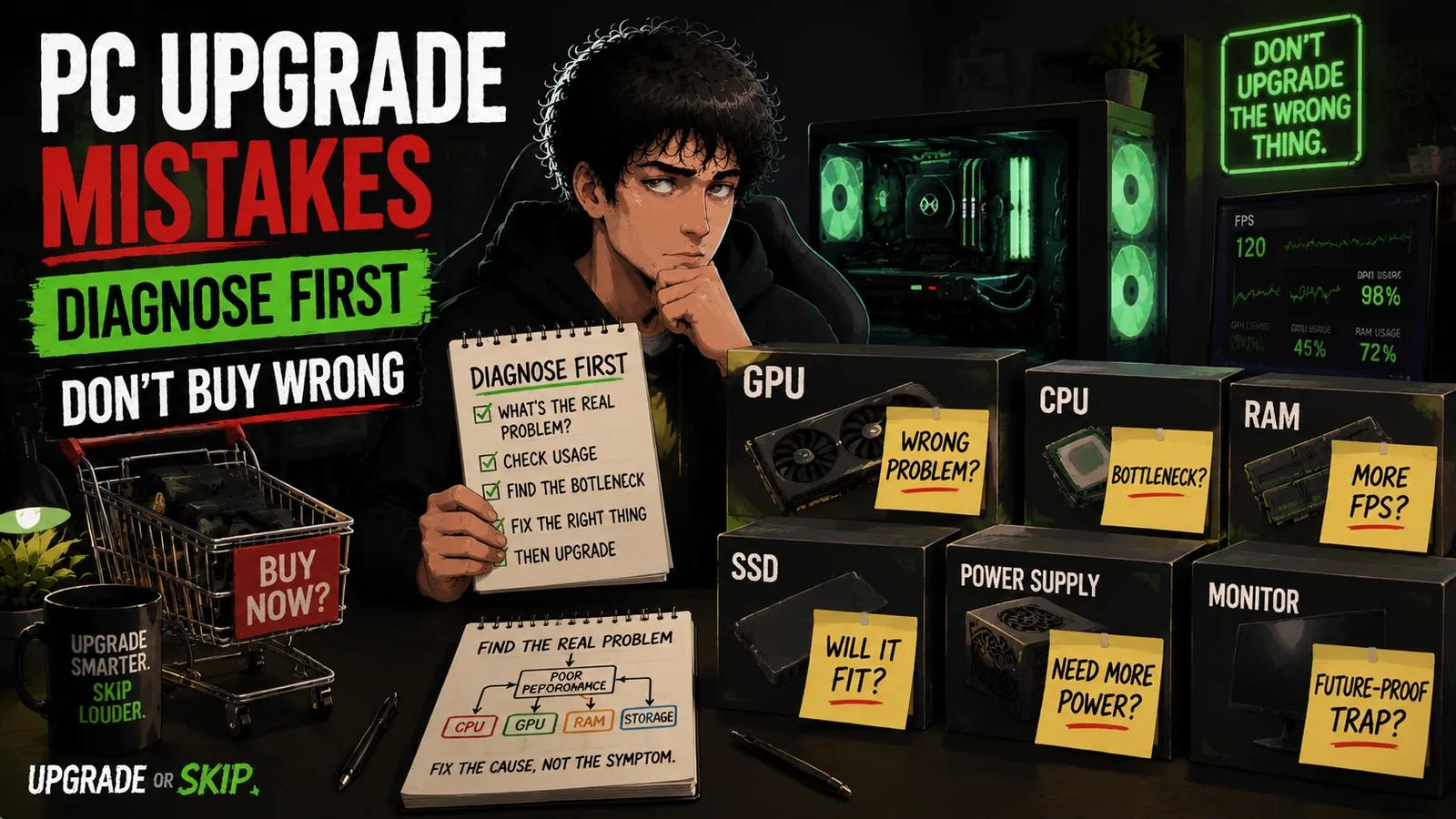
What are the biggest PC upgrade mistakes people make before they even buy anything?
Because avoiding the wrong upgrade can be just as valuable as finding the right one.
Mistake 1: Upgrading Before Diagnosing
This is the big one.
The classic.
The expensive little ritual.
Your game stutters.
Windows feels slow.
A benchmark looks disappointing.
So you immediately start shopping.
New GPU?
New CPU?
More RAM?
New SSD?
Maybe a new case because the old one is now emotionally responsible somehow.
But:
“My PC feels bad”
is not a diagnosis.
It is a symptom.
And symptoms need context.
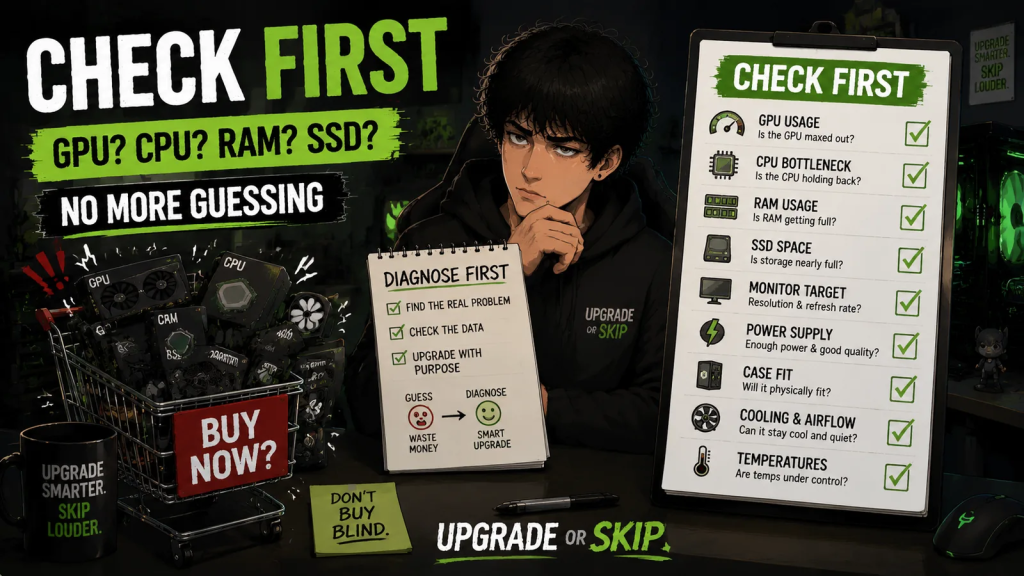
Before upgrading, you need to know what is actually failing:
- Is the GPU maxed out?
- Is the CPU holding the game back?
- Is RAM full?
- Is the SSD nearly full?
- Are temperatures too high?
- Is one game just badly optimized?
- Are background apps eating resources?
- Are you chasing a frame rate your monitor cannot show?
If you skip this step, you are guessing.
Sometimes guessing works.
Sometimes guessing becomes a $400 lesson with RGB.
Upgrade if you can name the problem.
Skip if the problem is just vibes.
Mistake 2: Buying A GPU For A CPU Problem
This one shows up constantly.
Someone buys a stronger graphics card, installs it, launches the same game, and then posts the spiritual sequel:
“Why did my FPS barely improve?”
Sometimes the answer is simple:
The GPU was not the main limit.
CPU bottlenecks are not always dramatic.
They do not always look like a big flashing warning sign.
They can show up as:
- Bad 1% lows
- Stutter in busy areas
- Poor performance in simulation games
- Low GPU usage
- Big frame drops in multiplayer
- Bad performance in CPU-heavy games
If your GPU is sitting around waiting while the CPU struggles to feed it, buying a better GPU may not fix the part that feels bad.
That does not mean:
“Never upgrade the GPU.”
It means:
Check the workload first.
Some games are GPU-heavy.
Some games are CPU-heavy.
Some games are:
“The engine is suffering and everyone is pretending this is normal.”
PC gaming contains many educational moments.
Not all of them are pleasant.
Mistake 3: Buying A CPU Because A Benchmark Made You Nervous
The opposite mistake also happens.
You watch a CPU comparison.
The new chip wins.
The graph is very serious.
The bar is longer.
Your current CPU suddenly feels personally attacked.
But if your real gaming experience is GPU-limited, a new CPU may not change much.
This is especially true at higher resolutions.
At 1440p or 4K, many games lean more heavily on the GPU.
That does not mean the CPU does not matter.
It does.
But it may not be the upgrade that changes your actual experience.
A CPU upgrade makes sense when you have evidence:
- CPU usage is high in the games you play.
- GPU usage is low when performance is poor.
- 1% lows are bad in CPU-heavy games.
- You need better performance in editing, streaming, compiling, or multitasking.
- Your platform is old enough that RAM, motherboard, and CPU limits are all stacking together.
If the only reason is:
“A newer CPU exists.”
That is not a reason.
That is time passing in retail packaging.
Mistake 4: Thinking More RAM Always Means More FPS
RAM upgrades are tricky.
Because sometimes they are fantastic.
And sometimes they are almost invisible.
If your system is running out of memory, more RAM can make the whole PC feel better.
App switching improves.
Browser chaos becomes less painful.
Background apps stop fighting the game for air.
Stutter can improve if memory pressure was the real issue.
But if your system already has enough RAM for what you do, adding more will not magically boost FPS.
32GB can be more comfortable than 16GB in 2026 for many users.
Especially if you game with:
- Discord
- Browser tabs
- Launchers
- Recording tools
- Other background apps
running at the same time.
But do not buy RAM because someone declared:
“16GB is dead.”
in a comment section.
Check usage.
Check the games you play.
Check what is open while you play.
If RAM is regularly full:
Upgrade.
If it is not:
More RAM may just sit there looking proud.
Beautiful.
Unused.
Mistake 5: Buying An Expensive SSD For More FPS
An SSD is one of the best upgrades for everyday PC feel.
Faster booting.
Faster loading.
Less waiting.
Better responsiveness.
Games launching faster.
Windows feeling less ancient.
Lovely stuff.
But an SSD upgrade is not a magic FPS machine.
For most games, a faster SSD improves:
- Loading times
- Asset streaming
- System responsiveness
more than raw frame rate.
That can still matter.
It matters a lot if you are coming from an old hard drive.
It matters if your current drive is:
- Full
- Slow
- Unhealthy
It matters if games are loading assets badly.
But if your problem is low GPU performance, buying a premium SSD because the box says extremely large numbers may not fix the thing you actually notice.
This is where marketing gets people.
Big read speeds look impressive.
And they are impressive.
But impressive is not the same as relevant.
Upgrade your SSD if storage is the problem.
Skip the premium drive if you are trying to buy frames.
Mistake 6: Ignoring The Monitor
This mistake is sneaky.
People upgrade the PC and forget the thing they are actually looking at.
Your monitor defines the target.
1080p 60Hz is not the same world as:
- 1440p 165Hz
- 4K high refresh
- Ultrawide gaming
The hardware requirement changes.
A GPU upgrade that makes sense for one monitor may be:
- Overkill for one setup
- Underpowered for another
If you use a 1080p 60Hz monitor, chasing huge FPS numbers may not improve your actual experience much.
Unless you are playing competitive games where latency matters.
If you upgrade to 1440p high refresh, suddenly your GPU expectations change.
If you buy a 4K monitor and then wonder why your midrange GPU is struggling:
The GPU did not betray you.
The target got heavier.
Before upgrading, ask:
- What resolution am I actually using?
- What refresh rate do I want?
- Do I care about ray tracing?
- Do I want high settings or just smooth gameplay?
- Is the monitor limiting the PC?
- Is the PC limiting the monitor?
A good upgrade matches the display.
Otherwise you may buy:
Power you cannot see.
Or a monitor your PC cannot feed.
Both are expensive flavors of:
“Oops.”
Mistake 7: Chasing Ultra Settings
Ultra settings are where performance goes to be sacrificed for tiny visual differences.
Not always.
But often enough.
Some settings are genuinely noticeable:
- Texture quality
- Resolution
- Lighting
- Major visual effects
But some Ultra options cost a lot and return very little.
Examples:
- Shadows
- Volumetrics
- Reflections
- Expensive ray tracing settings
The kind of settings that make your GPU question its life choices.
Many players could get a smoother experience by dropping a few settings from Ultra to High.
But Ultra has a psychological grip.
It feels like the “real” experience.
It feels like lowering settings means losing.
It does not.
Settings are tools.
Not moral judgments.
If dropping one setting makes the game smoother and you barely notice the visual difference:
That is not failure.
That is free performance.
The best upgrade is sometimes the settings menu.
Annoying.
But true.
Mistake 8: Building For “Future-Proofing”
Future-proofing is one of the most expensive phrases in PC building.
It sounds smart.
It sounds responsible.
It sounds like you are making a long-term investment.
Sometimes you are.
But sometimes you are just buying hardware for a future version of yourself who may not exist.
People use future-proofing to justify:
- More GPU than they need
- More CPU than they use
- More RAM than they require
- Expensive motherboards with unused features
- Oversized power supplies
Buying some headroom is reasonable.
That is not the problem.
The problem is pretending you can predict the future perfectly.
You cannot.
Your gaming habits may change.
Your monitor may change.
Your favorite games may change.
You may stop caring about ray tracing.
You may care more about:
- Lower noise
- Smaller size
- Better efficiency
- Different workloads
The future is rude like that.
The “perfect” upgrade today can become the wrong choice later.
Buy for the next few years of real use.
Not an imaginary version of yourself who plays every AAA game at Ultra forever.
That person is expensive.
And probably tired.
Mistake 9: Forgetting Power, Cooling, And Case Fit
This is the mistake people discover after buying the part.
Which is usually the worst time to discover it.
You find a great GPU deal.
You click buy.
You imagine the performance upgrade.
Then reality arrives:
The power supply is not enough.
The card does not fit.
The airflow is terrible.
The temperatures are too high.
The “simple upgrade” suddenly needs three more upgrades.
Very efficient.
Very expensive.
A new component does not exist in isolation.
A GPU upgrade can require:
- More power
- Better airflow
- More case space
- Different cables
- A stronger power supply
- Better cooling
Before buying, check these four things.
Power Supply
Is it powerful enough?
Is it a reliable model?
Does it have the right connectors?
A cheap power supply is not the place to gamble.
Case Clearance
Will the new hardware physically fit?
Modern GPUs can be huge.
Sometimes the problem is not performance.
The problem is:
Your case was designed before graphics cards became small apartments.
Cooling
Can your system actually remove the extra heat?
A faster component is only useful if it can run properly.
Poor airflow can turn a good upgrade into a loud, hot disappointment.
Noise
Performance is not the only goal.
A GPU that technically performs better but sounds like a vacuum cleaner may not feel like an upgrade.
The best upgrade improves the whole experience.
Not just the benchmark screenshot.
Mistake 10: Replacing A PC That Only Needed One Smart Upgrade
This is where people often go too far.
The PC feels old.
So they start planning a complete rebuild.
New CPU.
New motherboard.
New RAM.
New GPU.
New case.
New everything.
The shopping cart starts looking like a second mortgage with RGB.
But sometimes the system does not need a complete replacement.
Sometimes it needs one correct decision.
The Problem: Slow Loading
Maybe you need:
- A better SSD
Not:
- A whole new PC
The Problem: Running Out Of Memory
Maybe you need:
- More RAM
Not:
- A completely new platform
The Problem: New Monitor, Old GPU
Maybe you need:
- A better GPU
Not:
- Rebuilding everything
The Problem: Heat And Noise
Maybe you need:
- Cleaning
- Better airflow
- New fans
Not:
- A new generation of hardware
The Problem: Windows Feels Heavy
Maybe you need:
- Removing startup apps
- Cleaning software clutter
- Fixing background processes
Not:
- A new CPU
A good upgrade is targeted.
It fixes the thing that annoys you.
It does not replace everything just because replacing everything feels satisfying.
That feeling is exactly what upgrade anxiety sells.
Upgrade If:
- You can clearly identify what part is limiting your experience.
- The problem happens repeatedly, not once.
- The issue appears across multiple games or workloads.
- Your monitor target has changed.
- Your current hardware cannot meet your actual needs.
- Usage data supports the decision.
- Temperatures, power, and compatibility have been checked.
- The upgrade creates a noticeable improvement.
- The cost makes sense compared with the benefit.
Skip If:
- You have not checked what is actually causing the problem.
- One game or one benchmark created the panic.
- You are upgrading because a new product launched.
- You cannot explain what the upgrade will improve.
- You are buying more performance than your monitor can show.
- You are chasing Ultra settings you do not actually need.
- You are building for a future that exists only in your imagination.
- You need several extra purchases to make the upgrade work.
The Upgrade or Skip Take
The biggest PC upgrade mistakes are usually not about buying bad hardware.
They are about buying the right hardware for the wrong problem.
A GPU cannot fix every stutter.
A CPU cannot fix every frame drop.
More RAM cannot fix a GPU limitation.
A faster SSD cannot create FPS.
A complete rebuild cannot fix a bad upgrade decision.
The smartest upgrade starts before the purchase.
It starts with one question:
“What problem am I actually trying to solve?”
If you know the answer:
Upgrade.
If you do not:
Investigate.
Because in 2026, PC hardware is expensive enough that guessing is a bad strategy.
The goal is not to own the newest parts.
The goal is to have a PC that does what you need.
Sometimes that means buying something new.
Sometimes that means changing a setting.
Sometimes that means doing absolutely nothing.
And that is still a decision.
Because skipping a bad upgrade is also an upgrade.
Next up:
When Is The Best Time To Upgrade Your PC?
Because even when an upgrade makes sense, timing can decide whether you are making a smart purchase…
or just paying the early-adopter tax.
Upgrade smarter. Skip louder.