
Disclosure: This post may contain affiliate links. If you buy through them, we may earn a small commission at no extra cost to you.
Welcome back to Upgrade or Skip.
In the last post, we talked about buying a used GPU in 2026.
The short version:
A used GPU can make sense.
But only if the discount is big enough to compensate for the risk.
Now let’s talk about the thing that makes people want to buy that GPU in the first place.
Benchmark charts.
Beautiful bars.
Clean numbers.
Very official-looking rectangles.
The kind of thing that makes comment sections immediately start performing hardware astrology.
“That GPU is cooked.”
“8GB is dead.”
“Just buy the faster card.”
“Bro, your CPU is bottlenecking your soul.”
Benchmarks are useful.
They help us compare hardware.
They reveal performance differences.
They expose products that probably should have stayed as a spreadsheet experiment.
But benchmark charts do not tell the whole story.
And if you use them the wrong way, they can make a perfectly usable PC feel like a personal failure.
Which is impressive.
Your GPU already has enough problems.
It does not need an identity crisis.
Across Reddit threads, YouTube comments, Steam discussions, and PC gaming forums, the complaint is rarely:
“My average FPS is 7% lower than expected.”
The complaint is usually:
“Why does this still stutter?”
“Why does it feel bad when the FPS counter says 90?”
“Why are my 1% lows terrible?”
“Why did my $500 upgrade not fix this one cursed game?”
That is the real conversation.
Not whether benchmarks are fake.
The real question is:
Are benchmark charts helping you solve a problem, or convincing you to buy the wrong solution?
Average FPS Is Not Your Gaming Experience
The first problem is average FPS.
Average FPS is easy to understand.
Higher number good.
Lower number bad.
Marketing department approved.
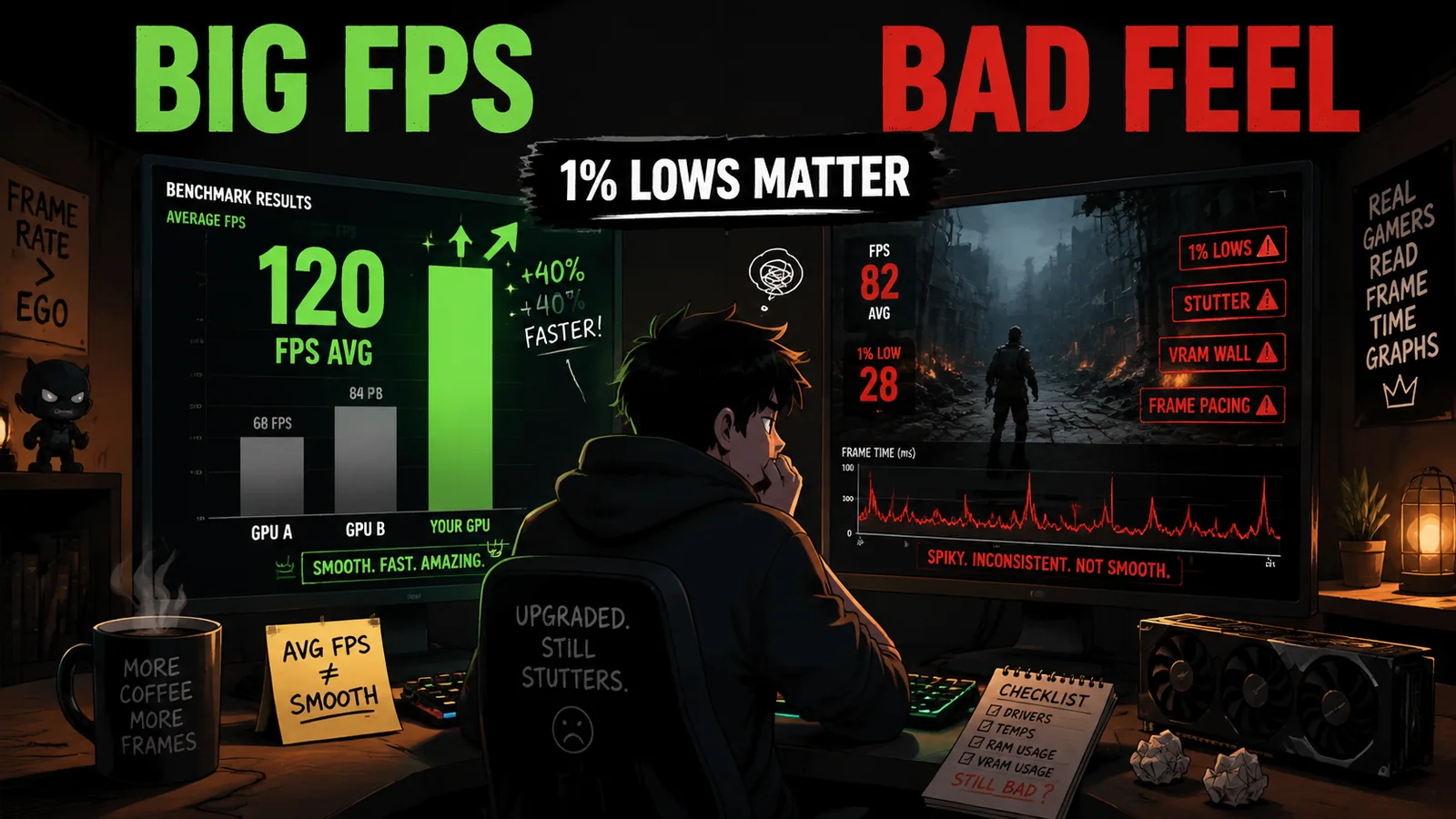
But average FPS is not the same thing as smoothness.
A game can average 90 FPS and still feel terrible if it keeps:
- Hitching
- Dropping frames
- Loading assets badly
- Compiling shaders at the wrong time
- Running out of VRAM in demanding areas
That is why 1% lows and frame-time graphs matter.
Average FPS tells you what happened during the entire test.
1% lows show you what happened during the worst moments.
Frame time shows whether frames arrive consistently.
And your eyes notice inconsistent frames.
Not because gamers are spoiled.
Because that is literally what you are experiencing.
A stable 70 FPS can feel better than a chaotic 100 FPS that keeps freezing for tiny moments.
Benchmark charts usually show the headline.
Your gaming session includes the footnotes.
This is why experienced PC gamers eventually start caring about 1% lows.
Average FPS is the number people post.
1% low is often the number that explains why the game felt wrong.
Very different jobs.
The Bad Moments Matter More Than The Average
Most people do not complain because their game was 6 FPS slower than expected.
They complain because something felt broken.
The camera freezes.
The world suddenly loads.
A new area appears and the PC has a small emotional crisis.
A boss fight runs perfectly until the screen fills with effects and your system briefly questions every decision it has made.
That is the difference between performance as a number and performance as an experience.
If a benchmark shows:
- GPU A: 88 FPS average
- GPU B: 95 FPS average
GPU B looks better.
But what if GPU B has:
- Worse 1% lows
- Worse frame pacing
- More stutter
- Insufficient VRAM for your settings
The chart is still correct.
It is just incomplete.
Not fake.
Just incomplete.
Like saying:
“This chair is tall.”
Without mentioning that it is also on fire.
Benchmark Runs Are Cleaner Than Real Life
A benchmark is controlled.
That is the point.
Same scene.
Same settings.
Same route.
Same hardware.
Same testing conditions.
That makes comparisons fair.
But your PC is not a clean test bench.
Your PC has:
- Browser tabs
- Game launchers
- Discord running
- RGB software doing mysterious RGB software things
- Windows updates waiting in the background
- Storage that is almost full
- Old drivers mixed with new drivers
- Airflow that might exist mostly as a concept
Reviewers need controlled tests.
You need a PC that feels good every day.
Those are connected.
They are not identical.
Real life is where the excuses begin.
Settings Change Everything
Benchmark charts usually test specific settings.
Ultra.
High.
Medium.
Ray tracing on.
Ray tracing off.
Upscaling enabled.
Native resolution.
Those choices are useful for comparison.
But they are not always how people should actually play.
The settings menu is not a moral test.
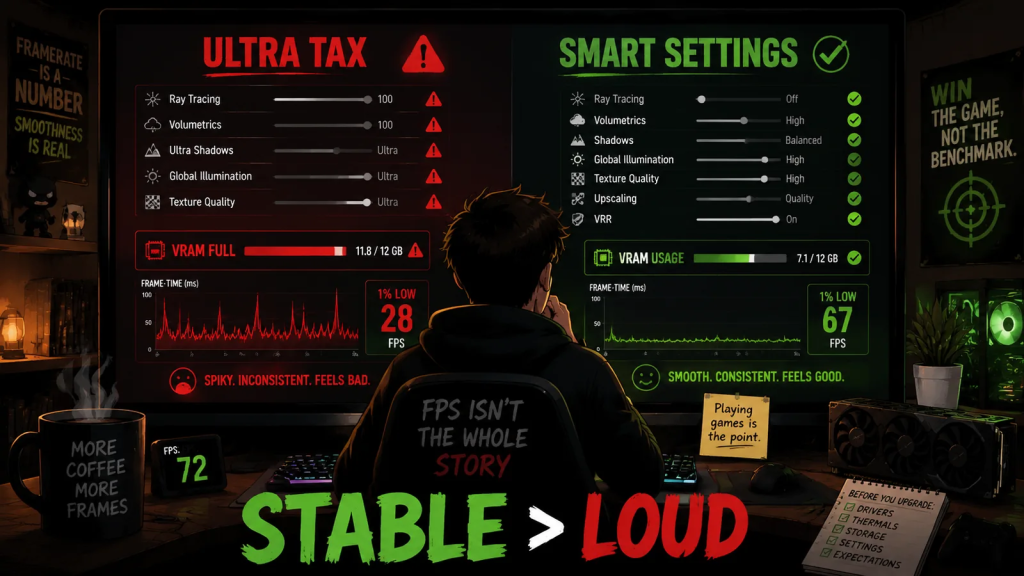
Ultra is not automatically the correct choice.
Ultra is often an emotional support preset.
It makes people feel like they are getting the full experience.
Sometimes they are getting:
- 5% better visuals
- 30% worse performance
That is the Ultra tax.
Lowering the right settings often gives you a better experience than buying new hardware.
Shadows.
Volumetrics.
Ray tracing.
Crowd density.
Texture quality when VRAM is limited.
That one setting you enabled because it sounded expensive.
Benchmark charts can make two GPUs look far apart at extreme settings.
Then much closer after reasonable adjustments.
This is why:
“Can my PC run this game?”
is often a better question than:
“Can my PC win this benchmark?”
Winning charts is expensive.
Playing games is the point.
VRAM Can Make The Chart Lie Quietly
VRAM is one of the places where benchmark charts can become misleading.
Not because reviewers are lying.
Not because the numbers are fake.
Because VRAM problems do not always appear as a simple average FPS disaster.
Sometimes the average still looks acceptable.
But the experience gets worse:
- Texture pop-in
- Stutter when entering new areas
- Sudden drops in 1% lows
- Worse frame pacing at higher resolutions
- Performance drops when settings exceed available memory
This is why two GPUs can look close on a chart while feeling completely different during actual gameplay.
Especially at 1440p.
Especially with high texture settings.
Especially when ray tracing joins the conversation and starts demanding extra resources.
If your GPU does not have enough VRAM for the settings you want, more clock speed will not magically fix it.
More frequency does not create more memory.
It is not a bigger backpack because you walked faster.
This is also why used GPU decisions should never rely on one benchmark chart.
A cheaper card with less VRAM may look great in older tests.
Then a newer game arrives and turns:
“Great deal.”
into:
“Why does this stutter when the FPS counter says everything is fine?”
That is the VRAM wall.
Shader Stutter Is Not A Benchmark Bar
Another problem is shader compilation.
Some modern PC games stutter not because your hardware is weak, but because the game is preparing shaders during gameplay or at launch.
That can create annoying pauses even on powerful systems.
This is one reason people upgrade and still feel disappointed.
The old hardware was not the only problem.
The game was also struggling.
Very impressive.
Very modern.
Very:
“Please wait while your expensive PC has a brief existential crisis.”
Good benchmark reviews may mention this.
But a simple bar chart usually does not.
If a game has:
- Shader compilation stutter
- Traversal stutter
- Asset streaming issues
- Poor optimization
A hardware upgrade may help less than expected.
Sometimes the correct answer is not:
“Buy a new GPU.”
Sometimes it is:
- Wait for patches
- Lower the right settings
- Cap your frame rate
- Enable VRR
- Install the game on an SSD
- Update drivers
A benchmark bar cannot explain every software problem.
That is why PC communities keep talking about:
“Shader stutter.”
“Bad frame pacing.”
“Traversal stutter.”
They are not always exaggerating.
Sometimes the FPS counter is simply leaving out important information.
Sometimes the game is technically running fast.
And somehow still feels bad.
Benchmarks Do Not Know Your Monitor
Your monitor changes what performance means.
A 1080p 60Hz player and a 1440p 165Hz player are not chasing the same thing.
If you play at 1080p 60Hz, a massive FPS increase may not change your experience much.
If you play competitive games, latency and consistency may matter more than visual quality.
If you play cinematic single-player games, stable frame pacing may matter more than chasing the highest possible number.
If you use VRR, a stable lower frame rate can often feel better than an unstable higher one.
Benchmark charts compare hardware.
They do not know:
- Your monitor
- Your games
- Your settings
- Your preferences
They do not know whether you notice every frame drop instantly or whether you survived years of gaming on a laptop that sounded like a small aircraft.
Context matters.
The Best Benchmark Is The One That Matches Your Problem
This is the practical part.
Before upgrading, do not start with:
“What GPU is faster?”
Start with:
“What problem am I actually trying to solve?”
Is the game too slow?
Is it stuttering?
Is VRAM full?
Is the CPU maxed out?
Are your settings unreasonable?
Is storage causing loading problems?
Is the game simply badly optimized?
Are you comparing your real PC against a perfect test system with:
- Cleaner Windows
- Faster RAM
- Better cooling
- No background apps
- A stronger CPU
Benchmarks are most useful when they answer your actual question.
If you play at 1080p:
Look at 1080p results.
If you play at 1440p:
Look at 1440p results.
If you hate stutter:
Look at 1% lows and frame-time analysis.
If you play VRAM-heavy games:
Pay attention to memory capacity.
If you play competitive games:
Look at CPU scaling and latency.
If you play open-world games:
Look beyond average FPS.
The right benchmark can help.
The wrong benchmark can sell you anxiety in chart form.
How To Read Benchmark Charts Without Losing Your Wallet
When watching benchmarks, do not only ask:
“Which bar is longer?”
Ask:
“Was this tested in the kind of situation where my game actually struggles?”
“Are the 1% lows close to the average?”
“Does the reviewer mention stutter?”
“Is VRAM usage shown?”
“Is frame generation hiding a weak base frame rate?”
“Are these settings reasonable, or are we worshipping Ultra again?”
That is how you use benchmarks without letting benchmarks use you.
Upgrade If:
- Your PC cannot maintain the performance you want at your actual resolution.
- Your 1% lows remain poor after reasonable settings changes.
- Your GPU is consistently VRAM-limited in games you actually play.
- The bottleneck is clear, repeatable, and measurable.
- You have checked drivers, thermals, storage, and background apps first.
- The upgrade improves your real experience, not just a screenshot.
Skip If:
- Your games already feel smooth.
- You only feel unhappy after watching benchmark videos.
- The difference exists mostly at settings you never use.
- Your problem is shader stutter or poor optimization.
- A small settings adjustment fixes the issue.
- You are upgrading because a chart made your PC look old.
The Upgrade or Skip Take
Benchmark charts are useful.
They are not the enemy.
They are the beginning of the conversation.
Not the final answer.
The mistake is treating one average FPS number like it contains the entire truth.
It does not.
Smoothness matters.
Frame pacing matters.
1% lows matter.
VRAM matters.
Settings matter.
Your monitor matters.
The games you actually play matter most.
A benchmark can tell you which GPU is faster.
It cannot always tell you whether spending money will make your PC feel better.
That decision still belongs to you.
Next up:
How Long Should a Gaming PC Actually Last?
Upgrade smarter. Skip louder.