
Welcome back to Upgrade or Skip.
QuillBot is often described as a cheaper alternative to Grammarly.
That description is partly correct.
It is also incomplete.
Grammarly is primarily a writing assistant that follows you across websites and apps, identifies mistakes, and suggests improvements while you write.
QuillBot is strongest when you already have a sentence or paragraph and want another version of it.
That distinction matters more than the feature count.
For this review, I tested QuillBot Premium across paraphrasing, grammar correction, summarization, tone changes, long-form rewriting, plagiarism checking, AI detection, and browser-based writing.
I also compared the results with QuillBot Free and my previous testing of Grammarly Pro.
Prices and plan details were last checked on August 26, 2026. QuillBot regularly displays promotional annual pricing, so check the final checkout price before subscribing.
Quick Verdict
QuillBot Premium is worth paying for if paraphrasing, rewriting, summarizing, or simplifying existing text is a regular part of your workflow.
It offers more control over rewriting than Grammarly, removes the free plan’s restrictive 125-word paraphrasing limit, unlocks additional writing modes, and includes a monthly plagiarism-checking allowance.
However, QuillBot is not automatically the better general writing assistant.
Grammarly is still better at continuously checking grammar, clarity, fluency, and tone while you write across different apps and websites.
My verdict:
- Upgrade to QuillBot Premium if rewriting and paraphrasing are your main needs.
- Stay Free if you only rewrite short passages occasionally.
- Choose Grammarly instead if you want continuous writing correction rather than a dedicated rewriting workspace.
- Skip both paid plans if built-in grammar tools already handle your everyday writing.
QuillBot Premium can be better value than Grammarly—but only for the right kind of writer.
What Is QuillBot Premium?
QuillBot started as a paraphrasing tool, but it has expanded into a larger collection of writing and AI features.
Its current tools include:
- Paraphraser
- Grammar Checker
- Summarizer
- Plagiarism Checker
- AI Detector
- AI Humanizer
- Translator
- Citation Generator
- QuillBot Flow
- AI Chat
- Browser extensions
The free version lets you use many of these tools, but it imposes tighter limits.
According to QuillBot’s official Free vs Premium comparison, free users can paraphrase up to 125 words at a time and use only the Standard and Fluency modes.
Premium removes the paraphrasing word limit and unlocks nine writing modes, Compare Modes, paraphrasing history, advanced writing suggestions, tone insights, higher summarization limits, and plagiarism checking.
That is a meaningful upgrade if you frequently rewrite longer material.
It is much less meaningful if you only need to fix the occasional awkward sentence.
QuillBot Premium Pricing
QuillBot currently displays three Premium billing options:
| Plan | Advertised Price | Billing |
|---|---|---|
| Monthly | $19.95 per month | Billed monthly |
| Quarterly | $13.31 per month | $39.95 every three months |
| Annual | Promotional pricing may apply | Billed annually |
At the time of this review, QuillBot’s official pricing page displayed a first-year annual promotion of $59.97, equivalent to approximately $5 per month.
The same page also showed $8.33 per month as the regular annual equivalent, which would normally equal approximately $99.96 per year.
Because promotions can change, verify the actual renewal price before paying.
This is especially important with discounted first-year offers.
A cheap first year and a more expensive renewal are not the same purchasing decision, even when the button is equally green.
Purchase Math
At the regular pricing:
- Monthly for one year: $19.95 × 12 = $239.40
- Quarterly for one year: $39.95 × 4 = $159.80
- Regular annual equivalent: approximately $99.96
- Promotional first year shown during testing: $59.97
The annual plan offers the lowest effective monthly price, but that does not mean you should begin with it.
Start with QuillBot Free.
If the 125-word limit repeatedly interrupts real work, test one paid month before committing to an annual subscription.
How I Tested QuillBot Premium
I tested QuillBot with several types of writing:
- Short professional emails
- Awkward sentences that needed clearer wording
- Longer paragraphs
- Blog sections
- Formal and informal tone changes
- Repetitive passages
- Summaries of longer text
- Grammar and punctuation mistakes
- Plagiarism scans
- AI detection
- Browser-based writing
I paid particular attention to three questions:
- Did the rewritten text preserve the original meaning?
- Did it sound natural rather than mechanically rearranged?
- Did Premium save enough time compared with the free plan?
The results were useful but inconsistent.
QuillBot is capable of producing strong alternatives quickly. It is also capable of replacing a perfectly normal sentence with something technically different and noticeably worse.
The tool works best when you treat its output as a suggestion.
It should not be an automatic “replace everything” button.
What QuillBot Premium Does Well
1. It Gives You More Ways to Rewrite a Sentence
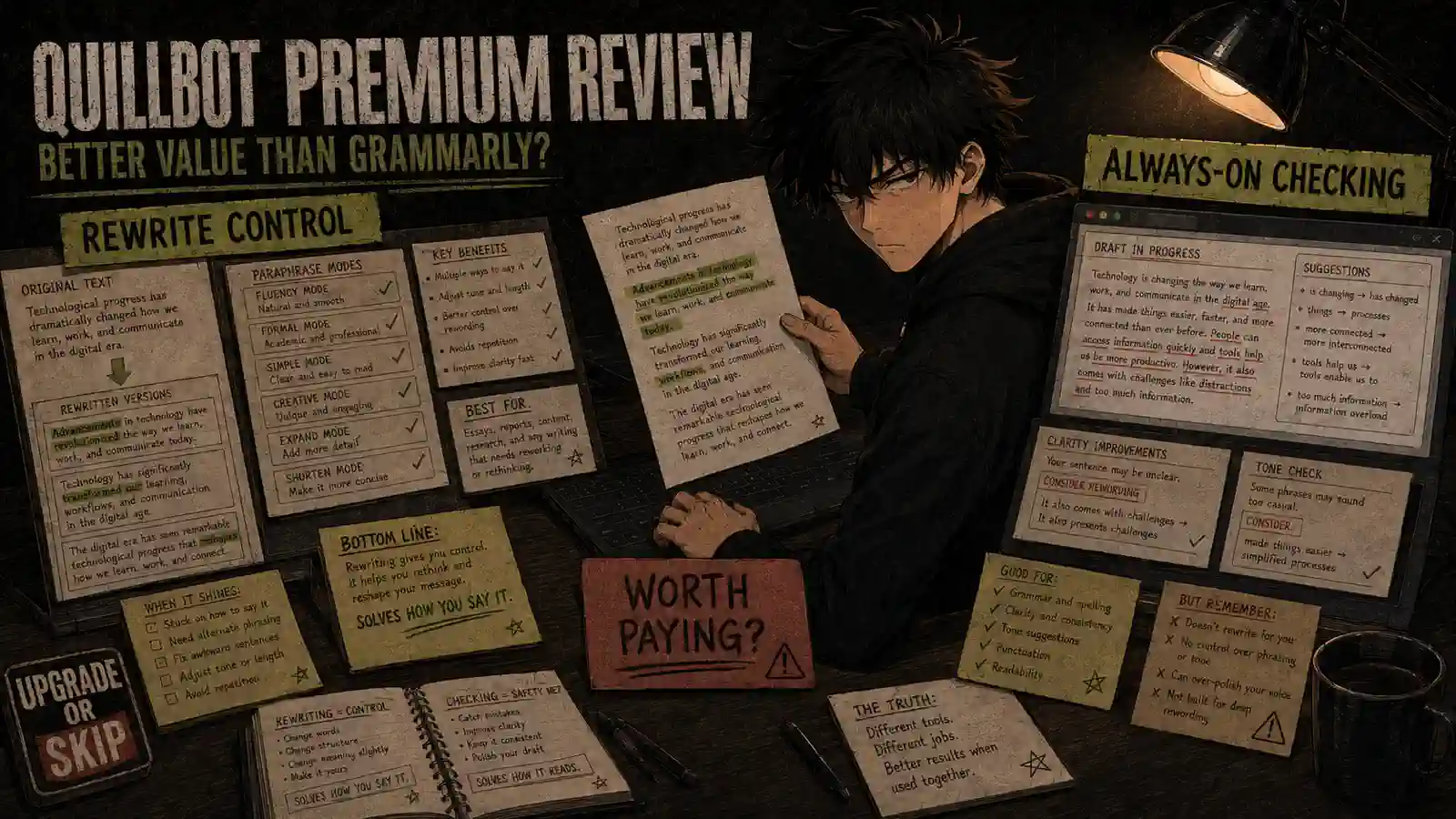
Paraphrasing remains QuillBot’s strongest feature.
Premium users can switch between multiple modes designed for different outcomes, such as:
- Standard
- Fluency
- Formal
- Simple
- Creative
- Expand
- Shorten
- Academic
- Custom modes
This is more flexible than receiving one rewrite and hoping the tool understood what you wanted.
For example, the same paragraph can be:
- Shortened for a product description
- Simplified for a general audience
- Made more formal for professional communication
- Reworked for smoother fluency
- Expanded when the original explanation lacks context
The modes do not guarantee a better result, but they make QuillBot more controllable.
2. Removing the 125-Word Limit Changes the Workflow
The free plan’s 125-word paraphrasing limit is enough for testing the tool.
It becomes inconvenient when working with longer paragraphs or multiple sections.
Premium removes that restriction.
Instead of dividing a long passage into small chunks, rewriting each piece separately, and then repairing the transitions afterward, you can work with the complete text.
That makes Premium significantly more useful for:
- Blog posts
- Reports
- Academic drafts
- Marketing content
- Professional documents
- Long emails
- Non-native English writing
The unlimited paraphrasing allowance is the clearest reason to upgrade.
3. Compare Modes Is Genuinely Useful
Premium’s Compare Modes feature lets you examine different rewrites without manually switching back and forth.
That helps when you know a sentence is weak but are not sure what kind of improvement it needs.
You might discover that:
- Fluency preserves the meaning best.
- Formal makes the sentence sound too stiff.
- Shorten removes useful context.
- Simple produces the clearest version.
- Creative quietly changes the original point.
Compare Modes is useful because paraphrasing is not a single task.
Different rewrites solve different problems.
4. The Summarizer Handles Longer Material
QuillBot Free can summarize up to 1,200 words, while Premium increases the limit to 6,000 words and adds custom summary options.
This is useful for:
- Long articles
- Reports
- Research notes
- Meeting documents
- Draft chapters
- Source material
The Summarizer can quickly identify major points, but it should not replace reading important documents.
Summaries naturally remove detail.
Occasionally, the removed detail is the part that explains why the conclusion is not as simple as it first appears.
Use the summary to navigate the document, not to pretend the document no longer needs reading.
5. The Plagiarism Allowance Adds Practical Value
QuillBot Premium includes a Plagiarism Checker with an allowance of 25,000 words per month.
That can be useful for students, bloggers, freelance writers, editors, and website owners who want to identify passages that resemble existing online content.
However, a similarity result is not a final judgment about plagiarism.
Properly quoted and cited text may still be detected as similar. Original writing can contain common phrases. Different plagiarism systems may also produce different results.
Use the checker as a warning system, then investigate the highlighted passages yourself.
6. The Browser Extension Makes It More Convenient
QuillBot provides browser extensions that bring grammar checking, paraphrasing, and writing suggestions into other websites.
The official QuillBot Chrome extension page says Premium users receive expanded paraphrasing modes, tone insights, and advanced recommendations.
This helps reduce the need to move every sentence into the main QuillBot editor.
Still, Grammarly feels more natural as an always-present writing assistant.
QuillBot’s strongest experience remains its dedicated rewriting tools.
Where QuillBot Premium Disappoints
Rewrites Can Lose the Original Voice
QuillBot sometimes improves a sentence by making it clearer.
It can also make writing sound:
- More formal than intended
- Generic
- Over-polished
- Mechanically restructured
- Less personal
- Different in meaning
This becomes more noticeable with creative writing, opinion writing, humor, or a strong personal voice.
If every sentence is pushed through the same rewriting mode, the final document may be grammatically clean and emotionally unemployed.
The correct workflow is:
- Review the suggestion.
- Compare it with the original.
- Confirm that the meaning is unchanged.
- Keep only the useful parts.
- Rewrite the rest yourself.
QuillBot Is Not a Human Editor
QuillBot can help identify alternatives.
It does not understand your entire argument, audience, brand, or intention in the way a skilled editor can.
It may improve individual sentences while making the complete paragraph less coherent.
It may also remove deliberate repetition, informal language, or unusual phrasing that gives the writing its identity.
For important work, sentence-level polish is not the same as structural editing.
AI Detection Is Not Reliable Proof
QuillBot includes an AI Detector, but no AI detector should be treated as definitive proof of authorship.
Human writing can be flagged as AI-generated.
AI-generated writing can pass undetected.
Editing, translation, formal writing, and non-native English patterns can all affect detector results.
Do not purchase QuillBot Premium because you believe its AI Detector can guarantee how another platform will classify your writing.
It cannot.
“Humanizing” Does Not Remove Responsibility
QuillBot promotes AI Humanizer features, but users should be cautious about what problem they are trying to solve.
Improving stiff wording is reasonable.
Attempting to disguise copied or AI-generated work as original human work creates academic, professional, and ethical risks.
Paraphrasing does not remove the need to:
- Understand the source
- Cite borrowed ideas
- Follow school or workplace policies
- Verify the final meaning
- Take responsibility for submitted work
Replacing enough words does not automatically create original thinking.
The Tool Suite Is Becoming Crowded
QuillBot now offers paraphrasing, grammar correction, chat, image generation, presentations, translation, AI search, summarization, citations, plagiarism checking, and other tools.
More tools can create more value.
They can also distract from the reason QuillBot is worth considering in the first place:
It is a strong rewriting and paraphrasing tool.
Do not pay simply because the feature list is long.
Pay if the specific tools you use repeatedly save time.
QuillBot Free vs Premium
| Feature | QuillBot Free | QuillBot Premium |
|---|---|---|
| Paraphrasing limit | 125 words | Unlimited |
| Paraphrasing modes | Standard and Fluency | Nine modes |
| Synonym settings | Three | More control |
| Compare Modes | No | Yes |
| Paraphrasing history | No | Yes |
| Summarizer limit | 1,200 words | 6,000 words |
| Custom summaries | No | Yes |
| Advanced grammar suggestions | No | Yes |
| Tone insights | No | Yes |
| Advanced Humanizer | Three uses | Unlimited |
| Translator | Up to 5,000 characters | Unlimited |
| Plagiarism Checker | No | 25,000 words per month |
| Price | $0 | From promotional annual pricing up to $19.95 monthly |
The free plan is enough to determine whether you like QuillBot’s rewriting style.
That is important because the primary upgrade benefit is not a completely different writing engine.
It is more access, more modes, longer inputs, and additional tools.
If you dislike the free paraphrasing results, Premium will give you more ways to produce results you may still dislike.
QuillBot Premium vs Grammarly Pro
QuillBot and Grammarly overlap, but they are not identical products.
| Category | QuillBot Premium | Grammarly Pro |
|---|---|---|
| Best use | Rewriting and paraphrasing | Continuous writing improvement |
| Grammar checking | Good | Stronger overall workflow |
| Paraphrasing control | Excellent | More limited |
| Writing modes | More rewriting modes | More contextual suggestions |
| Tone assistance | Available | More integrated |
| Browser workflow | Useful | More seamless |
| Long-text rewriting | Better | Less specialized |
| Plagiarism checking | Included with monthly allowance | Included, subject to plan terms |
| Free plan | Strong for short rewrites | Strong for basic corrections |
| Best for | Students, researchers, rewriters, non-native writers | Professionals, teams, everyday business writing |
QuillBot is better when you frequently think:
“I know what I want to say, but I need another way to say it.”
Grammarly is better when you frequently think:
“I want something to watch my writing and catch problems as I work.”
In my Grammarly Pro Review, I found that Grammarly Pro’s main value was the time saved through integrated corrections, rewrites, tone adjustments, and fluency suggestions.
QuillBot requires a more deliberate workflow.
You select text, choose a mode, compare the result, and decide what to keep.
That extra control is helpful for rewriting.
It is less convenient for routine writing correction.
Is QuillBot Better Value Than Grammarly?
QuillBot can be better value if:
- You mainly need paraphrasing.
- You regularly rewrite long passages.
- You use summaries and plagiarism scans.
- You want multiple versions of the same sentence.
- You can get the discounted annual price.
- You do not need Grammarly’s continuous cross-app correction.
Grammarly can be better value if:
- You write across email, documents, browsers, and work apps.
- You want mistakes identified automatically.
- Grammar and clarity matter more than paraphrasing modes.
- You need a writing assistant working quietly in the background.
- You want fewer manual copy-and-paste steps.
Do not choose based only on which annual plan is cheaper.
The cheaper tool that does not match your workflow is not better value.
It is just a smaller recurring waste.
What Real Users Say
Public feedback about QuillBot is mixed.
Some non-native English writers and students say the paraphrasing tools save time and help them explore clearer alternatives. A discussion in the academia community includes users debating its usefulness for legitimate rephrasing and language support.
Other writers are concerned that aggressive rewriting can remove voice or produce unnatural sentences. In a self-publishing discussion, users repeatedly emphasized that suggestions must be reviewed rather than accepted automatically.
A more recent Grammarly vs QuillBot discussion also reflects the main difference I noticed: Grammarly may preserve tone more naturally, while QuillBot can sound overly formal depending on the selected mode.
These are individual user reports, not controlled evidence.
However, they reinforce the correct way to use QuillBot:
Treat it as a rewriting assistant, not an authority over your own sentences.
Upgrade If
Upgrade to QuillBot Premium if:
- You regularly paraphrase passages longer than 125 words.
- You use QuillBot several times per week.
- Compare Modes would save time.
- You summarize documents longer than 1,200 words.
- You need the 25,000-word monthly plagiarism allowance.
- You frequently simplify, shorten, expand, or formalize writing.
- English is not your first language and the alternative phrasing helps you communicate more clearly.
- The tool saves enough time to justify the subscription.
Stay Free If
Stay with QuillBot Free if:
- You only rewrite short sentences.
- You use the tool occasionally.
- Standard and Fluency modes are enough.
- You do not need plagiarism checking.
- The 1,200-word Summarizer limit covers your documents.
- You are still deciding whether you like QuillBot’s rewriting style.
- You already pay for Grammarly or another writing assistant.
QuillBot Free is generous enough for testing and occasional use.
It becomes restrictive mainly when paraphrasing is a repeated part of your workflow.
Skip QuillBot Premium If
Skip Premium if:
- You expect it to replace a human editor.
- You plan to accept every rewrite automatically.
- You want an invisible, always-on grammar assistant.
- You mainly need spelling and punctuation correction.
- You are purchasing it to bypass plagiarism or AI-detection systems.
- Your writing depends heavily on personality, humor, or a distinctive voice.
- You already own another writing subscription that covers the same work.
- You cannot identify how often you would use the paid features.
Before adding another writing subscription, it is worth checking whether you are already paying for overlapping tools. I covered that broader problem in The AI Subscription Trap.
Final Verdict
QuillBot Premium is a strong upgrade for people who regularly rewrite, paraphrase, summarize, or simplify existing text.
Its biggest advantages are:
- Unlimited paraphrasing
- More rewriting modes
- Compare Modes
- Longer summaries
- Plagiarism checking
- Greater control over alternative wording
Its biggest weakness is that rewriting more text does not guarantee better writing.
Meaning can shift.
Voice can disappear.
A normal sentence can return wearing a business suit nobody requested.
Compared with Grammarly Pro, QuillBot Premium is the better specialist.
Grammarly is the better general writing assistant.
My final decision:
- Upgrade: Frequent paraphrasers, non-native English writers, students following appropriate academic policies, researchers, and content professionals who work with existing drafts.
- Stay Free: Occasional users rewriting short passages.
- Choose Grammarly instead: People who want continuous grammar, clarity, and tone assistance across their daily writing.
- Skip: Anyone expecting software to replace judgment, original thinking, or careful editing.
QuillBot Premium can be better value than Grammarly.
But only when rewriting—not general correction—is the job you are paying to improve.
Frequently Asked Questions
Is QuillBot Premium worth paying for?
QuillBot Premium is worth paying for if you regularly paraphrase long passages, need multiple rewriting modes, summarize longer documents, or use plagiarism checking. Occasional users should stay with the free plan.
How much does QuillBot Premium cost?
QuillBot currently lists monthly billing at $19.95 and quarterly billing at $39.95. Annual pricing may include promotional first-year discounts, so verify the checkout and renewal prices before subscribing.
Is QuillBot Free enough?
QuillBot Free is enough for occasional rewriting. It includes Standard and Fluency modes but limits paraphrasing to 125 words at a time.
Is QuillBot better than Grammarly?
QuillBot is better for controlled paraphrasing and rewriting. Grammarly is generally better for automatic grammar, clarity, fluency, and tone assistance across multiple websites and apps.
Does QuillBot Premium include a plagiarism checker?
Yes. QuillBot’s current Premium comparison lists a plagiarism-checking allowance of 25,000 words per month.
Can QuillBot replace an editor?
No. It can suggest alternatives and identify writing issues, but it cannot reliably judge the structure, accuracy, voice, or purpose of an entire document.
Is using QuillBot plagiarism?
Using a paraphrasing tool is not automatically plagiarism. However, borrowed ideas and information still require appropriate citations. Rewording someone else’s work does not remove the obligation to credit the source.
Can QuillBot guarantee that writing will pass AI detection?
No. AI detectors are inconsistent, and QuillBot cannot guarantee how another platform will classify a piece of writing.
Should I choose the monthly or annual plan?
Use the free version first. If Premium becomes necessary, test one monthly billing period before choosing an annual plan. Check both the introductory price and renewal price.
Can I pause QuillBot Premium?
QuillBot says eligible subscribers can pause a plan for 30, 60, or 90 days from the account settings. Instructions are available in its subscription pause guide.
Next Up
Hostinger Review: Is Cheap Hosting Still Worth It?
Upgrade smarter. Skip louder.