
Welcome back to Upgrade or Skip.
In the last post, we wrapped up the first AI tools series by talking about why buying AI tools just because everyone else is doing it usually leads to wasted subscriptions.
Now we are moving into practical software reviews, starting with one of the most common writing tools people consider paying for: Grammarly Pro.
Testing note: I used Grammarly Pro for 30 days across browser-based writing, emails, long-form drafts, short professional messages, grammar checks, full-sentence rewrites, tone adjustments, fluency suggestions, generative AI prompts, plagiarism checks, and AI detection. I also compared it with Grammarly Free and checked official pricing and public user feedback. Prices, plan details, and review data were last checked on August 21, 2026.
Quick Verdict
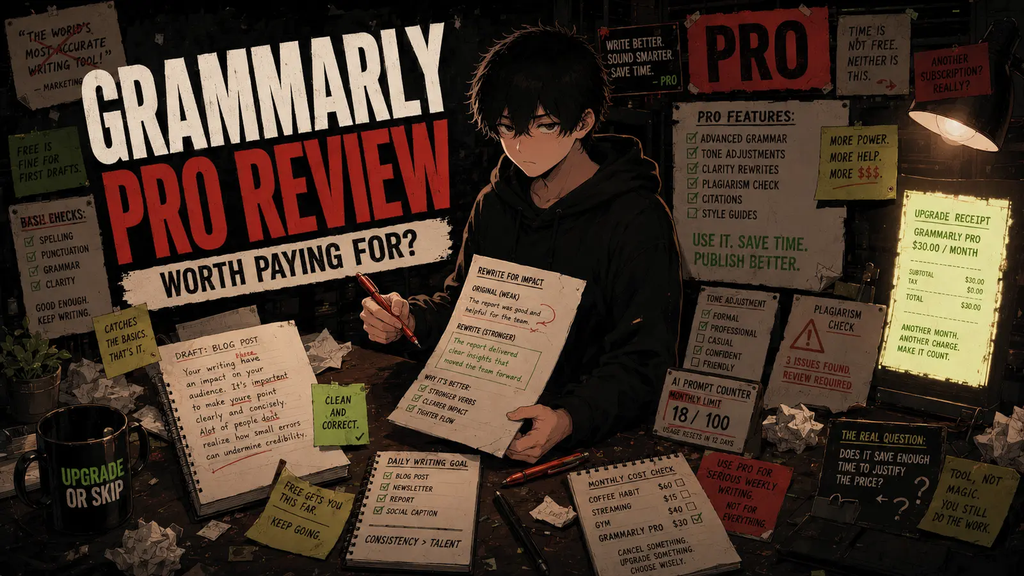
Grammarly Pro is worth paying for if you write important English content every week and regularly use its rewrites, tone adjustments, fluency suggestions, or higher AI limits.
Its biggest advantage is not better spellcheck. Grammarly Free already handles basic spelling and grammar surprisingly well.
The real value of Pro is speed.
It can help you turn technically correct but awkward writing into something clearer, more natural, and more professional without leaving the app where you are working.
That makes Pro a reasonable upgrade for frequent professional writers, freelancers, bloggers, job seekers, marketers, small business owners, and many non-native English writers.
For casual emails, occasional schoolwork, and basic mistake-checking, Grammarly Free is probably enough.
The short version:
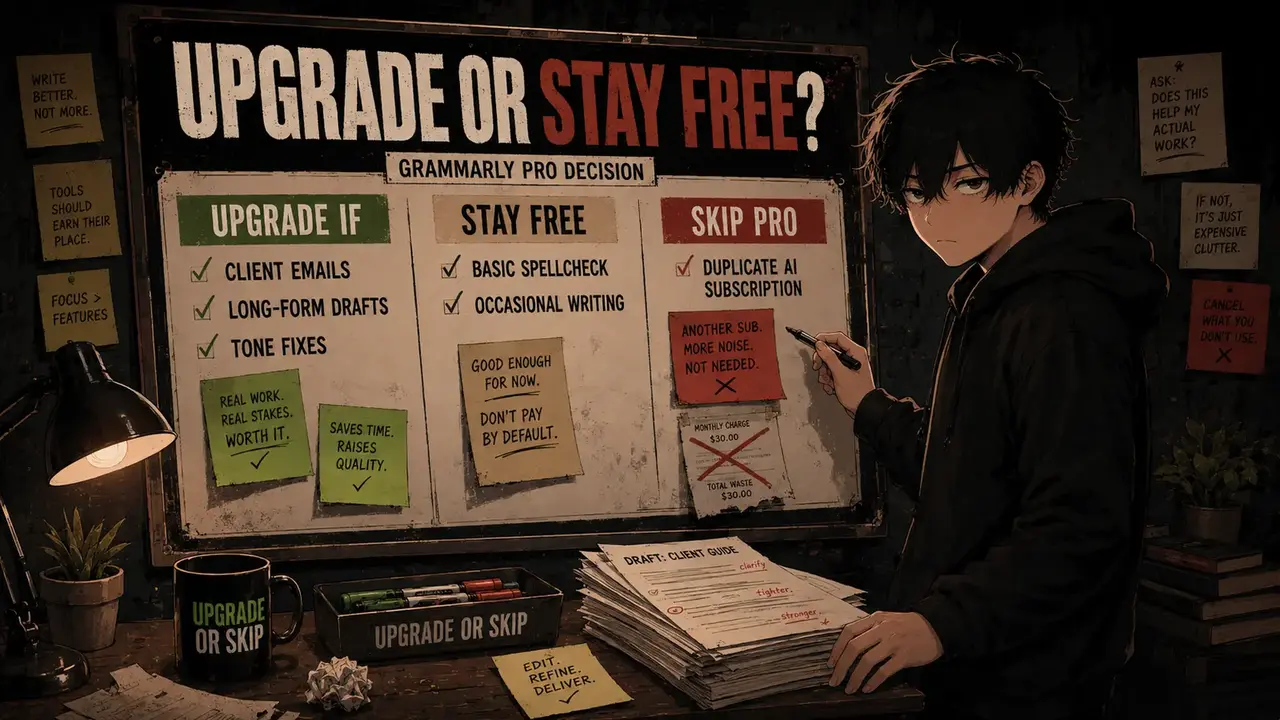
Upgrade if Grammarly improves writing you send, publish, submit, or sell every week.
Stay Free if you mainly need spelling, punctuation, and basic grammar correction.
Skip Pro if another AI subscription already handles your occasional rewriting needs.
Key Numbers at a Glance
| Detail | Grammarly Free | Grammarly Pro |
|---|---|---|
| Standard price | $0 | $30 monthly, $60 quarterly, or $144 annually |
| Annual-plan monthly average | $0 | $12 per month |
| Generative AI prompts | 100 per month | 2,000 per month |
| Full-sentence rewrites | Not included as a full paid feature | Included |
| Advanced tone and fluency help | Limited basic feedback | Included |
| Plagiarism and AI detection | Not included in the plan comparison | Included |
Grammarly says its products are used by more than 40 million people and 50,000 organizations.
Those numbers make the checkout page feel safer, but they do not answer the only question that matters:
Will Grammarly Pro solve a writing problem you actually have?
One hundred prompts, 2,000 prompts, and $144 per year are more useful numbers than “40 million users.”
They tell you whether you will hit the free limits, use the paid features, and recover the cost through saved time or better work.
Popularity is evidence that a product exists.
It is not evidence that you need to subscribe.
Upgrade If
You should consider upgrading to Grammarly Pro if:
- You write important emails, documents, articles, applications, or client messages every week.
- Full-sentence rewrites regularly save you editing time.
- You need help making professional English sound clearer or more natural.
- Tone mistakes could affect clients, applications, sales, or customer relationships.
- You routinely exceed the Free plan’s limits.
- You want writing help directly inside the apps and websites where you work.
- You can identify a recurring writing problem worth at least $12 a month to solve.
Skip If
You should probably skip Grammarly Pro if:
- You mainly need spelling, punctuation, and basic grammar correction.
- You write casually or infrequently.
- Grammarly Free already catches the mistakes you care about.
- You already pay for ChatGPT, Claude, Gemini, or another tool that handles your occasional rewrites.
- You cannot name a weekly task that requires a Pro feature.
- You are considering the annual plan only because $12 sounds cheaper than $144.
What Changed in 2026?
If you remember Grammarly Premium, that name is no longer the main paid plan name.
Grammarly Pro replaced the older Premium and Business plans and now serves both individuals and teams.
Grammarly has also expanded beyond its older identity as an English grammar checker. Its current product includes Grammarly Docs, newer AI-assisted writing features, and multilingual writing support.
Grammarly now offers real-time grammar and spelling support across more than 20 languages, although the depth of rewriting, tone, and fluency support can vary by language.
This review focuses primarily on Grammarly’s English-language writing tools because that is what I used during the 30-day test.
Grammarly also periodically offers free trials to eligible users. Trial availability can change, so check the current offer rather than assuming every account receives one.
What I Tested for 30 Days
I used Grammarly Pro as an everyday writing assistant rather than treating it like a one-hour feature tour.
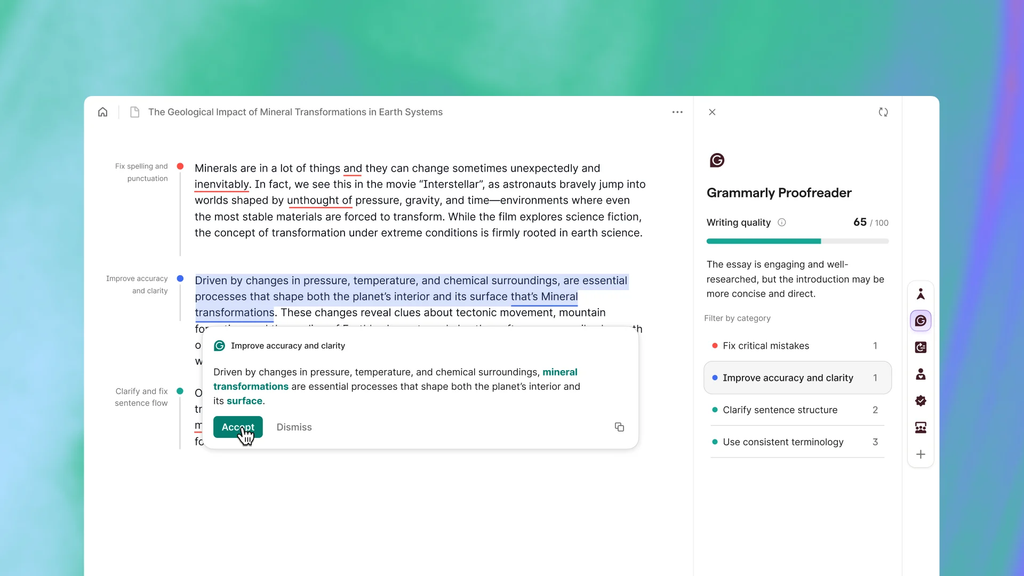
The test covered:
- Spelling, punctuation, and grammar correction
- Full-sentence rewrites
- Tone and clarity adjustments
- Fluency suggestions
- Generative AI prompts
- Plagiarism detection
- AI-generated text detection
- Browser-based writing
- Email and short professional messages
- Long-form draft cleanup
- Blog-style writing
- Non-native English phrasing support
- The practical differences between Free and Pro
I also checked Grammarly’s official plan documentation, compared the annual, quarterly, and monthly billing costs, reviewed public feedback on G2 and Trustpilot, and considered how much of the paid plan overlaps with general AI assistants.
The goal was not to prove that Grammarly can improve a sentence.
It can.
The useful question was whether it improved my writing often enough to deserve a recurring subscription.
Because a good product can still be a bad purchase.
Grammarly Free vs Pro: What Are You Actually Paying For?
Grammarly Free is a real product, not a demo wearing a free-plan name tag.
It handles the job many casual users actually need:
- Spelling corrections
- Common grammar fixes
- Punctuation help
- Basic tone visibility
- Limited AI assistance
- Up to 100 generative AI prompts per month
During testing, Free was useful enough for basic cleanup.
If all I needed was mistake-checking, I would not pay for Pro.
Pro becomes more useful when the sentence is technically correct but still weak.
Maybe it is too stiff, too vague, too long, too passive, or much more intense than the message requires.
Pro’s paid features are designed to help with that second layer of editing through full-sentence rewrites, stronger tone adjustments, fluency help, more personalized suggestions, plagiarism and AI checks, and a much higher AI prompt allowance.
The paid plan is not mainly selling more commas.
It is selling a faster route from “technically acceptable” to “ready to send.”
That distinction matters if writing is part of your work.
It matters considerably less if your weekly writing output is “sounds good, thanks.”
Pricing: The Billing Math Matters
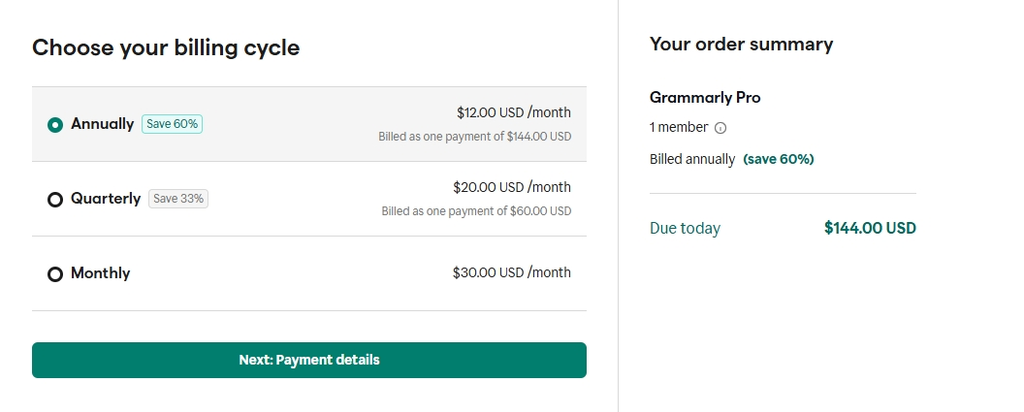
Grammarly’s standard US Pro pricing is currently:according to Grammarly’s official plans page
- Monthly: $30 per month
- Quarterly: $60 every three months
- Annual: $144 per year, averaging $12 per month
Pay monthly for a full year and you spend $360.
Pay quarterly for a full year and you spend $240.
Pay annually and you spend $144.
The annual plan is therefore:
- $216 cheaper than paying monthly for a full year
- $96 cheaper than paying quarterly for a full year
That does not mean the annual plan is automatically the smart choice.
It means annual billing is the cheapest option only after you know you need Pro.
Saving money on software you would not otherwise buy is still spending money.
Math remains deeply anti-marketing.
If you are uncertain, start with Grammarly Free and watch your actual usage.
If you repeatedly need locked rewrites, advanced tone help, or more AI prompts, you have evidence for upgrading.
If the Free plan quietly solves the problem, the test is already over.
The Pro Features That Actually Matter
1. Full-Sentence Rewrites
This was one of the strongest reasons to consider Pro.
Some sentences are grammatically correct and still unpleasant to read.
Grammarly’s rewrite suggestions often gave me a faster route to something clearer, shorter, or more professional.
Not every suggestion was better than the original.
Some removed useful personality or changed the emphasis.
But many were good enough to reduce editing time, which is the real value.
Pro does not eliminate judgment.
It gives you another draft without requiring you to start over.
2. Tone Adjustments
Tone help was most useful when the words were correct but the message felt wrong.
That matters in client emails, job applications, customer replies, proposals, sales messages, and other writing where “technically correct” is not the same as “safe to send.”
Grammarly can help make a sentence sound more confident, friendly, direct, or diplomatic.
It can also over-polish the writing, so I would not accept every change automatically.
A strange sentence to a friend is awkward.
A strange sentence to a client can cost trust.
Different stakes.
Different upgrade decision.
3. Fluency for Non-Native English Writers
This remains one of Grammarly Pro’s strongest use cases.
The challenge for many non-native writers is not incorrect English.
It is English that is technically correct but does not sound natural in a professional context.
Pro’s fluency and rewrite suggestions can reduce that uncertainty.
They are especially useful for freelancers working with English-speaking clients, professionals writing emails and reports, job seekers preparing applications, and bloggers publishing for an English-language audience.
The risk is sameness.
Accept enough suggestions without thinking and your writing can become extremely correct, extremely professional, and completely forgettable.
Sometimes Grammarly wants to put your personality in a gray office suit.
You are allowed to say no.
4. Generative AI Prompts
Grammarly Free currently includes 100 generative AI prompts per month. Pro includes 2,000.
During testing, the prompts were useful for creating alternate versions, changing tone, polishing short messages, and finding a clearer way to express an idea.
The advantage is convenience.
Grammarly is already inside the writing surface, so you do not need to copy the text into another tool, explain the context again, and then paste the result back.
The disadvantage is overlap.
If you already pay for ChatGPT, Claude, Gemini, or another capable AI assistant, 2,000 prompts may be less valuable than the number suggests.
Twenty times more prompts is impressive only if prompts were the problem.
Twenty times more unused software is still unused software.
5. Plagiarism Detection
Plagiarism checking can be useful for students, editors, bloggers, freelancers, and content teams that need an additional originality check before publishing or submitting important work.
I found it useful as a final checkpoint, but I would not buy an annual subscription for plagiarism detection alone unless I needed it regularly.
Students should also follow their institution’s academic-integrity rules.
A tool being available does not automatically mean every use is permitted.
6. AI Detection
Grammarly Pro includes AI-generated text detection, but the result should be treated as a signal rather than proof.
AI detectors can produce false positives and false negatives.
They may help identify text worth reviewing, but they cannot reliably determine authorship on their own.
Use the result as one clue.
Not a courtroom.
7. Help Where You Already Write
Grammarly’s biggest practical advantage may be distribution rather than intelligence.
It works across common writing surfaces, including browsers, email, Google Docs, Microsoft Word, desktop apps, and mobile devices.
A writing tool inside your normal workflow is more useful than a theoretically smarter tool you forget to open.
That is where Grammarly can beat a general AI assistant.
Not because every suggestion is better.
Because it is already there.
What I Liked
The Free plan is genuinely useful. Most casual users can start there without immediately hitting a paywall disguised as a product.
Rewrites can save time. The best suggestions shortened the path from rough sentence to usable sentence.
Tone help is practical. It is more valuable for work-related writing than another layer of basic spellcheck.
The workflow is convenient. Grammarly appears where the writing happens.
It can reduce uncertainty for non-native English writers. Fluency suggestions provide alternatives without requiring a separate editing session.
What I Did Not Like
The monthly plan is expensive. At $30 per month, Pro is difficult to justify for casual use.
Suggestions can be wrong. Grammarly can change meaning, flatten personality, or recommend a sentence that does not fit the context.
The upgrade pressure can be annoying. Like many freemium products, Grammarly regularly reminds Free users what they do not have.
Billing requires attention. Annual billing is cheaper, but it also creates a larger upfront charge and recurring renewal risk.
The AI features overlap with other subscriptions. Pro needs a defined job if you already pay for another writing or AI tool.
What Real Users Say
The public ratings tell two different stories.
When checked on August 21, 2026, Grammarly had approximately:
- 4.7/5 on G2 from more than 13,500 reviews
- 3.2/5 on Trustpilot from more than 10,400 reviews
G2 feedback is heavily positive around grammar correction, clarity, ease of use, and workplace writing.
Trustpilot is much more mixed, with recurring complaints involving subscription charges, renewals, cancellation, intrusive prompts, technical problems, and customer support.
The gap does not prove that one platform is right and the other is wrong.
The sites attract different reviewers and capture different parts of the customer experience.
The more useful conclusion is this:
The writing product is widely liked.
The subscription experience is more controversial.
That is why the checkout page matters.
Confirm the billing period, total charge, renewal terms, and trial conditions before paying.
If you start a trial, set a reminder before it ends.
Some candy has invoices.
Grammarly vs ChatGPT: Do You Need Both?
Probably not by default.
ChatGPT is generally stronger for:
- Brainstorming and outlining
- Deep rewriting
- Structural editing
- Explaining why a draft is weak
- Developing arguments
- Generating several substantially different versions
Grammarly is generally stronger for:
- Real-time corrections
- Fast sentence-level rewrites
- Tone and fluency suggestions
- Help inside the apps where you already write
- Minimal interruption to your existing workflow
The decision is less about which tool is smarter and more about how you work.
If you write throughout the day and want immediate assistance inside emails, documents, and browser text boxes, Grammarly’s convenience can justify Pro.
If you need occasional rewriting and already pay for a general AI assistant, that subscription may be enough.
No free rides in the subscription stack.
Who Should Upgrade—and Who Should Stay Free?
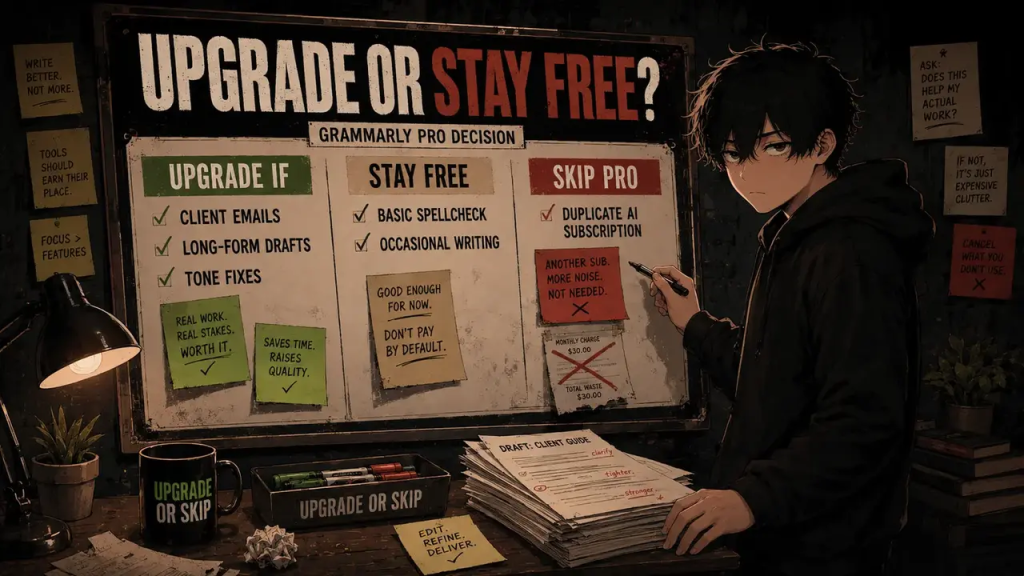
Upgrade to Pro if:
- Writing affects your income, clients, applications, grades, or professional reputation.
- You use rewrites, tone adjustments, or fluency suggestions every week.
- Grammarly repeatedly saves you meaningful editing time.
- You want help without moving your text into another AI tool.
- The annual cost is small compared with the value of the work it supports.
Stay Free if:
- Your main goal is catching spelling and grammar mistakes.
- You write short, low-risk messages.
- You use fewer than 100 AI prompts per month.
- You only need serious rewriting occasionally.
- Another tool already handles your advanced writing tasks.
Before paying, ask:
What writing problem am I solving every week?
Good answers include daily client emails, regular articles, job applications, professional English, customer communication, and content tied to revenue.
“I might write more later” is not a good answer.
Do not buy a writing subscription for the future version of yourself who publishes five perfect newsletters every week.
That person can subscribe when they arrive.
Grammarly Alternatives
Grammarly is not the only option.
Depending on the job, alternatives include:
- LanguageTool: A useful multilingual grammar and style alternative.
- ProWritingAid: Better suited to writers who want deeper style analysis and long-form feedback.
- QuillBot: Stronger emphasis on paraphrasing and rewriting.
- Hemingway Editor: Useful for readability and simplifying dense prose.
- Microsoft Editor: Convenient if you already work inside Microsoft 365.
- ChatGPT or Claude: Better for deeper rewriting, structure, explanation, and brainstorming.
- Built-in writing tools: Google Docs, Microsoft Word, and other apps may already provide enough assistance for basic needs.
Before adding Grammarly Pro, ask whether something you already pay for solves the same problem.
If the answer is yes, Grammarly needs a very clear job before it joins the bill.
The Upgrade or Skip Take
Grammarly Pro is good software.
That does not mean everyone should pay for it.
For casual writers, Grammarly Free is already strong enough.
If you mainly want spelling, punctuation, grammar correction, and light writing help, stay Free.
Pro becomes easier to justify when writing is part of your actual work.
If you regularly send client emails, publish articles, prepare applications, communicate professionally in English, or edit important content, its rewrites, tone tools, fluency help, and in-workflow convenience can save time.
The strongest reason to upgrade is not that Grammarly Pro is dramatically smarter.
It is that useful assistance appears directly inside the writing you are already doing.
That convenience has value, but only if you use it.
Upgrade if Grammarly improves work you send, publish, submit, or sell every week.
Stay Free if basic correction already solves your problem.
Skip Pro if it mostly duplicates another subscription.
FAQ
Is Grammarly Pro worth it in 2026?
Yes, if you write important content every week and regularly use full-sentence rewrites, tone adjustments, fluency suggestions, plagiarism checks, or the higher AI allowance.
For casual writing and basic correction, Grammarly Free is usually enough.
How much does Grammarly Pro cost?
Grammarly currently lists Pro at $30 per month, $60 every three months, or $144 per year in the United States.
Regional pricing, taxes, and offers can vary, so check the official pricing page before subscribing.
Is Grammarly Free enough?
For many people, yes.
Free covers spelling, grammar, basic tone visibility, and up to 100 generative AI prompts per month.
Upgrade only when you repeatedly need a paid feature.
Does Grammarly Pro have a free trial?
Grammarly periodically offers trials to eligible individuals and teams.
Availability can change by account, region, and promotion, so check the current signup page rather than assuming a trial is included.
Is Grammarly Pro worth it for non-native English writers?
This is one of its strongest use cases.
Fluency, tone, and rewrite suggestions can reduce friction in professional English writing, although every suggestion still requires human judgment.
Is Grammarly better than ChatGPT for writing?
They solve different problems.
ChatGPT is generally better for brainstorming, deep rewriting, structural editing, and explanation.
Grammarly is better for real-time correction and quick suggestions inside the apps where you already write.
Is Grammarly’s AI detector accurate?
It can be useful as a warning signal, but it should not be treated as definitive proof that a person did or did not use AI.
False positives and false negatives are possible.
Sources Checked
- Grammarly Plans
- Grammarly Pro Pricing Documentation
- Grammarly Pro Features
- Grammarly Trial Availability
- Grammarly Multilingual Support
- G2 Grammarly Reviews
- Trustpilot Grammarly Reviews
Prices, plan details, offers, ratings, and review counts can change. Check the current terms before subscribing.
Next Up:
Canva Pro Review 2026: Is It Worth $180 a Year?
Next, we will look at Canva Pro, one of the easiest design tools to recommend and one of the easiest subscriptions to overpay for if you only make the occasional social post.
Upgrade smarter. Skip louder.