
Welcome back to Upgrade or Skip.
Hostinger is one of the first names beginners encounter when searching for cheap web hosting.
The introductory price looks almost suspiciously affordable.
Hosting, a domain, email, SSL, backups, WordPress tools, and a website builder for a few dollars per month?
That sounds excellent.
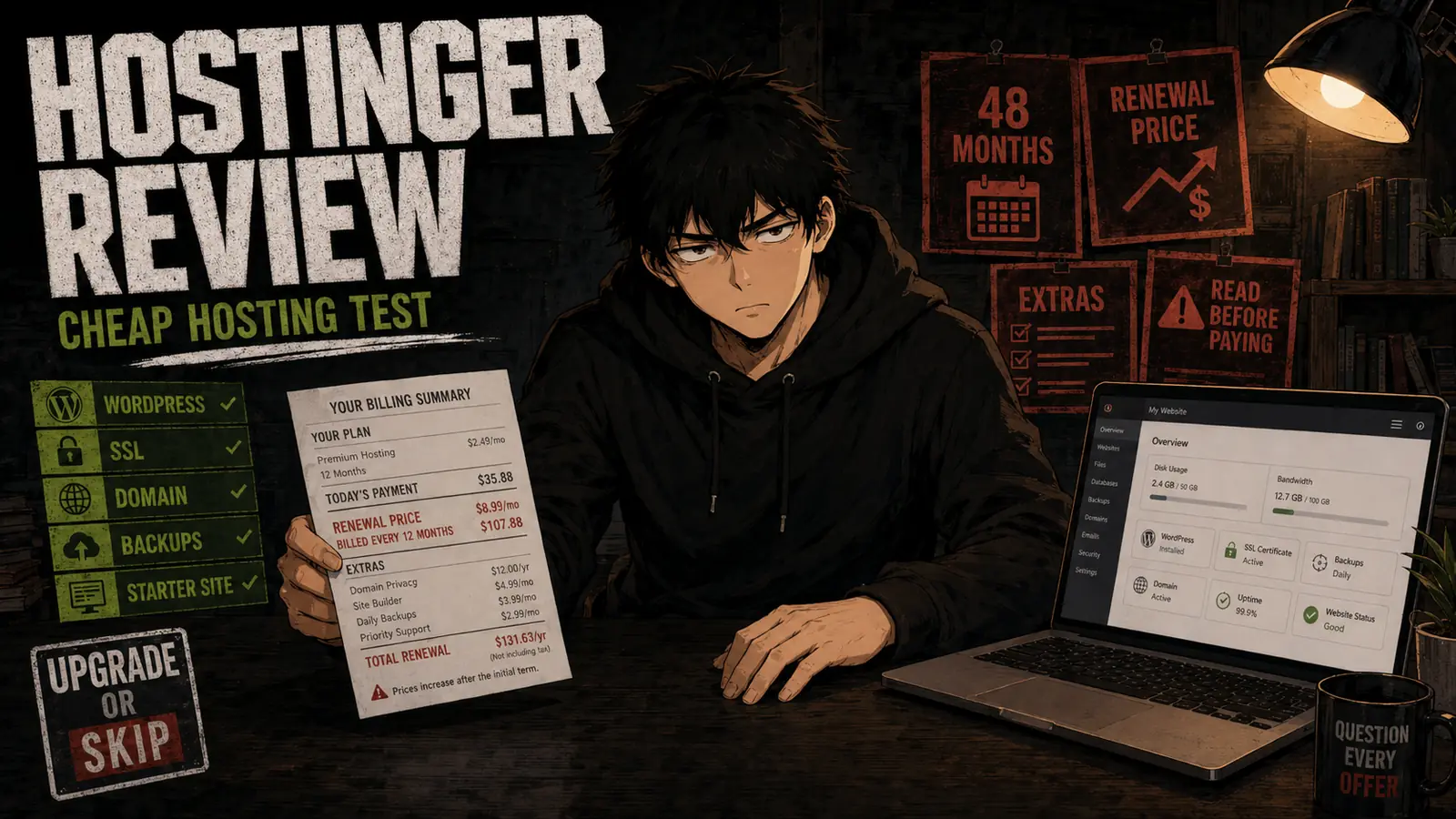
It also sounds much simpler before you notice that the lowest advertised monthly price requires paying for several years upfront—and that the renewal price is considerably higher.
For this review, I tested Hostinger’s signup process, hPanel dashboard, WordPress installation, domain connection, SSL setup, email tools, backups, performance controls, and general website-management workflow.
Prices and plan details were last checked on August 27, 2026. Hosting prices change frequently and may vary by country, term length, tax, and promotion, so confirm the final checkout and renewal amounts before paying.
Quick Verdict
Hostinger is still one of the better-value hosting options for beginners building a blog, portfolio, small business website, or early WordPress project.
Its main strengths are:
- A beginner-friendly control panel
- Low introductory prices
- Simple WordPress installation
- Free SSL
- A free domain for the first year on eligible plans
- Backups and basic security tools
- Website-building and email features in one account
The catch is pricing.
The attractive $2.99 monthly figure is based on a 48-month purchase. You do not pay $2.99 and leave one month later. You pay $143.52 upfront, excluding possible taxes and extras.
The Premium plan currently renews at $10.99 per month.
My verdict:
- Buy Hostinger if you are starting a real website, want a simple dashboard, and are comfortable paying for a long initial term.
- Choose the Unlimited plan if you need daily backups, more storage, or multiple websites.
- Keep your current host if it performs reliably and migration would save very little.
- Skip Hostinger if you need premium technical support, dedicated resources, predictable flat pricing, or only want to experiment with a website for a few weeks.
Hostinger is cheap at the beginning.
Whether it stays cheap depends on how carefully you read the renewal line.
What Is Hostinger?
Hostinger is a web-hosting provider offering:
- Shared web hosting
- Managed WordPress hosting
- Cloud hosting
- VPS hosting
- Domain registration
- Business email
- A website builder
- Ecommerce tools
- AI website and application tools
This review focuses primarily on Hostinger’s entry-level web and WordPress hosting—the plans most likely to interest someone creating a first website.
You can use Hostinger to build a website with either:
- WordPress
- Hostinger’s website builder
- A supported custom application
- Node.js on eligible plans
For most beginners who expect their site to grow, I would choose WordPress rather than locking the entire project into a proprietary builder.
WordPress requires more learning, but it gives you more control over themes, plugins, content, backups, and future migration.
Hostinger Pricing
Hostinger’s current US pricing page lists these main web-hosting plans:
| Plan | Introductory Price | 48-Month Upfront Cost | Renewal Price |
|---|---|---|---|
| Premium | $2.99/month | $143.52 | $10.99/month |
| Unlimited | $3.99/month | $191.52 | $16.99/month |
| Cloud Startup | $7.99/month | $383.52 | $25.99/month |
These figures come from Hostinger’s current pricing page and can change with promotions.
Taxes, domain renewals, optional services, and other additions may increase the final cost.
The $2.99 Price Explained
The Premium plan is advertised at $2.99 per month, but the lowest rate requires purchasing 48 months.
The real initial transaction is:
$2.99 × 48 months = $143.52 upfront
That is still inexpensive for four years of hosting.
But it is different from a flexible $2.99 monthly subscription.
At renewal, the currently displayed price is:
$10.99 × 12 months = $131.88 per year
That means one renewal year can cost almost as much as the original four-year promotional term.
The intro price gets your attention.
The renewal price determines whether you stay.
Hostinger explains that customers can see their renewal amount under Billing → Subscriptions, and that displayed renewal pricing excludes tax, in its official renewal guide.
Check that page inside your account before renewal—not after the charge becomes a surprise with a receipt.
What Each Hostinger Plan Includes
Premium
The Premium plan currently includes:
- Up to three websites
- 20 GB SSD storage
- A free domain for one year
- Free SSL
- Weekly backups
- CDN
- Integrated ecommerce tools
- Two mailboxes per website free for the first year
- WordPress support
- Basic AI Builder credits
Premium is suitable for:
- One small WordPress blog
- A personal website
- A portfolio
- A small brochure-style business site
- Someone building a first website
The main limitation is weekly backups.
For a mostly static website that changes occasionally, weekly backups may be acceptable.
For an active store, publication, membership website, or frequently updated business site, one week can contain a lot of work you would prefer not to lose.
Unlimited
The Unlimited plan currently includes:
- Unlimited websites
- 50 GB NVMe storage
- Daily backups
- Easier restoration
- CDN
- Integrated ecommerce tools
- Unlimited mailboxes per website free for the first year
- More AI Builder credits
- Priority support
The price difference during the introductory term is:
$3.99 − $2.99 = $1 per month
Across 48 months, that is:
$1 × 48 = $48 more upfront
For someone managing several websites or regularly updating important content, the extra $48 may be reasonable for daily backups and additional storage.
However, the renewal price rises to $16.99 per month, so calculate the long-term cost rather than comparing only the discounted rates.
Cloud Startup
Cloud Startup includes more resources, 100 GB NVMe storage, daily and on-demand backups, a dedicated IP, and tools aimed at higher-traffic or more demanding projects.
Most first websites do not need it.
Buying Cloud Startup for a new blog with twelve monthly visitors is not future-proofing.
It is renting an office building for a lemonade stand.
Start with the workload you actually have.
How I Tested Hostinger
I evaluated the parts that matter most during the first weeks of owning a website:
- Account setup
- hPanel navigation
- Domain connection
- WordPress installation
- SSL activation
- Email setup
- File management
- Backup access
- Performance settings
- Website migration options
- Plugin and theme installation
- Basic security controls
- Mobile dashboard usability
- Support access
I focused on usability rather than attempting to produce one dramatic speed score.
Shared-hosting performance depends on:
- Website theme
- Plugins
- Image sizes
- Caching
- Visitor location
- Database condition
- Traffic
- Plan resource limits
- Server conditions
A benchmark taken from one clean test site does not guarantee how every real website will perform.
What Hostinger Does Well
1. hPanel Is Beginner-Friendly
Hostinger uses its own control panel called hPanel instead of the traditional cPanel interface.
I found hPanel relatively easy to understand.
Important controls are grouped into recognizable areas:
- Websites
- Domains
- Files
- Databases
- Security
- Performance
- Billing
This reduces some of the confusion beginners face when opening a traditional hosting dashboard for the first time.
You still need to learn basic concepts such as DNS, SSL, backups, caching, and databases.
Hostinger cannot make website ownership completely effortless.
It can make the controls less intimidating.
2. WordPress Installation Is Straightforward
Hostinger makes it easy to install WordPress and connect it to a domain.
The setup process handles much of the initial configuration and provides access to common management tools from hPanel.
This is useful for beginners who want WordPress without manually creating a database, uploading installation files, and editing configuration settings.
Once WordPress is installed, you still manage:
- Themes
- Plugins
- Updates
- Content
- Security decisions
- Website design
One-click installation starts the website.
It does not finish it.
3. The Initial Value Is Strong
Premium’s $143.52 upfront price currently covers four years of hosting at the promotional rate.
For someone committed to building a website, that is competitive.
The eligible long-term plan also includes a domain for the first year, SSL, email access, backups, and basic website tools.
A domain alone commonly costs around $10–$25 per year depending on the extension and registrar.
Bundling these services simplifies the first purchase.
Just remember:
- The domain is not free forever.
- Email promotions may expire.
- Hosting renews at a higher rate.
- Optional extras may have separate renewal charges.
Free for the first year is still useful.
It is not the same as permanently included.
4. The Premium Plan Is Enough for Many First Sites
A beginner does not automatically need the middle or cloud plan.
Premium’s 20 GB storage can be enough for a normal blog, portfolio, or small business site when images are properly compressed and the site is not storing large video files.
You do not need 100 GB because the number looks more future-proof.
Most early websites have a content problem before they have a storage problem.
5. Daily Backups Make Unlimited More Practical
The clearest reason to choose Unlimited over Premium is not “unlimited websites.”
It is daily backups.
Hostinger’s plan guidance distinguishes Premium’s weekly backups from the daily backup schedule available on higher plans.
If your site changes every day, daily backups reduce the amount of recent work at risk when something breaks.
Backups matter when:
- A plugin update fails
- A site is compromised
- Content is accidentally deleted
- A theme change breaks the layout
- A database problem appears
- You need to restore an earlier version
Backups are boring until the exact moment they become the most interesting feature you purchased.
6. It Provides a Clear Upgrade Path
Hostinger offers shared, cloud, and VPS plans.
A growing site can move to a more capable plan without immediately migrating to another provider.
That convenience has value.
However, an available upgrade path does not mean you should start on the expensive plan.
Upgrade when real traffic, resource usage, or application requirements justify it.
Where Hostinger Disappoints
The Best Price Requires a Long Commitment
Four years is a significant initial term.
A 48-month plan works well if:
- You are committed to the website.
- You have a clear project.
- You expect to remain online.
- The upfront payment fits your budget.
It is less attractive if:
- You are only testing an idea.
- You may abandon the website in two months.
- You do not know whether you want WordPress or a website builder.
- You expect your technical requirements to change quickly.
A low monthly equivalent does not eliminate commitment risk.
It disguises it with division.
Renewal Prices Are Much Higher
The Premium plan currently moves from a $2.99 introductory equivalent to a displayed $10.99 monthly renewal price.
Unlimited moves from $3.99 to $16.99.
Cloud Startup moves from $7.99 to $25.99.
The renewal prices are disclosed, but they are less visually exciting than the introductory discount.
Before buying, calculate:
- Initial total
- Renewal total
- Domain renewal
- Email renewal
- Optional service renewal
- Expected migration cost if you leave
The cheapest host today may not remain the cheapest choice across six years.
Shared Hosting Has Limits
Hostinger’s entry plans are shared hosting.
Your website shares server infrastructure with other customers, and available resources are controlled by the plan.
That is normal for low-cost hosting.
It also means entry hosting is not ideal for every project.
Shared hosting may become unsuitable for:
- High-traffic ecommerce
- Large membership websites
- Resource-heavy applications
- Complex databases
- Video hosting
- CPU-intensive plugins
- Projects requiring dedicated resources
- Mission-critical services
Hostinger can host a first store.
That does not mean the cheapest plan should host a store processing thousands of daily orders.
Support Quality Can Vary
Hostinger offers round-the-clock support, but user experiences vary.
Basic issues such as setup guidance, SSL, migration, DNS, and common WordPress problems may be resolved efficiently.
More complicated technical issues can require escalation or multiple conversations.
If you need immediate access to a senior systems administrator by phone, budget shared hosting is probably not the right service category.
You are paying for affordable managed convenience—not a private infrastructure department.
The Website Builder Can Create Lock-In
Hostinger’s website builder may be easier than WordPress for a simple site.
The tradeoff is portability.
A WordPress website can usually be migrated between compatible hosts.
A proprietary website-builder project is more closely tied to the original platform.
One public Hostinger community discussion reflects the same concern, with users recommending WordPress when future migration flexibility matters.
Use the builder when speed and simplicity matter more than portability.
Use WordPress when ownership and future movement matter more.
Hostinger Premium vs Unlimited

| Need | Premium | Unlimited |
|---|---|---|
| First small website | Better value | More than necessary |
| Multiple websites | Limited to three | Better |
| Storage | 20 GB SSD | 50 GB NVMe |
| Backup schedule | Weekly | Daily |
| Active blog | Usually enough | Safer backup schedule |
| Ecommerce | Basic use | Better starting point |
| Frequent updates | Acceptable | Better |
| Lowest initial cost | Winner | Costs $48 more over 48 months |
| Renewal cost | $10.99/month | $16.99/month |
My recommendation:
- Choose Premium for one simple blog, portfolio, or small business site.
- Choose Unlimited when daily backups or multiple websites matter.
- Skip Cloud Startup until your website has a real resource or traffic reason to need it.
Hostinger vs a Free Website Platform
A free platform may be better when:
- You are experimenting.
- You do not need your own domain.
- You do not expect revenue.
- You do not want to manage plugins or updates.
- You are unsure whether you will continue publishing.
Paid hosting becomes more useful when:
- You want your own domain.
- You want stronger control over content and design.
- You plan to use affiliate links.
- You need plugins or ecommerce.
- You want to build an asset you can migrate or monetize.
- The website represents a real project or business.
Your website should earn the responsibility that comes with paid hosting.
Do not purchase four years because starting a website feels productive.
Purchase hosting because you have a website you intend to build.
What Real Users Say
Public feedback about Hostinger is divided.
Some long-term users praise its speed, clean dashboard, and beginner-friendly setup. One recent long-term user discussion highlights dashboard usability and generally positive performance.
Another Hostinger user discussion includes positive long-term experiences but repeatedly warns about the difference between introductory and renewal pricing.
Negative reports commonly focus on:
- Renewal costs
- Support experiences
- Resource limitations
- Billing disputes
- Expectations created by promotional wording
These are individual reports, not controlled performance tests.
Hosting communities also contain affiliate promotion, competitor promotion, outdated experiences, and complaints that may not represent most customers.
Use community feedback to identify risks worth testing—not as automatic proof that every positive or negative claim is universal.
The Purchase Math
Assume you buy Premium for 48 months:
- Initial hosting cost: $143.52
- Monthly equivalent: $2.99
- Current annual renewal equivalent: $131.88
- Domain renewal: additional after the included first year
- Optional email or other services: may renew separately
Suppose you use the plan for five years.
Your approximate hosting cost would be:
$143.52 initial term + $131.88 renewal year = $275.40
That averages:
$275.40 ÷ 60 months = $4.59 per month
That remains affordable.
But this calculation works only if:
- You use the full initial term.
- Renewal pricing does not change.
- You avoid unnecessary extras.
- The plan continues meeting your needs.
If you abandon the site after three months, your effective cost is not $2.99 per month.
It is $143.52 for three months of actual use.
Cheap hosting becomes expensive when the project disappears before the prepaid term ends.
Upgrade to Hostinger If
Choose Hostinger if:
- You are launching a real blog, portfolio, or small business site.
- You want WordPress with a beginner-friendly control panel.
- You are comfortable paying for a long initial term.
- You understand the renewal price.
- A free first-year domain and included SSL reduce setup work.
- You value having hosting, domain, email, and website tools in one account.
- Premium or Unlimited matches your current workload.
- You are willing to maintain backups and WordPress updates.
Keep Your Current Host If
Stay with your current host if:
- Your website is reliable.
- Support resolves your problems.
- Performance is acceptable.
- The renewal price fits your budget.
- Migration would create risk without meaningful savings.
- Your current plan provides features Hostinger’s entry plans do not.
- You would save only a small amount after calculating every cost.
Switching hosts because one promotional price looks lower can create work without producing a meaningful improvement.
As discussed in When an Upgrade Actually Makes Sense, the correct upgrade starts with a real problem—not a discount banner.
Skip Hostinger If
Skip Hostinger if:
- You only want to test a website for a few weeks.
- You cannot afford or justify the upfront term.
- You need fixed pricing without a large renewal increase.
- You require dedicated server resources.
- Your project needs advanced infrastructure control.
- You expect premium phone-based technical support.
- You want to host large media files directly.
- You are buying hosting without a clear website plan.
- You would rely entirely on a proprietary builder but expect easy migration later.
Final Verdict
Hostinger is still worth considering for a first website.
Its strongest qualities are not mysterious:
- Low initial cost
- Approachable dashboard
- Simple WordPress setup
- Included essentials
- Reasonable entry plans
- Room to upgrade later
Its biggest weakness is also simple:
The advertised monthly price is not the complete long-term price.
Premium is the best starting point for a simple website.
Unlimited is the better practical choice for multiple sites, frequent updates, or anyone who values daily backups.
Cloud Startup should wait until the website has measurable traffic or resource needs.
My final decision:
- Upgrade: Beginners launching a committed WordPress, portfolio, blog, or small business project.
- Choose Unlimited: Users who need daily backups, more storage, or several websites.
- Stay where you are: Existing site owners whose hosting already works reliably.
- Skip: Short-term experiments, demanding applications, or users who dislike long prepayment and higher renewals.
Hostinger is cheap when you use the full term and choose the right plan.
It becomes less cheap when you buy years of hosting for a website that only exists as enthusiasm and an unfinished About page.
Frequently Asked Questions
Is Hostinger good for beginners?
Yes. Hostinger’s hPanel dashboard and WordPress installer are relatively approachable for beginners. You will still need to learn basic website maintenance, backups, updates, DNS, and security.
How much does Hostinger really cost?
The Premium plan currently starts at an advertised $2.99 per month when purchasing 48 months for $143.52 upfront. It currently displays a renewal price of $10.99 per month. Prices may vary by promotion and location.
Is the Hostinger domain permanently free?
No. Eligible hosting plans include a domain for the first year. The domain normally requires paid renewal afterward.
Which Hostinger plan should a beginner choose?
Premium is enough for one small blog, portfolio, or business site. Unlimited is better when you need daily backups, more storage, or multiple websites.
Is Hostinger good for WordPress?
Hostinger is suitable for small and medium WordPress sites. Its dashboard simplifies installation and basic management. Large or resource-intensive sites may eventually need cloud, VPS, or another higher-resource solution.
Is Hostinger good for ecommerce?
It can support a small early ecommerce site, particularly on Unlimited or a higher plan. Larger stores need stronger resources, reliable daily backups, staging, security, and a carefully evaluated hosting setup.
Does Hostinger include backups?
Yes. Premium currently includes weekly backups. Unlimited includes daily backups and easier restoration. Confirm the current retention and restoration terms before purchasing.
Does Hostinger include email?
Current plans advertise mailboxes free for the first year, with allowances depending on the plan. Check the renewal price and mailbox limits before relying on it as a permanent free inclusion.
Can I cancel Hostinger?
Hostinger offers a 30-day money-back guarantee for eligible hosting purchases, subject to its current refund terms. Some products and fees may not qualify, so read the conditions before purchasing.
Is Hostinger’s website builder better than WordPress?
The website builder is easier for a simple site, but WordPress offers greater plugin support, flexibility, and portability. Choose based on whether simplicity or long-term control matters more.
Is Hostinger’s renewal expensive?
Renewal is substantially higher than the introductory rate. Whether it is expensive depends on the number of sites, included features, performance, and the cost of alternatives. Calculate the full annual amount before deciding.
Next Up
NordVPN Review: Is It Still Worth the Price?
Upgrade smarter. Skip louder.