


Disclosure: This post may contain affiliate links. If you buy through them, we may earn a small commission at no extra cost to you.
Welcome back to Upgrade or Skip.
In the last post, we talked about the AI subscription trap.
The point was simple:
Pay for jobs.
Not vibes.
Pay for repeated value.
Not future fantasy.
Now we need to ask the next question:
Free AI vs paid AI: when should you upgrade?
Across Reddit threads, YouTube comments, and AI communities, the question is rarely:
“Is paid AI powerful?”
Most people already know it can be powerful.
The real discussion usually sounds more like:
“The free version was fine until I started hitting limits every day.”
“I upgraded for one project and forgot to cancel.”
“Am I using this enough to justify another monthly bill?”
That is the real decision.
Not whether paid AI is impressive.
It is.
The question is whether it is useful enough for you.
This is where the pricing page starts doing its little dance.
It shows you:
Better models.
More messages.
Larger context.
Deep research.
File uploads.
Agents.
Workspace integration.
Priority access.
Advanced reasoning.
Then it smiles politely and asks for a monthly payment.
Very professional.
Very recurring.
But paid does not automatically mean worth it.
And free does not automatically mean bad.
The real question is:
Which limit are you trying to remove?
If you cannot answer that, you probably are not ready to pay yet.
Free AI Is Not A Toy Anymore
A few years ago, free AI tools felt like demos.
Useful, but limited.
In 2026, free AI is often good enough for a surprising amount of normal work.
If you need:
- Quick explanations
- Basic writing help
- Simple summaries
- Brainstorming
- Study support
- Short email drafts
- Light coding questions
- Everyday search assistance
Free AI may already cover the job.
This is where casual users should be honest with themselves.
If most of your AI use is:
“Rewrite this email.”
“Explain this paragraph.”
“Give me five ideas.”
“Summarize this short text.”
“Make this sound less awkward.”
Then free AI may be enough.
Not perfect.
Not always the strongest model.
Not always available with every feature.
But enough.
This is why most people should start free, especially when they are still deciding whether they actually need AI.
Not because paid tools are bad.
Because you need to understand your own usage first.
If you barely use the free version, paying for the upgraded version will not magically create a workflow.
It may simply create another subscription you forget about until the billing email arrives.
Very inspiring.
Very modern.
Paid AI Usually Buys Fewer Interruptions
The first thing paid AI usually gives you is not intelligence.
It is fewer interruptions.
Free tiers often come with:
- Message limits
- Slower access during busy periods
- Limited access to stronger models
- Fewer file uploads
- Smaller context windows
- Fewer image or voice features
- Limited research tools
- Less customization
That may not matter if you use AI casually.
It matters much more when AI becomes part of your daily work.
One complaint appears repeatedly among heavier users:
The free version works fine until it stops them right when the output is finally becoming useful.
That is when free starts feeling expensive in a different way.
If you are writing, coding, researching, studying, or managing content and the tool regularly interrupts your workflow, a paid plan may be worth it.
Not because the logo changed.
Because the workflow stops breaking.
That is the boring reason paid AI can be valuable.
The best software upgrades are often boring.
They remove friction.
Better Models Matter When The Task Is Hard
Paid plans often provide more access to stronger models.
That sounds useful.
But stronger for what?
If you ask simple questions, the difference may not matter very much.
If you ask complex questions, it can matter a lot.
Better models may help with:
- Multi-step reasoning
- Coding
- Long-document analysis
- Complex writing edits
- Research synthesis
- Planning
- Debugging
- Sensitive wording
- Data analysis
This is where paid AI can start to feel different.
Not when you ask:
“Give me five blog ideas.”
Almost any decent model can do that.
The difference becomes more visible when you ask:
“Read this long, messy draft, find the weak logic, preserve my tone, and tell me what to remove.”
Or:
“Compare these notes, find the contradictions, and turn them into a practical plan.”
Many users do not upgrade because the paid model looks cooler.
They upgrade because weaker or more limited models keep making them redo the work.
That is a real difference.
Free AI can be enough for light work.
Paid AI earns its price when the work gets heavier.
Larger Context Is A Real Upgrade
“Context window” sounds technical.
In normal language, it means:
How much information the AI can work with at once.
For casual use, this may not matter.
For serious work, it can matter a lot.
Larger context helps when you want AI to handle:
- Long PDFs
- Multiple documents
- Large code files
- Long conversations
- Research notes
- Brand guidelines
- Meeting transcripts
- Large content projects
This is one of the most underrated paid AI upgrades.
Not because it sounds exciting.
Because it removes an annoying workflow.
You no longer need to divide one document into five pieces and hope the AI remembers what happened earlier.
You no longer need to keep asking:
“Wait, do you remember the thing I mentioned before?”
Like you are arguing with a forgetful assistant inside a very expensive browser tab.
That alone can save time.
But only if you regularly work with long documents.
If your prompts are short and simple, a massive context window is like buying a truck to carry a sandwich.
Technically capable.
Not necessarily wise.
File Uploads And Workflows Matter More Than Hype
A lot of paid AI value comes from boring workflow features.
File uploads.
PDF analysis.
Spreadsheets.
Images.
Voice.
Project memory.
Saved instructions.
Workspace connections.
These features matter when they remove real steps.
For example:
A student uploads lecture notes instead of pasting them in small chunks.
A freelancer analyzes client documents more quickly.
A writer keeps project instructions and style notes in one place.
A small business owner turns messy product information into usable copy.
A developer asks questions about a larger codebase.
That is useful.
But if you never upload files, analyze documents, use project features, or hit the free limits, those features are just expensive decorations on a pricing page.
“Nice to have” is not the same as “worth paying for.”
Integrations Can Be Worth More Than Intelligence
Some paid AI tools are valuable because they connect to where your work already lives.
Google users may care about connections with Gmail, Docs, Drive, Sheets, and Workspace.
Microsoft users may care about Word, Excel, Teams, Outlook, and Copilot.
Researchers may care about citations, web search, and source handling.
Developers may care about code editors, repositories, terminals, and code review.
Creators may care about image, audio, video, and publishing workflows.
The best AI tool for you may not be the one that wins a benchmark.
It may be the one that fits naturally into your actual work.
That is why real users increasingly ask:
“Which AI fits my workflow?”
Not just:
“Which AI is best?”
Much less exciting.
Much more useful.
Privacy And Control Are Part Of The Price
Free tools are not always bad for privacy.
Paid tools are not automatically perfect.
But some paid plans offer additional controls, especially for professional or team use.
Before uploading serious work, check:
- Whether conversations may be used for training
- Data-retention settings
- Team and administrator controls
- Export options
- Account security
- File-handling policies
- Cancellation terms
This matters if you upload client work, business documents, personal information, code, or unpublished ideas.
The cheapest AI tool is not cheap if it creates a trust problem.
Nobody wants to say:
“I saved $20 and accidentally uploaded the wrong document.”
That is not productivity.
That is a problem you do not want to explain in a meeting.
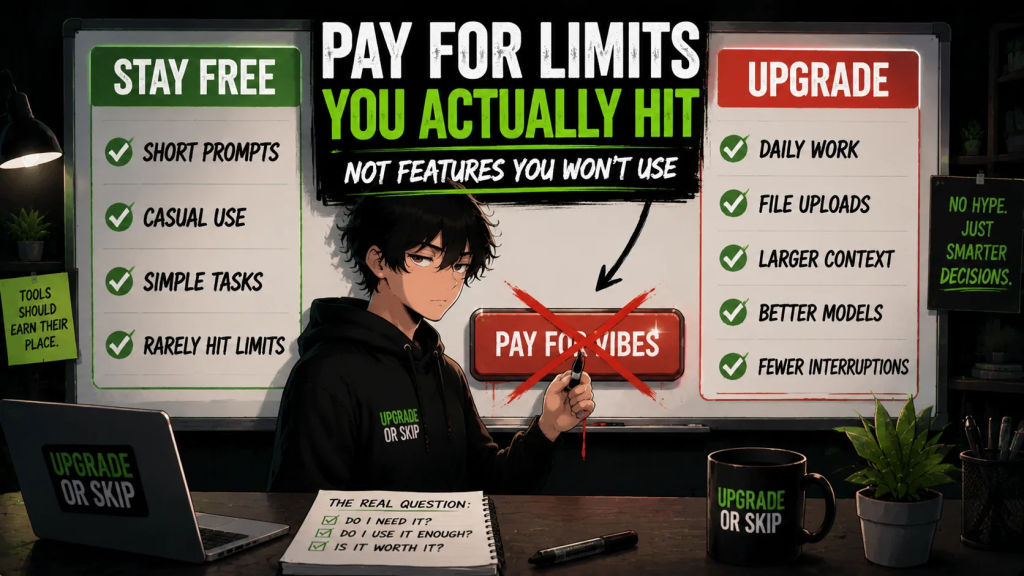
Upgrade If:
- You regularly hit the free usage limits.
- You use AI several times a week or every day.
- Better models clearly improve the quality of your work.
- You need larger context windows or more file uploads.
- The tool integrates with your real workflow.
- It can replace another paid tool.
- It saves time, earns money, or removes repeated frustration.
- You understand its privacy policies and usage limits.
Skip If:
- You barely use the free version.
- Your tasks are simple and occasional.
- You cannot name the limit you are paying to remove.
- You already pay for another tool that performs the same job.
- You mainly want the subscription to feel more productive.
- The paid plan adds features you probably will not use.
- The subscription would become another quiet monthly leak.
- You upgraded for one project and have barely touched it since.
The Upgrade or Skip Take
Free AI is already useful.
Paid AI is not automatically better for everyone.
The real difference is usually not magic.
It is:
Better models.
Higher usage limits.
Larger context windows.
More file uploads.
Useful integrations.
Priority access.
Additional privacy controls.
If those features remove real friction from your work, upgrade.
If they mostly sound impressive on a pricing page, skip them.
The best paid AI tool is not the one with the loudest feature list.
It is the one that makes your actual work easier.
Free is enough when the tool still does the job.
Paid makes sense when the free version repeatedly gets in the way.
That is the whole decision.
Next Up:
ChatGPT Plus vs Free: Is It Actually Worth Paying For?
Because sometimes the hardest subscription question is the one everyone asks first.
Upgrade smarter. Skip louder.