
Disclosure: This post may contain affiliate links. If you buy through them, we may earn a small commission at no extra cost to you.
Welcome back to Upgrade or Skip.
This is the final article in our PC Upgrade Reality Check series.
Over the last few posts, we have covered:
- How long a gaming PC should actually last.
- Why a slow PC does not always need new hardware.
- How GPU lifespan really works.
- The biggest PC upgrade mistakes people make.
Now there is one question left:
When Is The Best Time To Upgrade Your PC?
The internet has endless answers.
Most of them are somehow both confident and contradictory.
Wait for the next GPU.
Buy before prices increase.
Never buy at launch.
Always buy at launch.
Wait for Black Friday.
Buy used.
Never buy used.
Very helpful.
Very calm.
A perfect system if your goal is to spend six months researching and never actually deciding.
The real answer is much simpler:
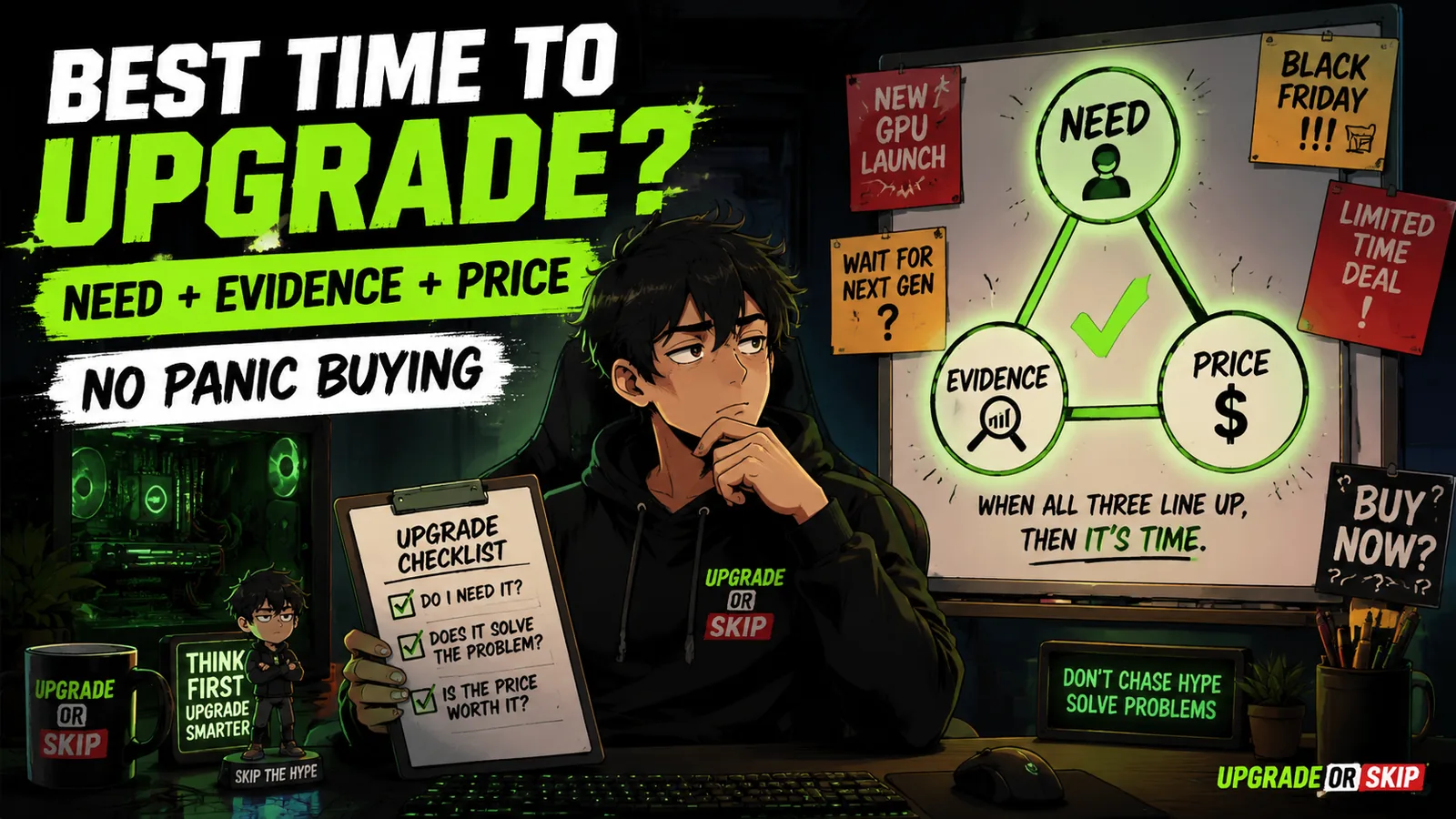
The best time to upgrade your PC is when three things happen at the same time:
- Your current PC no longer meets your needs.
- The upgrade clearly solves the problem.
- The price makes sense.
That is the entire formula.
Not a launch event.
Not a countdown timer.
Not a YouTube thumbnail.
Not a comment saying:
“Your GPU is cooked.”
A smart upgrade needs three things:
Need.
Evidence.
Value.
That is the triangle.
2026 Makes Upgrade Timing More Complicated
A few years ago, upgrade timing felt easier.
The common advice was:
Wait for the next generation.
Prices will drop.
Older hardware will become cheaper.
Storage will keep getting cheaper.
RAM prices will eventually fall.
The perfect buying window is coming.
Just wait.
In 2026, that advice is less reliable.
The hardware market is more complicated.
Memory pricing has been unpredictable.
SSD prices have moved around.
AI demand continues pulling resources toward data center hardware.
PC component costs are not behaving like the simple downward trend people expected.
Gamers are sitting there wondering why buying a normal desktop upgrade feels like competing against companies building servers.
Very normal hobby.
Very affordable.
This does not mean:
“Buy everything immediately.”
It means:
The old rule:
“Just wait and prices will definitely improve.”
is not always true.
Sometimes waiting helps.
Sometimes waiting means the part you wanted becomes more expensive.
Sometimes a good deal today is better than a theoretical perfect deal six months later.
Sometimes the market is simply messy.
And nobody has a crystal ball.
They have confidence.
And a comment section.
Different thing.
Do Not Upgrade Just Because A New Product Launched
Launch day is where rational thinking goes to get surrounded by marketing.
New architecture.
New feature names.
New performance charts.
New phrases like:
“Massive generational leap.”
New people saying:
“Last generation is dead.”
And suddenly your current PC feels ancient.
But something important happened:
Nothing.
Your PC did not become slower overnight.
Your GPU did not lose performance because a new product appeared.
Your games did not suddenly become unplayable because a press release was published.
The hardware stayed the same.
The comparison changed.
That difference matters.
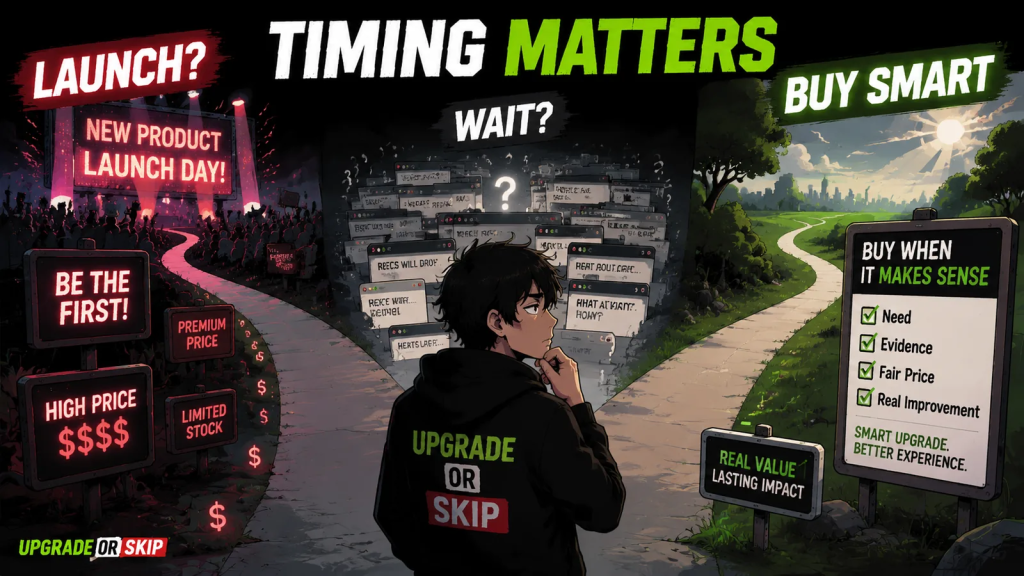
A new product launch can be a good time to watch the market.
It is not automatically the best time to buy.
Launch products often come with:
- Higher prices
- Limited availability
- Early driver issues
- Unclear long-term value
- The “I wanted it first” tax
Sometimes buying at launch makes sense.
If the product solves a problem you already have and the price is reasonable, go for it.
But buying simply because something new exists?
That is not an upgrade.
That is participating in a release event with a receipt.
Upgrade When Your Target Changes
One of the strongest reasons to upgrade is simple:
Your target changed.
Not because the internet changed.
Not because a reviewer changed.
Because your actual usage changed.
Maybe you moved from:
- 1080p to 1440p
- 60Hz to high refresh
- Older games to newer AAA releases
Maybe you started caring about:
- Ray tracing
- Streaming
- Video editing
- AI tools
- Creative workloads
Maybe your work became heavier
Maybe your hobbies changed.
Maybe your old PC still works perfectly…
but the job you ask it to do is different.
That is a real upgrade trigger.
The PC did not necessarily fail.
The requirement changed.
And when the requirement changes, the hardware conversation changes too.
This is very different from:
“A new product exists.”
One is demand.
The other is temptation.
Temptation usually has worse financial planning.
Upgrade When The Problem Is Repeated
Do not upgrade because of one bad night.
One crash.
One weird driver issue.
One badly optimized game.
One benchmark chart that made you question your entire PC.
That is not enough.
A real upgrade problem repeats.
It appears again and again.
Across:
- Games
- Applications
- Daily tasks
- Normal usage
If your PC regularly fails to do what you need, that is a signal.
If you constantly lower settings and still feel disappointed, that is a signal.
If your RAM is always full, that is a signal.
If your SSD is constantly running out of space, that is a signal.
If your GPU cannot properly drive your monitor, that is a signal.
If your CPU is holding back the games or workloads you actually use, that is a signal.
The key word is:
Consistently.
One annoying moment is not an upgrade plan.
It is just an annoying moment.
And PC gaming provides plenty of those for free.
Sales Are Useful, But Only If You Needed The Part Anyway
Sales are dangerous.
Not because discounts are bad.
Because discounts make unnecessary purchases feel responsible.
Look:
“It was 20% off.”
“I saved money.”
“I basically made money.”
No.
You did not.
You bought something.
Maybe it was a smart purchase.
Maybe it was discounted nonsense with free shipping.
Sales events can absolutely be useful:
- Black Friday
- Prime Day
- Holiday sales
- Clearance deals
- Open-box discounts
- Last-generation price drops
They can create great opportunities.
But only when the part already makes sense.
A discounted GPU that does not match your monitor is not a win.
A cheap CPU that requires a new motherboard and RAM is not necessarily cheap.
A huge SSD deal does not matter if storage was never your problem.
A discounted prebuilt PC is not automatically good if the configuration is wrong.
The best sale is not:
“The biggest discount.”
It is:
The right solution at the right price.
The decision should match:
- Your problem
- The hardware
- The total cost
- The timing
A discount should improve a good decision.
It should not create a bad one.
Waiting Can Be Smart
Sometimes the best upgrade timing is:
Not yet.
That answer feels uncomfortable.
Because “not yet” does not give you:
- A tracking number
- A new box
- A benchmark screenshot
- A quick dopamine hit
It simply means:
Wait.
But waiting can be the correct move.
Especially when:
- Your current PC still does what you need.
- You are not sure what component is limiting performance.
- A new generation is about to launch.
- Prices are unusually high.
- You are planning a monitor upgrade soon.
- The upgrade requires several extra purchases.
- The improvement would mostly make you feel newer, not perform better.
Waiting is not weakness.
Waiting is a buying strategy.
The important question is:
Are you waiting because you have a reason?
Or are you waiting forever because you are afraid of choosing?
Those are different.
One is patience.
The other is twenty browser tabs called:
“Best GPU for 2026.”
Buying Early Can Also Be Smart
The internet loves one sentence:
“Never buy now.”
Wait for the next generation.
Wait for reviews.
Wait for price drops.
Wait for refresh models.
Wait until your current PC becomes a museum exhibit.
Sometimes that advice is useful.
Sometimes it becomes a loop where you never actually improve anything.
Buying early can make sense when:
- You already know your current PC is limiting you.
- You need the upgrade for work, school, or daily use.
- The current price is reasonable.
- Supply problems may push prices higher.
- You found the exact part you need at a good value.
- The upgrade saves time or frustration every day.
- Waiting costs more than buying.
This matters especially in 2026.
If you know you need:
- More RAM
- More storage
- A better GPU
- A new monitor
and the current price makes sense, waiting forever is not automatically smarter.
The goal is not to perfectly predict the market.
Nobody can.
The goal is to avoid buying badly.
That is the difference.
Used Parts Can Change The Timing
Used hardware makes upgrade timing more interesting.
When new products launch, many people sell their older parts.
That can create some excellent opportunities.
A previous-generation GPU.
A last-gen CPU.
A better monitor.
A complete used system.
Sometimes these offer much better value than buying new.
Sometimes they also offer:
- A mysterious seller
- A missing warranty
- A card that “worked fine last time”
- A story you probably do not want to be part of
Used hardware is not bad.
It is just a different trade.
You exchange:
Lower price.
For:
More responsibility.
Used parts make sense when:
- The price difference is meaningful.
- The seller has a good history.
- You can test the hardware.
- The risk matches the savings.
- The part does not have obvious reliability concerns.
- You understand what warranty protection you are getting.
Used GPUs deserve extra attention.
Check:
- Previous usage history
- Temperatures
- Fan noise
- Warranty status
- Return policy
- Physical condition
A cheap GPU is not automatically a good deal.
A cheap GPU with unknown problems is just a delayed expense.
Used can be smart.
Used can also become:
“Why does the seller disappear after payment?”
Beautiful market.
Terrible surprise.
Do Not Upgrade Right Before You Change The Rest Of The Setup
This mistake happens more often than people admit.
Someone upgrades one part.
Then changes the rest of the system later.
Suddenly the first upgrade no longer makes sense.
Examples:
You buy a powerful GPU.
Then upgrade to a higher-resolution monitor.
Now the original target has changed.
You buy more RAM.
Then decide to switch platforms.
Now you need new memory anyway.
You buy a new CPU.
Then discover the motherboard was the actual limitation.
You buy a new GPU.
Then realize the power supply needs replacement.
Before upgrading, ask:
What else might change soon?
- Monitor resolution
- Refresh rate
- CPU platform
- RAM generation
- Power supply
- Case
- Storage needs
- Gaming habits
- Workload
If a bigger setup change is coming, plan around that first.
Otherwise, you may buy the right part for the old system…
and the wrong part for the future system.
That is how upgrades become expensive puzzles.
And not the fun kind.
The Best Time Is When The Upgrade Solves A Named Problem
Here is the simplest rule in this entire series:
The best time to upgrade your PC is when you can finish this sentence:
“I am upgrading because ______.”
Good answers:
- “I am upgrading because my GPU cannot handle 1440p in the games I play.”
- “I am upgrading because my RAM is full during normal use.”
- “I am upgrading because my SSD is constantly full and affecting my workflow.”
- “I am upgrading because my CPU is causing poor performance in the games I actually play.”
- “I am upgrading because my current setup no longer supports the work I do.”
Those are real reasons.
Bad answers:
- “Because it is old.”
- “Because the internet said so.”
- “Because the new one exists.”
Those are not upgrade reasons.
Those are upgrade anxiety wearing a different outfit.
Clarity is what separates:
A smart upgrade.
From:
Retail therapy with cables.
Upgrade If:
- Your current PC repeatedly fails to meet your actual needs.
- You can identify the part causing the problem.
- The upgrade solves a problem you notice often.
- Your monitor, games, or workload have changed.
- The total cost makes sense, including power, cooling, platform, and compatibility.
- The timing is good enough, even if it is not perfect.
- Waiting is likely to cost more frustration, time, or money than it saves.
Skip If:
- Your PC still does what you need.
- You are only reacting to a product launch.
- You have not diagnosed the bottleneck.
- A sale is creating the desire instead of solving a problem.
- You are about to change your monitor or platform and have not planned around it.
- The upgrade requires extra parts you did not budget for.
- You are buying mainly to feel less behind.
The Upgrade or Skip Take
The best time to upgrade your PC is not a date.
It is not launch day.
It is not Black Friday.
It is not whenever a new GPU makes your current setup feel emotionally outdated.
The best time is when:
Need.
Evidence.
Price.
all line up.
If your PC still does the job:
Skip the upgrade.
If it does not:
Diagnose the problem.
If the upgrade clearly fixes that problem at a price that makes sense:
Upgrade.
That is less exciting than buying because a countdown timer told you to.
It is also how you avoid turning PC gaming into a subscription service for your anxiety.
This closes our PC Upgrade Reality Check series.
The lesson is simple:
Your PC does not need to impress the internet.
It needs to serve you.
When it stops doing that:
Upgrade with a reason.
Not with panic.
Upgrade smarter. Skip louder.