
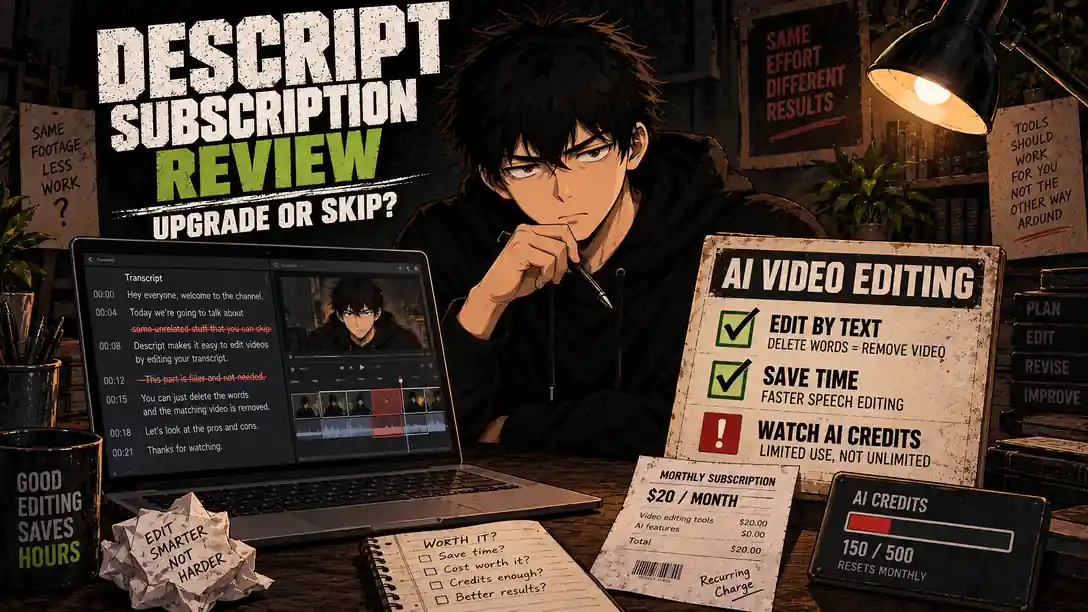
Welcome back to Upgrade or Skip.
Traditional video editors expect you to think in timelines. Descript would rather you think in sentences.
Import or record a video, let Descript transcribe it, and you can remove spoken mistakes by deleting words from the transcript. It can also generate captions, clean up audio, remove filler words, create short clips, correct eye contact, and assist with edits through its Underlord AI co-editor.
For podcasts, interviews, tutorials, screen recordings, and talking-head videos, that approach can be much faster than repeatedly searching a timeline for the sentence you want to remove.
But Descript is not automatically the best editor for every beginner. Its current plans limit both media processing and AI usage, and those limits matter more than the number of features on the pricing page.
The real question is:
Does transcript-based editing save enough time in your normal projects to justify another subscription?
Quick Verdict
Descript is worth paying for when speech drives the edit.
Start with Free. Upgrade only after completing real projects and confirming that the transcript workflow repeatedly saves time.
- Stay Free if you are experimenting, edit occasionally, or process no more than about one hour of media each month.
- Upgrade to Hobbyist if you regularly produce straightforward 1080p podcasts, interviews, tutorials, or talking-head videos and 10 media hours per month are enough.
- Upgrade to Creator if video is part of a serious weekly workflow and you need 4K export, 30 media hours, more AI credits, advanced AI tools, stock media, or the option to buy top-ups.
- Skip Descript if your projects depend on precise timeline control, heavy effects, music synchronization, detailed color work, or complex visual layering.
The short version:
Descript is easy to justify when editing speech is the repeated job. It is difficult to justify when experimenting with AI becomes the job.
Descript at a Glance
| Item | Current details |
|---|---|
| Best for | Podcasts, interviews, tutorials, screen recordings, and talking-head videos |
| Free plan | 1 media hour per month; 100 AI credits |
| Hobbyist | $24 monthly or $16/month with annual billing |
| Creator | $35 monthly or $24/month with annual billing |
| Business | $65 monthly or $50/month with annual billing |
| Hobbyist allowance | 10 media hours and 400 AI credits per month |
| Creator allowance | 30 media hours and 800 AI credits per month |
| Business allowance | 40 media hours and 1,500 AI credits per month |
| Main advantage | Edit video by editing the transcript |
| Main risk | Media minutes and AI credits do not roll over |
| Verdict | Upgrade only if it repeatedly saves editing time |
These prices and allowances were checked against the official Descript pricing page in September 2026. Plans can change, so verify the checkout page before purchasing.
Upgrade or Skip in 10 Seconds
Upgrade
Pay for Descript if you:
- Edit speech-heavy content every week.
- Spend too much time finding cuts inside long recordings.
- Regularly remove filler words, retakes, or repeated sentences.
- Create short clips from interviews or podcasts.
- Need transcription and captions inside the editing workflow.
- Can measure the hours Descript saves.
Stay Free
Keep the Free plan if you:
- Are still learning Descript.
- Edit only occasionally.
- Process fewer than 60 minutes of media per month.
- Have not identified which paid features you need.
- Still need to compare the workflow with CapCut, Filmora, or Movavi.
Skip
Skip Descript if you:
- Primarily create cinematic or music-driven edits.
- Need detailed keyframing, color work, effects, or multitrack control.
- Already have an editor that handles your workflow efficiently.
- Mainly want to play with AI features.
- Cannot name the repeated editing problem the subscription would solve.
A new AI button is not automatically a new business expense.
What We Checked
This is a research-based review. I checked Descript’s current US pricing, plan allowances, export limits, official documentation for media minutes and AI credits, feature availability, and recurring themes in public user reviews.
No claim in this article is presented as hands-on testing. Pricing and limits were checked in September 2026 and may change.
What Is Descript?
Descript is an audio and video editor built around automatic transcription. Its defining feature is simple:
The transcript becomes part of the editing interface.
Instead of locating every spoken mistake on a timeline, you can work directly with the words. Delete a sentence from the transcript, and Descript removes the corresponding section of audio or video.
That makes it particularly suitable for:
- Podcasts
- Interviews
- Talking-head YouTube videos
- Tutorials and product demonstrations
- Webinars and educational content
- Screen recordings
- Social clips made from longer conversations
Descript also includes conventional and AI-assisted tools for captions, screen recording, audio enhancement, filler-word removal, clip creation, AI speech, generated media, eye-contact correction, and background changes.
This is fundamentally different from a conventional beginner editor. Our CapCut vs Filmora comparison explains the choice between a social-first workflow and a traditional desktop timeline. Descript introduces a third option: edit the words first.
Descript Free vs Paid
| Feature | Free | Hobbyist | Creator | Business |
|---|---|---|---|---|
| Media allowance | 1 hour/month | 10 hours/month | 30 hours/month | 40 hours/month |
| AI credits | 100/month | 400/month | 800/month | 1,500/month |
| Export resolution | 720p | 1080p | 4K | 4K |
| Underlord | Limited | Included | Full access | Advanced/team use |
| AI tools | Limited | Expanded | 20+ tools | Expanded team features |
| Buy top-ups | No | No | Yes | Yes |
The most important differences are not the number of feature names. They are:
- How much media can you process?
- How much AI can you use before credits become a constraint?
- What export resolution does your work require?
Those three questions should determine the plan—not the excitement of seeing twenty AI tools in one menu.
Descript Pricing and Purchase Math
Free
Free includes one media hour per month, 100 AI credits, 720p export, and limited access to AI features. That is enough to evaluate the core workflow, but probably not enough for regular publishing.
So what? Use Free to test whether transcript editing makes you faster. It is not intended to support a busy production schedule.
Hobbyist
- Monthly billing: $24 × 12 = $288 per year
- Annual billing: $16 × 12 = $192 per year
- Annual savings: $96
Hobbyist includes 10 media hours, 400 AI credits, 1080p watermark-free export, Underlord, Studio Sound, filler-word removal, clip creation, AI Speech, custom voice cloning, and Video Regenerate.
So what? This is the sensible first paid plan for individual creators—provided 10 hours and 400 credits match the work you actually do.
Creator
- Monthly billing: $35 × 12 = $420 per year
- Annual billing: $24 × 12 = $288 per year
- Annual savings: $132
Creator raises the allowance to 30 media hours and 800 AI credits. It adds 4K export, full Underlord access, more than 20 AI tools, generative video features, royalty-free stock media, and the ability to purchase top-ups.
So what? Creator makes sense when video supports regular publishing or paid work. It is expensive for occasional projects.
The safer purchase order is:
- Complete real projects on Free.
- Pay monthly if Free becomes restrictive.
- Confirm repeated use and monitor credit consumption.
- Consider annual billing only after the workflow proves itself.
Saving $132 on software you stop using after two projects remains a loss, just with nicer arithmetic.
Why Text-Based Editing Is Descript’s Best Feature
Imagine recording a 30-minute tutorial. You give an explanation, ramble for 45 seconds, restart, and finally say what you meant.
In a conventional editor, you scrub through the footage, listen, find the unwanted section, cut it, check the transition, and continue.
In Descript, you locate the unwanted words in the transcript and delete them.
For speech-heavy content, that can speed up:
- Removing mistakes and repeated sentences
- Shortening interviews
- Cleaning podcast conversations
- Finding specific topics in long recordings
- Building rough cuts
- Repurposing long recordings into shorter clips
This is the feature that can justify the subscription—not because it is AI, but because it removes repetitive labor.
Transcription and Captions
Automatic transcription powers editing, captions, speaker identification, searching, and clip creation inside Descript.
It still needs review. Names, technical terms, accents, overlapping speakers, poor microphones, and background noise can produce mistakes.
AI can create the first transcript. It should not receive unsupervised publishing privileges.
Studio Sound, Filler Words, and Retakes
Studio Sound is designed to improve spoken audio recorded in imperfect conditions. It can be useful for remote interviews, home-office recordings, tutorials, podcasts, and voiceovers.
It does not make microphone placement irrelevant, but it may reduce the time spent repairing ordinary audio problems.
The same logic applies to removing filler words and retakes. Manually removing a few “ums” once a month is not a crisis. Finding them across several hours of interviews every week is a repeated cost.
A Descript feature earns its price when it removes the same boring task again and again.
Underlord and the AI Credit Problem
Underlord is Descript’s AI co-editor. It can help with edits, clips, media generation, and other production tasks.
But paid does not mean unlimited.
Descript uses AI credits for Underlord, Studio Sound, filler-word removal, Green Screen, Eye Contact, AI speech, avatars, generated video, and other AI operations. Even chatting with Underlord consumes credits.
Descript’s usage documentation also explains that:
- Unused AI credits and media minutes do not roll over.
- Longer media generally consumes more credits.
- More advanced generative models can cost more.
- Underlord tasks may have variable costs.
- Creator and Business users can buy top-ups.
This creates the biggest purchase risk. A plan may look generous until experimentation consumes a meaningful part of the monthly allowance.
Do not ask only, “How many AI credits do I get?”
Ask:
How many normal videos can I finish with those credits?
That is the useful number.
Media Hours Matter Too
Descript counts the duration of uploaded or recorded audio and video against your media allowance. Still images count as one second each. Unused minutes do not roll over.
For an occasional YouTube creator, Hobbyist’s 10 hours may be plenty. For a weekly podcast with long recordings, several guests, or client work, it may not be.
Creator and Business allow top-ups. Hobbyist does not, so check your actual monthly recording volume before choosing it.
What Real Users Like
Public Descript reviews on G2 repeatedly praise:
- Editing audio and video through text
- A more approachable learning curve
- Fast transcription and captions
- Time savings on podcasts and talking-head content
- Filler-word removal and audio cleanup
- Keeping several production tasks inside one workflow
The recurring theme is not that Descript offers the most advanced traditional editor. It is that people who work with spoken content can finish ordinary edits faster.
Ratings and review counts change, so verify the current score directly rather than treating one snapshot as permanent.
Common Complaints
AI Credits Can Be Restrictive
Users who rely heavily on AI tools may consume credits faster than expected. Variable credit costs can also make production planning less predictable.
Performance Can Become Heavy
Larger projects may feel slower or more resource-intensive, particularly on older computers. Test Descript with the same recording length and resolution you normally use.
AI Edits Still Need Supervision
Automatic filler-word removal, clip generation, generated visuals, and other AI operations can make the wrong choice. Review every edit before export.
Automation can reduce labor. It cannot inherit your judgment.
Complex Visual Editing Is Not Its Strength
Descript is less convincing for detailed keyframing, advanced color work, effects-heavy projects, music synchronization, motion graphics, or timelines with many visual layers.
Words should drive the edit. If they do not, a different editor is probably the better purchase.
Descript vs CapCut, Filmora, and Movavi
| Editor | Best fit | Main reason to choose it |
|---|---|---|
| Descript | Podcasts, interviews, tutorials, talking-head video | Edit spoken content through the transcript |
| CapCut | Shorts, Reels, TikTok, quick social content | Fast templates, effects, mobile workflow, useful free tools |
| Filmora | Longer beginner desktop projects | Approachable conventional multitrack timeline |
| Movavi | Straightforward beginner editing | Simplified timeline with fewer creative distractions |
Choose Descript when finding and cleaning spoken content is the main bottleneck.
Choose CapCut when speed, vertical video, templates, and social effects matter more. See our CapCut vs Filmora comparison for the differences between those workflows.
Choose Filmora when you want a recognizable desktop timeline with more room to grow. Our Filmora review covers its free-version restrictions and beginner workflow.
Choose Movavi when you want simplified conventional editing rather than transcript-first editing. Read our Movavi Video Editor review for the full purchase decision.
You probably do not need subscriptions to several beginner editors. Pick the workflow that removes your largest repeated problem.
Who Should Stay Free?
Stay on Descript Free if you:
- Are new to the product.
- Edit no more than about one hour of media per month.
- Want to test transcription accuracy.
- Create only occasional personal content.
- Have not found a paid feature that saves measurable time.
Free should answer one question:
Does Descript make my normal projects faster?
Until the answer is clearly yes, keep your card in your wallet.
Who Should Upgrade?
Upgrade to Hobbyist If
- You process more than one but fewer than 10 media hours per month.
- You publish 1080p speech-heavy content regularly.
- Studio Sound, filler-word removal, or clip creation saves time.
- 400 AI credits cover your normal workflow.
Upgrade to Creator If
- You need 4K export.
- You process more than 10 media hours per month.
- You regularly use advanced AI tools or generated media.
- You need stock assets or the ability to buy top-ups.
- Video supports paid work or a serious publishing schedule.
Who Should Skip Descript?
Skip it if:
- You rarely edit video.
- Your current editor is already fast enough.
- Most of your projects are visual rather than speech-heavy.
- You need advanced timeline control.
- AI-credit limits make your costs unpredictable.
- You already pay for overlapping creator tools.
Subscription stacks do not need bench players.
Pros and Cons
Pros
- Excellent transcript-based editing workflow
- Strong transcription and caption integration
- Approachable for speech-heavy content
- Useful Free plan for evaluation
- Fast rough cuts and spoken-word cleanup
- Studio Sound and filler-word removal
- Screen recording and clip creation
- 4K export on Creator
Cons
- AI credits add another usage limit
- Media processing is capped by plan
- Unused allowances do not roll over
- Heavy AI workflows may require top-ups
- Larger projects can be resource-intensive
- AI edits still require checking
- Not ideal for complex cinematic editing
- Annual billing creates lock-in
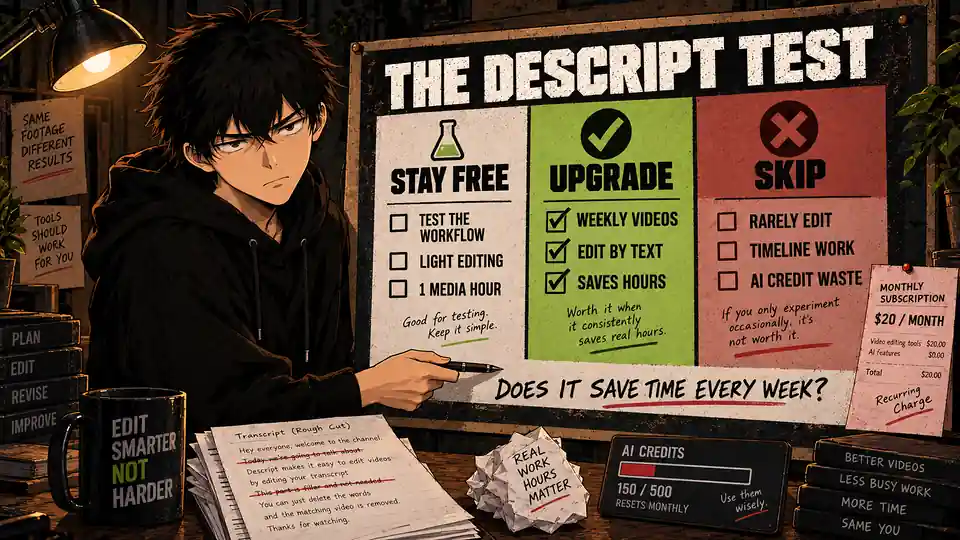
The Three-Project Upgrade Test
Before paying, complete three real projects on Free—not tutorials and not feature demonstrations.
For each project, record:
- How long the edit took.
- Which Descript features saved time.
- How many media minutes you used.
- How many AI credits you consumed.
- Whether you would use the same features next week.
- Whether an editor you already own could do the job.
- Whether Descript would replace another subscription.
Then ask:
What repeated problem does Descript solve for me every week?
If you have a specific answer, paying may make sense.
If the answer is “AI editing looks interesting,” stay Free.
Final Verdict
Descript is one of the more genuinely different video editors available in 2026. Its advantage is not simply that it includes AI. Nearly every creative app includes AI now.
Its advantage is that it reorganizes editing around spoken content.
For podcasts, interviews, tutorials, screen recordings, educational content, product demos, and talking-head videos, editing through a transcript can remove substantial repetitive work.
That is real value.
The limits are equally real. Choosing a plan means choosing media hours, AI credits, export resolution, production volume, and the risk of paying for unused capacity.
Upgrade or Skip Verdict
Free — STAY FREE
For beginners, occasional creators, and anyone still testing whether transcript editing saves time.
Hobbyist — UPGRADE
For regular individual creators producing speech-heavy 1080p content within 10 media hours and 400 AI credits.
Creator — UPGRADE ONLY IF
Video is part of a serious weekly workflow and 4K, higher limits, advanced AI, stock media, or top-ups solve a recurring production problem.
Descript entirely — SKIP
For complex cinematic editing, infrequent video work, or anyone mainly paying to experiment with AI.
Descript can make video editing much faster—but only when you are editing the kind of video it was built to understand.
FAQ
Is Descript worth it in 2026?
Yes, for people who regularly edit podcasts, interviews, talking-head videos, tutorials, screen recordings, and other speech-heavy content. Occasional creators should start with Free.
Is Descript Free enough?
Free is enough to evaluate the workflow and handle light use. Its one media hour and 100 AI credits per month are restrictive for regular creators.
How much does Descript cost?
Hobbyist costs $24 monthly or $16 per month with annual billing. Creator costs $35 monthly or $24 per month with annual billing. Business costs $65 monthly or $50 per month with annual billing.
Is Descript better than CapCut?
Descript is better for transcript-driven editing, podcasts, interviews, and talking-head content. CapCut is generally better for short-form social video, templates, effects, and mobile editing.
Is Descript better than Filmora?
Descript is easier for editing spoken content through text. Filmora is better for creators who prefer a conventional multitrack desktop timeline.
Does Descript use AI credits?
Yes. Underlord and many AI-assisted features consume credits. Monthly allowances vary by plan, and unused credits do not roll over.
Can Descript export in 4K?
Creator and Business currently include 4K export. Hobbyist supports 1080p, while Free is limited to 720p.
Does Descript have a free trial?
Descript offers an ongoing Free plan, so you can test its core editing workflow before subscribing.
Should I pay annually?
Only after confirming that Descript is part of your recurring workflow. Annual billing lowers the effective monthly price, but it also increases the cost of changing your mind.
Sources
- Descript Pricing and Plans
- How Descript Tracks Media Minutes and AI Credits
- Descript Timeline Exports
- Descript Reviews on G2
- Upgrade or Skip: CapCut vs Filmora
- Upgrade or Skip: Filmora Review
- Upgrade or Skip: Movavi Video Editor Review
Pricing, limits, AI-credit allowances, ratings, and review counts may change. Check the current plan and checkout terms before purchasing.
Next Up
Descript vs CapCut: Which Is Better for AI Video Editing?
One is built around editing words. The other is built around creating fast visual content.
The better choice depends on what slows you down.
Upgrade smarter. Skip louder.