

Disclosure: This post may contain affiliate links. If you buy through them, we may earn a small commission at no extra cost to you.
Welcome back to Upgrade or Skip.
In the last post, we talked about ChatGPT Plus vs Free, and whether paying $20 a month actually changes what you get done.
Now comes the harder question.
If you are going to pay for one AI assistant, should it be ChatGPT or Claude?
Claude vs ChatGPT sounds like a model comparison.
For most people, it is really a subscription decision.
Both tools can write emails, summarize documents, explain confusing topics, help with code, search the web, analyze files, and turn a rough idea into something useful. Both also have free plans. As of July 2026, ChatGPT Plus is listed at $20 per month, while Claude Pro is $20 per month, or $17 per month when billed annually.
That makes it tempting to ask which AI is smarter.
That is usually the wrong question.
The better question is:
Which one removes more friction from the work you actually do?
After looking at current plan details, official help pages, user discussions, and real-world workflow complaints, the difference is less dramatic than the internet makes it sound.
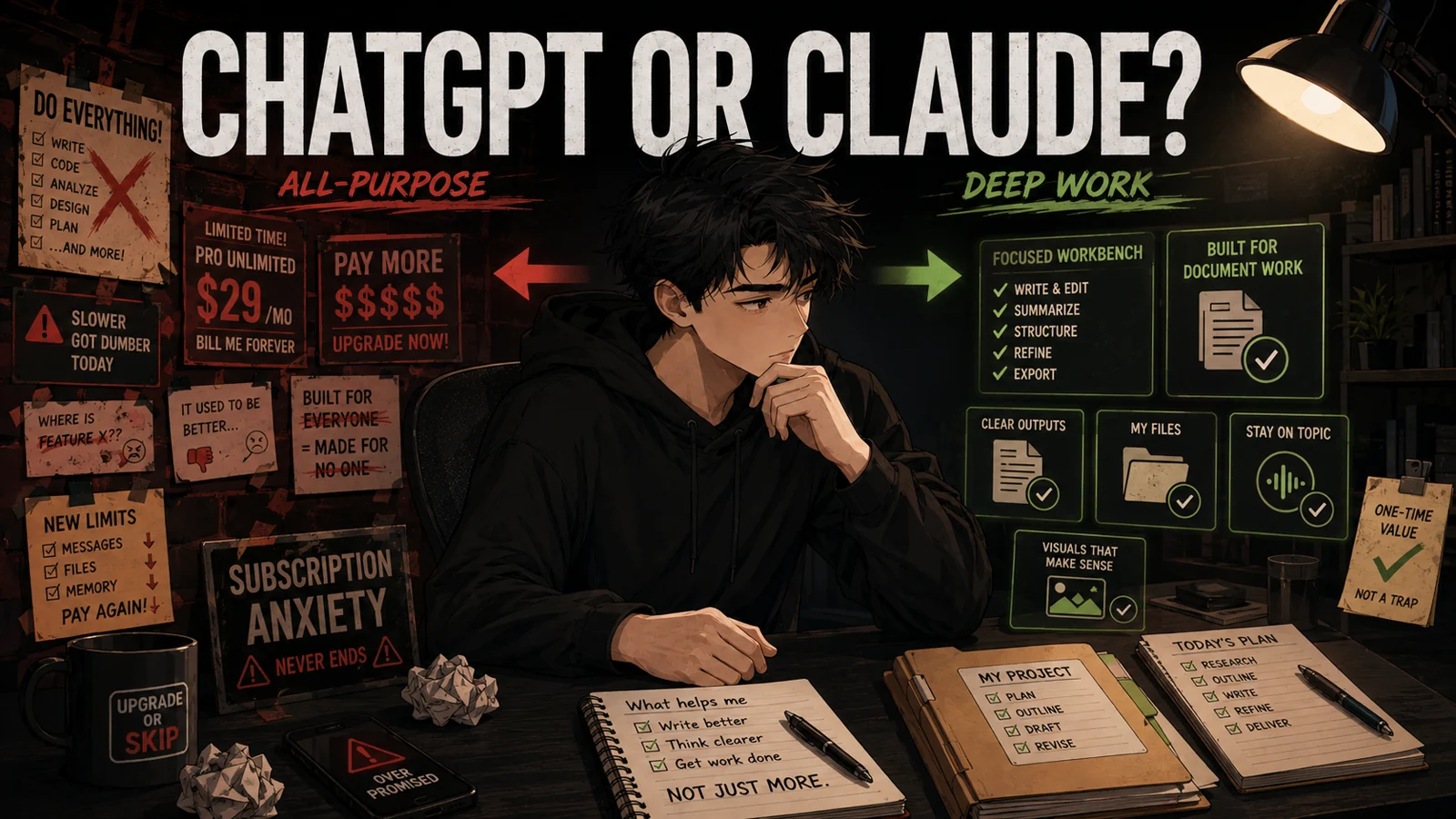
ChatGPT is usually the better all-purpose assistant.
Claude is often the better focused workbench.
You probably do not need to pay for both.
The Short Answer
Choose ChatGPT if you want one AI tool for a wide mix of everyday tasks:
- Quick questions and explanations
- Web research
- Voice conversations
- Image generation
- File analysis
- Brainstorming
- Personal planning
- Ongoing conversations that benefit from memory and past context
Choose Claude if your work is dominated by:
- Long documents
- Detailed editing
- Maintaining a consistent writing voice
- Following complicated instructions
- Structured analysis
- Coding and technical reasoning
- Projects with a lot of background material
Use the free versions first if you are still unsure.
The difference between the two tools matters far less than whether either one saves you meaningful time.
ChatGPT Feels More Like a General Assistant
ChatGPT’s biggest advantage is not that it wins every individual task.
It is that it handles many different kinds of tasks without making you leave the same product.
You can ask a quick question, upload a file, talk through an idea using voice, search the web, analyze an image, generate an image, compare products, summarize documents, or return to an older project with useful context.
That breadth matters more than benchmark arguments for normal users.
The free version is already useful for a lot of people. ChatGPT Plus mainly makes sense when you need higher limits, broader model access, faster or more reliable access, better reasoning, expanded file use, deeper research, projects, custom GPTs, or other advanced tools often enough to notice the difference.
But Plus is not magic.
Paid does not always mean unlimited.
OpenAI says Plus subscriptions may still include usage limits, especially during high demand, and model availability can change during rollouts. API usage is also billed separately, so paying for ChatGPT Plus does not give you free API access.
That matters because “I paid $20” does not mean “I will never hit a wall.”
Still, ChatGPT often feels like the safer single subscription for someone whose needs change throughout the day.
One hour you are rewriting an awkward email.
The next you are comparing two products, checking a spreadsheet, planning a trip, asking what is wrong with a photo, or trying to understand why your printer has chosen violence again.
Claude can do several of those things too.
ChatGPT simply puts more everyday tools in one familiar place.
Claude Feels More Like a Serious Workbench
Claude’s appeal becomes clearer when the task gets longer.
A recurring pattern in user discussions is that people prefer Claude when they need an AI to stay with a document, preserve structure, follow detailed constraints, or revise writing without flattening the author’s voice.
These are subjective experiences, not lab results.
There is no universal winner for writing.
But the pattern is consistent enough to matter.
Users who work with both often describe reaching for Claude when they have:
- A long report that needs careful analysis
- A large document that must be reorganized
- Detailed formatting or style instructions
- A draft that needs editing without sounding completely rewritten
- A technical problem that requires sustained reasoning
- A project with a large amount of supporting context
Claude’s free plan is already useful. Claude Pro adds more usage, access to more Claude models, unlimited projects, Research, Claude Code, and other work-focused tools listed on Claude’s pricing page.
That sounds competitive with ChatGPT Plus because it is.
But Claude comes with one major practical question.
Claude’s Usage Limits Can Change the Experience
Claude Pro is not an unlimited plan.
Anthropic says the number of messages you can send varies by plan, and usage is affected by message length, file attachment size, conversation length, tool use, model choice, effort level, and artifact creation.
In plain English:
Longer tasks eat more of your allowance.
That matches a common frustration in Claude user communities. Some people love the quality of Claude’s output, but dislike hitting a limit in the middle of serious work.
That does not make Claude Pro a bad subscription.
It means Claude Pro is easier to justify when you have a specific high-value task for it.
If Claude helps you finish client work, review long documents, solve coding problems, or edit several thousand words every week, the limits may be acceptable.
If you mainly want an AI available all day for random questions, interruptions may feel harder to tolerate.
This is not a small detail.
A tool can produce your favorite answer and still be the wrong daily subscription if it regularly stops when you need it.
Which One Is Better for Writing?
Claude often has the stronger reputation for long-form writing and editing.
Many users say it is better at keeping a consistent tone across a long document, respecting structure, and avoiding some of the generic phrasing associated with AI-generated writing.
That does not mean Claude automatically produces publishable work.
It can still repeat ideas, invent details, become overly cautious, or create polished paragraphs that say very little.
Very elegant. Very empty.
ChatGPT can also be an excellent writing partner, especially for:
- Generating several different angles quickly
- Brainstorming titles and hooks
- Rewriting short passages
- Making informal writing more conversational
- Turning an idea into an outline
- Moving between research, writing, and image creation
The practical difference is this:
ChatGPT is often better at getting the writing process moving.
Claude is often better at staying inside a demanding brief.
If your work is mostly short emails, social posts, quick rewrites, and brainstorming, ChatGPT may be enough.
If you regularly edit reports, articles, proposals, or long drafts, Claude deserves a serious test.
Which One Is Better for Research?
ChatGPT is usually the more convenient research assistant for everyday use.
Its mix of web search, file handling, memory, deep research tools, and general conversational flexibility makes it easy to move from a vague question to a usable overview.
Claude also offers research and web-related features, and some users prefer the way it organizes detailed material.
But neither tool should be treated as an authority.
Both can misunderstand sources, miss an important date, confuse an inference with a fact, or present weak evidence confidently.
For serious research, the winner is whichever tool makes it easiest for you to inspect the evidence.
Always open the important sources yourself.
A confident paragraph without verifiable support is not research.
It is formatting.
Which One Is Better for Long Documents?
This is where Claude has the clearest reason to exist alongside ChatGPT.
People who compare the two frequently report that Claude feels more dependable when the task requires attention across a long document or a large amount of context.
They describe using it for:
- Contracts
- Technical documents
- Research papers
- Long drafts
- Specifications
- Large code files
ChatGPT can analyze long files too, and the result depends heavily on the model, plan, file type, and instructions.
It would be inaccurate to say ChatGPT cannot handle long documents.
The difference is often about confidence.
Does the tool appear to read the entire document carefully?
Does it remember a requirement introduced much earlier?
Does it preserve the requested structure after several revisions?
Does it change only what you asked it to change?
For many heavy document users, Claude feels more consistent in those situations.
If long files are your main reason for paying, test both tools with the same real document before subscribing.
Do not use a tiny sample prompt.
Use the messy file you actually need help with.
That is where the truth usually shows up.
Which One Is Better for Coding?
This comparison gets complicated because “coding” can mean very different things.
It might mean:
- Explaining an error message
- Writing a short script
- Reviewing an architecture
- Editing multiple files
- Building a feature
- Working through an unfamiliar codebase
Claude has a strong following among developers, especially for code reasoning, large-context work, and Claude Code.
ChatGPT also has capable coding and reasoning tools, and OpenAI’s coding products may fit some workflows better.
Real users often do something less dramatic than choosing a permanent winner:
They use one tool to build or plan, then another to review.
That can improve results.
But it does not mean an ordinary user should pay for two subscriptions.
If coding does not earn you money or occupy a meaningful part of your week, do not choose an AI subscription based on developer arguments.
You are buying for your workflow.
Not theirs.
Which One Is Better for Images and Voice?
ChatGPT is the easier choice here.
Image generation and voice features are built directly into the ChatGPT experience, which makes the product useful when typing is inconvenient or when your task is visual.
Claude has become a broader product over time, with Artifacts, file creation, coding features, Research, projects, memory, and other interactive capabilities.
But it is still more strongly associated with document work, reasoning, editing, and coding than with being an all-in-one creative media assistant.
If you regularly generate images, analyze photos, or talk to AI while walking, cooking, commuting, or doing anything where typing is annoying, ChatGPT has the more obvious advantage.
Do not underestimate convenience.
A tool you naturally use in more situations may create more value than a tool that produces slightly better paragraphs in a controlled test.
The Memory Question
ChatGPT has an advantage for users who have built up months or years of conversations, preferences, and ongoing projects.
Several users who considered switching to Claude describe feeling tied to ChatGPT because it already understands their habits and contains a large archive of useful conversations.
That is a real switching cost.
Claude also has memory and project features, and both products keep changing how memory, files, projects, and connected services work.
But existing context still matters.
If ChatGPT already understands your writing preferences, recurring tasks, and active projects, Claude must be noticeably better, not merely different, to justify rebuilding that working relationship.
At the same time, memory can become an excuse to keep paying for a subscription that no longer produces results.
Familiarity is valuable.
It is not automatically worth $20 every month.
Do Not Pay for Both Just to Avoid Choosing
Paying $20 for ChatGPT Plus and another $20 for Claude Pro may feel like a professional AI setup.
For most people, it is subscription anxiety wearing a productivity costume.
Two subscriptions cost about $480 per year before taxes or add-ons.
That can be justified when each tool supports a separate job that produces money or saves substantial time.
For example:
ChatGPT handles daily research, voice, images, files, and general planning.
Claude handles paid writing, long-document analysis, or intensive coding.
That is a real division of labor.
“I might need both someday” is not.
If you constantly copy the same prompt into both tools and choose the answer you like more, you may be paying twice because you do not trust either one.
That is not a strong workflow.
That is a very expensive coin toss.
The One-Week Help Test

Before paying, choose five tasks you genuinely perform every week.
Do not invent impressive AI demonstrations.
Use boring, repetitive work.
Your list might include:
- Researching a purchase
- Editing a long document
- Writing an important email
- Summarizing several files
- Planning a project
Complete the same five tasks with the free versions of ChatGPT and Claude.
Then ask:
- Which one required fewer corrections?
- Which one followed my instructions more closely?
- Which one saved more time?
- Which one produced work I would actually use?
- Which limitations interrupted me?
- Which paid feature would change the result?
The winner should be obvious from your work.
If it is not obvious, do not subscribe yet.
Upgrade If:
Upgrade to ChatGPT Plus if you want one flexible AI for many different daily tasks.
It makes the most sense if you frequently use search, voice, images, files, data analysis, advanced reasoning, deep research, projects, or memory, and the free limits interrupt work that already matters.
Upgrade to Claude Pro if your work depends on long documents, careful editing, structured analysis, complicated instructions, or coding support.
It makes the most sense if Claude follows your real instructions more reliably than ChatGPT, and the improvement is worth the possibility of reaching usage limits.
The key is not which tool sounds more impressive.
The key is which tool changes what you finish.
Skip If:
Skip both paid plans if you only use AI a few times per week, your tasks are short, or you cannot name anything important that a subscription helped you complete.
Also skip paying for both just because online comparisons make the decision feel urgent.
Free AI is already powerful enough for a large number of people.
The paid plan should remove a proven bottleneck.
It should not create an obligation to “use AI more” so the charge feels justified.
The Upgrade or Skip Take
ChatGPT is the better default for most everyday users.
It offers the more complete general-assistant experience, especially if your week includes a mixture of research, voice, images, planning, files, quick questions, and random problems that do not fit neatly into one category.
Claude is the better upgrade for people whose work has a clear shape:
Long documents.
Serious editing.
Detailed instructions.
Structured reasoning.
Coding.
But Claude’s usage limits deserve attention before you subscribe. A tool can produce your favorite answer and still be the wrong daily subscription if it regularly interrupts your workflow.
Do not pay for both because the internet refuses to choose a winner.
Test both free plans with your real work.
Pay for the one that creates a visible result.
Keep the other as an occasional second opinion.
And if neither one changes what you finish?
Skip the subscription.
Pay for real value, not AI loyalty.
Next Up:
Do You Need Perplexity Pro, Or Is Google Still Enough?
Search is becoming a conversation.
That does not automatically make another subscription worth paying for.
Upgrade smarter. Skip louder.