
Welcome back to Upgrade or Skip.
Keeper and Bitwarden can both solve the same basic problem:
You have too many passwords, and “I’ll remember them” stopped being a strategy about 47 accounts ago.
But their free plans approach that problem very differently.
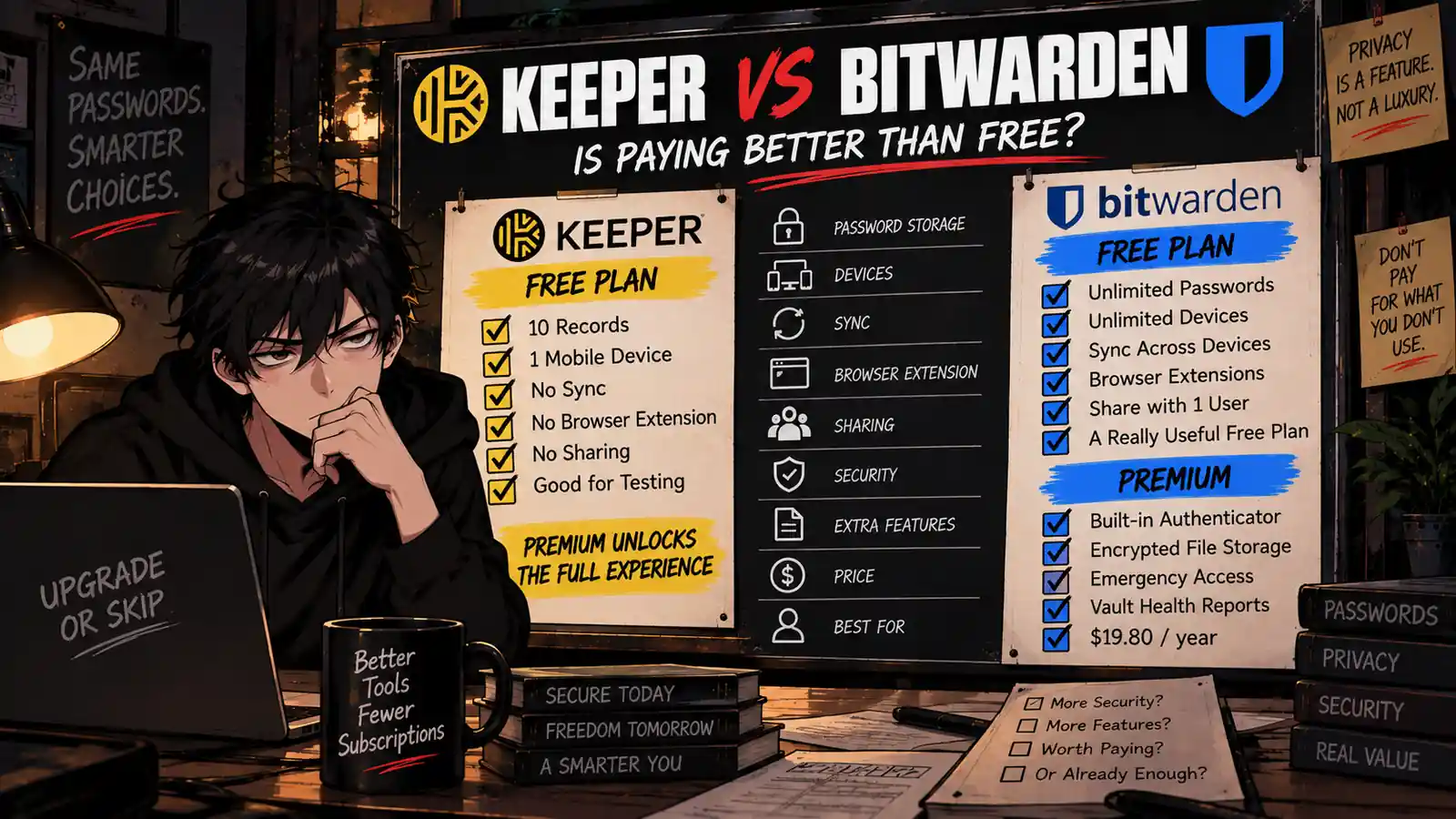
Bitwarden gives free users unlimited passwords across unlimited devices.
Keeper Free limits you to 10 records on one mobile device.
That immediately makes this comparison uncomfortable for Keeper.
Keeper becomes much more competitive once you pay. Its premium service adds unlimited passwords, unlimited device access, synchronization, browser extensions, autofill, secure sharing, emergency access, and a polished cross-device vault experience.
But Bitwarden has a paid plan too — and Bitwarden Premium currently costs only $19.80 per year.
So this is not simply:
Keeper vs Bitwarden.
The better question is:
What exactly are you paying Keeper to do that Bitwarden cannot already do for free — or for less?
Let’s make the decision.
Quick Verdict
Choose Bitwarden Free if:
- You want unlimited password storage without paying.
- You use several phones, computers, or browsers.
- You want your vault synced across those devices.
- You need a password manager primarily for passwords, passkeys, autofill, and everyday account security.
- You do not need Bitwarden’s premium authenticator, file attachments, emergency access, or advanced vault reports.
Upgrade to Bitwarden Premium if:
- You want an integrated TOTP authenticator.
- You want encrypted file attachments.
- You want Emergency Access.
- You want vault health reports and additional security tools.
- You already like Bitwarden and $19.80 per year is an easy upgrade to justify.
Choose Keeper Unlimited if:
- You prefer Keeper’s interface and workflow.
- You want Keeper’s cross-device premium experience.
- You regularly use its sharing, autofill, vault, and emergency-access features.
- You have already tested Keeper and specifically prefer it over Bitwarden.
- The higher price solves a real usability problem for you.
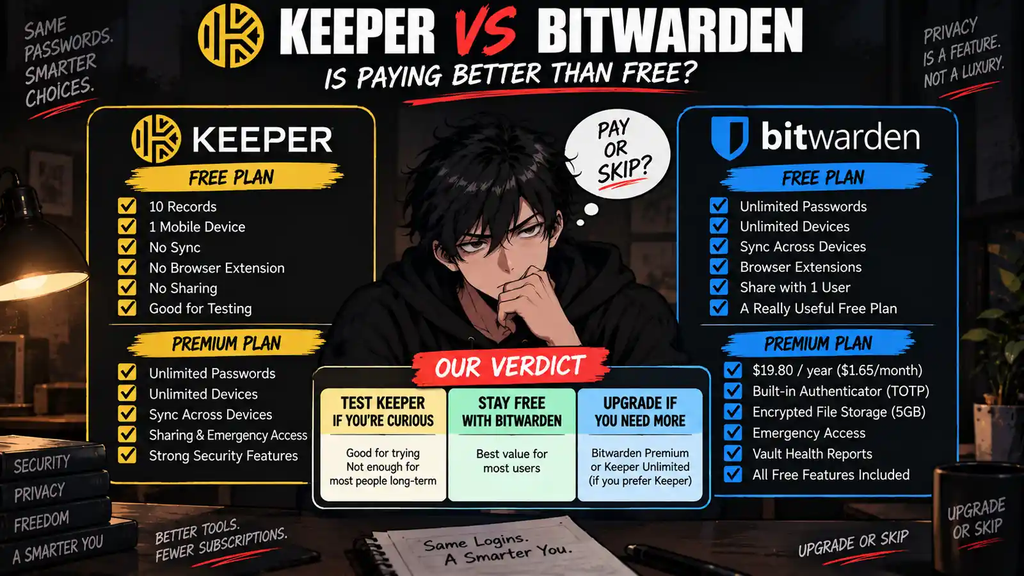
Skip Keeper Free as a long-term solution for most people.
Ten records on one mobile device is enough to test Keeper.
It is not enough to manage the average person’s digital life.
Our overall verdict:
For most individual users, Bitwarden Free is the better value.
For users who want premium features, Bitwarden Premium is the price-to-feature winner.
Keeper still makes sense for users who specifically prefer Keeper’s experience and are willing to pay for it.
But Keeper needs to win on workflow.
It cannot win this comparison on price.
At a Glance
| Feature | Keeper Free | Bitwarden Free | Bitwarden Premium |
|---|---|---|---|
| Price | $0 | $0 | $19.80/year |
| Password / record storage | 10 records | Unlimited | Unlimited |
| Devices | 1 mobile device | Unlimited | Unlimited |
| Cross-device sync | No | Yes | Yes |
| Browser access / extensions | Not included on Free | Yes | Yes |
| Autofill | Premium experience required for full cross-device workflow | Yes | Yes |
| Passkeys | Supported | Yes | Yes |
| Secure sharing | No on Free | Share with one other user | Share with one other user |
| Integrated TOTP authenticator | Limited on Free | No | Yes |
| Emergency Access | Paid feature | No | Yes |
| Encrypted file attachments | Limited Free storage / paid options | No | 5GB personal storage |
| Zero-knowledge architecture | Yes | Yes | Yes |
| Best for | Testing Keeper | Most individual users | Users who want extra security features |
So what?
Bitwarden gives away the two things that make a password manager genuinely useful:
Unlimited passwords and unlimited devices.
That is the problem Keeper has to overcome.
Upgrade or Skip in 10 Seconds
| If You Need… | Best Choice |
|---|---|
| Unlimited passwords for $0 | Bitwarden Free |
| Unlimited devices for $0 | Bitwarden Free |
| Basic password autofill | Bitwarden Free |
| Integrated TOTP authenticator | Bitwarden Premium |
| Emergency Access | Bitwarden Premium or Keeper Paid |
| Encrypted file attachments | Bitwarden Premium or Keeper Paid |
| You specifically prefer Keeper | Keeper Unlimited |
| You already have a password manager that works | Skip Both |
If your only requirement is:
“Store my passwords securely and make them available on all my devices.”
Bitwarden Free already makes a very strong case for spending nothing.
What We Checked
This comparison is research-based.
For this article, we checked current official documentation for:
- Keeper Free limitations
- Keeper Unlimited trial features
- Keeper security architecture
- Bitwarden Free features
- Bitwarden Premium pricing
- Bitwarden Families pricing
- Device and password limits
- Sharing
- TOTP authentication
- Emergency Access
- Encrypted file storage
- Security architecture
Prices, plan limits, promotions, and included features can change. Always verify the provider’s current pricing page before purchasing.
Keeper Free vs Bitwarden Free
This is where Bitwarden lands the first serious punch.
According to Keeper’s current Free plan documentation, Keeper Free is limited to:
- One mobile device
- 10 password/passkey records
- No unlimited sync
- No regular sharing
- No browser extension access
- No Web Vault access
Keeper’s current terms also state that Free users are limited to 10 Keeper Records and one mobile device.
That is a trial-sized password manager.
For perspective, think about how many accounts you already have:
- Banking
- Amazon
- Netflix
- Steam
- Apple
- Social media
- Work accounts
- Shopping sites
Congratulations.
Your vault is basically full before lunch.
Bitwarden Free takes a very different approach.
According to Bitwarden’s current pricing page, its core Free plan includes:
- Unlimited passwords
- Unlimited devices
- Browser, mobile, and desktop apps
- Password generator
- Autofill
- Passkey management
- Encrypted export
- Two-step login
- Free sharing with one other user
That is not a trial.
For many users, that is the finished product.
The Free-Plan Problem for Keeper
Keeper’s Free plan makes sense as a funnel.
It lets you experience the product and decide whether you like it.
Keeper also currently offers a 30-day trial of Keeper Unlimited with no credit card required.
During that trial, users can access premium functionality including unlimited password storage, unlimited devices, synchronization, and secure sharing.
After the trial ends, users who do not subscribe fall back to the much more restricted Free version.
We covered that structure in our Keeper Password Manager Review 2026.
The important purchasing distinction is:
Keeper Free lets you test the product.
Bitwarden Free can realistically replace a paid password manager.
Those are very different definitions of “free.”
Bitwarden Free Is Surprisingly Complete
Bitwarden could easily put multi-device sync behind Premium.
It does not.
It could limit the number of passwords.
It does not.
It could make autofill a paid feature.
Again, no.
The free tier includes the basic functionality most people actually install a password manager to get.
That means upgrading Bitwarden is not primarily about removing artificial restrictions.
It is about adding advanced features.
That is a much healthier upgrade test.
What Does Bitwarden Premium Actually Add?
Bitwarden Premium currently costs:
$1.65 per month equivalent
or:
$19.80 billed annually.
Taxes are not included in the displayed price.
Premium adds features including:
- Integrated authenticator for TOTP codes
- 5GB of personal encrypted file storage
- Vault health reports
- Vault health alerts and password coaching
- Emergency Access
- Priority support
- Additional hardware security-key support
- Encrypted file sharing through Bitwarden Send
You can see the current breakdown on Bitwarden’s official personal plan page.
Notice what is not on that list:
“Your passwords finally sync to your laptop.”
Bitwarden does not hold basic usability hostage until you subscribe.
Premium is an actual upgrade.
Bitwarden Premium Purchase Math
| Plan | Price |
|---|---|
| Bitwarden Free | $0 |
| Bitwarden Premium | $19.80/year |
| Monthly equivalent | $1.65/month |
| 2 years of Premium | $39.60 |
| 3 years of Premium | $59.40 |
| Families | $47.88/year |
| Family users | Up to 6 |
This is where Bitwarden becomes particularly difficult for Keeper to beat on price.
But cheap does not automatically mean worth buying.
If you never use TOTP integration, Emergency Access, encrypted files, or vault reports, then:
$0 is still cheaper than $19.80.
Do not upgrade Bitwarden just because Premium itself is inexpensive.
A cheap unnecessary subscription remains unnecessary.
Keeper Unlimited: What Are You Paying For?
Keeper’s paid product removes the restrictions that make Keeper Free difficult to recommend for normal long-term use.
Keeper Unlimited provides the kind of experience most people expect from a modern password manager:
- Unlimited passwords and passkeys
- Unlimited devices
- Cross-device synchronization
- Browser extension access
- Web Vault access
- Autofill
- Password generation
- Secure sharing
- Emergency Access
- Multi-factor authentication options
Keeper is not a bad product because Bitwarden is cheaper.
That distinction matters.
A product can be secure, polished, and useful while still losing the value comparison.
That is exactly the kind of purchase Upgrade or Skip exists to separate.
The Real Question: Is Keeper Better Enough?
Once both products are operating as full password managers, feature checklists become less useful.
Both can:
- Store passwords
- Generate passwords
- Autofill credentials
- Sync credentials
- Work across major platforms
- Store passkeys
- Use strong encryption
- Support multi-factor authentication
So paying more for Keeper should come down to something you can actually feel every week:
- You prefer Keeper’s interface.
- Keeper autofill works better in your workflow.
- You prefer its organization system.
- You use Keeper-specific sharing features.
- You are already invested in Keeper.
- Moving would create more friction than the savings justify.
Those are legitimate reasons.
“Keeper has more marketing pages about security” is not.
Security: Both Take It Seriously
Password managers hold unusually sensitive information.
Security therefore matters more here than it does when comparing two video editors.
Keeper says its vault uses end-to-end encryption with a zero-knowledge and zero-trust architecture.
According to Keeper’s security documentation, vault information is encrypted and decrypted locally on the user’s device rather than in Keeper’s cloud.
Keeper describes using AES-256 encryption and record-level encryption for stored vault information.
Bitwarden also uses a zero-knowledge architecture and provides extensive public documentation around its security model.
Bitwarden additionally emphasizes its open-source approach.
For ordinary users, we would not choose between these two products solely because one marketing page uses the word “secure” more frequently.
The more useful security question is:
Will you actually use the password manager correctly?
A secure vault with unique generated passwords and strong two-factor authentication is much more useful than an advanced security architecture protecting “Password123” reused across 19 websites.
Open Source: Bitwarden Has an Advantage
Bitwarden’s open-source model is one of its most meaningful differentiators.
Its code can be publicly inspected, and Bitwarden also supports self-hosting for users and organizations that specifically want more control over deployment.
That does not automatically make every open-source product safer than every closed-source product.
Security is not decided by a checkbox labeled OPEN SOURCE.
But transparency matters in a password manager.
For technically minded users, Bitwarden’s open-source model is a genuine advantage rather than a marketing decoration.
Autofill and Everyday Usability Matter More Than People Admit
Password-manager reviews often become encryption-spec competitions.
Then the buyer installs the product and spends the next three years interacting mostly with one thing:
Autofill.
A password manager has to disappear into your workflow.
You open a website.
Your login appears.
You sign in.
Done.
If one product consistently feels better on your particular browser, phone, or operating system, that usability difference can justify paying.
This is one reason we would use Keeper’s 30-day Unlimited trial before purchasing it.
Do not pay first and discover later that you prefer Bitwarden’s workflow.
Emergency Access
Both paid products offer an important feature that many people ignore until they suddenly understand why it exists:
Emergency Access.
Bitwarden Premium allows you to designate another Bitwarden user as an emergency contact who can request access to your vault under predefined conditions.
Keeper also provides emergency-access functionality with its paid password-management experience.
This becomes much more relevant if your vault contains:
- Financial logins
- Important subscriptions
- Family accounts
- Business credentials
- Critical documents
For someone storing 150 important accounts, Emergency Access can justify paying.
For someone storing eight Reddit passwords?
Maybe finish setting up the vault first.
Family Plans Change the Math
Bitwarden Families currently costs:
$47.88 per year
and supports up to six users.
It includes six Premium accounts plus family sharing features.
If all six people genuinely use it, the effective cost is:
$7.98 per user per year.
That is strong value.
But the same rule applies here as everywhere else on this site:
Do not divide the price by six unless six people are actually using it.
A six-seat family plan with two active users is not suddenly a six-person bargain because Excel says so.
Who Should Use Bitwarden Free?
Bitwarden Free is our default recommendation for users who:
- Want to stop reusing passwords
- Need unlimited password storage
- Use multiple devices
- Want cross-device sync
- Need browser autofill
- Want passkey support
- Do not need advanced premium features
- Want a genuinely usable free password manager
For this group:
STAY FREE.
You are not missing the core product.
Who Should Upgrade to Bitwarden Premium?
Upgrade if you repeatedly use or genuinely need:
- Integrated TOTP codes
- Emergency Access
- Encrypted file attachments
- Vault health reports
- Advanced hardware security-key support
- Priority support
At $19.80 per year, the threshold for upgrading is relatively low.
But there should still be a threshold.
“It is cheap” is not the same as “I need it.”
Who Should Pay for Keeper?
Keeper makes sense if you:
- Already tested Keeper Unlimited and prefer it
- Like Keeper’s interface substantially more
- Rely on Keeper’s sharing workflow
- Want its particular vault experience
- Already use Keeper across your devices
- Would lose more time switching than you save in subscription costs
That last point matters.
Software value is not measured only in dollars.
If Keeper saves you friction every day, paying more can be rational.
But if you have never used either product?
Bitwarden Free should probably be tested first.
Who Should Skip Both Paid Plans?
Stay free if:
- Bitwarden Free already does everything you need
- You do not need premium security tools
- You already use another password manager successfully
- You rarely use the paid features
- You are upgrading because the annual price looks small
Especially that last one.
$19.80 is not much money.
Neither is $3.
Neither is $7.
Neither is $12.
Then you open your credit-card statement and discover 14 companies have independently reached the same conclusion.
Subscription stacks do not need bench players.
Pros and Cons
Bitwarden Free — Pros
- Unlimited passwords
- Unlimited devices
- Cross-device sync
- Autofill
- Passkey support
- Open source
- Free sharing with one other user
- Strong enough for many users permanently
Bitwarden Free — Cons
- No integrated TOTP authenticator
- No encrypted file attachments
- No Emergency Access
- No premium vault health reports
- Some advanced security features require Premium
Bitwarden Premium — Pros
- Only $19.80 per year
- Integrated authenticator
- 5GB encrypted personal storage
- Emergency Access
- Vault health reports
- Priority support
- Retains unlimited passwords and devices
Bitwarden Premium — Cons
- Still unnecessary for users satisfied with Free
- Annual subscription
- Premium does not transform the basic password-management experience
Keeper — Pros
- Polished premium password-management experience
- Unlimited passwords on paid plan
- Unlimited devices on paid plan
- Cross-device sync
- Strong sharing features
- Emergency Access
- Zero-knowledge architecture
- 30-day Unlimited trial
Keeper — Cons
- Free plan limited to 10 records
- Free plan limited to one mobile device
- No cross-device sync on Free
- Free version is difficult to use as a permanent password manager
- Bitwarden provides much more functionality for $0
- Keeper needs to justify its higher cost through workflow and preference
The Free vs Paid Test
Here is the decision stripped of branding.
Option A:
Pay $0.
Get unlimited passwords, unlimited devices, synchronization, autofill, passkeys, and the core password-manager experience with Bitwarden Free.
Option B:
Pay $19.80 per year.
Keep everything in Bitwarden Free and add an integrated authenticator, encrypted files, Emergency Access, vault health reports, and other premium features.
Option C:
Pay for Keeper.
Get Keeper’s full premium experience because you specifically prefer Keeper or its workflow solves a problem Bitwarden does not solve as well for you.
The default choice?
Start with Option A.
Then make the paid products prove they deserve your credit card.
The Upgrade Test
Ask yourself:
“What repeated problem does paying for a password manager solve that Bitwarden Free does not?”
Good answers:
- “I want TOTP codes integrated into my vault.”
- “My family needs Emergency Access.”
- “I store sensitive encrypted files.”
- “Keeper works noticeably better in my daily workflow.”
- “I tested both and strongly prefer Keeper.”
Bad answers:
- “Paid must be more secure.”
- “Keeper looks more premium.”
- “$19.80 per year is basically nothing.”
- “I might use the premium features someday.”
- “I already started the free trial.”
The trial exists to help you decide.
It is not a contractual obligation to subscribe.
Final Verdict
Keeper is a serious password manager.
But Bitwarden creates an unusually difficult value comparison because its Free plan does not feel like a crippled demo.
Unlimited passwords.
Unlimited devices.
Cross-device sync.
Autofill.
Passkeys.
For many individual users, that is the entire shopping list.
Bitwarden Premium then adds meaningful extras for $19.80 per year rather than charging simply to unlock basic usability.
That makes our recommendation straightforward.
If you just need a password manager:
STAY FREE WITH BITWARDEN.
If you need TOTP integration, Emergency Access, encrypted files, and advanced reports:
UPGRADE TO BITWARDEN PREMIUM.
If you have tested both and genuinely prefer Keeper:
KEEPER CAN STILL BE WORTH PAYING FOR.
If you already have a password manager that solves the problem:
SKIP BOTH.
A good product can still be a bad purchase.
And a free product can occasionally be good enough to make the paid product explain itself.
Upgrade or Skip Verdict
| Plan | Verdict | Best For |
|---|---|---|
| Bitwarden Free | STAY FREE | Most individual users who need unlimited passwords, devices, sync, and autofill. |
| Bitwarden Premium | UPGRADE IF YOU USE THE EXTRAS | Users who need integrated TOTP, Emergency Access, encrypted files, and advanced reports. |
| Keeper Free | TEST ONLY | Users evaluating Keeper before deciding whether to subscribe. |
| Keeper Unlimited | UPGRADE ONLY IF YOU PREFER KEEPER | Users who specifically value Keeper’s workflow enough to pay more. |
Best free value: Bitwarden Free.
Best cheap premium value: Bitwarden Premium.
Best reason to choose Keeper: You actually prefer using Keeper.
Not the logo.
Not the discount.
The workflow.
FAQ
Is Bitwarden Free better than Keeper Free?
For most users, yes. Bitwarden Free currently includes unlimited passwords and unlimited devices, while Keeper Free is limited to 10 records on one mobile device.
Is Bitwarden really free?
Yes. Bitwarden offers a permanent Free personal plan with unlimited password storage and unlimited devices.
How much does Bitwarden Premium cost in 2026?
Bitwarden currently lists Premium at $1.65 per month equivalent, billed annually at $19.80. Taxes are not included in the displayed price.
Is Bitwarden Premium worth paying for?
It can be if you need features such as the integrated TOTP authenticator, Emergency Access, encrypted file attachments, vault health reports, or priority support. If you only need password storage, sync, and autofill, Bitwarden Free may already be enough.
How many passwords can Keeper Free store?
Keeper currently limits Free accounts to 10 Keeper Records.
Can Keeper Free sync across multiple devices?
No. Keeper Free is limited to one mobile device and does not include unlimited cross-device synchronization.
Does Keeper offer a free trial?
Yes. Keeper currently offers a 30-day trial of Keeper Unlimited with no credit card required. After the trial, users who do not subscribe can fall back to the restricted Free version.
Is Keeper more secure than Bitwarden?
Both products use serious security architectures, including zero-knowledge approaches. Security should not be reduced to a simple “Keeper is safer” or “Bitwarden is safer” claim based only on marketing. Users should also consider security practices, account protection, transparency, and how they personally use the vault.
Is Bitwarden open source?
Yes. Bitwarden emphasizes an open-source approach and also provides self-hosting options.
Should I switch from Keeper to Bitwarden?
If Keeper works well and the subscription cost does not bother you, switching purely to save money may not be worth the migration effort. If cost matters and you do not rely on Keeper-specific features, Bitwarden Free is a strong alternative worth testing.
Should I pay for both Keeper and Bitwarden?
Almost certainly not for ordinary personal use. Their core password-management functions overlap heavily.
Subscription stacks do not need backup password managers.
Sources
- Keeper Security — Keeper Unlimited Trial vs Keeper Free
- Keeper Security — Terms of Use and Free Account Limits
- Keeper Security — 30-Day Keeper Trial
- Keeper Security — Encryption and Security Model
- Bitwarden — Personal Pricing and Plans
- Bitwarden — Free vs Premium Features
- Bitwarden — Password Manager Plans
- Bitwarden — Security Whitepaper
Pricing, plan limits, storage allowances, promotions, and included features may change. Check the providers’ current websites before purchasing.
Next Up
Best Free Password Managers in 2026: Which Ones Are Actually Free?
Upgrade smarter. Skip louder.