
Welcome back to Upgrade or Skip.
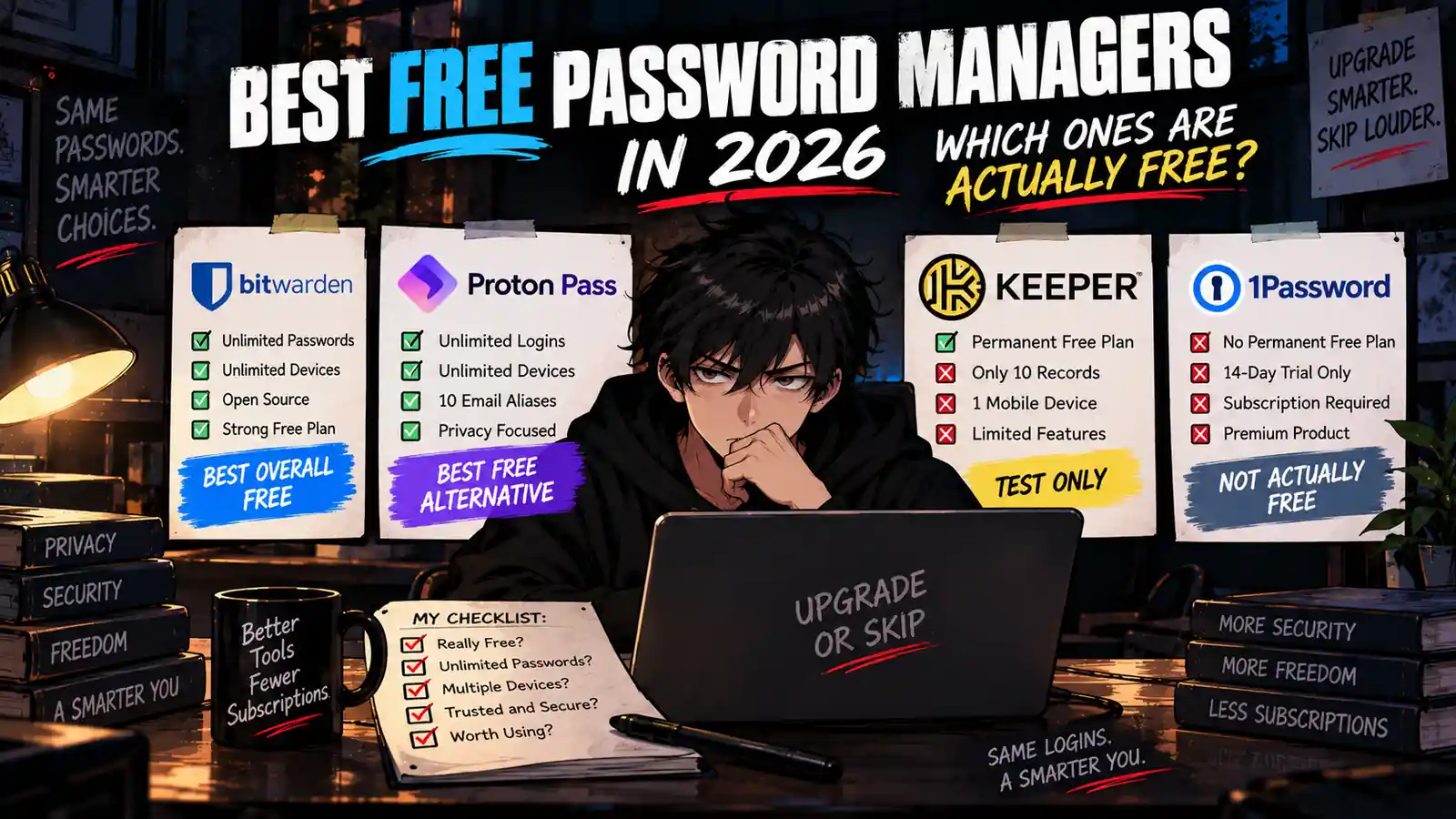
“Free password manager” can mean several very different things.
Sometimes it means:
Use the core product forever without paying.
Sometimes it means:
Here are 10 passwords. Good luck with password number 11.
And sometimes “free” means:
You have 14 days before the subscription page appears.
Those products should not be treated as the same thing.
A genuinely useful free password manager needs to handle the boring stuff that makes password managers worth installing in the first place:
- Store enough passwords to be useful
- Work across your actual devices
- Sync your vault
- Autofill logins
- Generate strong passwords
- Support modern authentication
- Protect the vault with serious encryption
If the free plan cannot do those things, it may be a demo.
Not a solution.
So instead of ranking products by how many features we can squeeze into a comparison table, we asked a simpler question:
Which free password managers are actually good enough that an ordinary user may never need to upgrade?
Quick Verdict
For most individual users, our two strongest free choices are:
Bitwarden Free and Proton Pass Free.
Both currently provide unlimited password/login storage across unlimited devices without requiring a paid subscription.
Choose Bitwarden Free if:
- You want a mature open-source password manager.
- You want unlimited passwords and devices.
- You want straightforward password management without needing a larger privacy ecosystem.
- You may eventually want inexpensive Premium features.
Choose Proton Pass Free if:
- You want unlimited logins and devices.
- You already use Proton Mail or Proton VPN.
- You like built-in email alias functionality.
- You want a password manager tied into a broader privacy ecosystem.
Use Keeper Free mainly for testing.
Its current 10-record, one-mobile-device limitation makes it difficult to recommend as a permanent password manager for most people.
Do not call 1Password “free.”
It currently offers a 14-day free trial, not a permanent free personal plan.
Our default recommendation:
Start with Bitwarden Free or Proton Pass Free.
Only pay when you can name the specific feature that the free plan is missing.
Best Free Password Managers at a Glance
| Password Manager | Permanent Free Plan? | Main Free Limit | Our Verdict |
|---|---|---|---|
| Bitwarden | Yes | Advanced features require Premium | BEST OVERALL FREE |
| Proton Pass | Yes | Advanced aliases, 2FA, sharing, and monitoring require paid plan | BEST FREE ALTERNATIVE |
| Keeper | Yes | 10 records, 1 mobile device | TEST ONLY |
| 1Password | No | 14-day trial | NOT ACTUALLY FREE |
So what?
A permanent free plan matters only if the free plan is useful enough to keep using.
Bitwarden and Proton Pass clear that bar.
Keeper Free is much closer to an extended product sample.
1Password does not pretend otherwise: you can try it, then you pay.
Upgrade or Skip in 10 Seconds
| If You Want… | Start Here |
|---|---|
| Best all-around free password manager | Bitwarden Free |
| Unlimited passwords and devices | Bitwarden or Proton Pass |
| Built-in free email aliases | Proton Pass |
| Open-source password manager | Bitwarden or Proton Pass |
| Cheap premium upgrade path | Bitwarden |
| Proton ecosystem integration | Proton Pass |
| Try Keeper before paying | Keeper Trial |
| Try 1Password | 14-Day Trial |
| You already have a password manager that works | Keep It |
What We Checked
This guide is research-based.
We checked current official plan and product documentation for:
- Permanent free-plan availability
- Password/login limits
- Device limits
- Cross-device synchronization
- Autofill
- Password generation
- Passkeys
- Two-factor authentication features
- Sharing
- Emergency Access
- Encrypted file storage
- Email aliases
- Premium pricing where relevant
We are deliberately not treating a temporary trial as equivalent to a permanent free plan.
Pricing, plan limits, and included features can change. Check the provider’s current website before upgrading.
1. Bitwarden Free — Best Overall Free Password Manager
If your goal is to install one password manager and avoid immediately adding another subscription, Bitwarden is difficult to beat.
According to Bitwarden’s current personal plan documentation, the Free plan includes:
- Unlimited passwords
- Unlimited devices
- Password generator
- Autofill
- Passkey management
- Zero-knowledge encryption
- Two-step login
- Data breach scanning
- Up to five hardware security keys
- Password sharing with one other user
Those are not “maybe useful someday” features.
They are the core product.
Most importantly, Bitwarden does not force free users to choose between protecting their laptop and protecting their phone.
Unlimited devices are included.
That makes Bitwarden Free viable as a permanent password manager rather than a stepping stone toward Premium.
What Bitwarden Free Does Not Include
The Free plan does leave several features behind Premium.
These currently include:
- Integrated TOTP authenticator
- Encrypted file attachments
- Emergency Access
- Vault health reports
- Vault health alerts and password coaching
- Priority support
- Additional hardware-security-key support
That is a reasonable free/paid split.
The paid plan adds advanced functionality.
It does not unlock the ability to store password number 11.
When Should You Upgrade Bitwarden?
Bitwarden Premium currently costs $19.80 per year, equivalent to $1.65 per month when billed annually.
You can check current pricing on Bitwarden’s official pricing page.
Premium makes sense if you repeatedly use features such as:
- Integrated authentication codes
- Emergency Access
- Encrypted file attachments
- Vault health reports
If none of those solve a problem for you?
Stay Free.
We compared the upgrade decision in detail in our Keeper vs Bitwarden comparison.
2. Proton Pass Free — Best Free Alternative to Bitwarden
Proton Pass has become a much more serious free competitor than its position as “the password manager from the VPN company” might suggest.
According to Proton’s current Pass documentation, Proton Free includes:
- Unlimited logins
- Unlimited notes
- Unlimited credit cards
- Unlimited devices
- Browser apps
- Mobile apps
- Desktop apps
- Password generator
- 10 hide-my-email aliases
- Weak and reused password alerts
- Passkeys across supported devices
- Password importing
Again, this is a real free product.
Not a 14-day audition.
Not a ten-password sample.
Proton Pass Has One Particularly Useful Free Extra
The feature that makes Proton Pass especially interesting is email aliases.
Free users currently get 10 hide-my-email aliases.
Instead of giving every random shopping site your real email address, you can use an alias that forwards mail without exposing your primary address.
That will not matter to everyone.
But for privacy-conscious users, it is a genuinely useful feature rather than another checkbox designed to make the pricing table longer.
What Requires Proton Pass Plus?
Proton currently reserves additional features for paid Pass plans, including:
- Unlimited hide-my-email aliases
- Built-in 2FA authenticator
- More advanced secure sharing
- Secure link sharing
- Dark Web Monitoring
- File attachments
- Emergency Access
- Advanced account protection
- Custom domains for aliases
- Additional alias mailboxes
You can compare the current tiers on Proton Pass’s official pricing page.
The key point is the same as Bitwarden:
You do not need to pay to get the core password-manager experience.
Bitwarden Free vs Proton Pass Free
This is the comparison that matters most in this article.
| Feature | Bitwarden Free | Proton Pass Free |
|---|---|---|
| Price | $0 | $0 |
| Unlimited passwords/logins | Yes | Yes |
| Unlimited devices | Yes | Yes |
| Autofill | Yes | Yes |
| Password generator | Yes | Yes |
| Passkeys | Yes | Yes |
| Open source | Yes | Yes |
| Free email aliases | Third-party integrations available | 10 included |
| Integrated TOTP | Premium | Paid plan |
| Emergency Access | Premium | Paid plan |
| Best for | Standalone password management | Privacy ecosystem + aliases |
This is not a comparison with a bad choice.
If you already use Proton Mail and Proton VPN, Proton Pass is particularly logical because it fits into the same ecosystem.
If you mainly want a mature standalone password manager with a very inexpensive premium upgrade path, Bitwarden is extremely compelling.
For most people, we would test both interfaces and keep whichever one creates less friction.
Because the price difference between free and free is approximately:
$0.
3. Keeper Free — Good Trial, Weak Permanent Free Plan
Keeper is where the definition of “free” becomes more complicated.
Keeper does offer a permanent Free version.
But its current free limits make it difficult to recommend over Bitwarden or Proton Pass for ordinary long-term use.
Keeper Free currently limits users to:
- 10 Keeper records
- One mobile device
It also lacks the full cross-device premium experience that makes a password manager convenient.
We examined those restrictions in our Keeper Password Manager Review 2026.
Keeper does currently provide a 30-day trial of Keeper Unlimited.
That is the better way to evaluate Keeper.
Use the premium trial.
See whether you prefer the interface, autofill, sharing, and overall workflow.
Then decide whether that experience is worth paying for.
Do not choose Keeper Free simply because the word FREE appears on the plan page.
Who Should Still Consider Keeper?
Keeper can still make sense if:
- You tested Keeper and strongly prefer its interface.
- Its autofill works better in your workflow.
- You value Keeper’s sharing system.
- You already use Keeper across your household or work.
- Switching would create more friction than the subscription saves.
That is a legitimate reason to pay.
But Keeper needs to win on experience.
It cannot beat Bitwarden or Proton Pass on permanent free-plan generosity.
4. 1Password — Excellent Product, Not a Free Password Manager
1Password belongs in this article for one reason:
People searching for free password managers will inevitably encounter it.
But there is an important distinction.
1Password currently does not offer a permanent free personal plan.
Its Individual plan currently offers a 14-day free trial.
After that, you need to pay if you want to continue using the service.
According to 1Password’s current pricing page, its Individual plan is currently promoted at $2.99 per month when paid annually for qualifying new customers, with a regular displayed price of $3.99 per month.
So:
Is 1Password free to try?
Yes.
Is 1Password a free password manager?
No.
Those statements should not be merged just because “free” looks nice in a search result.
Free Trial vs Free Plan: Stop Treating Them as the Same Thing
| Type | What It Really Means |
|---|---|
| Permanent Free Plan | You can continue using the product without paying. |
| Restricted Free Plan | You can use it indefinitely, but important limits may make upgrading necessary. |
| Free Trial | You temporarily receive access before payment becomes necessary. |
This distinction matters because software companies know exactly how powerful the word “free” is.
A 14-day trial can be useful.
It can even be generous.
But it is still a trial.
If your goal is to avoid another subscription, a free trial does not solve the problem.
It delays it.
What Features Do You Actually Need?
Password-manager feature lists can become absurdly long.
For most people, the important requirements are much shorter.
A good free password manager should ideally provide:
1. Enough Storage
Ten passwords are not enough.
Most users accumulate dozens or hundreds of accounts.
Unlimited password storage removes an artificial reason to upgrade.
2. Multiple Devices
Your passwords are not useful if they live only on your phone while you are trying to log in on your laptop.
For most modern users, cross-device access should be considered a core feature.
3. Automatic Sync
If you change a password on your desktop, the new password should appear on your phone.
Manually maintaining multiple vaults defeats half the reason to install a password manager.
4. Autofill
Security matters.
So does convenience.
If a password manager creates friction every time you log in, eventually you stop using it correctly.
5. Password Generation
A password manager should help you stop creating passwords like:
Fluffy2026!
Then:
Fluffy2027!
Cybersecurity innovation.
6. Strong Vault Security
Your password manager protects the keys to your digital life.
Look for serious encryption, zero-knowledge architecture, strong account authentication, transparent security documentation, and independent security review where available.
Free should describe the price.
Not the security standard.
When Is a Paid Password Manager Worth It?
Free password managers have become good enough that paying should solve a specific problem.
Good reasons to upgrade include:
- You need integrated TOTP authentication.
- You need Emergency Access.
- You need encrypted file attachments.
- You need advanced family sharing.
- You want unlimited email aliases.
- You need dark-web monitoring or advanced security reports.
- You need business administration or access controls.
- You strongly prefer a paid product’s workflow.
Bad reasons include:
- “Paid sounds safer.”
- “It is only $2 per month.”
- “There was a discount.”
- “I might need those features eventually.”
- “The free version feels too free.”
Your password vault does not become more secure because your credit card gets charged annually.
The Subscription Math
Password managers are relatively inexpensive software.
That is exactly why they are easy subscriptions to ignore.
Suppose you choose a password manager costing $3 per month.
| Period | Cost |
|---|---|
| 1 month | $3 |
| 1 year | $36 |
| 3 years | $108 |
| 5 years | $180 |
$180 over five years is not financially catastrophic.
But if the free product performs the same tasks you use every day, what did the $180 buy?
That is the question.
Not:
“Can I afford $3?”
Probably.
Ask:
“What am I getting for the $3?”
Who Should Choose Bitwarden Free?
Choose Bitwarden Free if you:
- Want unlimited passwords
- Use multiple devices
- Want cross-device sync
- Need autofill and password generation
- Value open-source software
- Want a strong permanent free plan
- Do not need advanced premium features
Verdict: STAY FREE.
Who Should Choose Proton Pass Free?
Choose Proton Pass Free if you:
- Already use Proton services
- Want unlimited logins and devices
- Want 10 free email aliases
- Care about privacy-focused tools
- Want an open-source password manager
- Do not need the paid Pass features
Verdict: STAY FREE.
Who Should Consider Keeper?
Consider Keeper if you:
- Prefer Keeper after testing it
- Want its premium workflow
- Already use Keeper
- Value its particular sharing and organization experience
- Are comfortable paying for the full product
But if you are specifically searching for the best free password manager, Keeper Free is not our first choice.
Verdict: TEST FIRST. UPGRADE ONLY IF KEEPER WINS ON WORKFLOW.
Who Should Consider 1Password?
Consider 1Password if you:
- Are willing to pay
- Want a polished multi-device password manager
- Value its family-sharing experience
- Plan to evaluate it during the 14-day trial
But do not choose it because you are looking for a permanent free plan.
There is not one.
Verdict: PAID OPTION, NOT A FREE PICK.
Pros and Cons
Bitwarden Free — Pros
- Unlimited passwords
- Unlimited devices
- Autofill
- Password generator
- Passkeys
- Open source
- Zero-knowledge encryption
- Strong permanent free plan
Bitwarden Free — Cons
- Integrated TOTP requires Premium
- Emergency Access requires Premium
- Encrypted attachments require Premium
- Advanced vault reports require Premium
Proton Pass Free — Pros
- Unlimited logins
- Unlimited devices
- Autofill
- Passkeys
- 10 email aliases
- Open source
- Fits Proton ecosystem
- Strong permanent free plan
Proton Pass Free — Cons
- Integrated 2FA authenticator requires paid plan
- Unlimited aliases require paid plan
- Emergency Access requires paid plan
- Advanced sharing and monitoring require paid plan
Keeper Free — Pros
- Permanent free tier exists
- Useful for testing basic Keeper experience
- Upgrade path to full Keeper product
- 30-day Keeper Unlimited trial available
Keeper Free — Cons
- Only 10 records
- Only one mobile device
- Weak long-term free value
- Bitwarden and Proton Pass are substantially more generous
1Password — Pros
- Polished paid product
- Works across devices
- Strong sharing features
- 14-day free trial
1Password — Cons
- No permanent free personal plan
- Subscription required after trial
- Not suitable if your goal is to avoid paying
The Free Password Manager Test
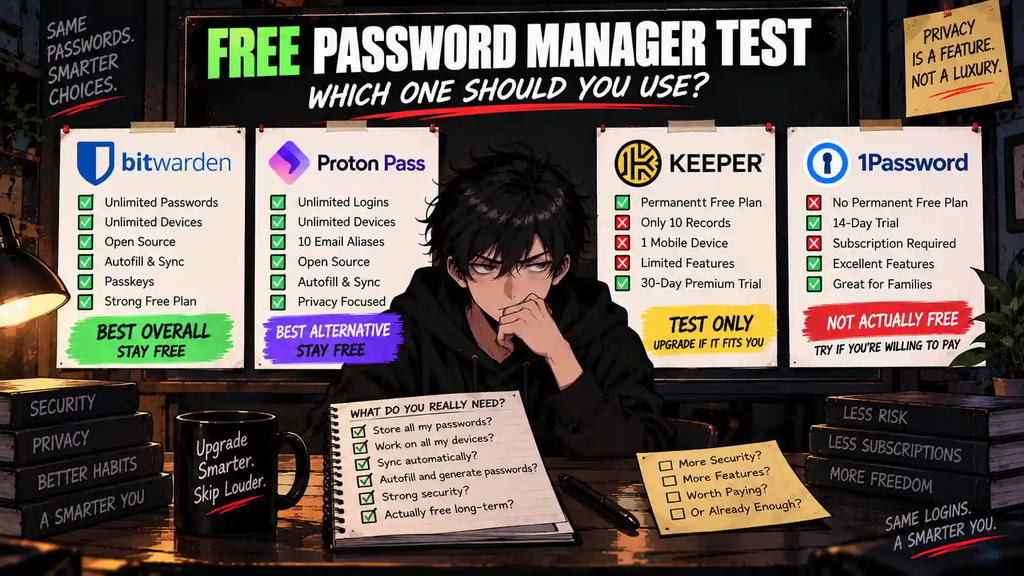
Before paying, answer five questions.
| Question | If the Answer Is Yes… |
|---|---|
| Can the free plan store all my passwords? | Keep testing Free |
| Does it work on all my devices? | Keep testing Free |
| Does sync work properly? | Keep testing Free |
| Does autofill work well for me? | Keep testing Free |
| Am I missing a feature I actually use every week? | Consider upgrading |
If the first four answers are yes and the fifth is no:
What exactly are you upgrading for?
That is the entire decision.
The Upgrade Test
Ask yourself:
“What repeated problem does the paid plan solve for me every week?”
Good answers:
- “I need integrated TOTP every day.”
- “My family needs Emergency Access.”
- “I regularly store encrypted documents.”
- “I need unlimited email aliases.”
- “I need advanced shared vaults for my family.”
Bad answers:
- “Premium is cheap.”
- “Paid sounds more secure.”
- “Everyone recommends the paid plan.”
- “I may need it someday.”
- “The annual plan saves money.”
An annual discount tells you how to pay.
It does not tell you whether to pay.
Final Verdict
The free password-manager market is better than the word “free” usually suggests.
Bitwarden Free and Proton Pass Free both provide enough core functionality that many individual users may never need to upgrade.
That is the important part.
They are not good because they cost nothing.
They are good because they can actually replace a paid password manager for the right user.
Our overall pick:
BITWARDEN FREE — BEST OVERALL.
Unlimited passwords, unlimited devices, strong core functionality, open-source transparency, and a cheap Premium upgrade path make it the easiest recommendation.
Our alternative:
PROTON PASS FREE — BEST FOR PRIVACY-FOCUSED USERS.
It matches Bitwarden on unlimited logins and devices while adding 10 free hide-my-email aliases and fitting naturally into Proton’s privacy ecosystem.
Keeper Free:
TEST IT, BUT DO NOT CHOOSE IT FOR FREE VALUE.
The 10-record and one-device limits are too restrictive compared with the competition.
1Password:
TRY IT IF YOU ARE WILLING TO PAY.
The 14-day trial is useful, but it is not a permanent free plan.
And if Bitwarden Free or Proton Pass Free already does everything you need?
STAY FREE.
Saving 60% on a subscription still costs more than not needing the subscription.
Upgrade or Skip Verdict
| Password Manager | Verdict | Best For |
|---|---|---|
| Bitwarden Free | STAY FREE | Best overall free choice for most individual users |
| Proton Pass Free | STAY FREE | Privacy-focused users and Proton ecosystem users |
| Keeper Free | TEST ONLY | Users considering a future Keeper subscription |
| 1Password | SKIP IF YOU NEED PERMANENT FREE | Users willing to pay after testing |
Best free value: Bitwarden.
Best free alternative: Proton Pass.
Best reason to pay: A feature you can name and repeatedly use.
Worst reason to pay: “It is only a few dollars.”
FAQ
What is the best free password manager in 2026?
Bitwarden Free is our overall pick because it currently includes unlimited passwords, unlimited devices, autofill, passkeys, password generation, and other core features without requiring a subscription.
Is Bitwarden really free?
Yes. Bitwarden offers a permanent Free plan with unlimited passwords and unlimited devices. Advanced features such as integrated TOTP, Emergency Access, encrypted file attachments, and vault health reports require Premium.
Is Proton Pass free?
Yes. Proton Pass has a permanent Free plan with unlimited logins and unlimited devices. It also currently includes 10 hide-my-email aliases.
Which is better for free: Bitwarden or Proton Pass?
Both are strong choices. Bitwarden is our default standalone recommendation, while Proton Pass is especially attractive if you already use Proton services or value its built-in email alias functionality.
Is Keeper Password Manager free?
Keeper offers a permanent Free version, but it is currently limited to 10 records on one mobile device. For most users, we view it primarily as a way to test Keeper rather than the best long-term free solution.
Does 1Password have a free plan?
No permanent personal Free plan is currently offered. 1Password provides a 14-day free trial before a paid subscription is required.
Is a free password manager safe?
A $0 price does not automatically make a password manager unsafe. Evaluate the provider’s encryption model, security architecture, transparency, audits, account-security options, and track record rather than assuming paid automatically means safer.
Should I pay for a password manager?
Pay when the premium plan solves a repeated problem the free plan does not. Integrated authentication, Emergency Access, encrypted files, advanced family sharing, and additional privacy features can justify upgrading for some users.
Is Bitwarden Premium worth $19.80 per year?
It can be if you use its premium features. If unlimited password storage, unlimited devices, sync, autofill, and passkeys are all you need, Bitwarden Free may already be enough.
Can I use a free password manager on multiple devices?
Yes, depending on the product. Bitwarden Free and Proton Pass Free currently support unlimited devices. Keeper Free is much more restricted.
Sources
- Bitwarden — Password Manager Pricing & Plans
- Bitwarden — Personal Password Manager
- Proton — Proton Pass
- Proton — Proton Pass Pricing & Plans
- Keeper Security — Free Trial vs Free Version
- Keeper Security — Security Architecture
- 1Password — Personal & Family Pricing
Pricing, plan limits, promotions, and included features may change. Check each provider’s current website before upgrading.
Next Up
Proton Pass vs Bitwarden: Which Free Password Manager Is Better?
Upgrade smarter. Skip louder.