
Welcome back to Upgrade or Skip.
Surfshark is one of the better-value VPNs in 2026, especially if you need to protect several devices without counting every phone, laptop, tablet, and TV in the house.
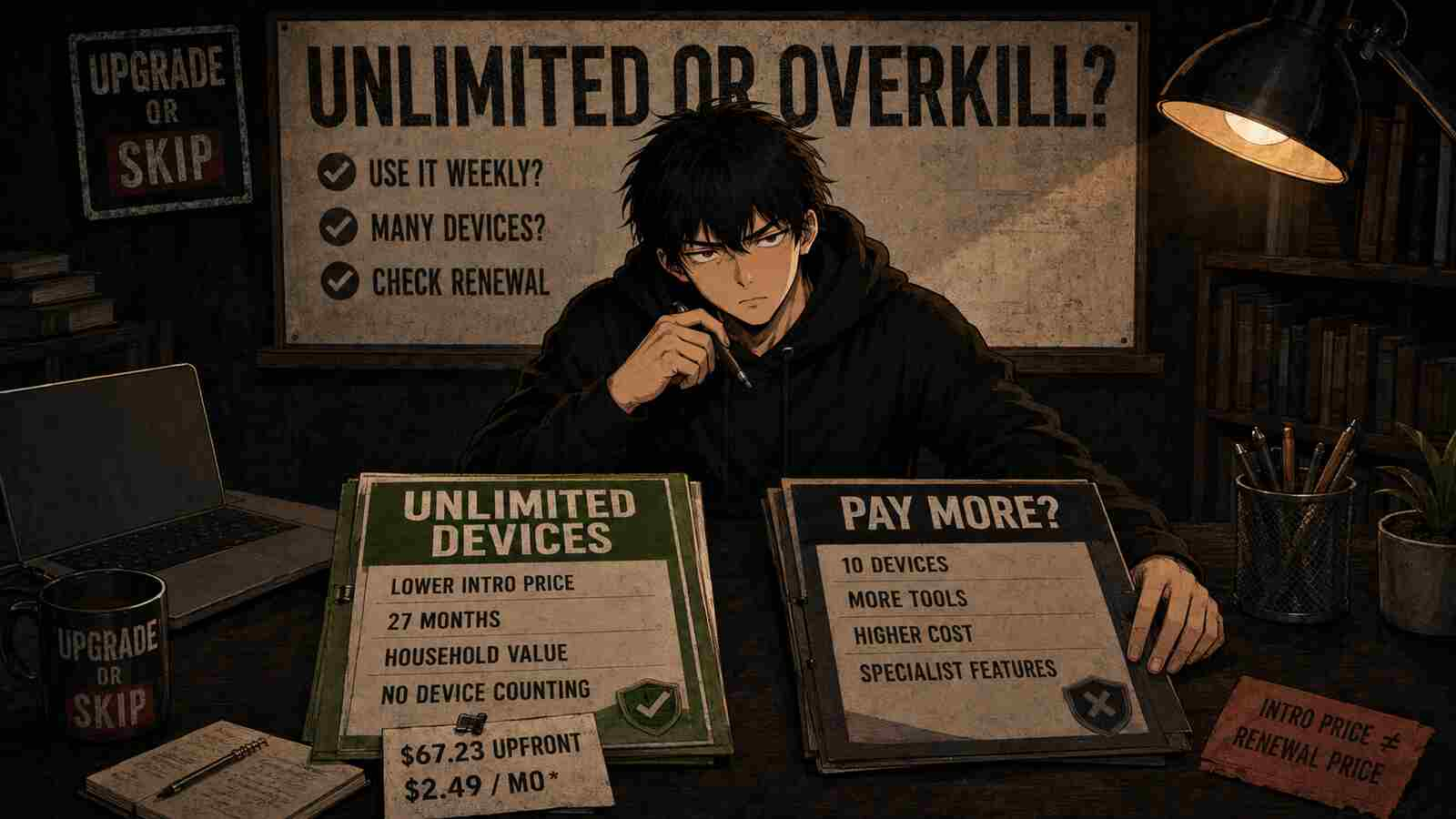
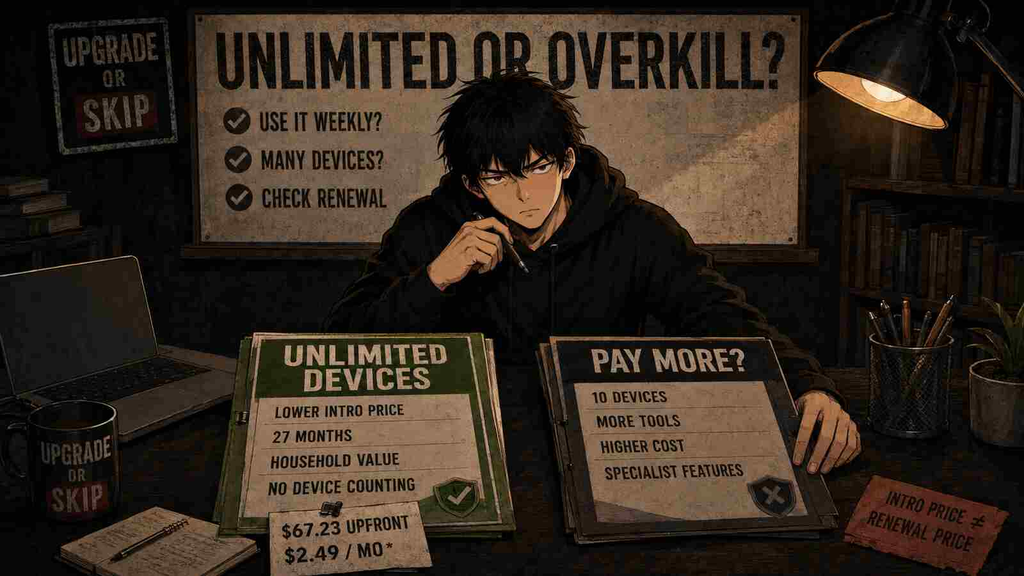
Surfshark Starter currently costs $67.23 upfront for the first 27 months, which works out to $2.49 per month before applicable tax or VAT. That promotional term combines a 24-month subscription with three extra months. Surfshark also allows unlimited simultaneous device connections on paid plans. Surfshark
Starter includes the core Surfshark VPN service, Alternative ID, ad blocking, split tunneling through Bypasser, Dynamic MultiHop, Rotating IP on supported platforms, and other everyday VPN features. Surfshark also advertises a 30-day money-back guarantee for eligible initial purchases. Surfshark
That makes Surfshark cheaper and more flexible than NordVPN for many ordinary households.
But “$2.49 per month” is promotional math, not a permanent monthly bill. You pay the first term upfront, and Surfshark states that its two-year plans renew at the applicable renewal price after the initial term. Surfshark
Quick verdict: Choose Surfshark if you regularly use a VPN across several devices and want strong everyday features at a lower introductory price. Choose NordVPN if you care more about its specific advanced features and are willing to pay extra. Skip both if you cannot name a repeated reason you need a VPN.
Quick Verdict
Upgrade to Surfshark Starter if:
- You use a VPN several times per week.
- You want to protect many household devices.
- You travel or regularly connect through public Wi-Fi.
- You want a kill switch, split tunneling, ad blocking, and location switching.
- You are comfortable paying for a long subscription upfront.
Consider Surfshark One if:
- You genuinely need antivirus and breach-monitoring tools.
- Surfshark One would replace another paid security subscription.
- The relatively small introductory price difference remains small at checkout.
Skip Surfshark if:
- You only want to change location occasionally.
- A trustworthy free VPN already covers your limited use.
- You require one specific streaming service to work every time.
- You do not want another automatically renewing subscription.
- Your current VPN is reliable and cheaper after renewal.
Surfshark is not automatically better than NordVPN.
It is usually the better-value purchase for multi-device households, while NordVPN may remain the better fit for users who want its specific advanced networking or security features.
For a closer look at the alternative, read our NordVPN Review 2026: Is It Still Worth the Price?
Surfshark at a Glance
| Detail | Surfshark |
|---|---|
| Starter introductory price | $2.49/month |
| Starter upfront payment | $67.23 |
| Introductory term | First 27 months |
| Simultaneous devices | Unlimited |
| Free trial | 7 days under eligible conditions |
| Free-trial device limit | Up to 3 devices |
| Money-back guarantee | 30 days on eligible initial purchases |
| Main VPN protocols | WireGuard, OpenVPN, IKEv2 |
| Split tunneling | Yes |
| Kill switch | Yes |
| Ad and tracker blocking | Yes |
| Independently reviewed no-logs policy | Yes |
| Best for | Households and multi-device users |
| Main buying risk | Renewal pricing |
Pricing and plan details were checked on September 4, 2026. Offers, taxes, extra months, features, and renewal terms may change. Surfshark’s current pricing page lists Starter at $2.49/month for the first 27 months, One at $2.79/month, and One+ at $4.49/month. Surfshark
Upgrade or Skip in 10 Seconds
| Your Situation | Verdict |
|---|---|
| You need a VPN on many devices | Upgrade to Starter |
| You regularly travel or use public Wi-Fi | Upgrade |
| You want antivirus as well as a VPN | Consider One |
| You already pay for good antivirus | Stay with Starter |
| You need personal-data removal services | Compare One+ carefully |
| You only use a VPN a few times per year | Skip |
| You already have a reliable VPN | Keep it |
| You expect every streaming platform to work permanently | Do not buy on that promise alone |
Unlimited devices are Surfshark’s clearest purchasing advantage.
The more devices you actually protect, the easier the subscription is to justify.
“Actually” is doing important work there. Protecting fourteen devices in theory is not the same as using the VPN on fourteen devices.
What We Checked
This review is based on:
- Surfshark’s current pricing and plan information.
- Official feature, trial, cancellation, and refund documentation.
- Surfshark’s published privacy and security information.
- Independent no-logs assurance information.
- Current customer feedback and recurring complaint patterns.
- A practical comparison with our existing NordVPN review.
This is a purchase-decision review, not a claim that every server, website, country, device, or streaming platform will perform identically.
VPN performance depends heavily on your normal connection, physical location, chosen server, protocol, device, local network, and the services you access.
Use the trial or refund period to test your own repeated tasks before keeping a long subscription.
What Is Surfshark?
Surfshark is a consumer VPN and online-security service.
When connected, it encrypts traffic between your device and a Surfshark VPN server. Websites normally see the VPN server’s public IP address instead of your usual public IP address.
That can be useful when you want to:
- Reduce exposure on public Wi-Fi.
- Hide your normal IP address from websites.
- Connect through a server in another region.
- Add protection when traveling.
- Reduce some advertising and tracking activity.
- Protect several household devices under one subscription.
A VPN does not make you anonymous, prevent every type of tracking, repair poor security habits, or guarantee access to every region-restricted service.
It changes part of your network route.
It does not issue an invisibility cloak.
Surfshark Plans Explained
Surfshark currently sells three main consumer bundles:
Starter, One, and One+.
All three use the same basic Surfshark VPN service, while One and One+ add broader cybersecurity tools. Surfshark’s current pricing page lists all three with unlimited-device VPN access. Surfshark
Surfshark Starter
Starter is the most sensible plan for most buyers.
It includes Surfshark VPN and Alternative ID, together with the VPN features that most ordinary users are likely to care about, including:
- Unlimited simultaneous device connections.
- Bypasser split tunneling.
- CleanWeb ad blocking.
- Dynamic MultiHop.
- Rotating IP.
- Alternative ID.
Surfshark currently advertises more than 4,500 servers in 100 countries. Surfshark
Choose Starter when your repeated problem is mainly:
“I need a VPN that works across all my devices without paying for security extras I already have.”
This is where Surfshark’s value argument is strongest.
Surfshark One
Surfshark One builds on Starter with a broader security bundle.
Current Surfshark documentation lists One features including:
- Surfshark Antivirus.
- Surfshark Alert.
- Surfshark Search.
- Scam-protection tools.
- Additional security and monitoring features. Surfshark 客服
The current promotional price is $2.79 per month for the first 27 months, or $75.33 upfront before applicable tax or VAT. Surfshark
That is only:
$75.33 − $67.23 = $8.10
more than Starter during the introductory term.
That sounds like an automatic upgrade.
It is not.
If you already use Microsoft Defender, another antivirus package, breach alerts, or a privacy-focused search tool you prefer, Surfshark One may add more overlap than value.
Cheap overlap is still overlap.
Surfshark One+
One+ adds the broadest Surfshark bundle, including Incogni personal-data removal on top of the One features.
Surfshark currently lists Incogni availability for residents of the US, UK, EU, Switzerland, and Canada. One+ also advertises identity-theft coverage for eligible US customers, excluding New York State residents, subject to eligibility and policy terms. Surfshark
The current promotional price is:
$4.49 per month for the first 27 months
or:
$121.23 upfront before applicable tax or VAT. Surfshark
That is:
- $54 more than Starter
- $45.90 more than One
One+ can make sense if you were already planning to pay for a personal-data removal service.
It is much harder to justify if all you actually want is a VPN.
Do not let the most expensive column win because it contains the most checkmarks.
Pricing tables are very good at turning unused features into emotional support features.
Surfshark Pricing and Purchase Math
Here is the current introductory calculation:
| Plan | Advertised Monthly Equivalent | First-Term Total | Difference From Starter |
|---|---|---|---|
| Starter | $2.49 | $67.23 | — |
| One | $2.79 | $75.33 | $8.10 |
| One+ | $4.49 | $121.23 | $54.00 |
These prices cover the first 27 months under the current two-year promotion with three additional months. Surfshark
You are not paying $2.49 each month.
You are paying:
$67.23 upfront.
That distinction matters because:
- The promotional rate applies to the initial term.
- VAT or other taxes may apply.
- The plan can renew automatically unless you disable automatic payments.
- Surfshark says its two-year subscriptions are paid upfront and then renew at the applicable renewal rate.
- The cheapest plan can still become a poor deal if it sits unused for two years. Surfshark
The official checkout should show the applicable billing and renewal terms before purchase.
Read that number.
Take a screenshot.
Set a reminder before renewal.
The giant discount percentage is not the decision.
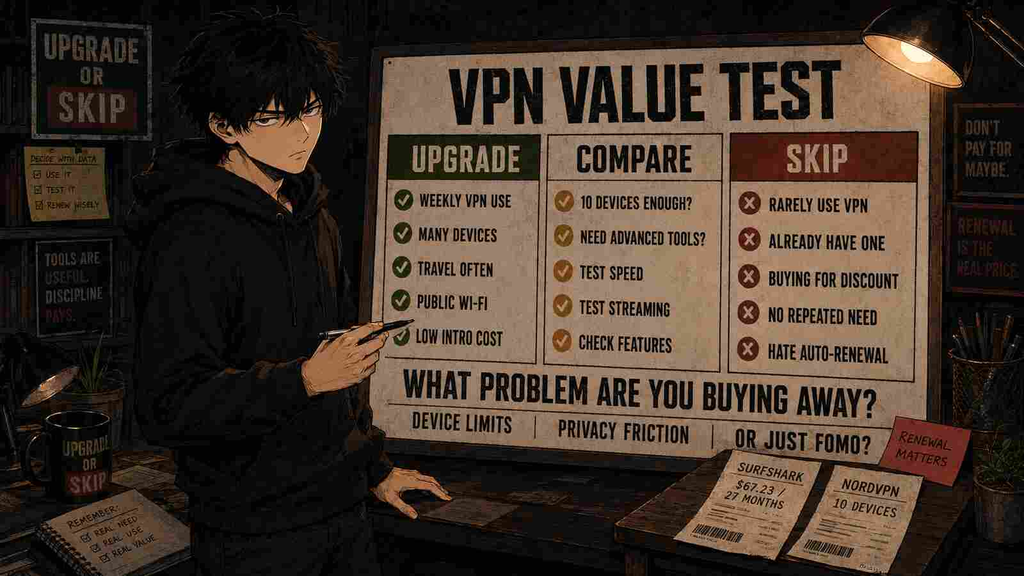
The first payment, the renewal payment, and how often you will actually use the product are the decision.
Does Surfshark Have a Free Trial?
Yes.
Surfshark currently offers eligible new customers a seven-day VPN free trial through its website when choosing a 12- or 24-month plan and paying with a supported credit card, PayPal, or Apple Pay. Surfshark Customer Service
During the free trial:
Up to three devices can be connected.
After the trial converts to a normal paid subscription:
Unlimited device connections become available. Surfshark 客服
Surfshark also offers a 30-day money-back guarantee for qualifying initial purchases.
These are not the same thing.
The free trial lets eligible buyers test before the first charge.
The money-back guarantee generally means you have already paid and must request a refund afterward.
Surfshark states that its 30-day guarantee applies to qualifying initial purchases and does not generally apply to renewal payments. Certain purchases and add-ons can also have exclusions. Surfshark 客服
Before the trial ends, test:
- Your nearest servers.
- The distant locations you expect to use.
- Your work or school services.
- Your phone, computer, and TV.
- Video calls and large downloads.
- The streaming services you personally care about.
- Automatic reconnection after changing Wi-Fi networks.
- Whether the kill switch behaves as expected.
A speed-test screenshot is less useful than discovering whether your real Monday morning workflow still works.
Unlimited Devices Are Surfshark’s Best Feature
Surfshark permits unlimited simultaneous device connections on paid subscriptions. Surfshark
That is valuable for:
- Couples with several devices.
- Families.
- People with multiple computers and phones.
- Homes with tablets and streaming devices.
- Users who want VPN coverage across many personal devices.
- People tired of removing an old device before adding a new one.
NordVPN currently allows up to 10 simultaneous devices per account. NordVPN客服支持
Ten devices will be more than enough for many individuals.
For larger households, Surfshark removes the device-counting problem entirely.
That is one of the clearest reasons to choose Surfshark instead.
Unlimited does not mean the account is intended to become a public VPN service for everyone you know.
Use it within the provider’s terms.
Privacy and Security
Surfshark supports established VPN technologies and provides common security features such as a kill switch, split tunneling, DNS protection, MultiHop, and RAM-only servers.
Its privacy claims also have more support than a sentence on a marketing page.
Surfshark says Deloitte independently reviewed its no-logs policy in 2023 and again in 2025. Surfshark’s current security information also references independent infrastructure and application security assessments. Surfshark
Surfshark states that its audited no-logs setup does not retain normal VPN activity in a way that ties browsing behavior to individual users.
Independent assurance does not make a VPN provider infallible.
But it is more meaningful than asking customers to accept a privacy promise without outside verification.
What a VPN Does Not Protect
Even with Surfshark connected:
- A website can identify you when you sign in.
- Cookies and browser fingerprinting may still track activity.
- Malware can still compromise your device.
- Phishing can still steal credentials.
- Your employer may still monitor activity on managed equipment.
- A VPN does not replace unique passwords.
- A VPN does not replace multifactor authentication.
If you log into Facebook, Facebook does not become confused about who you are because your IP address moved to Chicago.
Everyday Features That Matter
Kill Switch
A kill switch can block internet access if the VPN connection unexpectedly drops.
This matters when maintaining the protected connection is more important than staying online for a few seconds.
Test it on your own device.
Kill-switch behavior can differ between operating systems and app versions.
Bypasser
Surfshark calls its split-tunneling feature Bypasser.
It allows selected applications or websites to use your normal connection instead of the VPN.
This can be useful when:
- A banking website rejects VPN traffic.
- A local network device requires your normal connection.
- A work application does not cooperate with the VPN.
- You only want selected applications routed through Surfshark.
Surfshark currently lists Bypasser among the included VPN features. Surfshark
Split tunneling is less glamorous than a map full of server dots and often more useful.
CleanWeb
CleanWeb is Surfshark’s ad-blocking feature.
Surfshark describes it as blocking ads, pop-ups, and trackers while browsing. Surfshark
It can improve everyday browsing, but it should not be treated as a complete security system.
Dedicated browser extensions and security products may provide more granular controls.
Use CleanWeb as a convenience feature.
Not as permission to click every suspicious download button you encounter.
Rotating IP
Rotating IP changes your VPN IP address periodically without forcing you to disconnect.
Surfshark currently lists Rotating IP support on:
- Windows
- Android
- iOS
- macOS Surfshark
Surfshark says the IP normally rotates about every five minutes. Surfshark
The macOS implementation offers additional rotation-range controls, including city, country, region, and worldwide options. Surfshark 客服
Useful?
Potentially.
Necessary for every buyer?
No.
MultiHop
Dynamic MultiHop routes traffic through two VPN servers.
Surfshark includes it with its current core VPN feature set. Surfshark
It may appeal to privacy-focused users, but routing traffic through multiple servers can introduce additional latency or reduce performance.
Most ordinary buyers do not need to use it every day.
More hops do not automatically mean more wisdom.
Alternative ID
Alternative ID generates substitute personal details and an alternative email address for online registrations.
Surfshark says the generated email can forward messages to your normal inbox, helping you avoid exposing your primary email to every website you try. Surfshark
This can be useful for reducing spam and limiting exposure of your normal contact details.
It is not a replacement for your legal identity.
Do not use generated details where accurate personal information is legally or contractually required.
Surfshark Performance
Surfshark can provide fast everyday performance, particularly when connecting to a nearby server with a modern VPN protocol.
But publishing one universal speed number would be misleading.
Your result depends on:
- Starting internet speed.
- Physical distance from the VPN server.
- Server load.
- VPN protocol.
- Device performance.
- Router quality.
- Local network congestion.
- Internet-provider routing.
The correct test is not whether Surfshark reaches somebody else’s headline number.
The correct test is whether it stays fast enough for your repeated tasks.
For most buyers, those tasks include:
- Web browsing.
- Video calls.
- HD or 4K streaming.
- Cloud backups.
- File downloads.
- Gaming.
- Remote work.
If your normal connection is 500 Mbps and the VPN provides 350 Mbps with stable latency, the percentage loss may look dramatic while your actual experience remains excellent.
If a video call stutters on the server you need every day, the attractive benchmark elsewhere is irrelevant.
Surfshark for Streaming
Surfshark can work with many streaming services.
That does not mean access should be treated as permanent.
Streaming providers change detection systems.
VPN server IP addresses get blocked.
Regional libraries change.
Performance varies by server and location.
Therefore:
- Test the exact streaming service you use.
- Test the exact region you need.
- Try more than one server.
- Confirm that your use complies with the streaming service’s terms.
- Do not buy two years solely because one show works today.
A long subscription is permanent.
Streaming compatibility is more of a weather forecast.
Real User Feedback
As of September 4, 2026, Surfshark has a 4.3 out of 5 rating from 31,149 reviews on Trustpilot. Trustpilot
Trustpilot’s current review summary highlights positive feedback around:
- Customer support.
- Privacy and security features.
- Connection quality.
- General ease of use.
It also highlights complaints related to:
- Auto-renewal charges.
- Billing practices.
- Subscription management. Trustpilot
Individual reviews also include mixed experiences around connection stability, streaming, server performance, and support.
Trustpilot is useful for identifying patterns.
It is not laboratory evidence.
Surfshark also actively maintains a claimed Trustpilot profile, so the rating should be treated as one source of customer sentiment rather than a substitute for technical testing.
The overall pattern is favorable but not spotless.
That is generally more useful than spotless.
Surfshark vs NordVPN
Surfshark and NordVPN are both mainstream premium VPN services, but their best-fit buyers differ.
| Decision Factor | Surfshark | NordVPN |
|---|---|---|
| Introductory value | Stronger | Usually more expensive |
| Simultaneous devices | Unlimited | Up to 10 |
| Beginner usability | Good | Good |
| Advanced specialist features | Good | Generally stronger |
| Household value | Excellent | Good |
| Basic VPN use | Starter is sufficient | Basic is sufficient |
| Best for | Multi-device value | Advanced-tool and performance buyers |
NordVPN officially allows up to 10 simultaneous device connections per account, while Surfshark allows unlimited simultaneous devices on paid plans. NordVPN客服支持
Choose Surfshark Instead of NordVPN If:
- You need more than 10 simultaneous device connections.
- Introductory price matters.
- You mainly need everyday VPN features.
- You are buying for a multi-device household.
- NordVPN’s additional tools do not solve a repeated problem for you.
Choose NordVPN Instead If:
- Its specific privacy or networking tools matter to you.
- You have tested both and NordVPN performs better in your location.
- You prefer NordVPN’s applications or server options.
- Ten simultaneous devices are enough.
- You are willing to pay more for your preferred workflow.
Our NordVPN Review 2026 reached a similar conclusion:
NordVPN is a strong product, but higher-tier bundles only make sense when the extra tools solve a recurring problem or replace something you would otherwise pay for.
Should You Subscribe to Both?
Usually not.
Most consumers do not need two mainstream VPN subscriptions.
The services overlap too heavily.
Keeping both can make sense for:
- Professional testing.
- A specific backup requirement.
- Work where losing VPN access directly costs money.
For normal browsing, travel, privacy, and streaming, choose one.
A backup VPN you never use is not resilience.
It is subscription stacking wearing a tactical vest.
Surfshark vs Free VPNs
A trustworthy free VPN may be sufficient when you:
- Use a VPN occasionally.
- Need it only a few times per year.
- Can accept server or performance limits.
- Do not need many locations.
- Do not need consistent streaming access.
- Cannot justify another subscription.
Surfshark becomes more compelling when free limits repeatedly interrupt real tasks.
Do not choose an unknown free VPN merely because it costs nothing.
Operating VPN infrastructure costs money.
Understand how the provider funds the service and how it handles your data.
“Free” is a price.
It is not a privacy policy.
Who Should Buy Surfshark?
Families and Multi-Device Households
This is Surfshark’s clearest audience.
Unlimited simultaneous connections remove device-management friction and make the subscription easier to justify when many devices are genuinely being protected.
Regular Travelers
Surfshark can be useful for hotel, airport, café, and other unfamiliar networks.
Travelers can also test whether the server locations they need work reliably with their normal services.
Remote Workers Using Personal Devices
A VPN can provide additional protection on untrusted networks.
It does not replace an employer’s required corporate VPN or security policy.
Do not install personal VPN software on managed work equipment without permission.
Budget-Conscious VPN Users
Starter provides the main VPN functionality without forcing buyers into broader security bundles.
Users Replacing Another Subscription
Surfshark One or One+ can offer value when they replace products you already intended to pay for.
The important word is:
replace.
Who Should Skip Surfshark?
Occasional Users
If you activate a VPN twice per year, a 27-month package may not be economical regardless of the monthly equivalent.
Users Happy With Their Current VPN
Switching from a reliable service to save a small amount can create more inconvenience than value.
Compare renewal prices.
Not just introductory banners.
Buyers Who Need One Guaranteed Streaming Service
No consumer VPN can guarantee that every service and region will remain accessible throughout a long subscription term.
Test first.
Users Who Need Maximum Control
Advanced users who require features such as specific port-forwarding support, highly specialized manual configuration, a particular jurisdiction, or niche networking functions should compare Surfshark with services designed around those needs.
People Buying Because of the Discount Countdown
A discount does not create a privacy requirement.
If you did not need a VPN before seeing the timer, the timer may be the main feature being sold.
Pros
- Competitive introductory price.
- Unlimited simultaneous device connections.
- Independently reviewed no-logs policy.
- WireGuard and OpenVPN support.
- Kill switch.
- Split tunneling.
- Ad and tracker blocking.
- Dynamic MultiHop.
- Useful Alternative ID feature.
- Apps for major platforms.
- Seven-day trial under eligible conditions.
- 30-day money-back guarantee for qualifying initial purchases.
- Starter includes the core features most ordinary VPN buyers need.
Cons
- Lowest price requires a long upfront commitment.
- Renewal pricing can be much higher than the introductory equivalent.
- Streaming access can vary.
- Performance depends on server, location, protocol, and device.
- Higher plans may duplicate tools you already own.
- No permanent free VPN plan.
- Some users report billing, cancellation, or support frustration.
- Seven-day trial is limited to three devices.
- Unlimited-device support is not a reason to pay if you only use the VPN occasionally.
The Upgrade Test
Before buying, answer this question:
What repeated problem will Surfshark solve for me every week?
Good answers include:
- “I travel every month and regularly use hotel Wi-Fi.”
- “My household needs VPN protection across twelve devices.”
- “I work from cafés several days per week.”
- “I need another VPN location for a legitimate recurring task.”
- “Surfshark One will replace another security subscription I already pay for.”
Weak answers include:
- “It is 85% off.”
- “A YouTuber said everyone needs a VPN.”
- “I might travel someday.”
- “Unlimited devices sounds useful.”
- “The offer expires soon.”
If you cannot name the repeated problem:
Stay free or skip.
Final Verdict
Surfshark is one of the stronger value-focused VPN purchases in 2026.
The Starter plan combines a low introductory cost, unlimited simultaneous connections, useful everyday VPN features, and independently reviewed no-logs claims.
Its biggest advantage is particularly obvious for households that would otherwise run into device limits.
Surfshark One is surprisingly close to Starter during the current promotion:
$75.33 versus $67.23 for the first 27 months.
But that does not make One mandatory.
Buy it only when the antivirus, breach-monitoring, Search, or scam-protection tools have a real job.
One+ is a more specialized purchase.
Its higher cost becomes easier to justify when Incogni data removal is something you already planned to buy.
Compared with NordVPN, Surfshark is usually the better-value choice for multi-device households.
NordVPN may still deserve the extra money when its specific tools or tested real-world performance suit your needs better.
Neither should be purchased simply because VPN advertising has successfully made normal internet use feel like defusing a bomb.
Upgrade or Skip Verdict
UPGRADE TO SURFSHARK STARTER if you use a VPN regularly, want unlimited device connections, and can justify the long upfront commitment.
CONSIDER SURFSHARK ONE if its security tools replace products you would otherwise pay for.
CONSIDER ONE+ if you specifically want Incogni-style personal-data removal and the bundle is cheaper than buying equivalent tools separately.
CHOOSE NORDVPN if its specific advanced features or tested performance matter more than Surfshark’s lower introductory price and unlimited devices.
SKIP SURFSHARK if your VPN use is rare, your existing service works well, or the promotional discount is doing most of the convincing.
FAQ
Is Surfshark Worth It in 2026?
Yes, for regular VPN users and multi-device households.
Starter currently provides unlimited simultaneous connections and the core Surfshark VPN feature set for $67.23 during the first 27-month promotional term. Surfshark
If you rarely use a VPN, the low monthly equivalent is less important than the fact that you are prepaying for more than two years.
Is Surfshark Better Than NordVPN?
Surfshark is generally better for multi-device value because paid Surfshark plans allow unlimited simultaneous connections, while NordVPN currently allows up to 10. Surfshark
NordVPN may still be the better fit when its specific features, apps, or server performance work better for you.
How Much Does Surfshark Cost?
As checked on September 4, 2026:
- Surfshark Starter: $67.23 upfront for the first 27 months
- Surfshark One: $75.33 upfront for the first 27 months
- Surfshark One+: $121.23 upfront for the first 27 months
The advertised monthly equivalents are $2.49, $2.79, and $4.49 respectively before applicable VAT or taxes. Surfshark
Pricing can vary by currency, tax, and promotion.
Does Surfshark Have a Free Version?
Surfshark does not currently offer a permanent free VPN plan.
Eligible new users can get a seven-day free trial under Surfshark’s current conditions, and qualifying initial paid purchases can receive a 30-day money-back guarantee. Surfshark 客服
How Many Devices Can Use Surfshark?
Paid Surfshark subscriptions support unlimited simultaneous device connections. Surfshark
The seven-day trial currently allows up to three devices until the paid subscription begins. Surfshark 客服
Is Surfshark Safe?
Surfshark uses established VPN security technologies and has subjected its no-logs claims to independent review.
Surfshark states that Deloitte verified its no-logs practices in 2023 and 2025. Surfshark
No VPN eliminates every privacy or security risk.
Can Surfshark Unblock Every Streaming Service?
No VPN can guarantee permanent access to every streaming service or regional library.
Test the specific services, regions, and devices you personally use before keeping a long subscription.
Is Surfshark One Worth the Extra Cost?
It can be.
During the current promotion, One costs only $8.10 more than Starter over the first 27 months.
But it only creates additional value if you actually use the extra security tools.
If those features duplicate products you already have, Starter is usually the better purchase.
Can I Cancel Surfshark?
Surfshark allows customers who purchased directly from it to disable automatic payments through their account or contact support.
Canceling auto-renewal is different from receiving a refund.
Surfshark’s 30-day guarantee generally applies to qualifying initial purchases, while recurring renewal payments are normally excluded. Surfshark
Sources
- Surfshark Plans and Pricing
- Surfshark Subscription Plan Options
- Surfshark Free Trial
- Surfshark Refund Policy
- Surfshark Terms of Service
- Surfshark VPN Features
- Surfshark Rotating IP
- Surfshark Security and Independent Audits
- Surfshark Customer Reviews on Trustpilot
- NordVPN Device Limit
- Upgrade or Skip NordVPN Review 2026
Pricing, promotions, plan features, trial conditions, renewal terms, ratings, and review counts may change. Check the provider’s current checkout and support pages before purchasing.
Next Up
Best VPNs for Multiple Devices: Which One Is Actually Worth Paying For?
Upgrade smarter. Skip louder.