
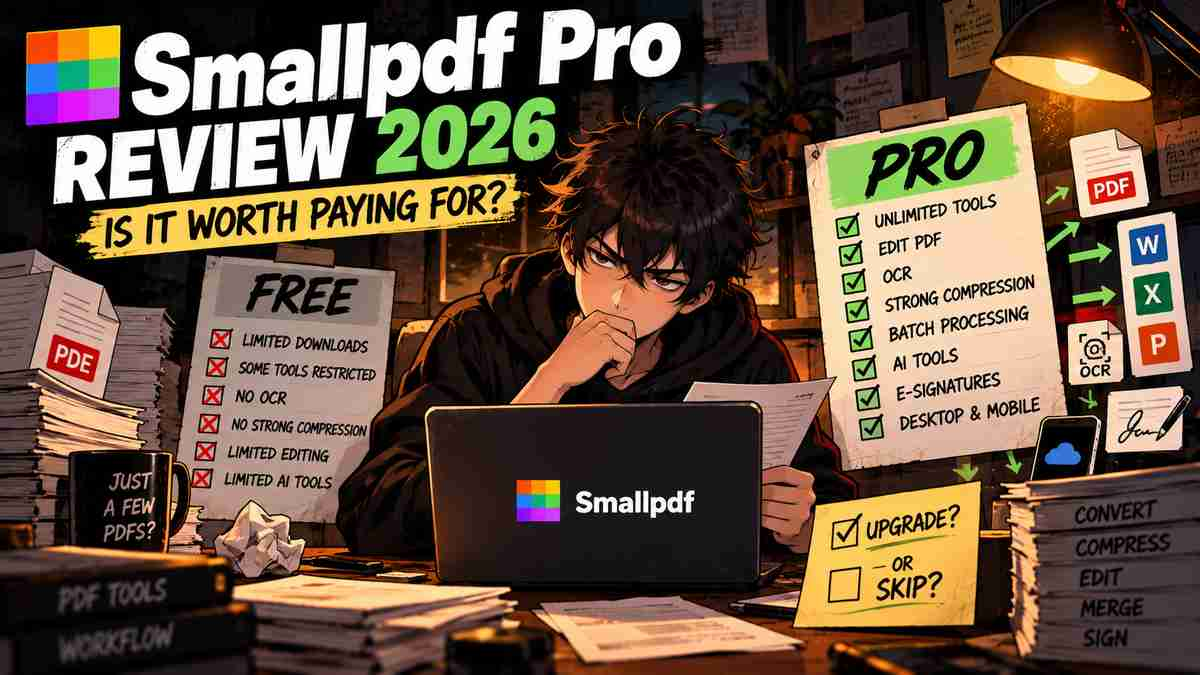
Welcome back to Upgrade or Skip.
Smallpdf has a very different pitch from Adobe Acrobat Pro, Foxit PDF Editor, or PDFelement.
It does not initially feel like heavyweight PDF software.
You open a browser, drop in a file, compress it, convert it, merge a few pages, and leave.
That simplicity is exactly why Smallpdf became popular.
The problem starts when occasional PDF work becomes regular PDF work.
The free version places limits on downloads and access to premium features. Smallpdf Pro removes those restrictions and adds features including OCR, direct text editing, strong compression, batch processing, mobile access, AI-powered tools, and a Sign.com Premium subscription.
So the question is not:
Is Smallpdf useful?
It clearly is.
The question is:
Do you use it often enough to justify turning a convenient free website into another subscription?
If you are looking for a more traditional desktop PDF editor, read our Foxit PDF Editor vs Adobe Acrobat Pro 2026 comparison and Adobe Acrobat Pro vs PDFelement 2026 comparison before paying.
Quick Verdict
Smallpdf Pro is worth considering if PDF conversion, compression, OCR, editing, and signing are recurring parts of your weekly workflow and you value speed and simplicity more than advanced professional PDF controls.
Stay Free if you only use Smallpdf occasionally.
That distinction matters because Smallpdf’s free plan already handles many common PDF jobs.
Smallpdf currently says its free tier includes access to 30+ document-management tools, but with limited downloads and restricted access to some features. Pro removes those limits and unlocks features including Edit Text, OCR, Strong Compression, AI-powered tools, and unlimited mobile access.
Current third-party pricing data from G2 lists Smallpdf at $12/month or $108/year, although the final checkout price should always be confirmed directly with Smallpdf because pricing and promotions can change.
The decision is therefore fairly simple:
If Smallpdf regularly saves you time, Pro can make sense.
If you visit the site three times a month to compress a PDF:
Keep your wallet closed.
Key Numbers at a Glance
| Smallpdf Free | Smallpdf Pro | |
|---|---|---|
| Price | $0 | Around $12/month or $108/year* |
| Document tools | 30+ | 30+ with unlimited access |
| Downloads | Limited | Unlimited |
| Edit existing PDF text | Limited | Yes |
| OCR | Restricted / Pro | Yes |
| Strong Compression | No | Yes |
| Batch processing | Limited | Yes |
| AI-powered tools | Limited | Unlimited access according to current Pro plan |
| Mobile app | Limited | Unlimited access |
| Sign.com | Limited free account | Premium included |
| Free trial | — | 7 days |
*G2 currently lists $12 monthly and $108 annually; check the official Smallpdf pricing page before purchasing.
So what?
Smallpdf Pro does not primarily sell you a completely different PDF product.
It sells you:
fewer limits + premium tools + higher-volume workflow.
That is an important distinction.
If the free limits never bother you, Pro has very little work to do.
Smallpdf Pro in 10 Seconds
| If You… | Verdict |
|---|---|
| Convert or compress PDFs every day | Consider Pro |
| Need OCR regularly | Consider Pro |
| Need batch PDF processing | Consider Pro |
| Frequently edit existing PDF text | Consider Pro |
| Want simple browser-based PDF tools | Strong fit |
| Need advanced enterprise PDF workflows | Compare Acrobat/Foxit |
| Use PDFs a few times per month | Stay Free |
| Only need occasional compression | Stay Free |
What We Checked
This is a research-based review.
We checked:
- Current Free and Pro plan differences
- Pricing
- Free trial
- PDF editing
- Compression
- Conversion
- OCR
- Batch processing
- AI features
- E-signatures
- Desktop and mobile access
- Cloud integrations
- Security claims
- Recent user feedback
Primary information came from Smallpdf’s current pricing, support, and 2026 Free vs Pro documentation.
For user feedback, we checked current G2 data and recent verified reviews.
We are not presenting research as hands-on personal testing.
What Is Smallpdf?
Smallpdf is a web-focused PDF toolkit built around simple document tasks.
Its tools cover jobs including:
- Compress PDF
- Convert PDF
- Merge PDF
- Split PDF
- Edit PDF
- Sign PDF
- OCR
- Protect PDF
- Unlock PDF
- PDF to Word
- PDF to Excel
- PDF to PowerPoint
- Office files to PDF
- AI-assisted document tasks
The product works primarily through the browser, but paid users also receive access to desktop and mobile applications. Smallpdf also integrates with services including Google Drive, Dropbox, and Microsoft OneDrive.
That accessibility is Smallpdf’s biggest advantage.
You do not need to learn a large professional PDF application before converting a file.
Upload.
Choose the task.
Download.
Done.
Very useful.
Very little ceremony.
Smallpdf Free vs Pro
This is the section that matters most.
Smallpdf Free is not just a useless demo.
Free users can perform many everyday PDF tasks, but Smallpdf applies usage and feature restrictions.
Its support documentation says free users can access basic functionality across its online tools, with limits on usage. Pro unlocks unlimited tool access plus premium features such as OCR, batch conversion, digital signatures, desktop/mobile applications, and priority support.
Smallpdf’s newer 2026 plan comparison also emphasizes unlimited downloads, Edit Text, Strong Compression, AI tools, batch processing, and unlimited mobile access for Pro.
That means the upgrade question is not:
Do I need PDFs?
It is:
Do Smallpdf’s free restrictions interrupt my work often enough that removing them is worth about $9–$12 per month?
For casual users, usually not.
For frequent users, possibly.
Pricing
G2’s April 2026 pricing data lists:
Monthly: $12/month
Annual: $108/year
That makes the annual equivalent:
$9/month
and saves:
$36/year
compared with paying $12 every month for a full year.
Smallpdf’s official pricing page currently offers monthly and yearly billing and a 7-day free trial for Pro. Smallpdf says the trial can be canceled before it expires to avoid being charged.
Check the current price here:
Purchase Math
Using the currently reported $108 annual price:
One Year
$108
Three Years
$324
Five Years
$540
That is where a convenient browser tool starts becoming a real software purchase.
$108 for one year may feel small.
Five years at the same price is more than $500.
So ask:
What repeated inconvenience am I paying $108 every year to remove?
Good answer:
I process PDFs every working day and constantly hit the free restrictions.
Weak answer:
Smallpdf is handy sometimes.
Handy sometimes is what the free plan is for.
The 7-Day Trial
Smallpdf currently offers a seven-day Pro trial.
There is one detail worth knowing:
Smallpdf’s support documentation says payment information is required for the trial, and the subscription can transition into the paid plan if it is not canceled before the trial ends.
That is not unusual for software trials.
But it means:
Do not start the trial just to look around.
Start it when you have real work ready.
During those seven days:
- Edit actual PDFs
- Run OCR
- Test Strong Compression
- Convert real documents
- Try batch processing
- Use the mobile app
- Test the AI features
Then decide.
A trial should answer a purchase question.
It should not become a calendar surprise.
PDF Compression
Compression is probably one of Smallpdf’s strongest everyday use cases.
Large PDFs are annoying when:
- Email rejects them
- Websites impose upload limits
- Clients need smaller attachments
- Portals reject large documents
Smallpdf Pro includes Strong Compression, while the free plan has more limited compression options.
Recent G2 reviews also repeatedly praise Smallpdf for making compression quick and easy.
This is exactly the kind of feature that can justify Pro—but only at volume.
Compressing one file every month?
Stay Free.
Compressing dozens every week?
Now we have a workflow.
PDF Conversion
Smallpdf supports common conversions including:
- PDF to Word
- PDF to Excel
- PDF to PowerPoint
- PDF to JPG
- Word to PDF
- Excel to PDF
- PowerPoint to PDF
Conversion is one of the areas where current G2 reviewers consistently praise Smallpdf for speed and ease of use. G2 currently gives Smallpdf a strong score for PDF conversion and highlights conversion as a recurring positive theme in verified reviews.
For students, freelancers, administrative workers, and small businesses, this may be more useful than advanced professional PDF features.
You do not always need 70 PDF tools.
Sometimes you just need:
Make this PDF a Word document without ruining my afternoon.
PDF Editing
Pro unlocks more complete PDF editing, including editing existing text.
This is an important upgrade because basic annotation and actual document editing are different jobs.
If you regularly receive PDFs where you need to:
- Correct text
- Change information
- Adjust document content
- Update existing files
Pro becomes more useful.
But if serious PDF editing is your main workload, Smallpdf should not automatically win.
Compare it with more traditional editors such as Foxit, Acrobat, and PDFelement.
Our Foxit PDF Editor vs Adobe Acrobat Pro 2026 comparison covers that heavier professional workflow.
OCR
OCR converts scanned documents into searchable or editable text.
Smallpdf Pro includes OCR as a premium feature.
Useful examples:
- Scanned contracts
- Old paperwork
- Receipts
- Printed research documents
- Archived records
- Scanned forms
If you regularly process scanned documents, OCR can be one of the strongest reasons to upgrade.
If you use OCR twice a year:
It probably is not.
Batch Processing
Batch processing is boring.
It is also exactly the type of boring feature that can save money.
Instead of processing files individually, paid workflows can handle multiple files more efficiently.
Smallpdf’s current Pro comparison includes batch processing among its paid capabilities.
For someone with three PDFs:
Who cares?
For someone processing 80 PDFs:
Now we care.
This is the Upgrade or Skip rule in miniature:
Frequency turns ordinary features into valuable features.
AI Tools
Smallpdf has also joined the AI PDF race.
Its current product suite includes AI-powered document tools, and the Pro plan advertises unlimited access to AI-powered features.
Recent G2 feedback specifically mentions AI Summary and Chat with PDF as useful for reviewing longer documents and finding information faster.
That can be useful for:
- Research papers
- Reports
- Contracts
- Long guides
- Reference documents
But AI should not be the reason you automatically upgrade.
If you already pay for another AI service that can analyze PDFs, ask whether Smallpdf’s AI actually replaces anything.
Otherwise you may be paying for the same capability twice.
Very AI.
Very monthly.
E-Signatures and Sign.com
Smallpdf’s current pricing page bundles Sign.com access into its plans.
The free tier includes limited Sign.com usage, while Pro includes an unlimited Sign.com Premium subscription according to Smallpdf’s current plan page.
This potentially improves Pro’s value for users who regularly send documents for signature.
But again:
Count the workflow.
If you send one signature request every six months, this is not a reason to upgrade.
If contracts and approvals are part of your weekly work, it becomes much more interesting.
Desktop and Mobile Apps
Smallpdf is best known as a browser tool, but Pro also unlocks broader desktop and mobile access.
Smallpdf says Pro includes its desktop application and unlimited mobile-app access.
That matters for people who move between:
- Office computers
- Laptops
- Phones
- Tablets
For browser-only users, it matters less.
Security and Privacy
Uploading documents to a web-based PDF service raises an obvious question:
What happens to the files?
Smallpdf says it uses 256-bit TLS encryption and automatically deletes files from its servers after processing. It also states that it is ISO/IEC 27001 certified and compliant with privacy frameworks including GDPR and CCPA.
Those are meaningful controls.
But organizations handling highly sensitive, regulated, or confidential material should still evaluate their own compliance requirements before uploading documents to any cloud PDF service.
Convenient does not automatically mean appropriate for every document.
Real User Data
Smallpdf currently has a 4.5/5 rating on G2, with roughly 300 reviews in current G2 listings.
G2’s current data gives Smallpdf particularly strong scores for:
- Converting to PDF
- Document management
- Overall business partnership
Recent verified reviews frequently praise its simplicity, browser-based workflow, compression, conversion, merging, and ease of use.
That matches Smallpdf’s strongest selling point:
It makes ordinary PDF jobs easy.
What Users Like
Common positive themes include:
Easy to Use
Users repeatedly describe Smallpdf as simple and intuitive.
That matters because PDF software can become absurdly complicated for very ordinary jobs.
Fast Conversion
Conversion between PDF and Office formats receives frequent praise.
Convenient Compression
Compression is one of the most frequently mentioned practical uses.
Browser-Based Workflow
Users like being able to perform common tasks without installing a large application.
Broad Everyday Toolset
Merge, split, compress, convert, edit, OCR, and signing cover many normal office workflows.
Common Complaints
The user feedback is not universally positive.
G2’s current review summaries identify recurring concerns including:
- Feature limitations compared with more advanced competitors
- Conversion problems in some files
- Image-quality loss in some workflows
- Navigation issues for certain tasks
- Editing limitations
- Pricing concerns
G2 also contains complaints from some users about billing or charges after cancellation. These are individual user reports rather than evidence that every customer will experience the same issue, but they are a good reason to understand the trial and cancellation terms before subscribing.
That last point matters.
A free trial is not free attention.
Know when it renews.
Smallpdf vs Adobe Acrobat Pro
These products overlap, but they are not identical purchases.
Smallpdf is strongest when you want:
- Simplicity
- Browser access
- Compression
- Conversion
- OCR
- Common editing
- Easy signing
- Lower cost
Acrobat Pro makes more sense when you need:
- Advanced professional PDF workflows
- Deeper document controls
- Adobe ecosystem integration
- Standardized corporate workflows
If your work is complex enough to justify Acrobat, Smallpdf’s simpler interface may not replace it.
If your work is not complex enough to justify Acrobat, that simplicity may be exactly the point.
Smallpdf vs Foxit PDF Editor
Foxit is closer to a traditional professional desktop PDF editor.
Smallpdf is closer to:
“Give me the PDF tool I need right now.”
Foxit makes more sense for deeper ongoing editing and document workflows.
Smallpdf makes more sense for users who prioritize quick browser-based tasks.
Read our Foxit PDF Editor vs Adobe Acrobat Pro 2026 comparison if you need heavier PDF software.
Smallpdf vs PDFelement
PDFelement also provides a more traditional full-editor experience, with deeper PDF editing and broader professional features.
Smallpdf’s advantage is simplicity.
PDFelement’s advantage is depth.
Our PDFelement Review 2026 covers that product separately.
Do not pay for both unless they solve clearly different problems.
PDF software does not need a starting lineup.
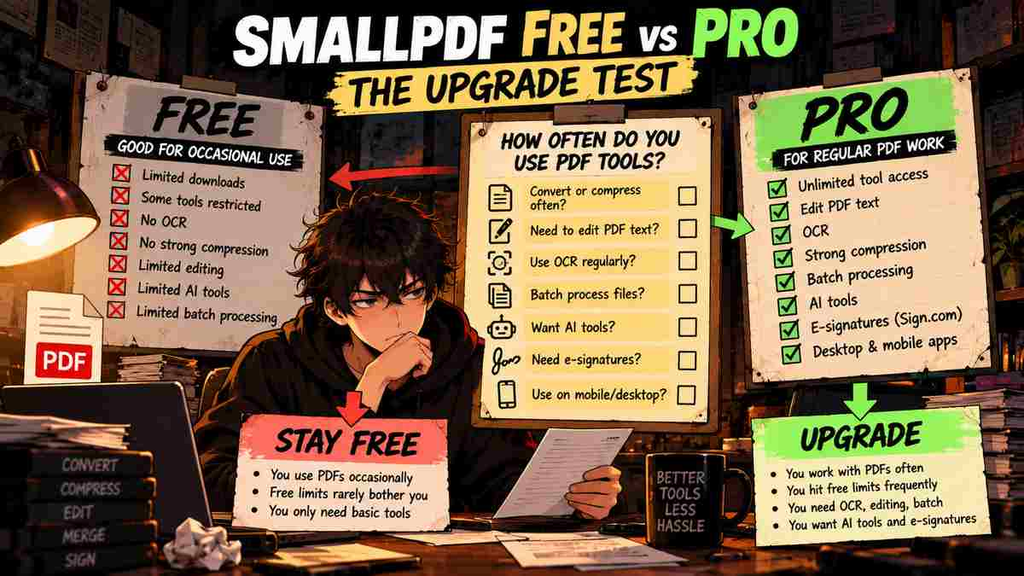
Who Should Stay Free?
Stay Free if you:
- Compress PDFs occasionally
- Convert a few documents per month
- Rarely need OCR
- Do not batch-process files
- Mostly read or sign PDFs
- Rarely hit Smallpdf’s usage restrictions
This is a large group.
Smallpdf Free exists precisely because occasional PDF jobs do not require a subscription.
Who Should Upgrade to Smallpdf Pro?
Pro makes more sense if you:
- Work with PDFs several times per week
- Regularly hit free limits
- Need OCR
- Need direct PDF text editing
- Need Strong Compression
- Batch-process documents
- Use PDF conversion constantly
- Need Sign.com Premium
- Use Smallpdf across desktop and mobile
- Get real value from its AI tools
The strongest upgrade signal is not:
“Pro has more features.”
It is:
“Free keeps interrupting my work.”
Smallpdf Pro Pros
- Very easy to use
- Browser-first workflow
- Broad collection of PDF tools
- Strong compression
- Popular conversion tools
- OCR
- Batch processing
- AI-powered tools
- Desktop and mobile access
- Sign.com Premium included
- 7-day trial
- Strong current G2 rating
Smallpdf Pro Cons
- Free plan is enough for many users
- Subscription adds up over several years
- Less advanced than some professional PDF suites
- Some users report conversion or editing limitations
- Trial requires payment information
- Billing/cancellation complaints appear in some user reviews
- AI features may overlap with tools you already pay for
The Upgrade Test
Before paying, use Smallpdf Free normally.
Do not deliberately force yourself into Pro features.
Wait.
Then count how often Free stops you.
Over two weeks, ask:
- How many times did I hit a usage limit?
- How many files needed OCR?
- How often did I need Strong Compression?
- Did I need batch processing?
- Did limited editing slow me down?
- Would Pro have saved meaningful time?
If the answer is:
Almost every day
Pro has a case.
If the answer is:
Twice
Stay Free.
Final Verdict
Smallpdf Pro is a good product.
That does not mean everyone using Smallpdf should buy it.
Its biggest strength is simplicity.
It takes annoying PDF jobs—compression, conversion, merging, splitting, OCR, editing, and signing—and puts them into a clean workflow that does not require becoming a PDF expert.
Current G2 feedback strongly supports that ease-of-use advantage, with Smallpdf holding a 4.5/5 rating and users frequently praising its conversion, compression, and straightforward interface.
But Smallpdf Free already covers many occasional PDF needs.
That makes Pro a frequency upgrade.
The more often PDFs interrupt your day, the more valuable Pro becomes.
If PDFs are occasional:
Stay Free.
If PDFs are part of your weekly work and the free restrictions repeatedly get in the way:
Upgrade.
If you need deeper professional document workflows:
Compare Foxit, PDFelement, and Acrobat before paying.
Upgrade or Skip Verdict
Smallpdf Pro
Upgrade only if: PDF work is frequent enough that Free limits, OCR restrictions, batch processing, or advanced editing repeatedly slow you down.
Smallpdf Free
Stay Free if: your PDF needs are occasional and the current limits rarely bother you.
Advanced Professional Users
Compare alternatives first.
Smallpdf’s simplicity is a feature.
It is not automatically a replacement for a deeper professional PDF platform.
FAQ
Is Smallpdf Pro worth it in 2026?
It can be worth it for frequent PDF users who need unlimited access, OCR, advanced editing, Strong Compression, batch processing, AI tools, and broader mobile/desktop access. Occasional users should generally stay on Free.
How much does Smallpdf Pro cost?
G2 currently lists Smallpdf at $12/month or $108/year. Check the official Smallpdf pricing page before purchasing because prices and promotions can change.
Is Smallpdf free?
Yes. Smallpdf offers a free plan with access to its document tools, but usage, downloads, and premium features are limited.
What is the difference between Smallpdf Free and Pro?
Pro removes usage restrictions and unlocks features including OCR, direct text editing, Strong Compression, batch processing, AI-powered tools, unlimited mobile access, and additional signing capabilities.
Does Smallpdf Pro have OCR?
Yes. OCR is included among Smallpdf’s Pro features.
Does Smallpdf have AI tools?
Yes. Smallpdf currently offers AI-powered PDF features, with Pro advertising unlimited access to its AI-powered tools.
Does Smallpdf have a free trial?
Yes. Smallpdf currently offers a 7-day free trial. Payment information is required, so cancel before the trial ends if you do not want the paid subscription to begin.
Is Smallpdf better than Adobe Acrobat?
They target overlapping but different needs. Smallpdf emphasizes simple, fast PDF tasks, while Acrobat provides a deeper professional document platform. Users needing advanced workflows should compare both rather than choosing purely on price.
Is Smallpdf safe?
Smallpdf states that it uses 256-bit TLS encryption, automatically deletes processed files from its servers, and maintains ISO/IEC 27001 certification. Organizations handling regulated or highly sensitive documents should still evaluate their own security requirements.
Sources
- Smallpdf Official Pricing
- Smallpdf Free vs Pro 2026
- Smallpdf Support
- Smallpdf Reviews on G2
- Smallpdf Pricing on G2
Pricing, plan limits, product features, trial terms, and user-review counts can change. Information checked October 2026.
Next Up
PDFgear Review 2026: Is This Free PDF Editor Actually Good Enough?
Upgrade smarter. Skip louder.