
Welcome back to Upgrade or Skip.
Most PDF editors follow a familiar formula.
Download the app. Open your document. Discover that the feature you actually need is locked. Start a free trial. Forget about the trial. Meet your new subscription.
PDFgear takes a much more aggressive approach:
Give away a surprisingly capable PDF editor for free.
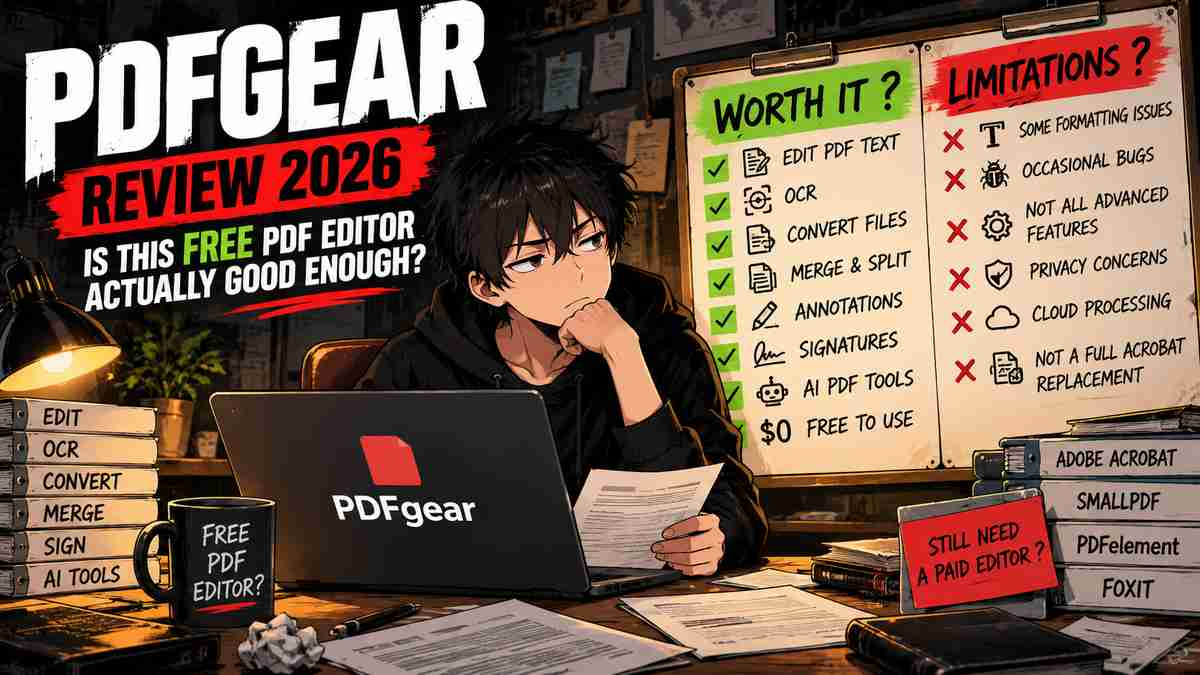
PDFgear currently offers PDF text editing, annotations, page management, conversion, OCR, signatures, forms, compression, and AI-assisted PDF tools across its desktop and online products.
More importantly, several of the basic jobs that competitors reserve for paid plans can be performed without buying a traditional PDF-editor subscription.
That immediately creates an awkward question for products like Smallpdf Pro, PDFelement, Foxit PDF Editor, and Adobe Acrobat Pro:
Why pay if PDFgear already does what you need?
But free software deserves more scrutiny, not less.
PDFgear has limitations. Its editing experience is not perfect, some users report formatting and stability problems, and community discussions have raised questions about privacy and how some online conversion features work.
So this review is not going to stop at:
“It’s free. Download it.”
We need to answer a better question.
Is PDFgear actually good enough to replace a paid PDF editor in 2026?
If you’re comparing paid options too, read our Smallpdf Pro Review 2026, Foxit PDF Editor vs Adobe Acrobat Pro comparison, and PDFelement Review 2026.
Quick Verdict
PDFgear is one of the easiest PDF editors to recommend to casual users in 2026 because you can perform a surprisingly large number of real PDF tasks without immediately paying for a subscription.
For students, home users, freelancers, and occasional office work, start with PDFgear before paying for Acrobat, Foxit, Smallpdf Pro, or another PDF subscription.
Its strongest argument is simple:
$0 is difficult to beat.
But PDFgear is not automatically the best choice for every professional workflow.
Users working with complicated document formatting, accessibility remediation, highly sensitive documents, standardized corporate processes, or mission-critical PDF workflows may still have reasons to pay for a more established professional product.
Upgrade or Skip verdict:
| User | Verdict |
|---|---|
| Casual PDF user | Use PDFgear |
| Student | Use PDFgear |
| Basic office PDF work | Try PDFgear first |
| Frequent PDF conversion | Try PDFgear first |
| Advanced professional workflow | Compare paid editors |
| Enterprise / compliance-heavy work | Evaluate carefully |
Key Numbers at a Glance
| PDFgear | Current Situation |
|---|---|
| Core PDF editor | Free |
| PDF text editing | Yes |
| OCR | Yes |
| Annotations | Yes |
| Merge / Split | Yes |
| PDF conversion | Yes |
| Sign PDFs | Yes |
| AI PDF tools | Available |
| Desktop app | Yes |
| Online tools | Yes |
| G2 rating | 4.8/5 |
PDFgear’s official documentation currently describes its PDF editor and OCR functionality as free, including the ability to edit existing PDF text. See the official PDFgear website for the current product offering.
PDFgear in 10 Seconds
| If You Need… | Start Here |
|---|---|
| Occasional PDF editing | PDFgear |
| Free OCR | PDFgear |
| Merge and split PDFs | PDFgear |
| Basic signatures | PDFgear |
| PDF conversion | Try PDFgear |
| Complex professional editing | Compare Foxit / Acrobat / PDFelement |
| PDF accessibility remediation | Look elsewhere |
| Enterprise-standard PDF workflow | Compare Acrobat |
What We Checked
This is a research-based review.
For this article, we checked:
- Current PDFgear product information
- PDF editing capabilities
- OCR
- PDF conversion
- Merge and split tools
- Annotations
- Signatures
- Online and desktop tools
- Current G2 ratings and reviews
- Recent community feedback
- Common complaints
- Privacy and online-processing concerns
- How PDFgear compares with paid alternatives
We are not presenting research as personal hands-on testing.
What Is PDFgear?
PDFgear is a PDF editor available through desktop software and online tools.
Its feature set covers many of the jobs ordinary users expect from paid PDF software:
- Edit PDF text
- Add or modify images
- Annotate documents
- Merge PDFs
- Split PDFs
- Rearrange pages
- Convert PDFs
- OCR scanned documents
- Fill forms
- Add signatures
- Compress documents
- Use AI-assisted document tools
PDFgear’s own documentation specifically states that users can add, remove, and replace text without paying for the text-editing feature.
You can see the current editing features on the official PDFgear text-editing guide.
This is where PDFgear becomes interesting.
Basic PDF editing is exactly where many competing products start asking for money.
Is PDFgear Really Free?
For its core PDF editing functionality, PDFgear continues to position itself as free software.
Its official materials advertise free PDF editing, and recent users continue to report using core editing functionality without a traditional Acrobat-style subscription.
That does not mean every PDF-related service on the internet carrying the PDFgear name should be assumed to have unlimited resources forever.
Products change.
AI processing costs money.
Cloud services cost money.
Business models change.
But the important purchase decision today is straightforward:
You can test whether PDFgear solves your problem before paying another PDF company.
That changes the normal upgrade sequence.
Instead of:
Free trial → subscription → hope it was worth it.
Try:
PDFgear → see whether anything is missing → pay only if necessary.
The $0 Purchase Math
Free software makes purchase math unusually entertaining.
| Product | Annual Cost |
|---|---|
| PDFgear core editor | $0 |
| Smallpdf Pro | Paid subscription |
| Foxit PDF Editor | Paid subscription / license options |
| Adobe Acrobat Pro | Paid subscription |
The exact savings depend on which paid product you would otherwise buy.
But the more important calculation is not:
How much cheaper is PDFgear?
It is:
What paid feature am I missing?
If you cannot name one, buying another PDF editor makes little sense.
Saving 100% on software you actually need is excellent.
Saving 100% and then fighting broken formatting for four hours is less excellent.
PDF Editing
PDFgear allows users to edit existing PDF text rather than merely drawing text boxes over a document.
According to PDFgear’s current documentation, users can add, delete, and replace text while attempting to preserve the original formatting.
That is a meaningful feature for free software.
However, this is also one of the areas where community complaints appear.
Some Reddit users in 2026 report problems involving font recognition, text formatting, or edited text reverting to unexpected fonts.
Others describe the editing experience as somewhat clunky but still adequate for ordinary jobs.
This is an important distinction:
PDFgear can edit PDFs.
That does not mean its editing engine will perfectly handle every complicated document.
If your job involves constantly modifying heavily formatted PDFs, test your actual documents before replacing paid software.
OCR
PDFgear includes OCR for recognizing text inside scanned PDFs.
Its official OCR documentation says the desktop software can recognize scanned content and make PDF text searchable or editable.
See the official PDFgear OCR guide for the current workflow.
This is particularly useful for:
- Scanned contracts
- Receipts
- Old documents
- Printed forms
- Research papers
- Archived paperwork
OCR is commonly treated as a premium PDF feature.
Getting usable OCR without immediately starting another subscription strengthens PDFgear’s value considerably.
Conversion
PDFgear provides tools for converting between PDFs and common document formats.
This is useful when someone sends you a PDF and then casually asks:
“Can you make this editable?”
PDF conversion is one of the areas where PDFgear receives strong user feedback.
Current G2 category data gives PDFgear a high score for converting documents to PDF, while verified reviewers frequently mention conversion as part of the product’s value.
For occasional conversion, this makes paying for another service harder to justify.
Merge, Split, and Page Management
PDFgear handles the ordinary page-management jobs most people need:
- Merge PDFs
- Split documents
- Delete pages
- Rearrange pages
- Extract pages
These are not glamorous features.
They are also the exact features that send people Googling:
“free PDF editor no watermark please help.”
For occasional document cleanup, PDFgear covers a large percentage of the practical workflow.
Annotations and Signatures
PDFgear also supports annotation and signature workflows.
That makes it useful for:
- School documents
- Employment forms
- Simple agreements
- Application paperwork
- Notes and comments
Community users frequently mention using PDFgear for exactly these kinds of ordinary personal-document jobs.
For a user who simply needs to fill, annotate, sign, and return a PDF, buying Acrobat Pro would often be spectacular overkill.
AI PDF Tools
PDFgear also offers AI-assisted PDF functionality.
Like competing AI document tools, these features can help users interact with longer documents, summarize information, and ask questions about PDF content.
But this should not be the main reason to choose PDFgear.
If you already pay for ChatGPT, Claude, Perplexity, or another AI product capable of working with documents, ask whether PDFgear’s AI functionality actually replaces anything.
Otherwise:
Same AI job. Different button.
Subscription stacks do not need bench players.
Online Tools vs Desktop Software
This deserves attention.
PDFgear offers both desktop and online PDF functionality.
Core desktop editing can happen locally, but community users have raised questions about whether certain conversion workflows rely on online processing.
That distinction matters if your PDFs contain:
- Customer information
- Financial information
- Legal documents
- Medical information
- Confidential business data
For ordinary documents, cloud processing may not bother you.
For sensitive documents, understand exactly where processing occurs before uploading anything.
This is not unique to PDFgear.
The same rule applies to every online PDF service.
Real User Data
PDFgear currently holds a strong rating on G2.
As of our October 2026 check, G2 lists PDFgear at approximately 4.8 out of 5, with more than 100 reviews.
You can check the latest rating and reviews on the PDFgear G2 review page.
Current G2 data also gives PDFgear strong scores in areas including document management and PDF conversion.
More interestingly, the recurring positive themes are extremely consistent:
- Free access
- Ease of use
- Useful editing features
- Good value compared with Adobe
That is exactly what we would expect from PDFgear’s positioning.
What Users Like
1. It Is Actually Useful Without Immediately Paying
This is the biggest one.
Many “free” PDF editors are free until you attempt to save the document you just spent 20 minutes editing.
PDFgear has built much of its reputation by avoiding that experience for common PDF jobs.
2. Ease of Use
G2 users frequently praise the interface and accessibility of common tools.
You do not need to become a document-management specialist to merge three PDFs.
3. Adobe Alternative
Multiple current reviews explicitly describe PDFgear as a lower-cost or free alternative to Acrobat for their needs.
That does not prove feature parity.
It does show that some users genuinely replace paid Acrobat workflows with it.
4. Editing and Conversion
Users commonly praise the ability to perform everyday editing and conversion without a subscription barrier.
Common Complaints
Free does not mean flawless.
Text and Font Editing
Recent community discussions include complaints about font recognition and formatting when editing existing text.
Some users report that edited text does not preserve the original appearance as well as expected.
Stability
Some users report freezes, crashes, or slower document opening.
These reports do not mean every user will encounter the same problem, but they matter if PDF work is mission-critical.
Advanced Features
A verified 2026 G2 reviewer specifically noted that PDFgear does not provide the PDF accessibility-remediation capabilities they needed.
This is a good example of why “free Acrobat alternative” should not be interpreted as:
“Every Acrobat feature for $0.”
Compatibility
Some community users have reported occasional compatibility problems when documents edited or annotated in PDFgear are later opened in Adobe software.
If you exchange PDFs with clients or organizations that depend heavily on Acrobat workflows, test compatibility with your real documents first.
What About the PDFgear Security Controversy?
This needs to be handled carefully.
There have been Reddit posts accusing PDFgear of suspicious behavior and questioning the company behind the product.
Those are community allegations.
They are not the same thing as verified evidence that PDFgear is malware or spyware.
Other users have pushed back on those claims, noting the lack of demonstrated evidence, while some users report scanning the software without security tools flagging it.
So our position is simple:
Do not repeat internet allegations as established facts.
But do not ignore reasonable privacy questions either.
If your work involves confidential, regulated, financial, legal, or medical documents, evaluate the software and its processing model according to your organization’s security requirements.
For sensitive documents, that standard should apply to PDFgear, Smallpdf, Acrobat cloud services, and every other document platform.
PDFgear vs Smallpdf Free
This comparison is particularly interesting because we just reviewed Smallpdf Pro.
Smallpdf excels at fast browser-based PDF jobs.
PDFgear offers a more traditional desktop-editor experience alongside online tools.
| PDFgear | Smallpdf Free | |
|---|---|---|
| Price | $0 core editor | $0 |
| Desktop editing | Strong focus | More limited |
| Browser convenience | Yes | Excellent |
| Free restrictions | Generally generous | More noticeable |
| Best for | Free full-editor alternative | Quick browser jobs |
Read our full Smallpdf Pro Review 2026 if you are deciding whether Smallpdf’s paid plan is worth upgrading to.
PDFgear vs Adobe Acrobat Pro
This is not really a fair feature-for-feature fight.
Acrobat remains a much deeper professional document platform.
Adobe is also deeply embedded in corporate, legal, government, and professional workflows.
But ordinary users do not buy feature matrices.
They buy solutions to problems.
If PDFgear successfully:
- Edits your document
- Runs OCR
- Signs your form
- Merges your files
- Converts your PDF
then Acrobat’s additional capabilities may be irrelevant to you.
Our Foxit PDF Editor vs Adobe Acrobat Pro 2026 comparison covers the heavier professional end of this market.
PDFgear vs PDFelement
PDFelement sits somewhere between PDFgear and Acrobat in this decision.
It offers a polished commercial PDF environment with deeper paid features while generally positioning itself as an Acrobat alternative.
PDFgear’s advantage is obvious:
Free.
PDFelement needs to win by providing a workflow that is sufficiently better for your actual documents.
Read our PDFelement Review 2026 before paying.
Who Should Use PDFgear?
PDFgear makes the most sense for:
- Students
- Home users
- Freelancers
- Occasional PDF users
- Small businesses with basic PDF needs
- Users trying to escape unnecessary PDF subscriptions
- People who need editing, OCR, conversion, or signatures without advanced enterprise features
Who Should Consider Paying for Something Else?
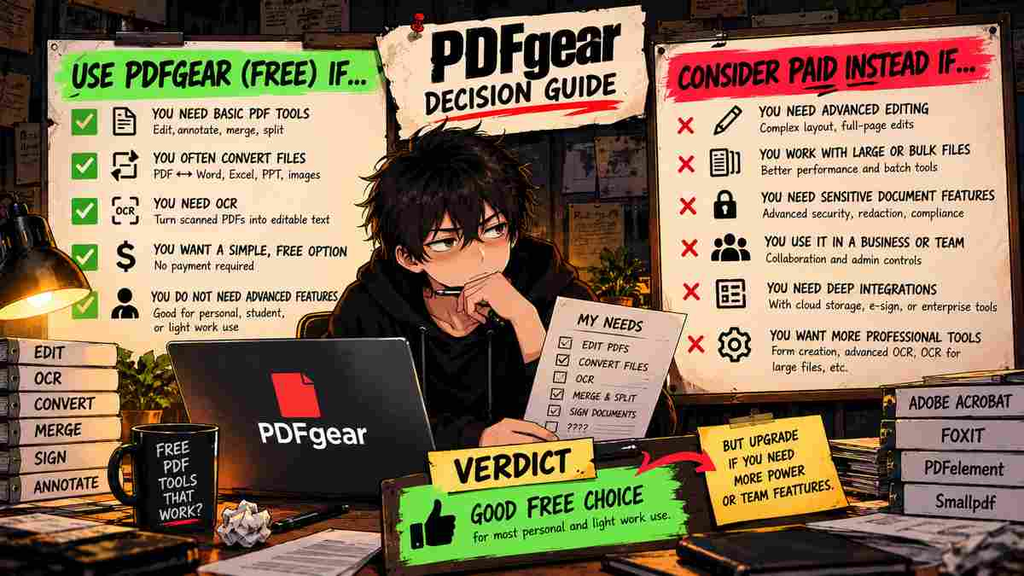
Consider a paid alternative if you need:
- Advanced PDF accessibility remediation
- Complex professional document workflows
- Strict enterprise standardization
- Specialized legal or compliance features
- Advanced collaboration systems
- Highly predictable formatting across complicated files
- Features PDFgear demonstrably cannot handle in your real workflow
The last point is the important one.
Do not upgrade because Acrobat has more features.
Upgrade because you need one of them.
Pros
- Core PDF editor is free
- Edit existing PDF text
- OCR support
- PDF conversion
- Merge and split tools
- Annotations
- Signatures
- Desktop and online options
- AI-assisted PDF features
- Strong current G2 rating
- No traditional PDF subscription required for many everyday jobs
Cons
- Text and font editing can be imperfect
- Some users report stability issues
- Not equivalent to Acrobat in every advanced workflow
- Limited accessibility-remediation capabilities
- Some community reports describe compatibility issues
- Cloud/online processing deserves additional consideration for sensitive documents
- Privacy and company-transparency questions have generated community debate
The Upgrade Test
PDFgear reverses our normal Upgrade Test.
Normally we ask:
What repeated problem does the paid plan solve every week?
Here we ask:
What repeated problem can PDFgear NOT solve?
Install PDFgear or try its appropriate tools.
Use it with your actual documents.
Then keep a simple list:
- Could it edit my PDFs correctly?
- Did OCR work well enough?
- Could I convert my documents?
- Did formatting survive?
- Could I sign and annotate files?
- Did I encounter compatibility problems?
- Is anything important actually missing?
If everything works:
Stop shopping.
You already found the tool.
If PDFgear repeatedly fails at something important:
Now you have a reason to pay.
And more importantly, you know exactly what feature you are paying for.
Final Verdict
PDFgear is one of the more disruptive products in the PDF-editor market because its strongest feature is not AI, OCR, conversion, or text editing.
It is the absence of a mandatory subscription for many ordinary PDF jobs.
Current G2 feedback is unusually strong, with users repeatedly praising its free access, usability, editing, and value.
At the same time, PDFgear should not be treated as a magical $0 clone of Acrobat Pro.
Advanced professional workflows expose differences.
Formatting can be imperfect.
Some users report bugs.
Accessibility and enterprise workflows can require more specialized tools.
And sensitive-document users should understand where and how their files are processed.
But for the average person trying to edit a PDF?
The purchase sequence should probably be:
PDFgear first.
Paid editor second.
Not the other way around.
Upgrade or Skip Verdict
PDFgear
Use it first.
For casual and moderate PDF work, there is little reason to buy another editor before finding out whether PDFgear already solves the problem.
Paid PDF Editors
Skip unless PDFgear fails a repeated requirement.
Then choose the paid product that fixes that specific limitation.
That is a much better purchasing strategy than paying $100–$250 every year because PDF software has always been expensive.
FAQ
Is PDFgear really free in 2026?
PDFgear continues to offer its core PDF editing functionality for free. Its official documentation currently describes text editing and OCR functionality as free. Product terms can change, so check the official site before downloading.
Can PDFgear edit existing PDF text?
Yes. PDFgear’s current documentation says users can add, delete, and replace existing PDF text.
Does PDFgear have OCR?
Yes. PDFgear provides OCR functionality for recognizing text in scanned PDFs.
Does PDFgear add a watermark?
PDFgear’s current online documentation promotes free tools without watermarks for supported workflows. Check the current tool you intend to use because product policies can change.
Is PDFgear better than Adobe Acrobat Pro?
Not universally. Acrobat provides a deeper professional and enterprise PDF platform. PDFgear can nevertheless replace Acrobat for users whose requirements are limited to common editing, conversion, OCR, page management, annotation, and signing tasks.
Is PDFgear better than Smallpdf?
PDFgear is more attractive if you want a free desktop-style PDF editor. Smallpdf remains particularly convenient for quick browser-based document tasks. Read our Smallpdf Pro Review 2026 for the full comparison context.
Is PDFgear safe?
There have been online allegations and debates about PDFgear’s security and company transparency, but community allegations should not be presented as proof that the software is malware. Users handling sensitive or regulated documents should independently evaluate PDFgear’s current privacy policies, local versus cloud processing, and their organization’s security requirements before using it.
Should I pay for a PDF editor if PDFgear works?
Probably not. If PDFgear reliably handles every PDF task you perform regularly, paying for overlapping software provides little additional value.
Sources
- PDFgear — Official Website
- PDFgear — PDF Text Editing
- PDFgear — OCR Guide
- PDFgear — OCR Documentation
- G2 — PDFgear Reviews
Pricing, product features, online services, AI functionality, ratings, and policies can change. Information checked October 2026.
Next Up
PDFgear vs Smallpdf: Is There Any Reason to Pay in 2026?
Upgrade smarter. Skip louder.