
Welcome back to Upgrade or Skip.
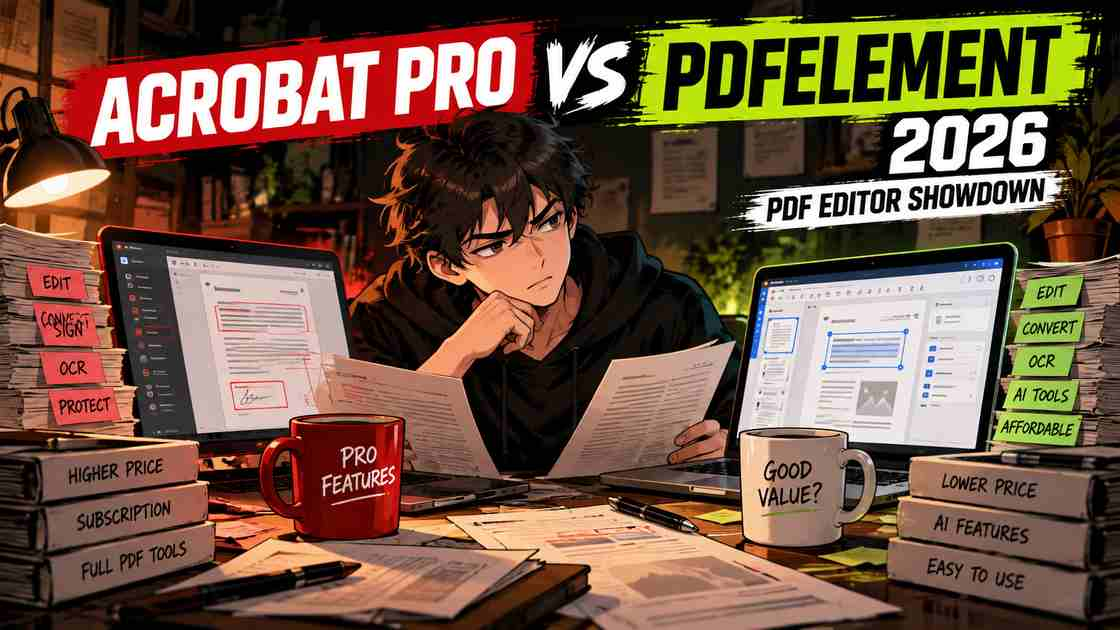
Adobe Acrobat Pro and Wondershare PDFelement solve many of the same PDF problems.
Both can edit PDFs, convert documents, work with scanned files, run OCR, protect sensitive information, handle forms, and support more advanced document workflows.
But they approach the purchase very differently.
Acrobat Pro is the established professional PDF suite, with deep document comparison, redaction, e-signature, security, cloud, and business workflow tools.
PDFelement competes by covering much of the same everyday PDF workload at a lower price while still offering a perpetual-license option.
If you want to look at either product separately before comparing them, start with our PDFelement Review 2026 and our Adobe Acrobat Pro Review 2026.
The question here is simpler:
Which one gives you the PDF tools you actually need without making you pay for a workflow you do not use?
Quick Verdict
Adobe Acrobat Pro is the stronger fit for advanced professional PDF workflows, particularly when document comparison, redaction, e-signatures, Adobe integrations, and standardized business processes matter.
PDFelement is the stronger value proposition for individuals and smaller businesses that need serious PDF editing, OCR, conversion, batch processing, and newer AI-assisted document tools without automatically committing to Adobe’s higher subscription cost.
Adobe’s current Acrobat pricing lists Acrobat Pro at $19.99/month with an annual commitment, billed monthly.
Wondershare’s current Windows pricing pages list PDFelement at around $79.99/year, although active V13 promotions can push the advertised checkout price lower. A $129.99 perpetual option is also currently advertised on standard pricing pages.
That makes pricing one of the biggest differences between these two products.
But cheaper does not automatically mean better.
Acrobat has to justify its premium through workflow, not its logo.
Key Numbers at a Glance
| Adobe Acrobat Pro | PDFelement | |
|---|---|---|
| Annual subscription | $239.88/year | About $79.99/year standard advertised price |
| Annual billed monthly | $19.99/month | Depends on current offer |
| Perpetual option | Separate Acrobat desktop options may exist | Yes — currently around $129.99 standard price |
| PDF editing | ✓ | ✓ |
| Conversion | ✓ | ✓ |
| OCR | ✓ | ✓ |
| Redaction | ✓ | ✓ |
| Batch processing | ✓ | ✓ |
| Forms | ✓ | ✓ |
| E-signatures | Strong | Available |
| Document comparison | Strong | Available |
| AI tools | Limited use unless AI-enabled plan | Limited included usage + AI add-ons |
| Major platforms | Desktop, web, mobile | Windows, Mac, iOS, Android, web/cloud |
So what?
For basic and mid-level PDF work, the feature overlap is substantial.
The bigger differences are price, licensing, ecosystem, AI limits, and how advanced your document workflow becomes.
Adobe Acrobat Pro vs PDFelement in 10 Seconds
| If You… | Check First |
|---|---|
| Work in an Adobe-heavy corporate environment | Acrobat Pro |
| Need advanced e-signature workflows | Acrobat Pro |
| Regularly compare sensitive professional documents | Acrobat Pro |
| Want serious PDF editing for less money | PDFelement |
| Need OCR and conversion without Adobe pricing | PDFelement |
| Prefer a perpetual license | PDFelement |
| Want newer integrated AI document tools | Compare PDFelement carefully |
| Mostly read and occasionally edit PDFs | Possibly neither paid plan |
What We Checked
This is a research-based comparison.
We checked current US pricing, licensing, PDF editing, conversion, OCR, redaction, forms, e-signatures, batch tools, document comparison, AI functionality, platform support, cloud workflows, cancellation terms, and recent user feedback.
We also checked the current PDFelement 13 release rather than relying on older comparisons.
We are not presenting research as hands-on testing.
What Is Adobe Acrobat Pro?
Adobe Acrobat Pro is Adobe’s advanced PDF and e-signature product.
Adobe’s official plan comparison currently describes Acrobat Pro as including 70+ advanced PDF tools for editing, converting, protecting, and signing documents.
Pro includes capabilities such as:
- OCR for scanned documents
- PDF comparison
- Permanent redaction
- Web forms
- E-signature workflows
- PDF editing and conversion
- Document protection
That makes Acrobat Pro less like a simple PDF editor and more like a broader document workflow platform.
If you are specifically considering Acrobat rather than comparing alternatives, read our full Adobe Acrobat Pro Review 2026 before paying.
What Is PDFelement?
PDFelement is Wondershare’s full PDF editor.
Its current paid toolset covers:
- PDF editing
- Conversion
- OCR
- Forms
- Signing
- Redaction
- Password protection
- Batch processing
- Data extraction
- PDF organization
- Compression
- AI-assisted document tools
Our full PDFelement Review 2026 goes deeper into the standalone product.
But there is an important 2026 update.
Wondershare’s official PDFelement version history confirms that PDFelement 13 launched on September 3, 2026.
Version 13 added AI Spaces and Agreement Copilot.
AI Spaces can combine PDFs, slides, Word documents, images, text, and YouTube links in one AI-assisted workspace.
Agreement Copilot adds contract-oriented tools including risk review, agreement comparison, and side-by-side translation.
So an older Acrobat-versus-PDFelement comparison may undersell what the current PDFelement actually does.
Pricing: This Is Where the Difference Gets Serious
Adobe Acrobat Pro
Adobe currently lists Acrobat Pro at:
$19.99/month — annual commitment, billed monthly
Annual cost:
$19.99 × 12 = $239.88
Adobe also makes an important distinction between “annual, billed monthly” and a truly flexible monthly subscription.
The annual plan is cheaper because you are making an annual commitment.
Adobe’s own Acrobat purchase page warns that cancelling after 14 days can result in a fee of up to half of the remaining annual commitment.
That is worth understanding before clicking Buy.
Very monthly.
Still annual.
PDFelement
Wondershare pricing is more promotion-heavy.
Its current official Windows store shows a standard annual price around:
$79.99/year
and a standard perpetual option around:
$129.99 one time.
At the time of this check, Wondershare was also advertising additional PDFelement 13 discounts, so the price shown at checkout may be lower.
That is why we would not build the entire decision around a temporary sale banner.
Check Wondershare’s current PDFelement pricing immediately before buying.
Purchase Math
Using the standard advertised annual prices checked for this article:
Acrobat Pro: $239.88/year
PDFelement: $79.99/year
Difference:
$239.88 – $79.99 = $159.89/year
Over three years, if those prices did not change:
Acrobat Pro: $719.64
PDFelement: $239.97
Difference:
$479.67
That does not prove PDFelement is the better product.
It means Acrobat needs to solve enough additional problems in your workflow to justify roughly $160 more every year.
That is a much better question than:
“Which PDF editor has more features?”
PDF Editing
Both products cover the core editing jobs most buyers expect.
You can work with:
- Text
- Images
- Pages
- Forms
- Annotations
- Document organization
- Conversion
For ordinary editing, the overlap is large.
If your normal workflow is:
Open PDF → change text → replace image → rearrange pages → export
then price becomes much more important.
Acrobat’s advantages become easier to justify as the workflow becomes more specialized.
OCR
Both Acrobat Pro and PDFelement support OCR.
OCR converts scanned documents into searchable and editable text.
That matters for:
- Contracts
- Receipts
- Paper forms
- Archived documents
- Scanned books
- Business records
Adobe includes scan-to-editable-PDF functionality among Acrobat Pro’s advanced tools.
Wondershare’s current paid-plan comparison also lists OCR among PDFelement’s included features.
For many individuals, OCR alone therefore does not justify the Acrobat premium.
Redaction and Security
Both products provide security-oriented PDF tools.
Acrobat Pro supports permanent redaction, password protection, and other document security workflows.
PDFelement also includes redaction and PDF security tools.
There is an important caveat here.
Recent PDFelement user feedback includes a complaint specifically disputing how one batch-redaction capability was represented. That does not establish that the entire redaction feature is defective, but it is a useful reminder to test any specialized batch workflow before buying.
For normal document redaction, compare the actual workflow you need rather than assuming two identical feature labels mean identical implementation.
Batch Processing
Both products support repeated PDF operations.
Batch tools matter if you routinely need to:
- OCR multiple files
- Convert groups of PDFs
- Process document collections
- Apply repeated actions
- Standardize large PDF workflows
If you work on one PDF every few weeks, batch processing should not influence your purchase.
Forms and E-Signatures
Both products can handle forms and signatures.
Acrobat’s advantage becomes clearer when signing is part of a larger business workflow.
Adobe positions Acrobat Pro as both a PDF and e-signature solution, including document preparation, signature collection, tracking, and other professional tools.
PDFelement also provides form and e-signature functionality.
For someone who signs an occasional contract, either may be sufficient.
For an organization with standardized signature workflows, Acrobat deserves closer inspection.
Document Comparison
Document comparison is particularly useful for:
- Contracts
- Legal documents
- Policies
- Revised reports
- Specifications
- Client documents
Acrobat Pro includes dedicated comparison tools.
PDFelement 13 has also expanded this area.
Its new Agreement Compare feature displays two agreement versions side by side and highlights additions, deletions, and other changes.
That does not automatically make it identical to Acrobat’s comparison workflow.
But it does mean PDFelement is competing in areas that used to make the comparison much easier.
AI: Read the Limits Before Paying
AI marketing makes both products look more generous than the fine print.
Acrobat AI
Adobe provides AI-assisted PDF features such as summaries, questions and answers, document insights, and newer AI-assisted editing workflows.
But standard Acrobat access does not mean unlimited AI.
Adobe’s official generative AI usage policy says users may receive a limited number of complimentary AI Assistant requests.
Continued fuller access requires a plan that includes AI Assistant, such as Acrobat Studio or another eligible AI plan.
Current eligible individual AI plans provide up to 1,000 Requests per month, subject to Adobe’s usage policies and throttling.
So:
Acrobat Pro ≠ unlimited Acrobat AI.
PDFelement AI
PDFelement includes tools such as:
- Chat with PDF
- Summarize
- Translate
- Grammar Check
- Rewrite
- AI Content Detection
- Explain PDF
But PDFelement also has usage limits.
Wondershare’s official PDFelement AI Help Center currently says paid Tool Premium members receive 50 AI uses, while larger allowances require an AI add-on.
So:
PDFelement paid plan ≠ unlimited AI either.
Subscription stacks do not become cheaper because somebody added an AI button.
PDFelement 13 Changes the Comparison
PDFelement 13 deserves separate attention because it launched only recently.
According to Wondershare’s official Version 13 release notes, the September 3 release added:
AI Spaces
Users can bring together:
- PDFs
- Slides
- Word files
- Images
- Text
- YouTube links
and ask questions across those sources.
Agreement Copilot
This adds:
- AI Risk Review
- Agreement Compare
- Side-by-side Translation
For contract-heavy users and people researching across several documents, these additions make PDFelement more competitive than its old reputation as simply “the cheaper Acrobat.”
Platform Support
Both products cover the major modern workflows.
Acrobat operates across desktop, web, and mobile.
PDFelement offers Windows, Mac, iOS, Android, and cloud/web options depending on the purchased plan.
For most individual buyers, platform availability therefore is not the deciding factor.
The surrounding ecosystem is.
Real User Data
User reviews should be treated as signals, not controlled product testing.
At the time of this check, PDFelement’s Trustpilot profile showed approximately 3,097 reviews and a 4.6/5 score.
Positive reviews commonly mention:
- Ease of use
- Straightforward PDF editing
- Lower cost than Adobe
- Perpetual licensing
Recent negative feedback includes complaints about:
- Upgrade prompts
- Upselling
- Perpetual-license expectations
- Support
- Bugs
- Feature restrictions
Acrobat’s dedicated Trustpilot profiles have far smaller samples and very low ratings. One current Acrobat profile shows only 84 reviews, while another contains only 14, so those scores should not be treated as representative measures of the full Acrobat user base.
Recent complaints nevertheless repeatedly mention:
- Subscription terms
- Cancellation fees
- Performance
- Interface complexity
- AI features getting in the way
That aligns with one issue we can verify independently: Adobe itself confirms that its annual billed-monthly Acrobat plan can carry an early-cancellation fee.
So the subscription complaint is not just internet noise.
The exact experience, however, varies by plan and user.
What Acrobat Pro Does Better
Acrobat Pro makes its strongest case around:
- Mature professional PDF workflows
- Advanced e-signatures
- Document comparison
- Redaction
- Adobe integrations
- Business adoption
- Document automation
- Cloud collaboration
- Standardized team workflows
If your company already runs heavily on Adobe tools, replacing Acrobat simply to save money can create more workflow friction than the subscription savings justify.
What PDFelement Does Better
PDFelement’s strongest arguments are:
- Lower current annual price
- Perpetual-license option
- Broad core PDF feature set
- OCR
- Batch processing
- Cross-platform support
- Integrated AI tools
- AI Spaces
- Agreement Copilot
- Lower purchase barrier for individuals
Its biggest advantage is not that Acrobat cannot do these jobs.
It is that many users may not need to pay Acrobat prices to do them.
Who Should Choose Acrobat Pro?
Acrobat Pro makes more sense if you:
- Work in an Adobe-heavy organization
- Need advanced e-signature workflows
- Regularly compare important documents
- Handle sensitive professional PDFs
- Need mature automation
- Collaborate across established business workflows
- Need Adobe integrations
- Value ecosystem consistency more than the lowest price
For those users, Acrobat’s higher price can be easier to defend.
Who Should Choose PDFelement?
PDFelement deserves serious consideration if you:
- Are an individual user
- Run a small business
- Need regular PDF editing
- Need OCR
- Convert documents frequently
- Use batch tools
- Want AI-assisted PDF features
- Prefer lower annual pricing
- Want a perpetual-license option
- Do not specifically need Adobe’s ecosystem
If that sounds like your workflow, our full PDFelement Review 2026 goes deeper into the product itself.
Who Should Choose Neither?
Do not forget option three.
If you mainly:
- Read PDFs
- Add comments
- Sign occasional forms
- Convert a few files
- Merge documents occasionally
- Make very rare edits
you may not need either paid product.
We reached a similar conclusion in our Smallpdf Pro Review: the first question should be whether your repeated PDF workload actually requires a paid desktop editor.
A cheaper subscription you do not need is still a subscription you do not need.
Pros and Cons: Acrobat Pro
Pros
- Mature professional PDF ecosystem
- 70+ advanced PDF tools
- Strong OCR
- Advanced redaction
- Strong document comparison
- Advanced e-signature workflows
- Business integrations
- Desktop, web, and mobile access
- Powerful automation options
Cons
- $239.88/year at current annual pricing
- “Billed monthly” can still mean an annual commitment
- Early cancellation fees can apply
- Full AI usage requires additional AI-enabled packaging
- More product than many casual PDF users need
Pros and Cons: PDFelement
Pros
- Significantly lower current annual price
- Perpetual-license option
- Strong PDF editing
- OCR
- Redaction
- Batch processing
- Forms and e-signatures
- Broad platform support
- Integrated AI PDF tools
- New AI Spaces and Agreement Copilot
Cons
- Included AI usage is limited
- Pricing and promotions vary
- Perpetual buyers need to check future major-version upgrade terms
- Recent users report upselling and upgrade prompts
- Support complaints appear in recent reviews
- Adobe remains more established in enterprise document workflows
The Upgrade Test
| Question | Acrobat Pro | PDFelement |
|---|---|---|
| Need basic PDF editing? | More than necessary | Strong fit |
| Need OCR? | ✓ | ✓ |
| Need redaction? | ✓ | ✓ |
| Need batch processing? | ✓ | ✓ |
| Need advanced e-signature workflows? | Strong fit | Check requirements |
| Need Adobe ecosystem integration? | Strong fit | — |
| Want lower annual cost? | — | Strong fit |
| Want perpetual licensing? | Limited alternatives | Strong fit |
| Want AI PDF tools? | AI-enabled plan may be needed | Included but usage-limited |
| Corporate standardized workflow? | Strong fit | Depends on organization |
The deciding question is:
What does Acrobat Pro do in your weekly workflow that PDFelement cannot do well enough?
If you have a clear answer, Acrobat’s premium may be justified.
If you cannot find one, the roughly $160 annual price gap deserves attention.
Final Verdict
Adobe Acrobat Pro remains the more mature professional PDF platform.
Its advanced workflows, e-signatures, automation, document comparison, redaction, integrations, and broad business adoption make it difficult to replace in organizations that depend heavily on PDFs.
But PDFelement is no longer merely the inexpensive alternative with fewer features.
The current product covers most common professional PDF jobs, including editing, OCR, conversion, forms, security, redaction, batch processing, signatures, and AI-assisted document work.
Version 13 pushes it further with AI Spaces and Agreement Copilot.
And then there is the price.
At current standard advertised pricing, Acrobat Pro works out to $239.88/year, while PDFelement’s standard Windows annual price is currently around $79.99/year, before temporary promotional discounts.
That gap is too large to ignore.
Upgrade or Skip Verdict
CHOOSE ACROBAT PRO if advanced professional workflows, e-signatures, Adobe integrations, document automation, and standardized business use justify the higher recurring cost.
CHOOSE PDFELEMENT if you need serious PDF editing, OCR, conversion, batch tools, and modern AI features but do not need Adobe’s broader ecosystem.
CONSIDER PDFELEMENT PERPETUAL if avoiding another recurring subscription matters to you — but check exactly which future major-version upgrades are included before buying.
SKIP BOTH PAID PLANS if PDFs are an occasional task rather than a repeated part of your work.
Same PDF.
Different trade-offs.
FAQ
Is PDFelement cheaper than Adobe Acrobat Pro?
At the standard prices checked for this comparison, yes. Acrobat Pro works out to $239.88/year on its $19.99 annual billed-monthly plan, while Wondershare currently advertises PDFelement around $79.99/year before some active promotions.
Can PDFelement replace Adobe Acrobat Pro?
For many individual workflows, PDFelement covers substantial overlap including editing, OCR, conversion, redaction, forms, batch processing, and signing. Specialized Adobe integrations, enterprise workflows, automation, and advanced e-signature requirements can still favor Acrobat.
Does PDFelement have OCR?
Yes. Wondershare currently includes OCR among PDFelement’s paid PDF tools.
Does PDFelement have a perpetual license?
Yes. Wondershare currently advertises perpetual PDFelement licensing. Check the exact version and future-upgrade terms at checkout.
Does Acrobat Pro include unlimited AI Assistant?
No. Adobe provides limited complimentary AI access in some situations, while continued fuller access requires an eligible AI Assistant plan such as Acrobat Studio.
Does PDFelement include unlimited AI?
No. Wondershare currently gives paid tool members a limited AI allowance, with additional AI usage available through separate add-ons.
Which is better for a small business?
It depends on workflow. PDFelement’s lower cost is attractive when the business mainly needs editing, OCR, conversion, forms, and routine PDF work. Acrobat becomes more relevant when advanced e-signature, Adobe integration, automation, or standardized enterprise workflows matter.
Sources
- Adobe Acrobat — Compare Plans
- Adobe Acrobat — AI Usage Policy
- Wondershare PDFelement — Current Windows Pricing
- Wondershare PDFelement — Version History
- Wondershare PDFelement — AI Help Center
- PDFelement — Trustpilot User Reviews
- Adobe Acrobat — Trustpilot User Reviews
Pricing, promotions, AI limits, licensing terms, ratings, and features may change. Check current plan and checkout terms before purchasing.
Next Up
Foxit PDF Editor vs Adobe Acrobat Pro 2026: Which PDF Editor Is Better Value?
Upgrade smarter. Skip louder.