
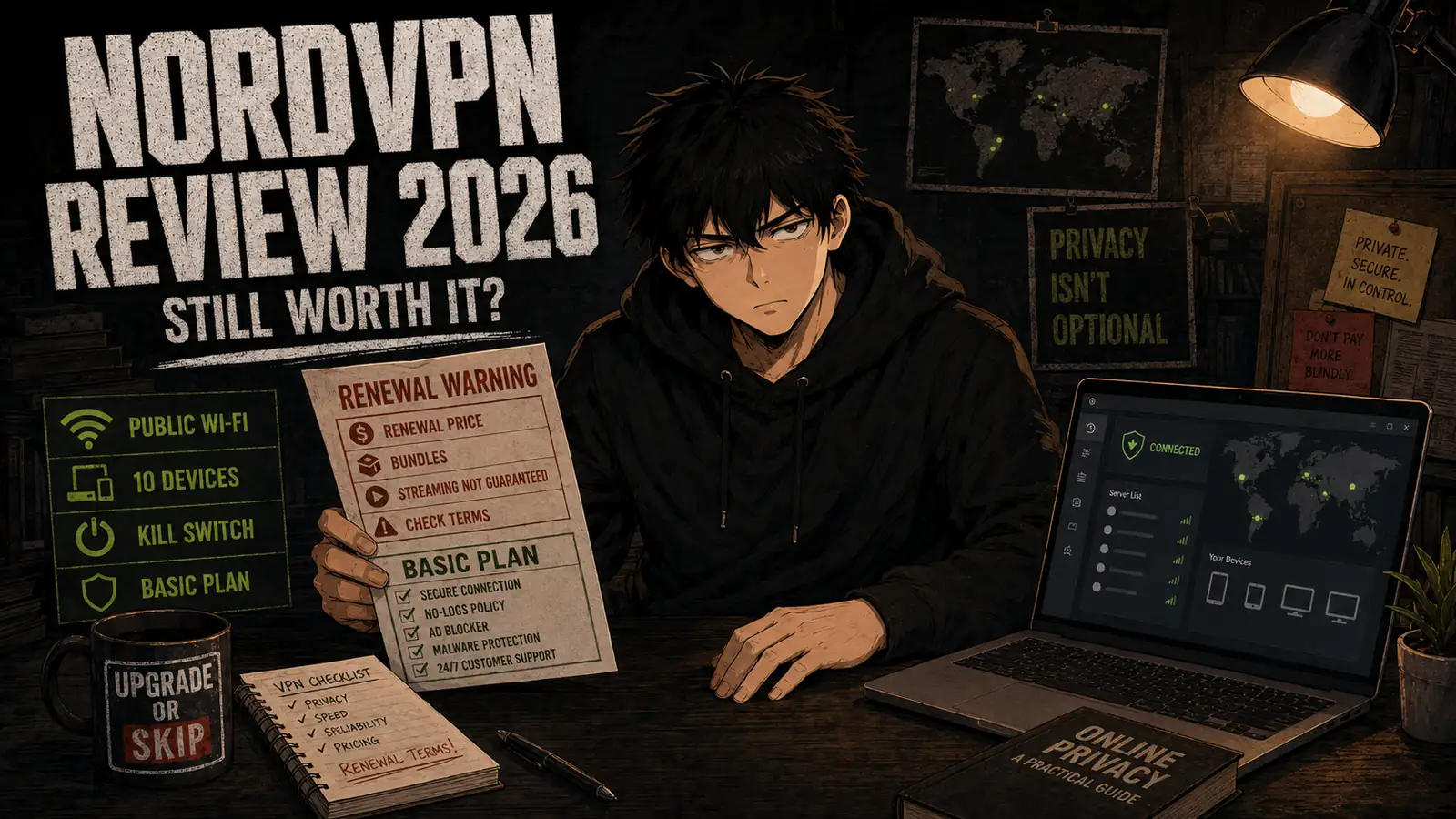
Welcome back to Upgrade or Skip.
NordVPN is one of the most recognizable names in the VPN market.
It promises fast connections, strong encryption, access to servers around the world, protection on public Wi-Fi, tracker blocking, and enough additional security tools to make a normal internet connection sound dangerously underdressed.
The service itself is easy to recommend.
The pricing structure requires more attention.
NordVPN’s heavily discounted two-year plans can offer good value, but they must be paid in full. The subscription also renews at a much higher annual price unless you cancel auto-renewal or find another offer.
For this review, I tested NordVPN’s Windows and mobile apps, server selection, Quick Connect, NordLynx, automatic connection, Kill Switch, split tunneling, Threat Protection, specialty servers, streaming access, everyday browsing, and the cancellation controls inside Nord Account.
Prices and plan details were last checked on August 28, 2026. VPN promotions change frequently and may vary by country, tax, app store, and purchase channel. Confirm the checkout total and renewal price before paying.
Quick Verdict
NordVPN is still worth paying for if you regularly use public Wi-Fi, travel, need servers in multiple countries, want a reliable VPN across several devices, or value its combination of speed, privacy tools, and straightforward apps.
The Basic plan is enough for most people.
Its main advantages are:
- Fast and generally stable everyday connections
- Apps for major desktop and mobile platforms
- Up to 10 simultaneous device connections
- NordLynx, OpenVPN, and specialty server options
- Kill Switch and automatic connection
- A large selection of server countries
- Independently reviewed no-logs claims
- A 30-day money-back guarantee for an initial purchase
The disadvantages are:
- The lowest price requires a long prepaid subscription
- Renewal is considerably more expensive than the introductory offer
- Streaming access is never guaranteed
- Some websites may show CAPTCHAs or block shared VPN addresses
- Higher plans bundle tools that many users do not need
- The initial 30-day refund policy does not normally cover renewals
My verdict:
- Buy Basic if you need the VPN itself and expect to use it regularly.
- Choose Complete only if you will genuinely use the password manager, enhanced protection tools, and 1 TB of cloud storage.
- Keep your current VPN if it remains fast, reliable, and cheaper after renewal.
- Skip NordVPN if you only want to change location twice a year or cannot identify a recurring privacy, travel, work, or access need.
NordVPN is a good VPN.
That does not automatically make every NordVPN bundle a good purchase.
What Is NordVPN?
NordVPN is a consumer VPN service that encrypts internet traffic between your device and a VPN server.
When connected, websites generally see the IP address and location of the VPN server rather than your normal public IP address.
A VPN can be useful for:
- Protecting traffic on untrusted public Wi-Fi
- Reducing exposure of your public IP address
- Connecting through another country
- Avoiding some local network restrictions
- Securing routine browsing while traveling
- Accessing work or personal services more privately
- Reducing tracking based on IP address
- Routing traffic through a home device with Meshnet
A VPN does not make you anonymous.
It does not prevent every form of tracking, remove malware already installed on a device, protect weak passwords, or make unsafe downloads safe.
It changes who handles part of your internet traffic.
Without a VPN, you trust your internet provider and the networks between you and the destination. With a commercial VPN, you also place meaningful trust in the VPN provider.
That is why privacy policy, technical security, company behavior, and independent verification matter alongside speed.
NordVPN Pricing
NordVPN’s current US pricing page shows three main tiers:
| Plan | Introductory Offer | Initial Total | Current Renewal |
|---|---|---|---|
| Basic | $3.49/month for 27 months | $94.23 | $139.08/year |
| Complete | $4.49/month for 27 months | $121.23 | $219.48/year |
| Prime | $7.49/month for 27 months | $202.23 | $296.28/year |
These figures were taken from NordVPN’s current US pricing page and may change with promotions.
Sales tax may apply.
The advertised monthly rate is a monthly equivalent—not a monthly installment.
For example:
$3.49 × 27 months = $94.23 paid upfront
The current offer includes 24 paid months plus three promotional months.
NordVPN’s support documentation confirms that one-year and two-year plans must be paid in full at purchase. Only the one-month plan is billed monthly.
Basic
Basic includes the core VPN service.
It is the sensible plan for most users who primarily want:
- Encrypted VPN connections
- Access to worldwide server locations
- NordLynx and other supported protocols
- Kill Switch
- Specialty servers
- Protection on public Wi-Fi
- Apps across several devices
The current two-year promotion costs $94.23 for the first 27 months and renews at $139.08 per year.
Basic is my default recommendation because it solves the main problem without turning a VPN purchase into a general digital-security shopping basket.
Complete
Complete currently includes the VPN plus additional protection features, transaction monitoring, identity monitoring features, a password manager, and 1 TB of cloud storage.
Its current promotional total is $121.23 for 27 months.
That is only $27 more than Basic during the first term.
However, its displayed renewal price is $219.48 per year—$80.40 more than Basic’s annual renewal.
Complete makes sense if you will genuinely use:
- The included password manager
- The enhanced browsing and malware protection
- Identity or transaction monitoring features available in your location
- The full 1 TB of encrypted cloud storage
It does not make sense simply because the current introductory difference looks small.
Bundled software has a habit of being valuable in a comparison table and forgotten everywhere else.
Prime
Prime adds broader identity-protection services and related benefits, subject to eligibility and regional terms.
The current offer costs $202.23 for 27 months and renews at $296.28 per year.
Prime is not the normal recommendation for someone shopping for a VPN.
Consider it only if you have independently evaluated its identity-protection and insurance-related benefits and would otherwise pay for comparable services.
Do not choose Prime because it sits at the top of the pricing page.
A higher vertical position is not a security assessment.
The Renewal Price Matters More Than the Discount

The Basic offer currently costs $94.23 for 27 months.
If it then renews for one year at the displayed $139.08 price, the approximate four-year cost becomes:
$94.23 + $139.08 + $139.08 = $372.39
That covers approximately 51 months.
The average becomes:
$372.39 ÷ 51 = approximately $7.30 per month
That is still reasonable for someone who uses the VPN regularly.
It is very different from believing the service will remain $3.49 per month forever.
Complete produces a larger difference:
$121.23 initial term + $219.48 + $219.48 = $560.19
Across approximately 51 months, that averages about:
$10.98 per month
The introductory offer is the acquisition price.
The renewal price is the ownership price.
Before subscribing:
- Check the exact initial total.
- Check the displayed renewal amount.
- Decide whether the included extra months matter to you.
- Set a calendar reminder before renewal.
- Save the cancellation confirmation if you turn off auto-renewal.
NordVPN provides instructions for disabling automatic renewal. A successful cancellation should also produce a confirmation email.
How I Tested NordVPN
I focused on the tasks that determine whether a VPN remains useful after the discount banner disappears:
- Installing the Windows and mobile apps
- Signing in and connecting a second device
- Quick Connect
- Manual country and server selection
- NordLynx
- Automatic connection on untrusted networks
- Kill Switch behavior
- Split tunneling
- Standard web browsing
- Video streaming
- Large downloads
- Switching between nearby and distant servers
- Reconnecting after sleep or network changes
- Threat Protection
- Specialty server access
- Account and billing controls
- Auto-renewal cancellation
I did not treat one speed-test result as a universal performance score.
VPN speed changes according to:
- Your normal connection
- Distance from the selected server
- Server load
- VPN protocol
- Device performance
- Wi-Fi quality
- Local network congestion
- Internet routing
- Time of day
The useful question is not whether one test produced an impressive screenshot.
It is whether the VPN remains fast and reliable enough that you do not repeatedly turn it off.
What NordVPN Does Well
1. The Apps Are Easy to Use
NordVPN’s main apps make the basic workflow simple:
- Open the app.
- Select Quick Connect or choose a country.
- Wait for the secured status.
- Continue using the device normally.
The map interface is visually prominent, but the searchable country list is often faster.
Important settings are reasonably accessible, including:
- Auto-connect
- Kill Switch
- Connection protocol
- Threat Protection
- Split tunneling on supported platforms
- Specialty servers
- Meshnet
Beginners can connect without understanding VPN protocols.
More experienced users still have enough control to adjust the connection.
That balance is one of NordVPN’s strongest qualities.
2. NordLynx Feels Fast in Everyday Use
NordLynx is NordVPN’s WireGuard-based protocol.
In normal browsing, video playback, cloud tools, and downloads, it generally provides a good balance between speed and security.
Nearby servers usually felt the most responsive.
Connecting to a distant country introduced more latency, which is expected. A VPN cannot negotiate with geography.
For everyday use, I would leave NordLynx selected unless:
- A network blocks it
- A specific site behaves incorrectly
- A work environment requires OpenVPN
- Troubleshooting instructions recommend another protocol
3. The Server Coverage Is Extensive
NordVPN currently advertises more than 8,200 servers across 149 countries.
A large network gives users more options when:
- A nearby server is congested
- A specific website blocks one address
- Traveling between regions
- Testing how a website appears from another country
- Looking for a lower-latency connection
Server count alone does not guarantee quality.
However, broad geographic coverage is practically useful—especially for travelers and users outside major North American or European markets.
4. Ten Simultaneous Connections Are Enough for Most People
One NordVPN account currently supports up to 10 simultaneous device connections.
That can cover a normal combination of:
- Desktop computer
- Laptop
- Phone
- Tablet
- Streaming device
- Secondary computer
- Family devices
A router configuration can protect additional devices while using one connection slot, although router setup is more technical and may reduce performance depending on the hardware.
Ten connections should be enough for most individuals and small households.
Users with many devices should compare this limit with competitors that allow unlimited simultaneous connections.
5. Kill Switch and Auto-Connect Are Useful
A VPN provides little protection if it disconnects silently and the device continues transmitting normally.
NordVPN’s Kill Switch can prevent unprotected connections when the VPN drops. Exact behavior and options vary by operating system.
Auto-connect can establish the VPN when the app starts or when the device joins a network.
These features are especially useful for:
- Airports
- Hotels
- Cafés
- Shared workspaces
- School networks
- Frequent travelers
Test the Kill Switch on your own device before depending on it.
A security toggle you have never tested is a comforting theory, not a confirmed setup.
6. Specialty Servers Add Practical Options
NordVPN offers specialty connections such as:
- Double VPN
- Obfuscated servers
- Onion Over VPN
- P2P-optimized servers
- Dedicated IP as a separate paid option
Most users do not need specialty servers every day.
Double VPN routes traffic through two VPN servers but may reduce speed.
Obfuscated servers can help on networks that attempt to detect or restrict VPN connections.
Dedicated IP can reduce the problems associated with shared VPN addresses, but it costs extra and changes part of the privacy tradeoff because the address is assigned for your use.
Use specialty servers to solve a specific problem—not because additional server categories feel more advanced.
7. The No-Logs Claim Has Repeated Independent Reviews
A VPN provider’s privacy claims cannot be verified by interface design.
NordVPN states that its no-logs practices passed a sixth independent assurance engagement covering 2025. The result was announced in February 2026.
An assurance engagement is not a permanent guarantee of every future action.
It is still more meaningful than an unverified “we respect privacy” sentence on a landing page.
Users choosing a VPN for privacy should also review:
- Company jurisdiction
- Privacy policy
- Data collected for account management
- Payment information
- Diagnostic-data settings
- Past security incidents
- Audit scope and date
8. The Initial Basic Price Is Competitive
At $94.23 for the first 27 months, Basic costs about $3.49 per month during the promotional term.
For someone who uses it regularly, that can be good value.
If you use NordVPN on 20 travel days, 100 public Wi-Fi sessions, several devices, and frequent location changes, the subscription has a clear job.
If you open it once to watch one unavailable program and then forget the password, the effective cost becomes less charming.
Value comes from repeated use—not from the size of the percentage discount.
Where NordVPN Disappoints
Renewal Is Much More Expensive
The largest concern is the jump from introductory pricing to renewal.
Basic currently moves from an effective $3.49 per month to $139.08 per year, equivalent to $11.59 per month.
Complete renews at $219.48 per year.
Prime renews at $296.28 per year.
The renewal prices are displayed on the pricing page, but the large introductory rate naturally attracts more attention.
Recent public discussions continue to report surprise at higher renewal charges. One user discussion about NordVPN renewal pricing describes a renewal costing substantially more than the original promotional term.
That is an individual report rather than controlled evidence, but it highlights the correct precaution:
Check your own Nord Account renewal amount before the charge date.
The Refund Guarantee Does Not Normally Cover Renewals
NordVPN offers a 30-day money-back guarantee for new subscriptions.
According to its official refund policy, the guarantee applies to the initial purchase. Renewed subscription periods are not normally eligible under that guarantee unless local law requires otherwise.
This distinction matters.
“30-day money-back guarantee” does not mean every automatic renewal can be reversed within 30 days.
If you do not intend to renew, turn off auto-renewal in advance.
Shared VPN Addresses Can Trigger Friction
VPN servers are used by many customers.
That can lead to:
- CAPTCHAs
- Additional account verification
- Search-engine warnings
- Websites blocking access
- Banking sites rejecting logins
- Streaming services detecting the VPN
- Temporary IP reputation problems
Switching servers may solve the issue.
Sometimes the practical solution is to disconnect the VPN for that site.
Split tunneling can also exclude selected applications on supported platforms.
A VPN that requires occasional troubleshooting is normal.
A VPN that constantly forces you to negotiate with every website is not worth keeping.
Streaming Access Is Not Guaranteed
NordVPN often works with major streaming platforms, but availability can change.
Streaming companies update their detection systems, licensing rules vary by region, and specific VPN addresses may stop working.
During testing, performance depended on:
- Selected country
- Specific server
- App versus browser
- Cached location data
- Device
- Streaming service
Do not buy a multi-year plan based entirely on one streaming platform.
Use the refund window to test the exact services, countries, and devices that matter to you.
Higher Plans Can Encourage Overbuying
Complete looks attractive because the initial promotional difference from Basic is relatively small.
But the renewal difference is larger.
Before choosing Complete, ask:
- Will I replace my current password manager?
- Will I store meaningful data in the included cloud storage?
- Do I need its additional monitoring tools?
- Are those features available and useful in my country?
- Would I buy these tools separately?
- Am I comfortable moving data if I cancel later?
If the answers are unclear, choose Basic.
A bundle is not saving money when most of the bundle becomes a collection of unused login screens.
A VPN Is Not Complete Security
NordVPN can encrypt your connection and provide useful blocking features.
It cannot protect you from every risk.
You still need:
- Updated operating systems
- Strong, unique passwords
- Multi-factor authentication
- Careful download habits
- Browser and application updates
- Reliable backups
- Awareness of phishing
- Appropriate endpoint security
A VPN protects a connection.
It does not upgrade every decision made through that connection.
NordVPN Basic vs Complete
| Need | Basic | Complete |
|---|---|---|
| Core VPN connection | Yes | Yes |
| Public Wi-Fi protection | Yes | Yes |
| Server-location switching | Yes | Yes |
| Kill Switch | Yes | Yes |
| Up to 10 connected devices | Yes | Yes |
| Password manager | No | Included |
| 1 TB cloud storage | No | Included |
| Additional monitoring tools | Limited | More included features |
| First-term price | $94.23 | $121.23 |
| Current annual renewal | $139.08 | $219.48 |
| Best for | Most VPN users | Users replacing several paid tools |
My recommendation:
- Choose Basic when you need a VPN.
- Choose Complete when you need a VPN, password manager, cloud storage, and its additional protection features.
- Choose Prime only after separately evaluating its identity-protection benefits.
- Do not select a larger bundle to solve a requirement you cannot name.
NordVPN vs a Free VPN
A reputable free VPN may be enough when:
- You use a VPN occasionally
- You need protection only for limited tasks
- Its speed and data limits are acceptable
- It clearly explains how it makes money
- It comes from an established provider
- You do not need many server countries
NordVPN is more useful when:
- You connect regularly
- You travel
- You use public Wi-Fi frequently
- You need several country locations
- You want consistent desktop and mobile apps
- You need more reliable speeds
- You want specialty servers
- You need several simultaneous connections
- Limited data would interfere with normal use
Avoid unknown free VPNs that provide vague ownership information, excessive permissions, unclear privacy policies, or suspicious monetization.
Operating VPN servers costs money.
When a service does not charge you, understand what supports the business before routing your traffic through it.
NordVPN vs Your Current VPN
Keep your existing VPN if:
- Connections are reliable
- Nearby servers are fast
- The apps work on all your devices
- Streaming or work services function properly
- Its privacy policy meets your needs
- Renewal pricing is reasonable
- Support has been effective
- NordVPN would not solve a specific problem
Switch to NordVPN if:
- Your current VPN disconnects frequently
- Performance is consistently poor
- You need more server countries
- Device support is inadequate
- You need NordVPN’s specialty servers
- Your current provider has weak privacy practices
- NordVPN’s full-term cost is lower
- You have tested NordVPN successfully during the refund period
As explained in When an Upgrade Actually Makes Sense, an upgrade should solve a repeated problem.
A familiar brand and a countdown timer are not repeated problems.
What Real Users Say
Public feedback about NordVPN is mixed but generally follows predictable patterns.
Positive users frequently mention:
- Good everyday speeds
- Easy-to-use apps
- Broad server coverage
- Reliable connections
- Successful streaming
- Useful discounts on long subscriptions
Negative users commonly mention:
- Higher renewal charges
- CAPTCHAs and blocked websites
- Streaming inconsistency
- Difficulty with particular servers or networks
- Upselling into larger security bundles
- Frustration after forgetting to disable auto-renewal
One long-term user review describes generally positive performance and broad features, although some prices in that older discussion no longer match the current pricing page.
Community reports should be treated as individual experiences.
VPN performance varies heavily by country, internet provider, device, server, and intended use. Reddit discussions may also contain affiliate promotion, competitor promotion, outdated information, or unusually positive and negative cases.
Use public feedback to identify what to test during the refund window.
Do not use it as a replacement for testing your own connection.
The 30-Day Test
If you buy NordVPN, use the first 30 days deliberately.
Test:
- Your normal home connection
- Mobile data
- Public Wi-Fi
- The nearest server
- A distant server you expect to use
- Your streaming services
- Banking and payment websites
- Video calls
- Large downloads
- Every important device
- Kill Switch
- Automatic connection
- Battery and system-resource impact
- Any work applications
- Cancellation and account controls
Record the problems.
If NordVPN repeatedly interferes with essential websites or provides no clear benefit, request a refund before the initial guarantee expires.
Do not spend 29 days admiring the server map and conduct the first meaningful test on day 31.
Upgrade to NordVPN If
Buy NordVPN if:
- You frequently use public or shared Wi-Fi.
- You travel and need dependable access to multiple server countries.
- You want a VPN across desktop, mobile, and streaming devices.
- You regularly need to change your visible IP location.
- You value Kill Switch and automatic connection.
- You need specialty or obfuscated servers.
- Your current VPN is slow or unreliable.
- Ten simultaneous connections are sufficient.
- You understand the initial total and renewal price.
- You will test important services during the first 30 days.
- The Basic plan solves a repeated need.
Keep Your Current VPN If
Stay with your current VPN if:
- It remains fast and stable.
- It works with your important websites and services.
- Its privacy practices meet your requirements.
- Its renewal price is competitive.
- It supports all your devices.
- NordVPN would not produce a measurable improvement.
- Switching would create work without saving meaningful money.
A discounted VPN is not cheaper if it becomes a second VPN subscription sitting beside the first one.
Skip NordVPN If
Skip NordVPN if:
- You cannot identify a repeated reason to use a VPN.
- You only need a different location once or twice a year.
- A trustworthy free plan already meets your limited needs.
- You dislike long prepaid subscriptions.
- You are likely to forget the renewal date.
- Your essential websites consistently block VPN connections.
- You expect guaranteed access to every streaming service.
- You believe a VPN provides complete anonymity.
- You only want the extra tools included in a larger bundle but already pay for equivalent services.
- You are buying because the discount countdown created urgency.
Final Verdict
NordVPN remains a strong option for people who genuinely need a VPN.
Its best qualities are:
- Straightforward apps
- Fast NordLynx connections
- Extensive server coverage
- Ten simultaneous connections
- Useful automatic protection
- Specialty server options
- Repeated independent no-logs reviews
- Competitive introductory pricing
Its biggest weakness is the gap between the promotional and renewal prices.
The current Basic offer costs $94.23 for the first 27 months and renews at $139.08 per year.
That does not make NordVPN a bad service.
It makes renewal planning part of the purchase.
My final decision:
- Upgrade to Basic: Regular VPN users, travelers, public Wi-Fi users, and people who need dependable server choices.
- Choose Complete: Users who will actively replace separate password-management, cloud-storage, and protection services.
- Keep your current VPN: Anyone already receiving reliable service at a competitive long-term price.
- Skip: Occasional users, unclear use cases, bundle overbuyers, and anyone expecting a VPN to provide complete anonymity.
NordVPN is worth the introductory price for regular users.
Whether it remains worth the price at renewal depends on how often you use it—and whether you read the smaller number underneath the larger discount.
Frequently Asked Questions
Is NordVPN worth it in 2026?
Yes, for regular VPN users. Its apps, connection speeds, server coverage, security features, and device support make Basic a strong option. Occasional users may not receive enough value from a long subscription.
How much does NordVPN cost?
As of August 28, 2026, the US pricing page lists Basic at $94.23 for the first 27 months, equivalent to $3.49 per month. It currently renews at $139.08 per year. Promotions and regional prices may change.
Does NordVPN offer a free trial?
NordVPN’s website purchases do not provide a normal universal free trial. Initial subscriptions include a 30-day money-back guarantee. A limited Android trial may be available through Google Play, subject to current eligibility and app-store terms.
Can I get a refund after NordVPN renews?
NordVPN’s 30-day money-back guarantee applies to the initial subscription purchase. Renewals are not normally covered by that guarantee unless local law requires otherwise.
Which NordVPN plan is best?
Basic is best for most users. Complete is appropriate when you will use its password manager, cloud storage, and additional security tools. Prime is designed for users who specifically need its identity-protection benefits.
How many devices can use NordVPN?
One NordVPN account currently supports up to 10 simultaneous connections. A compatible router can protect several connected devices while using one account connection.
Does NordVPN slow down internet speed?
Every VPN introduces some overhead. The impact depends on server distance, load, protocol, device, and your normal connection. NordLynx and nearby servers generally provide the best everyday performance.
Does NordVPN work with streaming services?
NordVPN frequently works with popular streaming services, but access is not guaranteed. Streaming platforms may block particular VPN servers or change detection systems. Test your required services during the refund period.
Is NordVPN safe?
NordVPN provides strong encryption, Kill Switch options, modern protocols, and independently reviewed no-logs practices. No VPN removes every online risk, and users still need strong passwords, updates, backups, and safe browsing habits.
Is NordVPN better than a free VPN?
NordVPN is generally better for regular use because it provides more servers, higher or unlimited data allowances, better performance, broader device support, and more features. A reputable free VPN can still be sufficient for occasional limited use.
Can I turn off NordVPN auto-renewal?
Yes. Auto-renewal can be disabled through Nord Account. Keep the confirmation email and verify that the subscription page shows cancellation before the renewal date.
Does NordVPN make me anonymous?
No. NordVPN can hide your normal public IP from websites and encrypt traffic between your device and the VPN server. Cookies, account logins, browser fingerprinting, malware, and personal information can still identify you.
Next Up
Adobe Express vs Canva: Which Design Tool Is Better for Beginners?
Upgrade smarter. Skip louder.
SEO Information — Do Not Paste Into the Article
Focus Keyword:NordVPN review
SEO Title:NordVPN Review: Is It Still Worth the Price?
Permalink / Slug:nordvpn-review
Meta Description:NordVPN review based on hands-on testing. Compare current plans, renewal pricing, speed, privacy features, and whether NordVPN is still worth paying for.
Categories:
- Software Reviews
- Upgrade or Skip
Tags:
- NordVPN
- VPN
- Online Privacy
- Security Software
- Software Review