
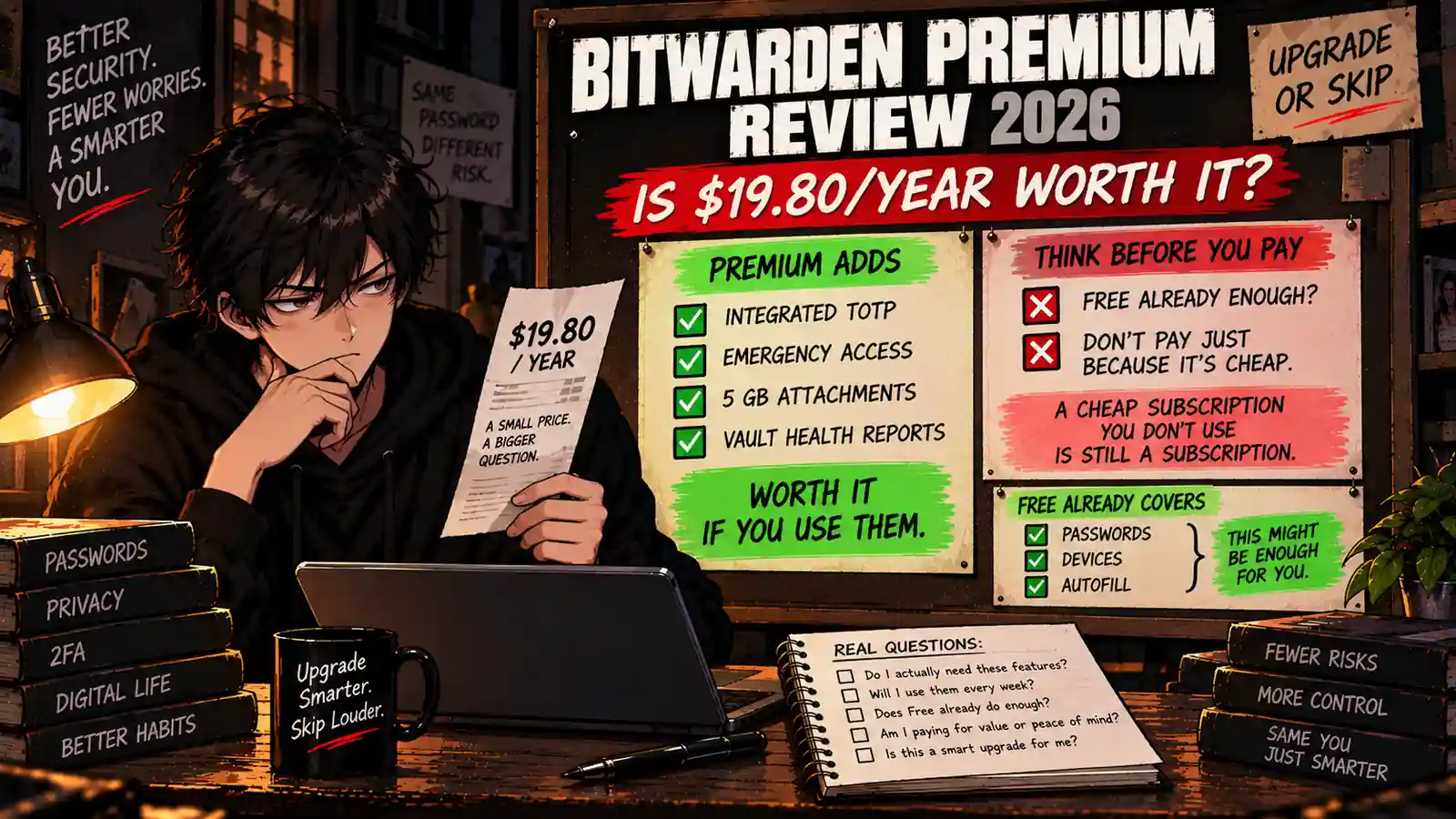
Welcome back to Upgrade or Skip.
Bitwarden Premium has an unusual problem.
It is cheap.
Very cheap.
At $19.80 per year, the entire annual subscription costs less than what many software companies now charge for one month.
That makes the upgrade tempting.
It also makes the decision surprisingly easy to get wrong.
Because Bitwarden Free is already extremely capable.
You can store your passwords, use Bitwarden across your devices, generate strong passwords, autofill logins, manage passkeys, and handle the core job of a password manager without paying.
Premium does not turn a broken free product into a useful one.
Instead, it adds a smaller collection of advanced features: an integrated authenticator, encrypted file attachments, Emergency Access, vault health reports, additional security tools, and priority support.
So the real question is not:
“Is Bitwarden Premium cheap?”
Obviously.
The better question is:
“Does Bitwarden Premium solve a problem that Bitwarden Free does not?”
Quick Verdict
Bitwarden Premium is worth $19.80 per year if you regularly use at least one of its premium features.
The strongest reasons to upgrade are:
- Integrated TOTP authentication
- Emergency Access
- Encrypted file attachments
- Vault health reports
- Advanced security features
- Priority support
But if you mainly need:
- Password storage
- Unlimited devices
- Autofill
- Password generation
- Passkeys
- Basic account protection
Stay Free.
Bitwarden Premium is inexpensive.
Bitwarden Free is even less expensive.
Bitwarden Premium at a Glance
| Item | Bitwarden Premium |
|---|---|
| Price | $19.80/year |
| Monthly Equivalent | $1.65/month |
| Billing | Annual |
| Unlimited Passwords | Yes |
| Unlimited Devices | Yes |
| Integrated Authenticator | Yes |
| Encrypted File Attachments | Yes |
| Personal Encrypted Storage | 5 GB |
| Emergency Access | Yes |
| Vault Health Reports | Yes |
| Priority Support | Yes |
| Best For | Users who actually need advanced vault features |
So what?
$19.80 is objectively a small software bill for many users.
But price alone does not create value.
If you never use the authenticator, Emergency Access, attachments, or security reports, you are still paying for features that sit quietly in the menu.
Upgrade or Skip in 10 Seconds
| If You… | Verdict |
|---|---|
| Just need passwords, autofill, and sync | STAY FREE |
| Use integrated TOTP regularly | UPGRADE |
| Need Emergency Access | UPGRADE |
| Store encrypted files with vault items | UPGRADE |
| Want vault health reports | CONSIDER PREMIUM |
| Want Premium because it is cheap | STAY FREE |
| Already pay for another password manager | DO NOT STACK THEM |
What We Checked
This review is research-based.
We checked Bitwarden’s current official pricing, plan documentation, security information, open-source documentation, and published security-audit information.
We focused on one question:
What does paying $19.80 per year actually give an individual user that Bitwarden Free does not?
Pricing and features can change, so check Bitwarden’s official pricing page before upgrading.
What Is Bitwarden Premium?
Bitwarden Premium is the paid individual tier of Bitwarden Password Manager.
It currently costs $1.65 per month equivalent, billed annually at $19.80.
That distinction matters.
You are not paying $1.65 every month.
You are buying an annual subscription for $19.80.
Premium keeps the core Bitwarden password-management experience and adds advanced security and convenience features.
The important word there is:
Adds.
Bitwarden does not remove the core password manager from Free and sell it back to you.
That is one of the reasons its Free vs Premium decision is more interesting than many software upgrades.
Bitwarden Free vs Premium
| Feature | Bitwarden Free | Bitwarden Premium |
|---|---|---|
| Price | $0 | $19.80/year |
| Unlimited Passwords | Yes | Yes |
| Unlimited Devices | Yes | Yes |
| Password Generator | Yes | Yes |
| Autofill | Yes | Yes |
| Passkeys | Yes | Yes |
| Integrated TOTP Authenticator | No | Yes |
| Encrypted File Attachments | No | Yes |
| Emergency Access | No | Yes |
| Vault Health Reports | Limited / No Premium Reports | Yes |
| Priority Support | No | Yes |
This table explains almost the entire purchase decision.
The features most people associate with a password manager are already free.
Premium is for users whose password-management workflow goes beyond the basics.
Bitwarden Premium Pricing
Bitwarden currently lists Premium at:
$1.65/month equivalent
or:
$19.80/year billed annually.
You can verify current pricing directly on Bitwarden’s pricing page.
The Purchase Math
| Period | Premium Cost |
|---|---|
| 1 Year | $19.80 |
| 2 Years | $39.60 |
| 3 Years | $59.40 |
| 5 Years | $99.00 |
Five years of Bitwarden Premium costs less than $100 at the current price.
That is unusually inexpensive compared with many consumer software subscriptions.
But there is a trap here.
Low-cost subscriptions are easy to justify without thinking.
“It is only $19.80.”
Correct.
But if Free already does everything you need, the relevant comparison is not:
$19.80 vs expensive software.
It is:
$19.80 vs $0.
Feature 1: Integrated Authenticator
This is probably the strongest individual reason to buy Bitwarden Premium.
Bitwarden Premium includes its integrated authenticator for generating time-based one-time passwords, commonly called TOTP codes.
Instead of opening a separate authenticator app when a website asks for a six-digit verification code, compatible authentication information can live inside the Bitwarden workflow.
That can reduce friction for users who log into 2FA-protected accounts constantly.
Is That Convenience Worth $19.80?
If you use authentication codes several times every day?
Possibly.
If you use them twice a month?
Probably not for this feature alone.
There is also a security philosophy question.
Some users prefer keeping passwords and authentication codes in separate systems so one compromised vault does not contain both factors.
Others prefer the convenience of managing them together.
That is a workflow and threat-model decision, not something a pricing table can decide for you.
Feature 2: Emergency Access
Emergency Access is one of Premium’s most practical features.
It allows you to designate trusted emergency contacts who can request access under rules you configure.
This matters when the problem stops being:
“Can I remember my Netflix password?”
and becomes:
“What happens to my digital accounts if I cannot access them?”
That can matter for:
- Couples
- Parents
- People managing important financial or household accounts
- Users with significant digital assets
- Anyone building a serious digital-estate plan
If your vault contains genuinely important information, Emergency Access alone can be a reasonable justification for Premium.
Feature 3: Encrypted File Attachments
Premium also supports encrypted file attachments.
Current Bitwarden information lists 5 GB of personal encrypted attachment storage with Premium.
This can be useful for storing sensitive files alongside relevant vault information.
Examples might include:
- Recovery documents
- Secure notes with attachments
- Important account-related files
- Small sensitive documents
But do not confuse this with replacing a full cloud-storage service.
Five gigabytes is useful.
It is not your new Google Drive.
Feature 4: Vault Health Reports
Premium adds more advanced vault health reporting.
These tools can help identify problems such as:
- Weak passwords
- Reused passwords
- Compromised credentials
- Other vault-security issues
This feature is most valuable during cleanup.
If you imported years of browser-saved passwords and discovered that half your internet life uses variations of the same password, reports can help turn that mess into a project.
Once your vault is healthy, you may use the reports less frequently.
That does not make them useless.
It just means you should judge them by the problem they solve rather than the number of checkmarks they add to Premium.
Feature 5: Priority Support
Premium includes priority support.
For most individual users, this is probably not the reason to upgrade.
Password managers are generally supposed to disappear into your daily workflow.
If you constantly need support, something has gone wrong.
Still, users who depend heavily on Bitwarden may value having better support access when a problem appears.
What Bitwarden Free Already Gives You
This is the section Bitwarden Premium has to compete against.
Free users already get the core password-management experience.
That includes unlimited storage of core vault items, access across devices, password generation, autofill, passkey functionality, and other fundamental features.
Bitwarden itself describes its basic password-management functionality as always free.
That makes the Free plan unusually difficult to outgrow.
For a typical individual user whose workflow is:
Save password → sync password → autofill password → occasionally generate a new password
Premium may change almost nothing about daily use.
Security: Is Premium Safer Than Free?
This needs a careful answer.
Premium provides additional security-related tools.
That does not mean Bitwarden deliberately gives Free users weaker vault encryption.
Bitwarden states that vault data uses end-to-end encryption and a zero-knowledge architecture, meaning Bitwarden itself cannot access the unencrypted contents of your vault.
You can review the company’s current security information on the Bitwarden Security and Compliance page.
The company also publishes its source code and undergoes third-party security assessments.
So do not upgrade because you assume:
Free = insecure.
Upgrade because Premium adds a security feature you specifically want.
Open Source and Security Audits
Bitwarden’s open-source model is an important part of the product.
The company publishes its source code for public review and says it regularly works with independent security firms on audits and penetration testing.
Its published audit history includes assessments of its core application, browser extension, desktop and mobile applications, web vault, cryptography, and network components.
Bitwarden also published a 2026 cryptography assessment conducted by ETH Zurich’s Applied Cryptography Group examining its core cryptographic operations under a malicious-server scenario.
Open source does not mean software is magically invulnerable.
It does mean security claims can be subjected to outside inspection rather than existing entirely inside a marketing department.
Bitwarden Premium vs Proton Pass
We recently compared Proton Pass vs Bitwarden.
The basic distinction remains useful.
Bitwarden is especially compelling if you want a focused password manager with a cheap Premium tier.
Proton Pass becomes more interesting if you want password management tied closely to privacy features such as hide-my-email aliases and the wider Proton ecosystem.
| If You Care Most About… | Consider |
|---|---|
| Focused password management | Bitwarden |
| Very inexpensive Premium tier | Bitwarden Premium |
| Email aliases and identity privacy | Proton Pass |
| Existing Proton ecosystem | Proton Pass |
| Core password management for $0 | Either Free plan |
The important part is that you probably do not need to pay for both.
Subscription stacks do not need backup password managers.
Bitwarden Premium vs Keeper
We also compared Keeper vs Bitwarden.
The free-plan difference is substantial.
Bitwarden Free is designed to function as a long-term password manager.
Keeper Free is considerably more restricted.
That means the purchase decision works differently.
With Keeper, many serious users eventually need to decide whether the paid product is worth buying.
With Bitwarden, many serious users can simply remain on Free.
Keeper therefore needs to win on workflow and product preference.
Bitwarden Premium mainly needs to prove that its extra features are worth twenty dollars a year.
What About Bitwarden Families?
Premium is designed for an individual.
If multiple people need password sharing and Premium functionality, Bitwarden Families may make more sense.
Current official pricing lists Families at:
$3.99/month equivalent
or:
$47.88/year.
The plan supports up to six users and includes Premium features for those users plus expanded sharing capabilities.
That works out to about:
$7.98 per person per year if all six seats are actually used.
That is excellent purchase math.
If six people use it.
If one person uses it and five imaginary future family members occupy the remaining seats, the spreadsheet is technically impressive and practically meaningless.
Who Should Stay on Bitwarden Free?
Stay Free if you:
- Mainly need password storage
- Want unlimited devices
- Use autofill
- Generate strong passwords
- Use passkeys
- Do not need encrypted file attachments
- Do not need Emergency Access
- Prefer a separate authenticator app
- Rarely care about advanced vault reports
For this group, Free is not the compromised version.
It is probably the correct version.
Verdict: STAY FREE.
Who Should Upgrade to Bitwarden Premium?
Upgrade if you:
- Use integrated TOTP authentication regularly
- Need Emergency Access
- Want encrypted file attachments
- Actively use vault health reports
- Want additional advanced security features
- Value priority support
You do not need to use every Premium feature.
At $19.80 per year, one genuinely useful repeated feature may be enough.
Verdict: UPGRADE IF PREMIUM SOLVES A REPEATED PROBLEM.
Who Should Skip Bitwarden Premium?
Skip Premium if your reasoning sounds like:
- “It is cheap.”
- “I should support the company.”
- “Premium probably means safer.”
- “Maybe I will use the extra features later.”
- “Twenty dollars is basically nothing.”
You are allowed to support software you like.
But that is a donation decision.
It is not a feature-value decision.
Verdict: SKIP THE UPGRADE.
Pros
- Only $19.80 per year
- Integrated authenticator
- Emergency Access
- Encrypted file attachments
- 5 GB personal encrypted attachment storage
- Vault health reports
- Priority support
- Open-source foundation
- Zero-knowledge, end-to-end encrypted vault architecture
- Strong security-audit transparency
Cons
- Free already covers most core password-management needs
- Premium can become an unnecessary “cheap subscription”
- Not everyone wants passwords and TOTP codes in the same vault
- 5 GB storage does not replace a real cloud-storage service
- Some Premium tools may be used only occasionally
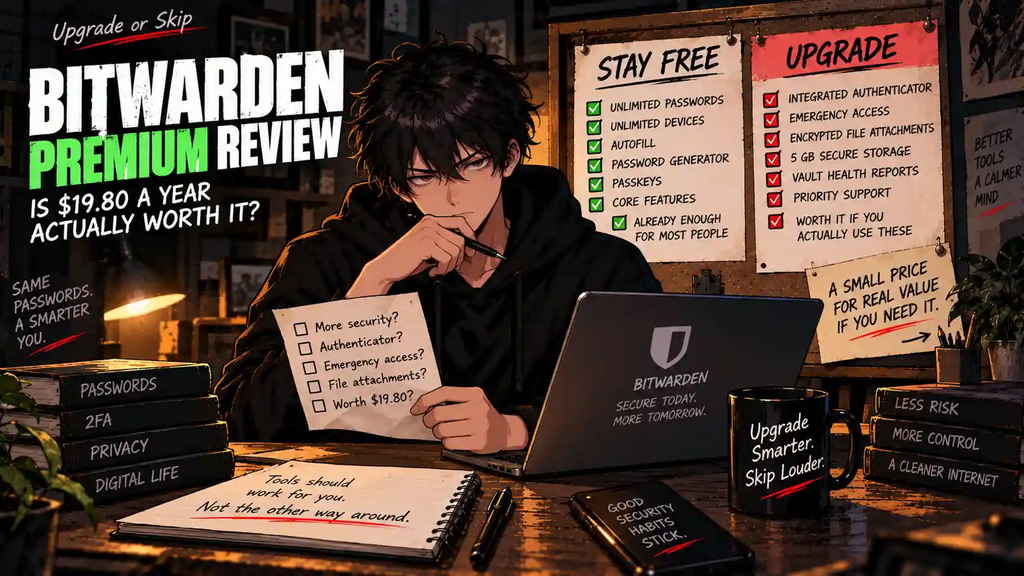
The $19.80 Test
| Question | If Yes… |
|---|---|
| Do you use integrated TOTP every week? | UPGRADE |
| Do you need Emergency Access? | UPGRADE |
| Do you store sensitive file attachments? | UPGRADE |
| Do vault health reports change your behavior? | CONSIDER PREMIUM |
| Does Free already handle every login? | STAY FREE |
| Are you upgrading only because $19.80 sounds cheap? | SKIP |
This is one of the easiest Upgrade or Skip tests on the site.
If you can point to a Premium feature and say:
“I will use that repeatedly.”
$19.80 is easy to justify.
If you cannot?
Bitwarden already gave you the answer.
Free.
The Upgrade Test
Ask yourself:
“What repeated problem does Bitwarden Premium solve for me every week?”
Good answers:
- “I constantly use TOTP codes.”
- “My spouse needs Emergency Access.”
- “I store sensitive files with vault entries.”
- “Vault reports help me maintain hundreds of credentials.”
Bad answers:
- “It is only $19.80.”
- “Premium must be better.”
- “Maybe someday.”
- “Everyone online says Bitwarden Premium is cheap.”
A low price lowers the bar for upgrading.
It does not remove the bar.
Final Verdict
Bitwarden Premium is one of the easier software subscriptions to justify — but one of the easier ones not to need.
That distinction matters.
$19.80 per year is inexpensive.
The integrated authenticator, Emergency Access, encrypted attachments, vault reports, and additional Premium tools can absolutely justify that price for the right user.
But Bitwarden Free remains unusually complete.
If all you want is a secure password manager that stores your credentials, works across your devices, generates passwords, supports autofill, and handles the core daily workflow, paying may change very little.
So:
UPGRADE if at least one Premium feature solves a repeated problem.
STAY FREE if Bitwarden already does everything you need.
SKIP if your entire argument is “it is only twenty bucks.”
A cheap subscription you use is good value.
A cheap subscription you do not use is still a subscription.
Upgrade or Skip Verdict
| User Type | Verdict |
|---|---|
| Basic password-management user | STAY FREE |
| Heavy TOTP user | UPGRADE |
| User needing Emergency Access | UPGRADE |
| User storing encrypted attachments | UPGRADE |
| User who values vault health tools | UPGRADE ONLY IF USED |
| User upgrading because Premium is cheap | SKIP |
FAQ
How much is Bitwarden Premium in 2026?
Bitwarden currently lists Premium at $1.65 per month equivalent, billed annually at $19.80 per year. Taxes may apply.
Is Bitwarden Premium worth it?
It can be. Premium makes the most sense if you regularly use features such as the integrated authenticator, Emergency Access, encrypted file attachments, or vault health reports. If you only need basic password management, Bitwarden Free may already be enough.
Is Bitwarden Free still good?
Yes. Bitwarden Free continues to provide the core password-management functionality most individual users need, including password storage, multi-device access, password generation, autofill, and other essential features.
Does Bitwarden Premium include 2FA?
Premium includes advanced two-factor authentication options and Bitwarden’s integrated authenticator for TOTP codes. Free users still have options for protecting their Bitwarden account with two-step login.
Does Bitwarden Premium include Emergency Access?
Yes. Emergency Access is a Premium feature designed to let designated trusted contacts request vault access according to the rules you configure.
How much encrypted storage does Bitwarden Premium include?
Bitwarden currently lists 5 GB of personal encrypted file-attachment storage with Premium.
Is Bitwarden Premium safer than Free?
Premium adds additional security and management tools, but Bitwarden does not reserve its core zero-knowledge, end-to-end encrypted vault architecture only for paying users. Upgrade for the additional features you need rather than assuming Free means insecure.
Is Bitwarden open source?
Yes. Bitwarden publishes its source code for public inspection and also publishes information about independent third-party security assessments.
Is Bitwarden Premium better than Proton Pass?
They emphasize somewhat different workflows. Bitwarden is particularly strong as a focused password manager with a low-cost Premium tier, while Proton Pass adds more identity-privacy features such as hide-my-email aliases. See our Proton Pass vs Bitwarden comparison for the full breakdown.
Should I upgrade just because Bitwarden Premium is cheap?
No. The low price makes Premium easier to justify, but you should still identify a feature you will actually use. If Free already solves your password-management needs, staying Free is reasonable.
Sources
- Bitwarden — Password Manager Pricing
- Bitwarden — Personal Plan Overview
- Bitwarden — Open Source Password Manager
- Bitwarden — Security, Compliance, and Third-Party Audits
- Bitwarden — Security FAQs
Pricing, plan limits, and included features may change. Check Bitwarden’s current official pages before upgrading.
Next Up
1Password vs Bitwarden: Is Paying More Actually Better?
Upgrade smarter. Skip louder.