
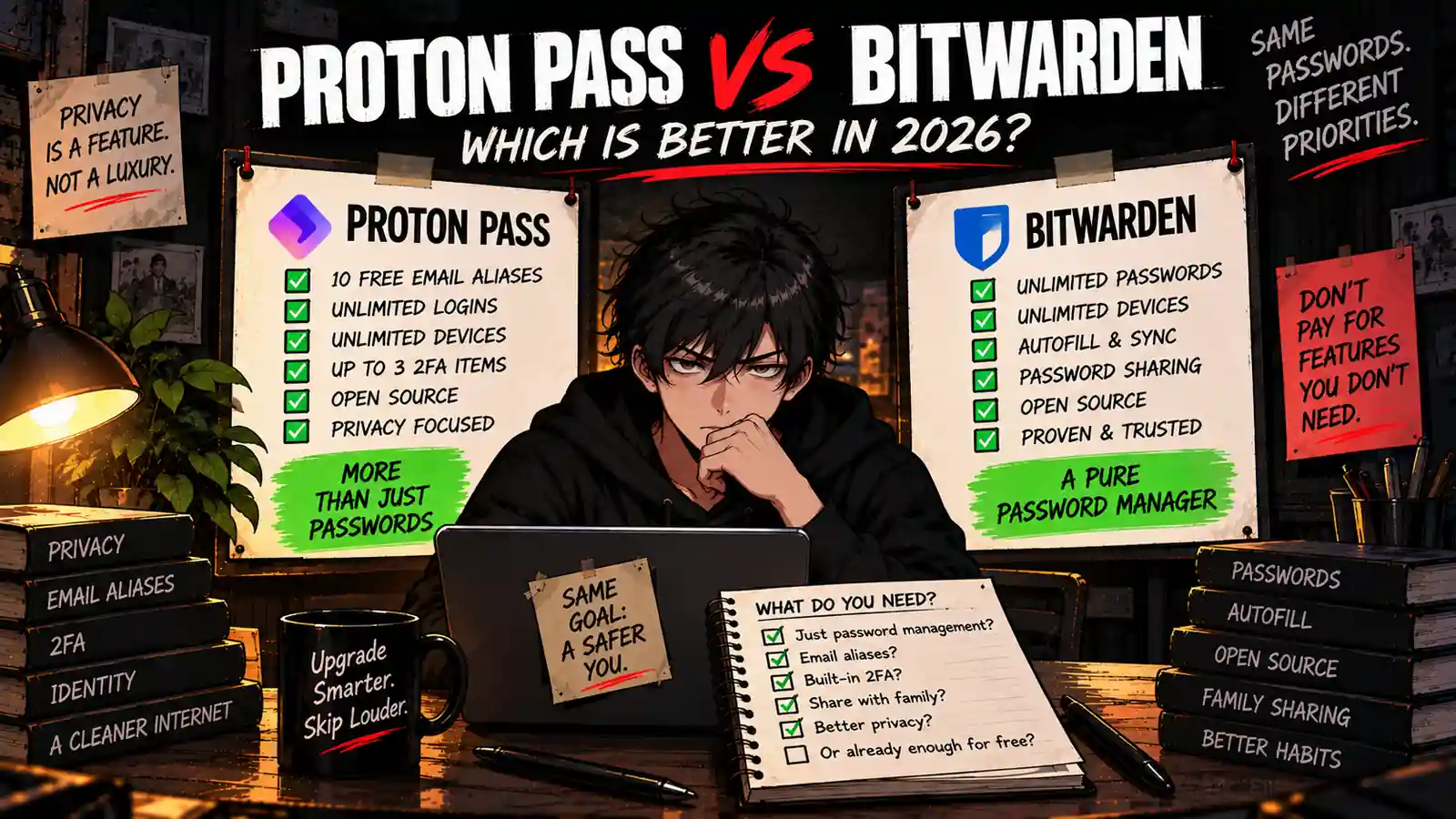
Welcome back to Upgrade or Skip.
Bitwarden and Proton Pass have created an unusual software problem.
Their free plans are actually useful.
Very useful.
Useful enough that the first question should not be:
“Which premium password manager should I buy?”
It should be:
“Do I need to pay for either one?”
Both Bitwarden Free and Proton Pass Free currently give individual users unlimited password or login storage, unlimited devices, cross-device access, password generation, autofill, and passkey support.
That already covers most of what ordinary users need from a password manager.
The difference is what happens around those passwords.
Bitwarden feels more like a dedicated password-management tool with a very inexpensive premium upgrade path.
Proton Pass pushes further into identity protection with hide-my-email aliases and tight integration with Proton’s privacy ecosystem.
So this comparison is not really:
Good vs bad.
It is:
Which kind of free is better for you?
Quick Verdict
Choose Bitwarden Free if:
- You mainly want an excellent standalone password manager.
- You want unlimited passwords and unlimited devices.
- You value open-source software.
- You want straightforward password sharing with one other user.
- You want a cheap future upgrade path.
Choose Proton Pass Free if:
- You want password management plus privacy tools.
- You want 10 free hide-my-email aliases.
- You already use Proton Mail, Proton VPN, or other Proton services.
- You want limited built-in 2FA functionality without paying.
- You prefer Proton’s broader identity-protection approach.
Upgrade Bitwarden only if features such as its integrated authenticator, Emergency Access, encrypted file attachments, or vault health tools solve a real problem for you.
Upgrade Proton Pass only if you need things such as unlimited aliases, expanded 2FA capabilities, advanced sharing, file attachments, Dark Web Monitoring, or other paid privacy features.
Otherwise?
Stay Free.
This is one of the rare software comparisons where keeping your credit card in your wallet is a perfectly serious recommendation.
Bitwarden vs Proton Pass at a Glance
| Feature | Bitwarden Free | Proton Pass Free |
|---|---|---|
| Price | $0 | $0 |
| Unlimited passwords/logins | Yes | Yes |
| Unlimited devices | Yes | Yes |
| Autofill | Yes | Yes |
| Password generator | Yes | Yes |
| Passkeys | Yes | Yes |
| Open source | Yes | Yes |
| Zero-knowledge / end-to-end protection | Yes | Yes |
| Free hide-my-email aliases | External integrations available | 10 included |
| Built-in TOTP / 2FA items | Premium for integrated authenticator | Up to 3 items on Free |
| Free password sharing | With one other user | Available |
| Premium starting price | $19.80/year | Varies by current Proton offer/billing term |
| Best Fit | Dedicated password management | Password + privacy ecosystem |
So what?
The core password-management gap is tiny.
The bigger difference is philosophy.
Bitwarden gives you a very capable password vault.
Proton Pass increasingly treats your email identity, login credentials, passkeys, and online privacy as parts of the same problem.
Upgrade or Skip in 10 Seconds
| If You… | Our Call |
|---|---|
| Just need passwords, sync, and autofill | Bitwarden Free |
| Want free email aliases | Proton Pass Free |
| Already use Proton services | Proton Pass Free |
| Want a mature standalone vault | Bitwarden Free |
| Need integrated TOTP for many accounts | Consider Paid |
| Need Emergency Access | Consider Paid |
| Need encrypted file attachments | Consider Paid |
| Already use either free plan happily | Stay Free |
What We Checked
This comparison is research-based.
We checked current official Bitwarden and Proton documentation for:
- Free-plan limits
- Device limits
- Password and login storage
- Autofill
- Password generation
- Passkeys
- Two-factor authentication features
- Email aliases
- Password sharing
- Security architecture
- Open-source availability
- Paid-plan differences
- Current Bitwarden pricing
Features and pricing can change, so always check the provider’s current plan page before paying.
If you want a broader comparison beyond these two products, see our Best Free Password Managers in 2026.
What Is Bitwarden?
Bitwarden is an open-source password manager built around a relatively simple proposition:
Store your credentials securely, sync them across devices, generate stronger passwords, and autofill them when needed.
Its current Free plan includes unlimited passwords and unlimited devices.
It also includes features such as password generation, autofill, passkey management, two-step login, data breach scanning, and password sharing with one other user.
You can see the current feature breakdown on the official Bitwarden personal plans page.
That is why Bitwarden appears so often in free password-manager recommendations.
The Free plan is not designed around making basic password management irritating enough that you eventually surrender your credit card.
It works.
What Is Proton Pass?
Proton Pass is Proton’s encrypted password and identity manager.
It covers the usual password-manager jobs:
- Passwords and logins
- Autofill
- Password generation
- Passkeys
- Cross-device sync
- Secure notes
But Proton also connects password management with online identity protection.
The most obvious example is hide-my-email aliases.
Instead of giving every website your real email address, Proton Pass can create an alias that forwards messages to your inbox while keeping the original address private.
According to Proton’s current plan documentation, Free users currently receive unlimited entries and devices plus 10 hide-my-email aliases.
The Free plan also currently supports up to three 2FA items.
That gives Proton Pass a different value proposition.
It is not just trying to remember your passwords.
It is trying to reduce how much personal identity information you expose when creating accounts.
Free vs Free: The Comparison That Actually Matters
Before looking at Premium, compare what costs nothing.
Because if Free already solves the problem, the paid comparison becomes mostly academic.
Password and Login Storage
Bitwarden: Unlimited passwords.
Proton Pass: Unlimited logins and entries.
For an ordinary individual user, this is effectively a tie.
Neither product makes you delete password number 101 before saving password number 102.
Good.
Artificial storage limits are not a feature.
Device Limits
Bitwarden: Unlimited devices.
Proton Pass: Unlimited devices.
Another tie.
This matters more than it sounds.
A password manager should follow you from desktop to laptop to phone.
Device restrictions turn password management into password logistics.
Neither free plan creates that problem.
Autofill and Password Generation
Both products provide password generation and autofill functionality.
That covers the everyday loop:
Create strong password → save password → sync password → autofill password.
If that is your entire password-management workflow, you may already have your answer.
Free is enough.
The Biggest Proton Pass Advantage: Email Aliases
This is where Proton Pass separates itself.
Proton Free currently includes 10 hide-my-email aliases.
Imagine signing up for:
- An online store
- A newsletter
- A forum
- A free trial
- A travel website
You do not necessarily need to give every company the email address you use for banking, personal communication, and account recovery.
An alias can sit between the website and your real inbox.
That provides two practical benefits.
Privacy: the website does not receive your primary address.
Control: an alias can be disabled if it becomes a spam magnet.
Bitwarden supports email-alias integrations, but Proton Pass builds aliases directly into the broader Proton identity system.
If email privacy is important to you, this is Proton Pass Free’s strongest argument.
The Biggest Bitwarden Advantage: Focus
Bitwarden’s advantage is almost the opposite.
It is very easy to understand what Bitwarden is for.
Password vault.
Devices.
Autofill.
Sharing.
Security.
Done.
There is value in software that does not need to become an ecosystem before it becomes useful.
Bitwarden also has an unusually inexpensive individual Premium tier.
Current official pricing lists Premium at $1.65 per month equivalent, billed annually at $19.80.
See Bitwarden’s current pricing page.
That means users who eventually outgrow Free do not face a dramatic subscription jump.
Bitwarden Premium: What Does $19.80 Actually Buy?
Bitwarden Premium currently adds features including:
- Integrated authenticator
- 5 GB personal encrypted file storage
- Emergency Access
- Vault health reports
- Vault health alerts and password coaching
- Priority support
- Additional hardware-security-key capacity
- Secure file sharing
The purchase math is simple.
| Period | Bitwarden Premium Cost |
|---|---|
| 1 year | $19.80 |
| 3 years | $59.40 |
| 5 years | $99.00 |
That is inexpensive software.
But cheap and necessary are different words.
If you do not need the premium features, the correct annual cost is still:
$0.
Proton Pass Paid: What Are You Upgrading For?
Proton’s paid Pass tiers expand the privacy and security layer around the vault.
Depending on the current plan, paid features can include:
- Unlimited hide-my-email aliases
- Expanded integrated 2FA functionality
- Secure vault sharing
- Secure link sharing
- Dark Web Monitoring
- File attachments
- Advanced account protection
- Additional privacy features
See the official Proton Pass pricing page for current pricing and plan combinations.
That last part matters because Proton sells Pass both as a product and as part of its broader privacy subscriptions.
If you already pay for a Proton bundle, the purchase math can look very different from someone buying only a password manager.
2FA: There Is an Important Difference
This section needs a little nuance.
Bitwarden Free supports two-step login for protecting your Bitwarden account, but its integrated TOTP authenticator for generating login codes inside the vault is a Premium feature.
Proton Pass Free currently allows up to three 2FA items, according to Proton’s current plan documentation.
So a user with only a few accounts requiring stored TOTP codes may get more built-in functionality from Proton Pass Free.
But if you intend to move a large number of authentication codes into your password manager, compare the paid tiers rather than assuming Free will cover the entire workflow.
Security: Do You Need to Pay to Be Secure?
No.
That is an important distinction.
Premium password-manager features can improve convenience, recovery options, monitoring, storage, and workflow.
That does not mean the free vault is intentionally insecure.
Bitwarden describes its personal password manager as using a zero-knowledge model.
Proton Pass uses end-to-end encryption and says that Proton cannot access the sensitive information stored in your vault.
Proton also publishes its Pass apps as open source and publishes information about independent security audits.
You can review Proton’s current security documentation on its Proton Pass security page.
In May 2026, Proton also published details of an independent Proton Pass audit covering its browser extensions, mobile and desktop apps, and CLI.
The lesson is simple:
Pay for features.
Do not pay because a pricing table made “Free” look psychologically unsafe.
Open Source
Both products have a strong transparency story.
Bitwarden is well known for its open-source approach.
Proton states that all Proton Pass apps are open source and available for independent review.
Open source does not magically guarantee perfect security.
But it does allow security researchers and technically capable users to inspect implementation rather than relying entirely on marketing claims.
For users who specifically prioritize open-source password managers, both products deserve consideration.
What About Sharing?
Bitwarden Free currently allows sharing vault items with one other user.
That can be enough for:
- A couple
- Two family members
- Two people sharing household accounts
Bitwarden Families expands that model to up to six users and currently costs $47.88 per year.
Proton Pass also supports secure sharing, while its paid tiers expand sharing capabilities.
If your password manager is becoming a household infrastructure project rather than an individual vault, evaluate family pricing separately.
“Free for me” and “best for six people” are not the same purchasing question.
What If You Already Use Proton VPN?
This is where Proton Pass becomes especially interesting.
We have already covered Proton VPN and compared Proton VPN vs Surfshark.
If you already have a Proton account, adding Proton Pass creates less account and ecosystem friction.
Your privacy tools can sit under one provider rather than becoming another collection of unrelated subscriptions and logins.
That does not automatically make Proton Pass better.
But ecosystem convenience is real.
Just do not turn “ecosystem convenience” into:
“I should subscribe to every product this company sells.”
Subscription stacks do not need bench players.
What If You Already Use Bitwarden?
If Bitwarden Free works well for you, there is very little reason to switch simply because Proton Pass has become competitive.
Switching password managers creates work:
- Exporting data
- Importing data
- Checking credentials
- Installing extensions
- Updating mobile apps
- Testing autofill
- Checking passkeys and authentication workflows
Do not create a migration project to solve a problem you did not have.
If you specifically want Proton’s email aliases or broader privacy integration, then switching may make sense.
Otherwise:
Keep Bitwarden.
Who Should Choose Bitwarden Free?
Bitwarden Free makes the most sense for:
- Users who mainly want password management
- People with multiple devices
- Users who want unlimited passwords
- Open-source software fans
- Couples who need basic sharing
- People who want a cheap future Premium upgrade
- Users who do not need integrated Premium features
Verdict: STAY FREE.
Who Should Choose Proton Pass Free?
Proton Pass Free makes the most sense for:
- Existing Proton users
- Privacy-focused users
- People who want free email aliases
- Users who want unlimited logins and devices
- People who want limited free built-in 2FA storage
- Users who want passwords and identity privacy in one tool
Verdict: STAY FREE.
Who Should Upgrade Bitwarden?
Consider Bitwarden Premium if you repeatedly need:
- Integrated TOTP authentication
- Emergency Access
- Encrypted file attachments
- Vault health reports
- Security alerts and password coaching
- Priority support
At $19.80 per year, the price is reasonable.
But the feature still needs to solve a problem.
Verdict: UPGRADE ONLY IF THE PREMIUM FEATURES ENTER YOUR WEEKLY WORKFLOW.
Who Should Upgrade Proton Pass?
Consider a paid Proton Pass plan if you repeatedly need:
- More email aliases
- Expanded integrated 2FA
- Advanced secure sharing
- Secure links
- File attachments
- Dark Web Monitoring
- Advanced account protection
It can also make sense if Proton Pass is included in a broader Proton subscription you already genuinely use.
Verdict: UPGRADE FOR THE PRIVACY WORKFLOW, NOT THE PRODUCT BUNDLE.
Pros and Cons
Bitwarden Free — Pros
- Unlimited passwords
- Unlimited devices
- Autofill and password generation
- Passkey support
- Open source
- Zero-knowledge architecture
- Free sharing with one other user
- Very inexpensive Premium upgrade
Bitwarden Free — Cons
- Integrated TOTP authenticator requires Premium
- Emergency Access requires Premium
- Encrypted file attachments require Premium
- No Proton-style built-in free alias ecosystem
Proton Pass Free — Pros
- Unlimited logins
- Unlimited devices
- Autofill and password generation
- Passkey support
- 10 hide-my-email aliases
- Up to three 2FA items
- Open-source apps
- Strong Proton ecosystem integration
Proton Pass Free — Cons
- Unlimited aliases require paid service
- Full advanced 2FA workflow requires paid tier
- Advanced monitoring and sharing features are paid
- Less compelling ecosystem advantage if you use no other Proton services
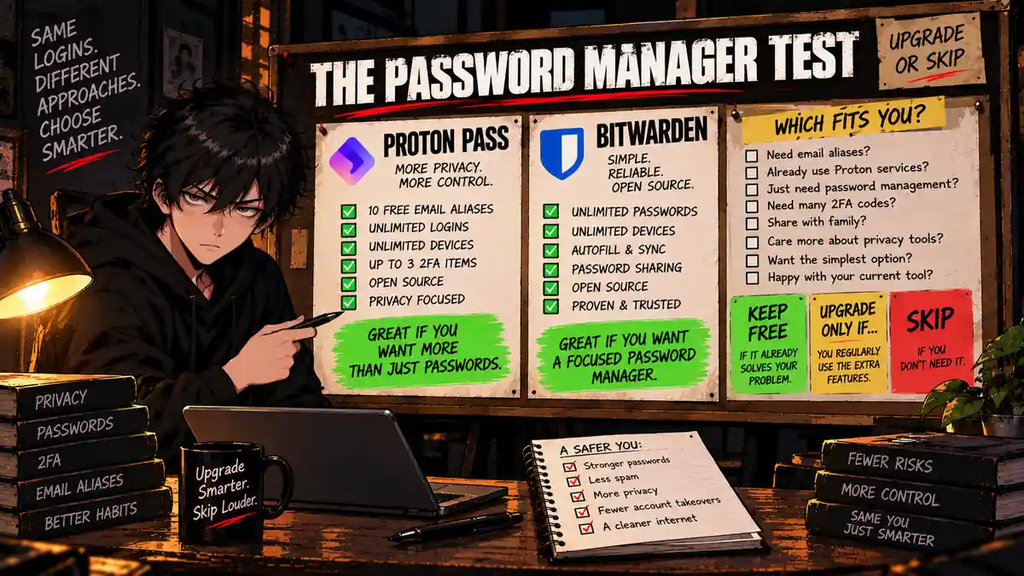
The Bitwarden vs Proton Pass Test
| Question | If Yes… |
|---|---|
| Do I just need a great password vault? | Bitwarden Free |
| Do I want email aliases too? | Proton Pass Free |
| Do I already use Proton? | Try Proton Pass |
| Am I already happy with Bitwarden? | Do Not Switch |
| Do I need Emergency Access? | Compare Paid Plans |
| Do I need lots of integrated TOTP codes? | Compare Paid Plans |
| Does Free already solve everything? | Stay Free |
The Upgrade Test
Ask:
“What repeated problem does the paid plan solve for me every week?”
Good answers:
- “I use integrated TOTP constantly.”
- “My family needs Emergency Access.”
- “I need many email aliases.”
- “I regularly share sensitive information.”
- “I need encrypted attachments.”
Bad answers:
- “Premium is cheap.”
- “I should probably pay for security.”
- “The paid plan has more checkmarks.”
- “Maybe I will need it eventually.”
- “There is an annual discount.”
More features are only more valuable when you use them.
Final Verdict
Bitwarden Free and Proton Pass Free are both unusually complete free products.
For users who mainly want a traditional password manager, Bitwarden remains an extremely straightforward choice.
You get unlimited passwords, unlimited devices, autofill, password generation, passkeys, sharing with one other user, and an inexpensive Premium path if your needs grow.
Proton Pass becomes more interesting when password management is only part of your privacy problem.
Its 10 free hide-my-email aliases, limited free 2FA storage, and integration with the broader Proton ecosystem give it features Bitwarden does not package in quite the same way.
So the decision is:
BITWARDEN FREE if you want a focused password manager.
PROTON PASS FREE if you want password management plus identity privacy.
BITWARDEN PREMIUM if its advanced vault features solve a repeated need.
PROTON PASS PAID if aliases, sharing, monitoring, and privacy features become part of your regular workflow.
And if either Free plan already handles every login you have?
Stay Free.
You do not get extra cybersecurity points because another annual renewal appears on your credit card.
Upgrade or Skip Verdict
| User Type | Verdict |
|---|---|
| Most standalone password-manager users | BITWARDEN FREE |
| Privacy-focused / Proton ecosystem users | PROTON PASS FREE |
| Users needing Bitwarden advanced features | UPGRADE BITWARDEN |
| Users needing advanced aliases/privacy tools | CONSIDER PROTON PASS PAID |
| Users already happy with either Free plan | STAY FREE |
FAQ
Is Proton Pass better than Bitwarden?
It depends on the workflow. Bitwarden is particularly strong as a focused standalone password manager, while Proton Pass adds identity-privacy features such as built-in hide-my-email aliases. Both offer strong free plans.
Is Bitwarden still free in 2026?
Yes. Bitwarden currently offers an always-free personal plan with unlimited passwords and unlimited devices.
Is Proton Pass really free?
Yes. Proton Pass Free currently includes unlimited entries and devices, password generation, apps across major platforms, 10 hide-my-email aliases, and up to three 2FA items.
Which is better for free: Proton Pass or Bitwarden?
Bitwarden is a strong choice if you mainly need password management. Proton Pass becomes especially attractive if you also want email aliases and integration with Proton’s privacy ecosystem.
Does Proton Pass Free include 2FA?
Proton’s current documentation says Free users can store up to three 2FA items. Users needing a larger integrated authenticator workflow should compare the paid plan.
Does Bitwarden Free include an authenticator?
Bitwarden supports two-step login on Free, but its integrated TOTP authenticator for generating codes for stored accounts is currently a Premium feature.
How much is Bitwarden Premium in 2026?
Bitwarden currently lists Premium at $1.65 per month equivalent, billed annually at $19.80 before applicable taxes.
Should I switch from Bitwarden to Proton Pass?
Not automatically. If Bitwarden already works well, switching creates migration work without necessarily solving a problem. Proton Pass is more compelling if you specifically want its email-alias functionality or Proton ecosystem integration.
Should I pay for a password manager?
Pay when the premium plan solves a repeated problem. If the free plan already provides the storage, devices, sync, autofill, passkeys, and security features you actually use, staying free is reasonable.
Sources
- Bitwarden — Personal Password Manager
- Bitwarden — Password Manager Pricing
- Bitwarden — Families
- Proton — Proton Pass
- Proton — Proton Pass Pricing
- Proton — Proton Pass Plans Explained
- Proton — Proton Pass Security
Pricing, plan limits, promotions, and included features may change. Check the official provider pages before upgrading.
Next Up
Bitwarden Premium Review 2026: Is $19.80 a Year Actually Worth It?
Upgrade smarter. Skip louder.