
Welcome back to Upgrade or Skip.
ProWritingAid is not trying to be the quiet grammar checker that fixes a comma and disappears.
It wants to examine your style, sentence length, readability, repetition, pacing, dialogue, structure, overused words, clichés, transitions, and enough other writing habits to make a first draft feel personally investigated.
That depth is its biggest advantage over simpler writing assistants.
It is also the reason ProWritingAid can feel slower, more demanding, and occasionally more interested in rewriting your voice than preserving it.
For this review, I tested ProWritingAid with short professional writing, article drafts, long-form documents, style reports, readability analysis, repeated-word reports, sentence-level suggestions, Rephrase, Sparks, browser-based editing, and its long-form writing features.
I also compared the results with Grammarly Pro and reviewed ProWritingAid’s current pricing, Free-plan restrictions, Premium and Premium Pro limits, renewal rules, refund policy, official documentation, and recurring public user feedback.
Prices and plan details were last checked on August 31, 2026. Pricing may vary by currency, region, account status, promotion, tax, and purchase channel. Confirm the final checkout total before paying.
Quick Verdict
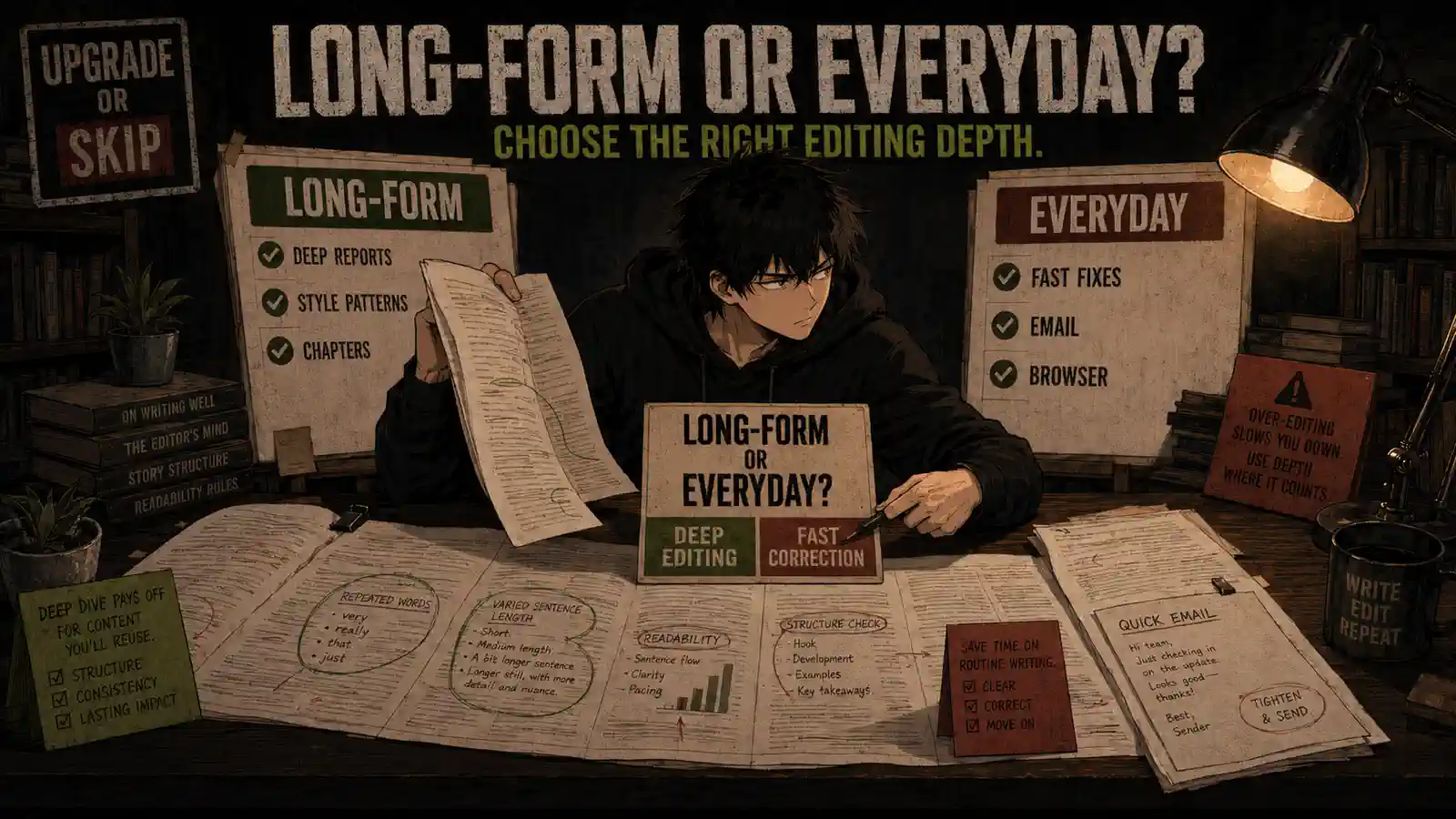
ProWritingAid is better than Grammarly for many novelists, long-form writers, and people who want detailed reports explaining patterns across an entire draft.
Grammarly is better for everyday emails, workplace messages, browser-based writing, quick corrections, tone adjustments, and people who want useful suggestions without stopping to analyze 25 different aspects of a paragraph.
The ProWritingAid Free plan is enough to test the system, but its 500-word editing limit makes it frustrating for serious long-form work.
Premium is the best plan for most paying users.
Premium Pro mainly adds substantially higher Sparks limits, more Chapter Critiques, larger Story Credit discounts, workshops, writing sprints, and community features. Those additions are designed primarily for active fiction writers—not ordinary users who want cleaner emails.
My verdict:
- Upgrade to Premium if you regularly edit novels, articles, essays, reports, or other long documents and actively use the detailed writing reports.
- Choose Premium Pro only if Sparks, Chapter Critiques, manuscript-analysis discounts, workshops, and the writing community are part of your real weekly workflow.
- Stay Free if you are still testing the reports or only check short passages.
- Choose Grammarly instead if your priority is fast correction inside emails, browser text boxes, workplace documents, and everyday communication.
- Skip both paid plans if built-in writing tools or an AI assistant you already pay for solve the same problem.
ProWritingAid can tell you more about your writing than Grammarly.
Whether you want that much feedback is a separate subscription decision.
What Is ProWritingAid?
ProWritingAid is an English-language grammar checker, style editor, and long-form writing analysis platform.
It checks basic issues such as:
- Grammar
- Spelling
- Punctuation
- Readability
- Sentence structure
- Repeated words
- Overused words
- Passive voice
- Clichés
- Transitions
- Sentence length
- Dialogue
- Pacing
- Style consistency
It also provides more specialized reports designed to identify patterns across longer documents.
According to its current plan comparison, ProWritingAid offers more than 25 writing reports. Paid plans allow unlimited report runs and remove the Free plan’s 500-word editing restriction.
ProWritingAid works with several common writing environments, including its web editor, desktop applications, Microsoft Word, Google Docs, and Scrivener-related workflows.
The platform is now positioned particularly strongly toward:
- Fiction writers
- Novelists
- Authors
- Editors
- Long-form bloggers
- Students
- Researchers
- Nonfiction writers
- People revising large drafts
It can still check an email.
That is simply a little like hiring a building inspector to look at a loose cabinet handle.
ProWritingAid Pricing
ProWritingAid currently offers Free, Premium, and Premium Pro plans.
The official ProWritingAid pricing page displayed the following US pricing when checked:
| Plan | Monthly | Annual | Lifetime |
|---|---|---|---|
| Free | $0 | $0 | $0 |
| Premium | $30/month | $120/year | $399 one-time |
| Premium Pro | $36/month | $144/year | $699 one-time |
Taxes and regional pricing may vary.
Monthly and annual plans renew automatically. Lifetime licenses are one-time purchases and do not renew.
Premium Purchase Math
Premium costs:
- $30 for one month
- $120 for one year
- $399 for Lifetime
Paying monthly for a full year would cost:
$30 × 12 = $360
The annual plan costs $120.
That creates a difference of:
$360 − $120 = $240
The annual plan averages:
$120 ÷ 12 = $10 per month
The Lifetime plan costs $399, equivalent to approximately:
3.33 years of annual Premium
If you would otherwise pay $120 every year, the rough break-even point is:
$399 ÷ $120 = 3.325 years
That calculation makes Lifetime look attractive for a committed long-form writer who expects to use ProWritingAid for four years or longer.
It is not automatically attractive for someone who has used the Free plan for two afternoons.
Premium Pro Purchase Math
Premium Pro costs:
- $36 for one month
- $144 for one year
- $699 for Lifetime
Twelve monthly payments would cost:
$36 × 12 = $432
The annual plan costs $144, saving $288 compared with paying monthly for a full year.
The annual cost difference between Premium and Premium Pro is:
$144 − $120 = $24 per year
That difference is small.
However, Premium Pro is not automatically better simply because the annual upgrade costs another $24.
Its extra value comes from:
- 50 Sparks per day instead of 5
- Three Chapter Critiques per day instead of one
- Larger Story Credit discounts
- Live author and editor workshops
- An on-demand workshop library
- Writing sprints
- Group critique sessions
- Networking events
- Guided writing challenges
If those features support your writing process, another $24 per year is reasonable.
If you only want grammar and style reports, Premium already handles the main job.
The Lifetime difference is much larger:
$699 − $399 = $300
That requires more caution.
Lifetime Premium Pro makes sense only when its writer-focused AI, analysis, and community features are part of a long-term workflow.
Lifetime purchases have a special talent for turning optimism into a capital expense.
ProWritingAid Free vs Premium vs Premium Pro
The current differences are:
| Feature | Free | Premium | Premium Pro |
|---|---|---|---|
| Words checked at one time | 500 | Unlimited | Unlimited |
| Report runs | 2 per report per day | Unlimited | Unlimited |
| Rephrases | 10 per day | Unlimited | Unlimited |
| Sparks | 3 per day | 5 per day | 50 per day |
| Grammar, spelling, and punctuation | Yes | Yes | Yes |
| Advanced style suggestions | No | Yes | Yes |
| Custom style guide | No | Yes | Yes |
| Customizable suggestions | No | Yes | Yes |
| Writing reports | Limited | 25+ reports | 25+ reports |
| Chapter Critiques | Not included | 1 per day | 3 per day |
| Story Credit discount | None | Up to 40% | Up to 65% |
| Exclusive workshops and community features | No | Limited | Yes |
| Lifetime option | No | Yes | Yes |
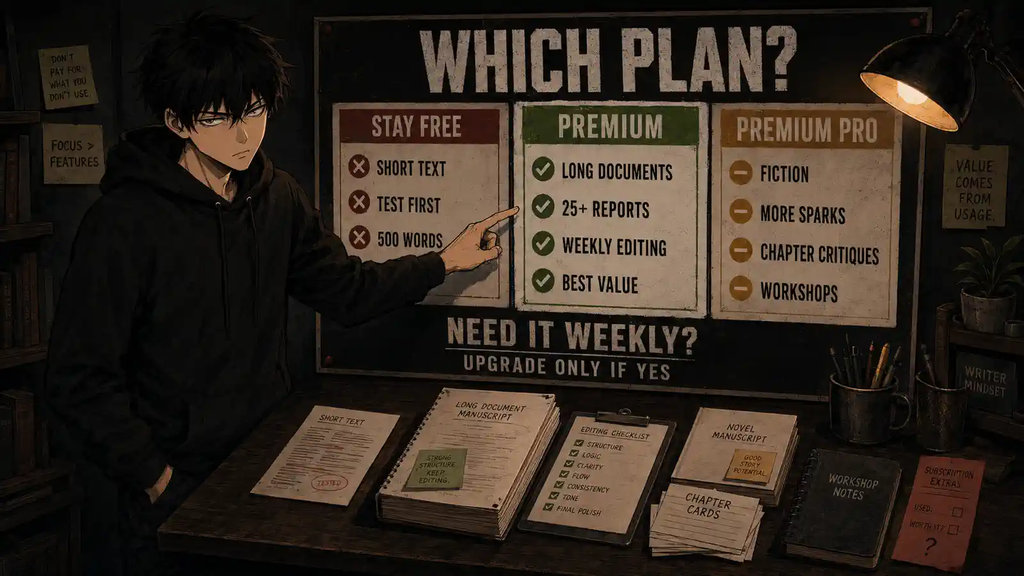
These limits are based on ProWritingAid’s official Free, Premium, and Premium Pro comparison.
Is ProWritingAid Free Enough?
Free is enough if you:
- Want to test the interface
- Check short passages
- Need basic grammar and spelling help
- Use fewer than ten Rephrases per day
- Do not mind splitting a document into 500-word sections
- Are still deciding whether the reports improve your writing
The 500-word limit is the main problem.
Five hundred words may cover a short email, an introduction, a product description, or part of a blog section.
It does not comfortably cover:
- A full article
- A university essay
- A detailed report
- A book chapter
- A short story
- A novel draft
You can paste a long document into 500-word sections, but that weakens the value of reports designed to identify patterns across longer writing.
A long-form editor with a 500-word limit is still useful.
It is also slightly like reviewing a film through individual screenshots.
Is Premium Enough?
Premium is the correct paid plan for most users.
It removes the word limit and provides:
- Unlimited report runs
- Unlimited Rephrases
- Advanced style improvements
- Custom style rules
- Snippets
- Terminology management
- More than 25 writing reports
- Customizable suggestions
- Document storage
- Collaboration
- One Chapter Critique per day
- Discounts on Story Credits
The move from Free to Premium changes how the product can be used.
Instead of testing isolated passages, you can analyze complete articles, essays, chapters, and long documents.
That is a meaningful upgrade.
Who Actually Needs Premium Pro?
Premium Pro is designed for users who want more than grammar and style correction.
According to ProWritingAid’s Premium Pro documentation, it increases Sparks to 50 per day and Chapter Critiques to three per day. It also provides the largest discounts on manuscript-analysis credits and access to additional community features.
Choose Premium Pro if you:
- Write fiction regularly
- Use Sparks throughout the drafting or revision process
- Want several Chapter Critiques per day
- Plan to purchase Manuscript Analysis or other Story Credits
- Attend writing workshops
- Use writing sprints or critique sessions
- Value an active writer community
- Are revising a book rather than checking occasional business writing
Do not choose Premium Pro because “Pro” sounds more complete.
Premium already is the complete editing plan for most users.
How I Tested ProWritingAid
I focused on the tasks that reveal whether ProWritingAid is more useful than a basic grammar checker:
- Checking a short professional message
- Editing an article draft
- Reviewing a longer document
- Running grammar and style suggestions
- Checking readability
- Finding repeated and overused words
- Reviewing sentence length and structure
- Comparing suggestions across different writing styles
- Testing Rephrase
- Exploring Sparks
- Reviewing report explanations
- Checking how easily suggestions could be accepted or ignored
- Comparing the workflow with Grammarly
- Reviewing the differences between Free, Premium, and Premium Pro
I did not accept every suggestion automatically.
Writing tools identify patterns.
They do not understand every character voice, intentional fragment, technical term, joke, rhythm choice, or reason a sentence is unusual.
The useful question is not:
“How many problems did the report find?”
It is:
“How many suggestions improved the draft without flattening the writer’s voice?”
What ProWritingAid Does Well
1. The Writing Reports Go Deeper Than Basic Grammar
ProWritingAid’s biggest advantage is the depth of its reports.
Instead of stopping at grammar and spelling, it can examine:
- Readability
- Style
- Sentence length
- Repetition
- Overused words
- Clichés
- Diction
- Transitions
- Pacing
- Dialogue
- Pronoun use
- Sticky sentences
- Sensory language
- Structure
This is useful because long-form problems are often cumulative.
One slightly repetitive sentence is not a crisis.
Repeating the same phrase 37 times across a manuscript is a pattern worth finding.
Grammarly is often better at helping a sentence right now.
ProWritingAid is often better at showing what the writer repeatedly does across a larger draft.
2. It Is Built for Long-Form Writing
The paid plans allow users to work with documents of unlimited length.
That makes ProWritingAid more suitable for:
- Novels
- Long articles
- Essays
- Reports
- Research writing
- Nonfiction books
- Multi-chapter projects
Its author comparisons, Chapter Critiques, manuscript tools, and fiction-focused reports reinforce that positioning.
If your main concern is improving a 70,000-word draft, ProWritingAid has a clearer job than a lightweight browser grammar checker.
3. The Reports Teach Instead of Only Correcting
Many suggestions include explanations.
That can help writers understand:
- Why a sentence is difficult to read
- Why repeated sentence openings weaken rhythm
- Where passive voice may reduce clarity
- Which words appear too frequently
- How transitions affect flow
- Where a paragraph becomes dense
- Why a suggestion may or may not fit the intended style
This makes ProWritingAid more useful for people who want to improve their editing judgment rather than click Accept until the document stops displaying colored lines.
4. Premium Offers Strong Annual Value
At $120 per year, Premium averages $10 per month.
That is lower than Grammarly Pro’s current $144 annual price.
It also provides a Lifetime option, while Grammarly primarily uses recurring subscriptions.
For someone who regularly edits long-form writing, the annual Premium price is reasonable.
The pricing becomes less convincing when:
- You only write occasionally
- You mainly need basic grammar correction
- You already pay for Grammarly
- ChatGPT or Claude handles your occasional editing
- You do not use the reports
- You are considering Lifetime before testing complete documents
5. Customization Helps Protect Intentional Style
Paid plans allow more control over suggestions.
You can create or adjust rules, manage preferred terminology, and tell the software to ignore certain patterns.
This matters for:
- Fiction dialogue
- Brand terminology
- Technical writing
- Character names
- Industry vocabulary
- Deliberate stylistic choices
No writing assistant understands your voice automatically.
Customization reduces the number of arguments you need to have with it.
Where ProWritingAid Disappoints
The Free Plan Is Too Limited for Real Long-Form Editing
The 500-word limit makes Free useful as a demonstration but awkward as a serious long-form workflow.
It proves that the reports exist.
It does not let a novelist or long-form writer evaluate them naturally across a complete project.
The Number of Suggestions Can Become Overwhelming
ProWritingAid can identify many possible issues at once.
That can create:
- Visual clutter
- Editing fatigue
- Excessive second-guessing
- Pressure to remove intentional style
- More time reviewing suggestions than improving the draft
Not every highlighted item is an error.
A report is evidence to consider, not a court order.
It Can Push Fiction Toward Generic Formal Writing
Some public users report that ProWritingAid applies overly formal or contemporary style expectations to:
- Character dialogue
- Historical language
- Unusual voices
- Fragments
- Dialect
- Deliberate repetition
- Genre-specific writing
A recent Trustpilot complaint described unsuitable suggestions for older language in a novel. Other reviewers have reported that fiction dialogue can attract business-style corrections.
These reports do not mean ProWritingAid is useless for fiction.
They mean fiction writers must be willing to reject inappropriate suggestions.
The software is an editor.
It is not the author.
Large Documents and Integrations Can Be Inconsistent
Some users report performance or display problems in Word, Google Docs, or the Everywhere application, particularly with long documents.
Public complaints include:
- Suggestions appearing repeatedly
- Previously corrected issues returning
- Visual markers covering text
- Slow behavior in large documents
- Integration failures after updates
- Difficulty working with complex manuscripts
One recent Trustpilot reviewer reported that ProWritingAid was helpful for final novel drafts but temporarily stopped working in Word before support provided another application link.
Integration behavior can change with:
- Operating-system updates
- Word or browser updates
- Document size
- Formatting complexity
- ProWritingAid updates
- The specific editor being used
Test the exact application and document size you plan to use.
The Refund Window Is Short
ProWritingAid advertises a three-day money-back guarantee for annual and Lifetime purchases.
Its official refund policy states:
- Annual subscriptions may be refunded when requested within three days
- Lifetime purchases may be refunded when requested within three days
- Monthly subscriptions are not refundable
- Plagiarism Checks and Story Credits are not refundable
Canceling does not create an automatic refund.
Three days is not much time to evaluate a long-form editor.
Before purchasing:
- Use the Free plan.
- Test its reports on representative passages.
- Decide which paid features matter.
- Purchase only when you have time to test a complete document.
- Record the purchase date.
- Contact support promptly if you need an eligible refund.
A money-back guarantee is less comforting when it expires before your weekend editing session begins.
Monthly and Annual Plans Auto-Renew
ProWritingAid confirms that monthly and annual subscriptions renew automatically.
You can cancel from your account, and the paid features should remain active until the end of the current billing period.
Lifetime licenses do not renew.
Do not confuse canceling with receiving a refund. ProWritingAid’s cancellation documentation states that refunds are not automatic.
What Real Users Say
At the time checked, ProWritingAid had a 4.2 TrustScore from 703 Trustpilot reviews.
Trustpilot states that the company had not recently invited customers to review, while also warning that the available reviews may not represent every user.
Positive feedback commonly mentions:
- Detailed writing reports
- Helpful grammar and style suggestions
- Strong support for novel editing
- Good long-form analysis
- Useful manuscript feedback
- Better awareness of repeated writing habits
- Helpful customer support experiences
- Good value for frequent writers
Negative feedback commonly mentions:
- Incorrect or overly rigid style suggestions
- Problems with character dialogue
- Integration failures
- Repeated suggestions
- Visual clutter
- Slow or frustrating large-document workflows
- Confusion about the refund policy
- Monthly plans being excluded from refunds
The pattern is consistent with the product’s design.
Users who want deep feedback often appreciate ProWritingAid.
Users who want fast, invisible correction may find it exhausting.
ProWritingAid vs Grammarly
ProWritingAid and Grammarly overlap, but they are optimized for different workflows.
| Need | ProWritingAid | Grammarly |
|---|---|---|
| Basic grammar and spelling | Good | Excellent |
| Fast everyday correction | Good | Better |
| Email and browser workflow | Available | Better |
| Long-form analysis | Better | More limited |
| Detailed writing reports | Better | More streamlined |
| Fiction editing | Stronger feature focus | Less specialized |
| Sentence rewrites | Available | Faster and more integrated |
| Tone adjustment | Available through its tools | Stronger everyday workflow |
| AI allowance | Sparks-based limits | 100 Free or 2,000 Pro prompts per month |
| Annual price | $120 Premium | $144 Pro |
| Lifetime option | Yes | No standard Lifetime option |
| Best for | Authors and long-form writers | Everyday professional writing |
As explained in our complete Grammarly Pro Review, Grammarly’s main advantage is convenience.
It appears inside emails, documents, browser text boxes, and everyday writing workflows. Its suggestions are usually faster to review and easier to apply without interrupting the task.
ProWritingAid asks for more attention.
That is useful when editing is the task.
It is less useful when you are trying to send a three-line email before a meeting.
Choose ProWritingAid If
- You write novels or long-form nonfiction.
- You edit complete chapters or large documents.
- You want detailed style reports.
- You want to understand repeated writing habits.
- You use Scrivener or an author-focused workflow.
- You prefer a Lifetime purchase option.
- Editing depth matters more than immediate convenience.
Choose Grammarly If
- You write professional emails throughout the day.
- You want help across websites and workplace applications.
- You value fast sentence rewrites and tone adjustments.
- You want fewer, more immediate suggestions.
- Your writing consists mainly of messages, documents, applications, and business communication.
- You do not want to analyze a dashboard of writing reports.
Do You Need Both?
Probably not.
Both products correct grammar, spelling, style, clarity, and sentence-level writing.
Paying for both is reasonable only if they have clearly separate jobs.
For example:
- Grammarly handles daily emails and professional communication.
- ProWritingAid handles book chapters and long-form editing.
That is a defensible workflow.
Using both to check the same occasional paragraph is subscription duplication.
As discussed in When an Upgrade Actually Makes Sense, paid software should solve a repeated problem.
“Maybe the second grammar checker will disagree more intelligently” is not a repeated problem worth funding.
ProWritingAid vs QuillBot
QuillBot focuses more strongly on paraphrasing, rewriting, summarizing, and transforming existing text.
ProWritingAid focuses more strongly on:
- Grammar
- Style patterns
- Long-form structure
- Repetition
- Readability
- Fiction editing
- Writing reports
- Manuscript feedback
Our QuillBot Premium Review found that QuillBot makes the most sense when paraphrasing is the repeated task.
Choose QuillBot if you primarily want:
- Fast paraphrasing
- Multiple rewriting modes
- Summarization
- Sentence transformation
- A simpler rewrite-focused workflow
Choose ProWritingAid if you primarily want:
- Long-form editing
- Detailed reports
- Style analysis
- Repetition analysis
- Fiction-focused feedback
- Chapter and manuscript tools
Do not subscribe to both because they are both described as writing tools.
Subscribe only when each has a different weekly job.
Upgrade to ProWritingAid If
Choose Premium if:
- You write or edit long documents every week.
- The Free plan’s 500-word limit interrupts real work.
- You use several writing reports regularly.
- You want to analyze complete articles, chapters, essays, or reports.
- Repetition, readability, sentence structure, and style patterns matter.
- ProWritingAid helps you edit more effectively—not merely find more things to worry about.
- You prefer its $120 annual plan to Grammarly’s workflow.
- You have tested the exact integration you plan to use.
- You can recover the cost through saved editing time or better paid work.
Choose Premium Pro if:
- You use Sparks heavily.
- You want several Chapter Critiques per day.
- You will purchase Story Credits.
- The additional Story Credit discount offsets part of the price.
- You attend workshops or writing sprints.
- You actively use critique sessions and community features.
- You are working on a serious book project.
Stay Free If
Keep the Free plan if:
- You are still learning the reports.
- You only check short passages.
- Your documents usually stay below 500 words.
- Ten daily Rephrases are enough.
- Three Sparks per day are enough.
- You do not yet know which report improves your work.
- You want to test integrations before paying.
- Another writing tool already handles your important work.
Free should prove the need for Premium.
Premium should not be purchased to create the need.
Choose Grammarly Instead If
Choose Grammarly if:
- Your main writing happens in email and browser applications.
- You want immediate grammar and tone help.
- You write shorter professional content.
- You value speed more than detailed analysis.
- You prefer one-click rewrites.
- You do not write fiction or long-form content.
- ProWritingAid’s reports feel like additional work.
- Grammarly Free already solves most of your problems.
Skip ProWritingAid If
Skip the paid plans if:
- You write infrequently.
- You mainly need spellcheck.
- Your existing editor already catches enough mistakes.
- You already pay for Grammarly and cannot define a separate ProWritingAid workflow.
- You expect software to make every style decision correctly.
- You automatically accept every suggestion.
- You are buying Lifetime before testing a full document.
- You do not have time to evaluate the purchase during the three-day refund window.
- You only want occasional AI rewriting that ChatGPT, Claude, or another existing subscription already provides.
- The number of reports makes you edit more slowly rather than more effectively.
The Long-Form Writing Test
Before paying, edit one representative long document.
Use:
- A complete article
- A full essay
- A report
- A short story
- A book chapter
- A client document
Then ask:
- Which reports found problems I would have missed?
- How many suggestions improved the writing?
- How many suggestions damaged intentional voice?
- Did the software save editing time?
- Did it work smoothly in my normal writing application?
- Would I run these reports every week?
- Does Premium replace another paid tool?
- Do I need Premium Pro’s additional features?
- Is the annual plan enough before considering Lifetime?
A useful editor should improve the document.
It should not merely produce a longer list of editing tasks.
Final Verdict
ProWritingAid is one of the stronger writing tools for novelists, authors, editors, and people working with long documents.
Its best features are:
- Detailed writing reports
- Strong long-form analysis
- Repetition and style-pattern detection
- Fiction-focused tools
- Unlimited document length on paid plans
- A reasonably priced annual Premium plan
- Lifetime purchase options
- Customizable editing rules
- Chapter and manuscript features
Its biggest weaknesses are:
- A restrictive 500-word Free limit
- Potentially overwhelming suggestions
- Inconsistent advice for dialogue and intentional style
- Report-heavy workflow
- Integration complaints
- A very short three-day refund window
- No refunds for monthly subscriptions
- Expensive Lifetime Premium Pro pricing
My final decision:
- Upgrade to Premium: Regular authors, long-form writers, editors, students, and professionals who actively use the reports.
- Choose Premium Pro: Fiction writers who use Sparks, Chapter Critiques, manuscript tools, workshops, and community features.
- Stay Free: Short-text users and anyone still evaluating the workflow.
- Choose Grammarly: Everyday email, workplace, browser, and fast correction.
- Skip: Occasional writers, subscription overlap, and anyone who does not want detailed style analysis.
ProWritingAid is better than Grammarly for many long-form writers.
Grammarly is better for most everyday writers.
The winner depends less on which tool finds more problems and more on where you actually write.
Frequently Asked Questions
Is ProWritingAid worth it in 2026?
Yes, for people who regularly write or edit long documents and use its detailed writing reports. Casual writers and short-email users should start with Free or consider Grammarly instead.
Is ProWritingAid better than Grammarly?
ProWritingAid is generally better for long-form analysis, fiction, detailed reports, repetition, readability, and structural patterns. Grammarly is generally better for fast everyday corrections, emails, workplace writing, tone adjustment, and browser-based convenience.
Is ProWritingAid Free enough?
Free is enough for testing and short passages. Its 500-word checking limit makes it inconvenient for complete articles, essays, chapters, and other long documents.
How much does ProWritingAid cost?
As of August 31, 2026, Premium costs $30 monthly, $120 annually, or $399 for Lifetime. Premium Pro costs $36 monthly, $144 annually, or $699 for Lifetime. Prices and currencies may vary.
Is ProWritingAid Premium Pro worth it?
Premium Pro is worth considering for fiction writers who use Sparks, multiple daily Chapter Critiques, Story Credits, workshops, writing sprints, and community features. Most users only need Premium.
Does ProWritingAid offer a Lifetime plan?
Yes. Premium Lifetime currently costs $399, while Premium Pro Lifetime costs $699. These are one-time payments and do not automatically renew.
Does ProWritingAid offer refunds?
Annual and Lifetime purchases may be refunded when requested within three days of purchase. Monthly plans, Plagiarism Checks, and Story Credits are not refundable. Canceling does not automatically trigger a refund.
Does ProWritingAid work with Scrivener?
ProWritingAid supports workflows used by Scrivener writers, making it a popular option for authors. Test the current integration and document workflow before purchasing because compatibility and application behavior may change.
Is ProWritingAid good for fiction?
It offers several features designed specifically for fiction, including detailed reports, author comparisons, Chapter Critiques, manuscript tools, pacing analysis, dialogue analysis, and community features. Writers still need to reject suggestions that conflict with character voice or intentional style.
Can ProWritingAid replace a human editor?
No. It can identify grammar issues, style patterns, repetition, readability problems, and possible structural weaknesses. It cannot fully understand creative intent, factual accuracy, emotional impact, genre expectations, or the complete reader experience.
Do I need ProWritingAid and Grammarly?
Most people do not. Paying for both makes sense only when Grammarly handles everyday communication and ProWritingAid handles a clearly separate long-form editing workflow.
Next Up
Smallpdf Pro Review: Is the Free Version Already Enough?
Upgrade smarter. Skip louder.