
Disclosure: This post may contain affiliate links. If you buy through them, we may earn a small commission at no extra cost to you.
Welcome back to Upgrade or Skip.
In the last post, we talked about what happens when you try using AI for everything.
The short version:
It feels productive until your entire day becomes one long conversation with machines that keep politely creating more work for you.
Now let’s talk about one of the places where AI can actually feel like a cheat code:
Coding.
AI coding tools promise a lot.
Write code faster.
Fix bugs faster.
Understand old projects faster.
Build apps without being a “real developer.”
Very calm promises.
Very inexpensive-looking monthly subscriptions.
Very easy to justify when it is 1:17 a.m., one function is broken, Stack Overflow has three answers from 2019, and none of them work anymore.
But here is the real question:
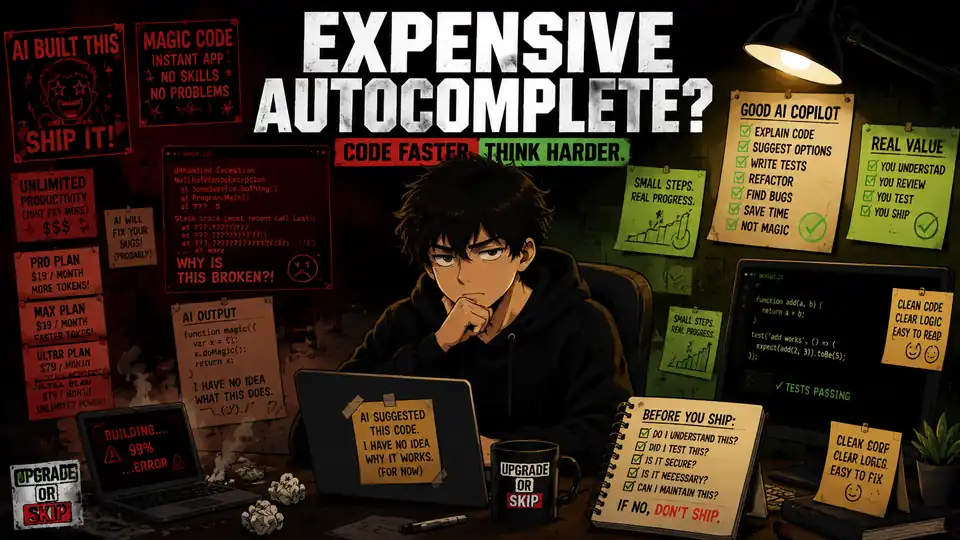
Are AI coding tools actually a productivity boost, or are they just expensive autocomplete with a better marketing department?
The answer depends heavily on who is using them.
Because for some people, AI coding tools are genuinely useful.
For others, they are an extremely efficient way to generate code they do not understand.
And that is where the bill gets interesting.
What AI Coding Tools Actually Do
AI coding tools are not all the same, but most of them help with a familiar set of tasks:
- Completing code while you type
- Explaining unfamiliar code
- Generating functions from prompts
- Suggesting bug fixes
- Writing tests
- Refactoring messy files
- Creating small scripts
- Helping with documentation
- Answering programming questions inside your editor
Tools like GitHub Copilot, Cursor, Windsurf, Claude Code, and similar assistants are trying to become part of the development workflow itself, not just another chatbot sitting in a browser tab.
That difference matters.
A normal chatbot can explain code.
A coding assistant can work with the context around your project, suggest changes, and sometimes apply those changes directly.
That is when AI coding stops feeling like a fancy search box and starts feeling like a very fast junior assistant.
Helpful?
Absolutely.
Dangerous?
Also absolutely.
Because the junior assistant types at superhuman speed and occasionally invents an API with complete confidence.
The Best Case: AI Removes Boring Friction
The strongest argument for AI coding tools is not:
“AI can replace developers.”
That is the headline people argue about.
The much more boring argument is also the more convincing one:
AI can remove a lot of annoying little tasks.
If you already know what you are building, AI can help with:
- Boilerplate
- Repetitive functions
- Simple UI components
- Basic tests
- Error messages
- Small refactors
- Format conversions
- Unfamiliar syntax
- Finding likely causes of bugs
This is where AI coding tools become genuinely useful.
Not because the AI is secretly a genius.
Because it saves little chunks of time all day.
Five minutes here.
Ten minutes there.
Less tab-switching.
Less searching.
Less staring at documentation wondering why the official example is almost what you need, but somehow not quite.
For experienced users, that can add up fast.
If you already know how to review code, reject garbage, test changes, and recognize when the model has wandered into fantasy land, AI can feel like a real speed boost.
Not a replacement brain.
More like a faster shovel.
Still your hole.
The Worst Case: AI Helps You Build Confusion Faster
Then there is the other version.
You ask AI to build something.
It generates code.
The code looks serious.
Functions.
Comments.
Error handling.
Nice file names.
Very professional.
Then something breaks.
Now you do not know whether the problem is:
- Your prompt
- The generated code
- The framework
- The dependency version
- The file structure
- A missing environment variable
- An invented API
- Or one tiny line the AI confidently hallucinated
This is where AI coding tools stop looking like productivity tools and start looking like debt generators.
The AI made you faster.
Unfortunately, it made you faster in the wrong direction.
For beginners especially, this is the trap.
AI can help you learn.
It can also help you skip the exact part where learning was supposed to happen.
If you copy code you cannot explain, you are not moving faster.
You are borrowing confusion.
With interest.
Free vs Paid AI Coding Tools
The AI coding market has become very good at making $10, $20, $40, and higher monthly charges look tiny.
It is just another tool.
Another productivity expense.
Another investment in yourself.
Beautiful.
Now ask the question that ruins the sales pitch:
What did it help you finish this month?
Not:
“Which model does it use?”
Not:
“How big is the context window?”
Not:
“Does the agent mode look cool on YouTube?”
What happened because you paid?
Did you:
- Finish a project faster?
- Fix bugs that had you stuck?
- Write useful scripts?
- Save time on repetitive edits?
- Understand a codebase faster?
- Create tests you would otherwise avoid?
- Ship something real?
If yes, the subscription has an argument.
If not, you may be paying for a very futuristic sidebar.
Still decoration.
Just decoration with autocomplete.
When AI Coding Tools Are Actually Worth It
AI coding tools make the most sense when you already have real coding work.
You do not need to be a senior engineer.
You do need something more concrete than:
“I might build an app someday.”
Someday has funded enough subscriptions already.
AI coding tools become easier to justify if you regularly:
- Build websites
- Edit WordPress code
- Write scripts
- Work with APIs
- Maintain projects
- Fix bugs
- Build automations
- Create internal tools
- Learn programming through real projects
- Work inside existing codebases
In those situations, there is actual work to accelerate.
The AI suggests.
You judge.
The AI drafts.
You test.
The AI explains.
You verify.
That relationship works.
The important part is that you are still driving.
AI Coding Tools for Non-Developers
This is where the marketing gets loud.
AI coding tools increasingly suggest that normal people can build software simply by describing what they want.
And to be fair:
That is more possible than it used to be.
A non-developer can use AI to help create:
- A landing page
- A calculator
- A simple script
- A basic dashboard
- A prototype
- A tiny internal tool
That is real progress.
The problem begins when the prototype becomes a product.
Suddenly you need:
Authentication.
Payments.
Database security.
User permissions.
Deployment.
Backups.
Error handling.
Privacy.
Maintenance.
Now the cute weekend project has discovered adulthood.
AI may help you create version one.
It does not guarantee you understand version two.
And software always becomes version two.
Then version three.
Then a bug report.
Then one user discovers something breaks only on Safari on an iPad in landscape mode.
Technology is romantic like that.
For non-developers, AI coding tools are excellent for prototyping and learning.
They become risky when they are treated as a way to skip understanding completely.
The “I Can’t Code But I Built an App” Trap
You have probably seen the content.
“I built a SaaS in one weekend.”
“I made an app with zero coding knowledge.”
“AI replaced my developer.”
Maybe.
Or maybe the demo survived exactly long enough for the thumbnail.
The hard part of software is not always generating the first files.
The hard part is understanding:
Why did this break?
Is the fix safe?
What happens with real users?
What happens with bad input?
What happens when an API changes?
What happens six months from now when nobody remembers why this function exists?
AI coding tools make the first part easier.
They do not magically delete the second part.
That matters especially for beginners.
If you are learning, AI can explain concepts, generate examples, and help you get unstuck.
Great.
But if you let it write everything, you can end up with something worse than no code:
Code you trust but do not understand.
That is a dangerous little creature.
Keep it in a small cage.
What Developers Actually Complain About
Look through developer communities and the argument around AI coding tools usually splits into two camps.
One group says the tools are already part of their daily workflow.
Autocomplete.
Boilerplate.
Refactoring.
Tests.
Documentation.
Quick explanations.
For them, AI removes friction.
The other group complains about:
Wrong suggestions.
Bloated code.
Broken context.
Security problems.
Confident hallucinations.
Constant review.
Fixing AI-generated messes that should never have existed.
Both groups can be right.
Annoying, I know.
AI coding tools are not equally valuable for everyone.
They reward people who can evaluate the output.
They punish people who blindly trust it.
That is not some minor limitation.
That is the product.
Where AI Coding Tools Help Most
AI coding tools tend to work best on contained tasks.
Things like:
- “Explain what this error means.”
- “Write a basic test for this function.”
- “Refactor this repeated logic.”
- “Convert this function from JavaScript to Python.”
- “Create a small script that renames these files.”
- “Summarize what this file does.”
- “Help me understand this API response.”
- “Find likely causes of this bug.”
These tasks have boundaries.
The AI does not need to become your CTO.
It needs to help with one piece.
Small job.
Clear context.
Human review.
Very boring.
Very useful.
Where AI Coding Tools Struggle
The danger rises when the task becomes vague, huge, or high-stakes.
Be especially careful around:
- Security-sensitive code
- Payment flows
- Authentication
- Production database changes
- Large multi-file refactors
- Compliance-heavy systems
- Performance-critical code
- Anything you cannot properly test
- Anything you do not understand well enough to review
The AI will still happily produce an answer.
That does not mean the answer belongs anywhere near production.
A confident code suggestion is not the same thing as a safe code change.
The model is not embarrassed when it breaks.
You will be.
The Real Cost Is Not the Subscription

The monthly fee is the obvious cost.
The less obvious cost is review.
Every generated change still needs someone to ask:
- Is this correct?
- Is this secure?
- Does this fit the existing project?
- Did it introduce unnecessary complexity?
- Is there a simpler solution?
- Can I explain this later?
- Did I actually test it?
If you cannot answer those questions, the tool may be making you feel faster while quietly making the project more fragile.
That is the hidden bill.
Not $20.
Cleanup.
Confusion.
False confidence.
And the inevitable:
“Why is this file 600 lines now?”
Very elegant.
Very modern.
Very unpaid.
Should Beginners Use AI Coding Tools?
Yes.
Carefully.
AI can be an excellent programming tutor.
Ask it:
- Why an error happened
- What a function does
- How two approaches differ
- For a simpler example
- To explain code line by line
- To quiz you on a concept
- To help you debug without immediately giving the answer
That is useful.
What you do not want is:
Generate project.
Copy project.
Run project.
Something breaks.
Paste error.
Copy fix.
Repeat until consciousness leaves the body.
If you are learning, AI should be a tutor.
Not a vending machine.
A vending machine may give you code.
It will not necessarily give you skill.
And skill is still what saves you when the vending machine jams.
Should Small Business Owners Use AI Coding Tools?
Sometimes.
For a small website, blog, store, or content business, AI coding tools can be genuinely useful for little technical jobs:
- Formatting data
- Creating simple scripts
- Cleaning spreadsheets
- Writing HTML snippets
- Understanding plugin errors
- Drafting small CSS changes
- Brainstorming automations
- Explaining code someone else sent you
Those jobs can save time and sometimes money.
But there is an enormous difference between:
“Help me understand this CSS.”
and:
“Rewrite the important parts of my production website. I have no idea what they do.”
For WordPress especially, tiny mistakes can create surprisingly large messes.
Very democratic software.
Everyone gets a chance to break something.
Use AI for support.
Not reckless surgery.
And make a backup before touching anything important.
Upgrade If:
Upgrade to a paid AI coding tool if:
- You code regularly.
- You understand enough to review the output.
- You can test generated changes.
- You work on real projects often enough for the saved time to accumulate.
- You regularly use AI for repetitive coding, tests, refactoring, scripts, or explanations.
- The tool removes friction from an existing workflow.
- You have a clear monthly use case.
- You can point to something it actually helped you finish.
The last one is the test.
Not tokens.
Not benchmarks.
Not vibes.
What shipped?
Skip If:
Skip the paid plan if:
- You rarely code.
- You mainly want to feel more productive.
- You copy generated code without understanding it.
- You cannot properly test the output.
- You are working on security, payments, or production systems you do not understand.
- Your existing general AI subscription already handles your occasional coding questions.
- The tool creates more cleanup than progress.
- You cannot name what it helped you finish this month.
If the answer is:
“Well, I generated a lot of code…”
That is not necessarily a win.
A printer can generate a lot of paper too.
The Upgrade or Skip Take
AI coding tools are not useless.
They are also not magic.
They are best when they help capable users move faster through real work.
They are worst when they help uncertain users generate code they cannot understand, test, or maintain.
That is the line.
If an AI coding tool helps you fix real bugs, write better tests, understand unfamiliar code, remove repetitive work, or ship projects faster, paying for it can make sense.
If it mostly gives you the warm feeling that you are “building with AI,” skip it.
A tool that helps you think is useful.
A tool that helps you avoid thinking is expensive trouble with syntax highlighting.
Next Up:
AI Image Generators: Are They Actually Worth Paying For?
AI image tools can generate something impressive in seconds.
They can also turn:
“Just one more generation.”
into:
“Why am I paying for another subscription to make six versions of the same thumbnail?”
Next, we will look at when AI image generators actually earn their price for creators, blogs, thumbnails, small businesses, and everyday users.
Upgrade smarter. Skip louder.