
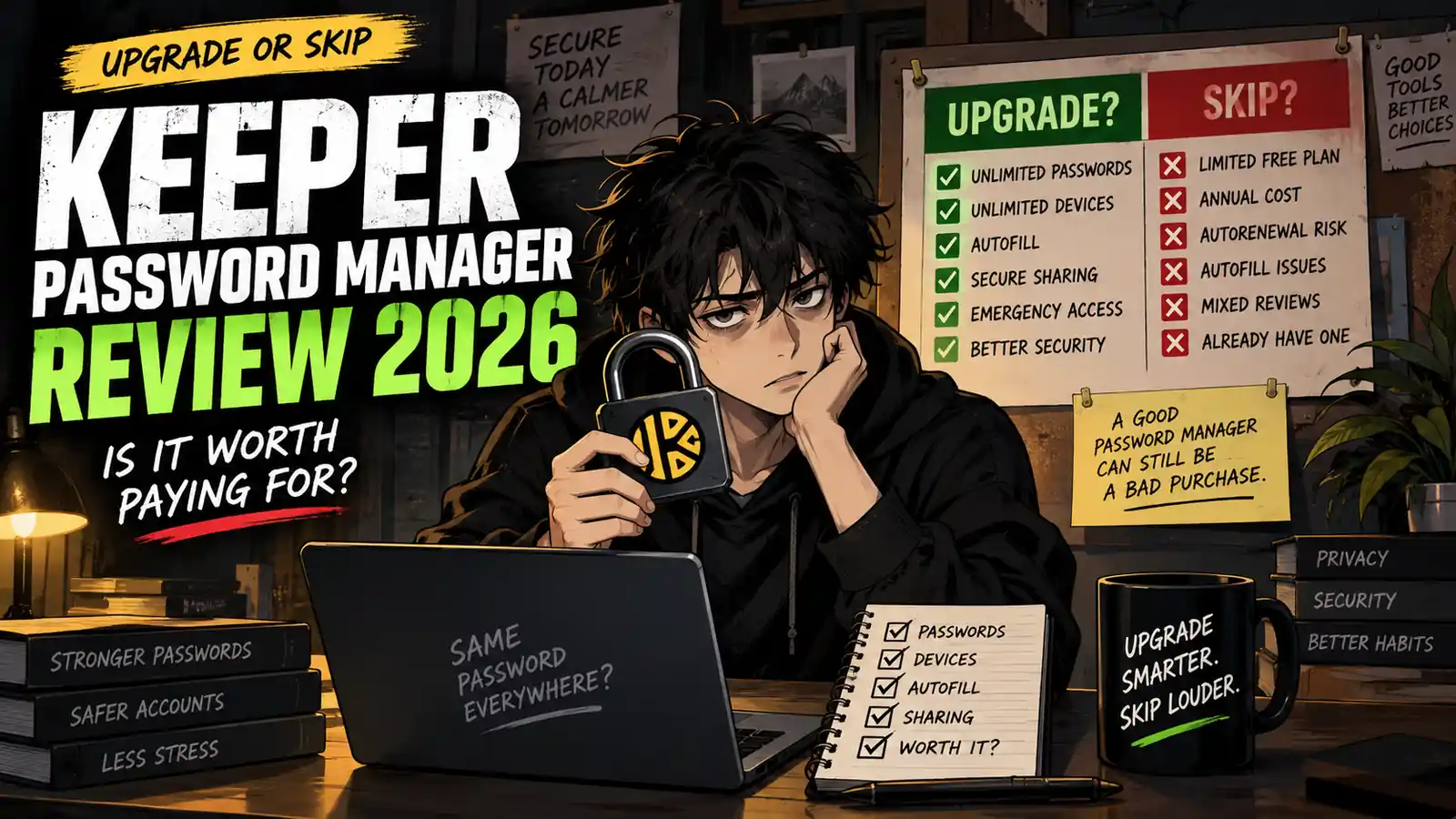
Welcome back to Upgrade or Skip.
Password managers have one job that sounds almost insultingly simple:
Remember your passwords so you don’t have to.
Then the subscription page arrives.
Keeper Password Manager offers encrypted password storage, autofill, syncing across devices, secure sharing, passkey support, emergency access, and optional security tools such as BreachWatch.
It is a serious password manager.
But that does not automatically make it a necessary subscription.
Keeper also has a Free version — and there are competing password managers with generous free tiers.
So the real question is not whether Keeper is secure or feature-rich.
It is:
Does Keeper solve enough repeated password problems to justify paying every year?
Quick Verdict
Keeper is worth paying for if you regularly use multiple devices and want one encrypted vault that automatically syncs passwords and passkeys across your phone, computer, browsers, and other devices.
The paid plan becomes especially useful if you rely on autofill, secure sharing, emergency access, or regularly manage a large collection of credentials.
But Keeper Free is extremely limited.
It currently supports only one mobile device and up to 10 password or passkey records.
That makes it useful for testing Keeper, but not a realistic long-term password manager for most people with dozens or hundreds of accounts.
Our verdict:
KEEPER UNLIMITED — UPGRADE if password management is already a daily problem.
KEEPER FREE — TEST IT, but expect to hit the limits quickly.
SKIP — if your current password manager already securely handles your passwords across every device you use.
Do not pay for two password managers.
Subscription stacks do not need backup goalkeepers.
Key Numbers at a Glance
| Detail | Keeper Free | Keeper Unlimited |
|---|---|---|
| Price | $0 | $39.99/year* |
| Monthly equivalent | $0 | About $3.33/month* |
| Passwords / passkeys | Up to 10 | Unlimited |
| Devices | 1 mobile device | Unlimited |
| Device syncing | No | Yes |
| Browser extension | No | Yes |
| Web Vault | No | Yes |
| Autofill | No | Yes |
| Secure sharing | No | Yes |
| Emergency Access | No | Yes |
| 2FA | Yes | Yes |
| Trial | — | 30 days |
| BreachWatch | No | Optional paid add-on |
| Secure File Storage | No | Optional paid add-on |
*Pricing can change. Check Keeper’s current checkout before purchasing.
So what?
The biggest reason to upgrade is not some exotic cybersecurity feature.
It is much simpler:
Unlimited passwords + unlimited devices + sync + autofill.
If you have 150 logins spread across a phone, desktop, laptop, and several browsers, that combination can remove friction every day.
If you have eight passwords and use one phone?
You probably do not need another subscription.
Upgrade or Skip in 10 Seconds
Upgrade if:
- You have dozens or hundreds of passwords.
- You use several devices.
- You want passwords synchronized automatically.
- You use browser autofill every day.
- You want secure password sharing.
- You need emergency access.
- Your current password system involves memory, reused passwords, spreadsheets, notes, or password-reset emails.
Stay Free if:
- You only want to test Keeper.
- You have fewer than 10 records.
- One mobile device is enough.
- You do not need browser extensions.
- You do not need syncing.
Skip if:
- You already use another good password manager.
- Your browser or device ecosystem already solves the problem safely enough.
- You would rarely use Keeper.
- You are buying mainly because of a discount.
- You want the most generous permanent free tier.
What We Checked
For this review, we checked Keeper’s current official plan documentation, Free and Unlimited limits, trial terms, device support, password and passkey storage, autofill, sharing, encrypted vault features, BreachWatch, secure file storage, and current user feedback.
We also compared recent review patterns across G2 and Trustpilot.
This is a research-based purchase decision.
The goal is not to declare Keeper the “best password manager.”
It is to determine whether paying for Keeper solves a problem that Free — or something you already use — does not.
What Is Keeper Password Manager?
Keeper is a password manager built around an encrypted digital vault.
You store credentials such as:
- Passwords
- Passkeys
- Login information
- Payment information
- Identity records
- Secure notes
- Other sensitive records
Keeper can then synchronize supported vault data across devices and use KeeperFill to autofill login credentials.
Keeper says its platform uses a zero-knowledge security architecture.
In practical terms, Keeper designs its system so that vault information is encrypted and decrypted on the user’s device, rather than giving Keeper access to the decrypted contents of your vault.
That is important.
But encryption architecture is only one part of the buying decision.
The other part is whether Keeper makes your everyday password workflow easier enough to justify paying for it.
Keeper Free vs Keeper Unlimited
This is where the decision becomes fairly straightforward.
| Feature | Keeper Free | Keeper Unlimited |
|---|---|---|
| Password / passkey records | 10 | Unlimited |
| Mobile devices | 1 | Unlimited devices |
| Device synchronization | No | Yes |
| Browser extension | No | Yes |
| Web Vault | No | Yes |
| Autofill | No | Yes |
| Secure sharing | No | Yes |
| Password generator | Limited / unavailable | Yes |
| Emergency Access | No | Yes |
| 2FA | Yes | Yes |
| FIDO2 security keys | No | Yes |
| Premium support | No | Yes |
| Security add-ons | No | Available |
Keeper Free is not really competing with Unlimited as a complete everyday product.
It is closer to:
“Try the basic vault and see whether you like Keeper.”
Ten records disappear very quickly.
Email.
Bank.
Amazon.
Netflix.
Steam.
Google.
Microsoft.
Social accounts.
Work logins.
Router.
Congratulations.
Your free password manager is already asking for a substitution.
Keeper Unlimited Pricing
Keeper currently lists its Personal password manager at approximately:
$3.33 per month equivalent
or
$39.99 billed annually.
That means the basic purchase math is simple:
$39.99 ÷ 12 = about $3.33/month.
Unlike some software subscriptions, there is not much mathematical theater required here.
The better question is:
Would you pay about $40 per year to stop manually managing passwords across your devices?
For someone who uses Keeper dozens of times every week, that can be reasonable.
For someone who rarely thinks about passwords because another free or paid tool already handles them?
That $40 buys duplication.
Keeper Family Pricing
Keeper also offers a Family plan.
Current published pricing is approximately:
$84.99 per year
or about:
$7.08/month equivalent.
The Family plan includes five private vaults.
Family members cannot simply browse one another’s private vaults.
Instead, specific records can be shared when needed.
Keeper also lists 10GB of secure file storage with the Family plan.
For five active users, the purchase math becomes more interesting.
$84.99 ÷ 5 = about $17 per person per year if all five slots are actually used.
But “five available users” is not the same thing as “five people who will use it.”
Do not buy a family subscription for imaginary future adoption.
The 30-Day Free Trial Changes the Decision
Keeper currently offers a 30-day trial of Keeper Unlimited.
During the trial, you can test premium functionality including:
- Unlimited passwords
- Unlimited device syncing
- Browser extension
- Sharing
- Web Vault
- Password generation
- Premium functionality
After the trial ends, users who do not continue with Unlimited can fall back to the much more restricted Free version.
That makes the trial useful.
Do not spend the 30 days admiring the interface.
Actually test the annoying parts:
Does autofill work on the websites you use?
Does mobile login feel smooth?
Does synchronization behave reliably?
Does the browser extension reduce friction?
Do you trust yourself to keep using it?
A password manager you abandon after two weeks has excellent theoretical security.
It also has your old passwords.
Unlimited Devices May Be the Real Upgrade
This is probably the strongest practical reason to pay.
Most people no longer have one computing device.
A normal setup might include:
- Desktop
- Laptop
- Phone
- Tablet
- Work computer
- Multiple browsers
Keeper Unlimited supports unlimited devices and synchronization.
That means a password saved on one supported device can become available on another without manually copying it.
This sounds boring.
Boring is good.
Password management should be boring.
If a password manager becomes an exciting part of your day, something has probably gone wrong.
KeeperFill and Autofill
KeeperFill is Keeper’s autofill system.
The paid password manager can use stored credentials to help fill usernames and passwords in browsers and supported apps.
This is one of those features that looks minor in a comparison table but can become the feature you use most.
If you log into 10 services every working day, autofill can remove dozens of tiny interruptions.
The problem is consistency.
Some recent user reviews specifically complain that autofill does not always appear or behave reliably.
That does not mean KeeperFill is universally broken.
It means you should test it on your own websites during the trial.
Autofill is valuable only when you trust it enough to stop thinking about it.
Password and Passkey Support
Passwords are not disappearing tomorrow.
But passkeys are becoming increasingly relevant.
Keeper supports storing and managing both passwords and passkeys.
That matters because your password manager is no longer just a database of:
username + password.
It is increasingly becoming the place where several authentication methods live.
If you are building a password-management system you expect to keep for years, passkey support should be on the checklist.
Secure Sharing
Keeper Unlimited supports secure record sharing.
This is more useful than it sounds for:
- Couples
- Families
- Freelancers
- Small teams
- Shared subscriptions
- Shared household services
The alternative is often:
“What’s the password?”
followed by:
a text message.
Then another text six months later because the password changed.
Secure sharing gives you a more controlled way to share selected credentials rather than sending passwords through ordinary messaging channels.
For one person who never shares credentials?
Ignore this feature.
Remember the rule:
A feature you do not use has a personal value of $0.
Emergency Access
Emergency Access allows users to designate trusted people who can access a vault under specified conditions.
This is not a feature you will use every Tuesday.
Hopefully.
But password managers increasingly contain access to:
- Banking
- Subscriptions
- Cloud storage
- Social accounts
- Important documents
If something happens to you, a vault containing your entire digital life can become a serious access problem for your family.
For users who actively plan digital inheritance or emergency access, this feature adds legitimate value.
BreachWatch: Useful, but Watch the Add-Ons
Keeper offers BreachWatch for personal users as an additional security feature.
BreachWatch monitors stored credentials for signs that they may have been exposed in known breaches and can alert users when credentials are at risk.
Useful?
Absolutely.
But this is where subscription math starts getting more interesting.
Keeper’s core Personal subscription is one purchase.
BreachWatch and secure file storage can be additional paid features depending on your plan.
That means you should evaluate the checkout total — not just the attractive base price.
Password manager subscriptions can stack too.
Very useful.
Very annual.
Secure File Storage
Keeper also offers encrypted file storage.
You can use it for sensitive files such as:
- PDFs
- IDs
- Photos
- Documents
- Certificates
- Other private files
Keeper says files are encrypted locally before upload and protected using its zero-knowledge architecture.
One-Time Share can also provide time-limited access to selected records or files.
This can be useful if you want sensitive documents inside the same encrypted environment as your credentials.
But again:
Do not buy encrypted storage because encrypted storage exists.
If you already have an appropriate encrypted storage workflow, paying for another one may simply duplicate it.
What Users Like
Keeper’s professional review profile is strong.
As of September 2026, Keeper Security has approximately a 4.6/5 rating across more than 1,200 G2 reviews.
Positive feedback frequently centers around:
- Security
- Password organization
- Cross-device use
- Browser extension convenience
- Credential sharing
- Reliability
- Administrative controls for organizations
Recent G2 reviewers also mention BreachWatch and the convenience of managing credentials from one platform.
That is a strong signal that Keeper works well for many users.
But it is not the only signal.
The Trustpilot Problem
Keeper’s Trustpilot profile tells a noticeably less flattering story.
As of September 2026, Keeper Password Manager has approximately:
3.2/5
from more than 3,100 Trustpilot reviews.
That gap between G2 and Trustpilot deserves attention.
G2 and Trustpilot serve different audiences and use different review collection systems, so their ratings should not be treated as directly interchangeable.
Still, the complaints are useful.
Recent Trustpilot complaints include:
- Auto-renewal frustration
- Cancellation concerns
- Customer support problems
- Autofill inconsistency
- Repeated login prompts
- Sync complaints
- Difficulty exporting data after subscription expiration
At the same time, other reviewers praise Keeper for security, multi-platform support, reliable synchronization, and everyday convenience.
The correct conclusion is not:
“G2 is right.”
Or:
“Trustpilot is right.”
It is:
There are enough billing and usability complaints that you should test Keeper carefully and understand the renewal terms before paying.
Common Complaints
1. Auto-Renewal
Several consumer reviews mention frustration around automatic renewal.
This is exactly why we keep repeating the boring advice:
Check your renewal settings.
Record the renewal date.
Know what the next charge will be.
A password manager should remember passwords.
You should still remember subscriptions.
2. Autofill Can Be Inconsistent
Some users report occasions where KeeperFill does not appear or requires additional interaction.
Autofill behavior can vary by website, browser, operating system, and application.
Test your real workflow.
Do not buy based on a feature checkbox.
3. The Interface Can Feel Complex
Keeper is not just a minimal password list.
It contains security features, record types, sharing, add-ons, authentication settings, and organizational tools.
Power users may appreciate that.
Beginners may initially find it busier than simpler password managers.
4. Add-Ons Can Complicate the Value
BreachWatch.
Secure file storage.
Additional security functionality.
Useful features can gradually turn a simple $40 password manager decision into a larger security subscription stack.
Buy the problem you need solved.
Not the entire cybersecurity menu.
Keeper vs Browser Password Managers
This is the comparison many ordinary users should make first.
Chrome, Safari, Edge, Apple Passwords, Google Password Manager, and other ecosystem tools already provide password-saving functionality.
For some users, those tools are enough.
Keeper becomes more attractive when you want:
- A dedicated cross-platform vault
- Less dependence on one browser ecosystem
- More controlled sharing
- Emergency access
- Advanced security functionality
- Centralized password management across many devices
If you live entirely inside one ecosystem and its built-in password tools already work well?
Do not upgrade because a review told you dedicated software is more professional.
Professional-looking subscriptions still cost money.
Keeper vs Other Password Managers
Keeper does not exist alone.
Major alternatives include:
- 1Password
- Bitwarden
- Dashlane
- NordPass
- LastPass
- Built-in browser and operating-system password tools
That means Keeper has to win on your actual workflow.
Do not ask:
“Which password manager has the longest feature list?”
Ask:
“Which password manager will I actually trust and use every day?”
Migration cost matters too.
Once hundreds of credentials live inside a vault, switching becomes more annoying.
Choose carefully before turning any password manager into infrastructure.
Who Should Stay Free?
Keeper Free makes sense if:
- You are testing Keeper.
- You only need a few records.
- One mobile device is enough.
- You want to understand the interface before paying.
But with a 10-record limit and no full device syncing, it is difficult to recommend Keeper Free as a serious long-term password manager for a typical multi-device user.
This is one area where:
STAY FREE
quickly becomes:
COMPARE FREE ALTERNATIVES.
Who Should Upgrade?
Keeper Unlimited makes sense if:
- You manage lots of accounts.
- You use multiple devices.
- You want automatic syncing.
- Autofill saves time every day.
- You want a dedicated encrypted vault.
- You share credentials securely.
- Emergency Access matters.
- You want to reduce password reuse.
- Your current password system is a mess.
The strongest case is not:
“I care about cybersecurity.”
Almost everyone says that.
The stronger case is:
“I interact with passwords every day, across several devices, and Keeper repeatedly makes that workflow easier.”
That is a subscription solving a repeated problem.
Who Should Skip?
Skip Keeper if:
- Another password manager already works.
- Your existing ecosystem handles passwords safely enough.
- You rarely use more than one device.
- You want a more capable permanent free plan.
- You dislike paying annually for password management.
- You only want BreachWatch or file storage but already have equivalent tools.
- You cannot identify what Keeper improves in your weekly routine.
And definitely skip buying Keeper alongside another paid password manager unless you have a very specific reason.
Two encrypted vaults do not make your passwords twice as safe.
They may just make you forget which vault contains Netflix.
Pros
| Pros | Why It Matters |
|---|---|
| Unlimited passwords on paid plan | Suitable for large real-world vaults |
| Unlimited devices | Strong multi-device value |
| Cross-device sync | Reduces manual password management |
| Autofill | Saves repeated login friction |
| Password + passkey support | More future-ready |
| Secure sharing | Useful for families and teams |
| Emergency Access | Helpful for digital estate planning |
| Zero-knowledge architecture | Strong security design |
| 30-day trial | Enough time for a real workflow test |
| Strong G2 rating | Large base of positive professional users |
Cons
| Cons | Why It Matters |
|---|---|
| Free plan limited to 10 records | Too restrictive for most long-term users |
| Free limited to one mobile device | Poor fit for multi-device users |
| Annual subscription | Another recurring cost |
| BreachWatch can cost extra | Base price is not the whole security stack |
| Secure storage can cost extra | More subscription stacking |
| Autofill complaints exist | Test before buying |
| Consumer billing complaints | Pay attention to renewal |
| Trustpilot rating is mixed | User experience is not universally positive |
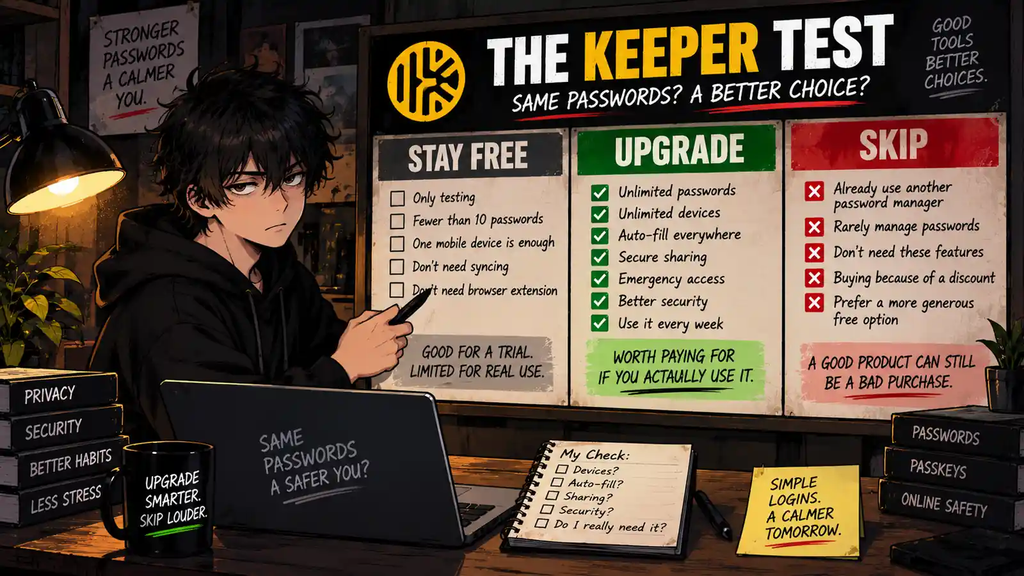
The Keeper Upgrade Test
Answer these honestly.
| Question | Yes | No |
|---|---|---|
| Do I manage more than 10 passwords? | Paid becomes useful | Free may work |
| Do I use multiple devices? | Paid becomes useful | Free may work |
| Do I need browser autofill? | Consider Unlimited | Ignore it |
| Do I need automatic sync? | Consider Unlimited | Stay Free |
| Do I share credentials? | Adds value | Ignore feature |
| Does Emergency Access matter? | Adds value | Ignore feature |
| Does another password manager already solve this? | SKIP | Keep evaluating |
| Will I use Keeper every week? | UPGRADE may make sense | SKIP |
Now ask the real question:
What repeated problem does Keeper solve for me every week?
Good answers:
“I constantly reset passwords because I cannot remember them.”
“I use four devices and need the same vault everywhere.”
“I reuse passwords because managing unique passwords manually is impossible.”
“My family keeps texting passwords.”
“I log into dozens of work services every week.”
Bad answers:
“Cybersecurity is important.”
“It has lots of features.”
“There is a discount.”
“I should probably organize my passwords someday.”
Someday remains undefeated as the world’s most expensive subscription feature.
Final Verdict
Keeper Password Manager is a strong paid password manager with a weak permanent Free tier.
That distinction matters.
Keeper Unlimited provides the features that turn a password vault into everyday infrastructure:
Unlimited passwords.
Unlimited devices.
Synchronization.
Autofill.
Browser access.
Secure sharing.
Emergency Access.
For someone managing a large digital life across several devices, approximately $40 per year can be a reasonable price for removing a repeated daily annoyance while improving password hygiene.
But Keeper Free is difficult to recommend as a complete long-term solution.
Ten records and one mobile device are simply too restrictive for most modern users.
And once you decide to pay, Keeper must compete with 1Password, Bitwarden, Dashlane, NordPass, and the password tools already built into your devices.
So:
Do not upgrade because Keeper is good.
Upgrade because your current password workflow is bad.
That is a much better purchase test.
Upgrade or Skip Verdict
| User | Verdict |
|---|---|
| Testing Keeper | STAY FREE / TRIAL |
| Fewer than 10 records | STAY FREE |
| Multi-device user | UPGRADE |
| Hundreds of passwords | UPGRADE |
| Heavy autofill user | UPGRADE |
| Family sharing passwords | CONSIDER FAMILY |
| Existing password manager works | SKIP |
| Wants best permanent free option | COMPARE ALTERNATIVES |
| Buying because of discount | SKIP |
| No repeated password problem | SKIP |
KEEPER FREE — TEST IT.
KEEPER UNLIMITED — UPGRADE if multi-device password management is a repeated problem.
KEEPER FAMILY — CONSIDER IT if several people will genuinely use separate vaults and sharing.
KEEPER — SKIP if another password manager already does the job.
A good password manager can be worth paying for.
A second good password manager usually is not.
FAQ
Is Keeper Password Manager free?
Yes. Keeper has a Free version, but it is limited to one mobile device and up to 10 password or passkey records.
How much does Keeper cost?
Keeper’s published Personal pricing is approximately $39.99 per year, equivalent to about $3.33 per month when billed annually. Pricing and promotions can change, so check the current checkout.
Does Keeper offer a free trial?
Yes. Keeper currently offers a 30-day trial of Keeper Unlimited.
What happens after the Keeper trial?
If you do not continue with the paid Unlimited plan, Keeper says the account can downgrade to the restricted Keeper Free version.
Can Keeper sync passwords across devices?
Keeper Unlimited supports unlimited devices and synchronization. Keeper Free does not provide unlimited sync.
Does Keeper support passkeys?
Yes. Keeper supports passwords and passkeys.
Does Keeper have autofill?
Yes. Keeper Unlimited includes KeeperFill for supported browsers and applications.
Is BreachWatch included with Keeper Unlimited?
BreachWatch is available as an additional security feature for personal users and may require an additional purchase depending on the plan or bundle.
Is Keeper Family worth it?
It can be if several people genuinely need separate private vaults and secure credential sharing. Keeper Family supports five private vaults and currently includes 10GB of secure file storage.
Is Keeper better than a browser password manager?
Not automatically. Keeper makes more sense if you want a dedicated cross-platform vault, multi-device syncing, sharing, emergency access, and additional security features. If your existing browser or operating-system password manager already handles your needs safely, paying may be unnecessary.
Is Keeper worth it in 2026?
For multi-device users with lots of credentials, yes, it can be.
For someone with an existing password manager that already works, probably not.
Sources
Keeper Security — Free Trial vs Free Version
https://www.keepersecurity.com/free-trial-vs-free-version.html
Keeper Security — Personal and Family Plans
https://www.keepersecurity.com/pricing/personal-and-family.html
Keeper Security — Features
https://www.keepersecurity.com/features/
Keeper Security — Family Password Manager
https://www.keepersecurity.com/family-plan.html
Keeper Security — Secure File Storage
https://www.keepersecurity.com/consumer-secure-file-storage.html
G2 — Keeper Security Reviews
https://www.g2.com/sellers/keeper-security
Trustpilot — Keeper Password Manager Reviews
https://www.trustpilot.com/review/keepersecurity.com
Pricing, plan limits, ratings, review counts, trial terms, features, and add-ons may change. Check current official pages before purchasing.
Next Up
Proton VPN vs Surfshark: Is Free Better Than Cheap?
Upgrade smarter. Skip louder.