
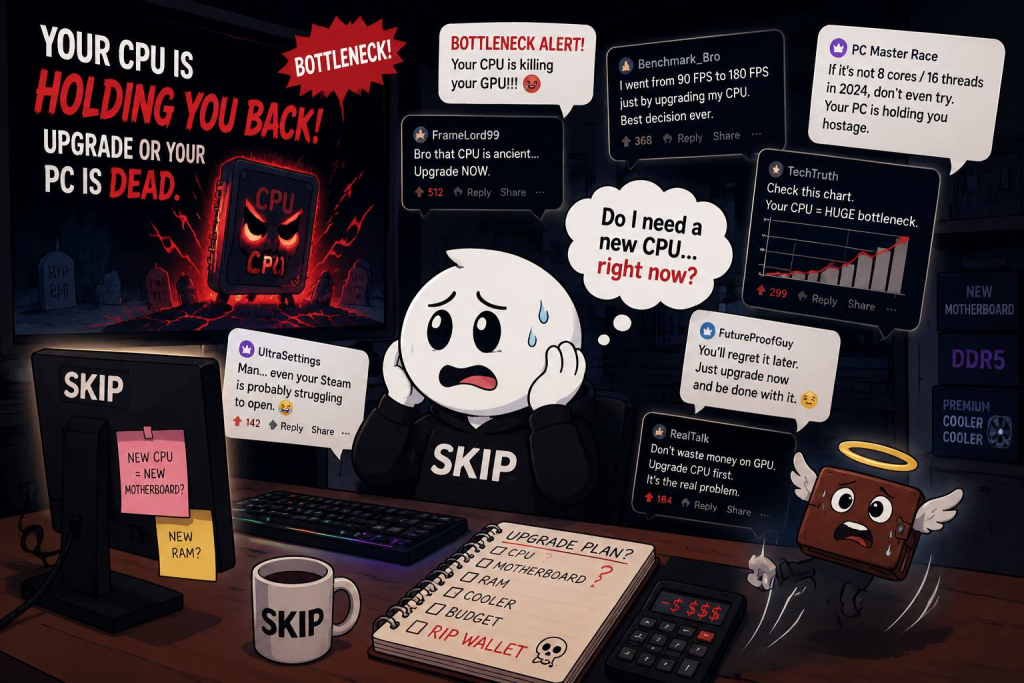
Welcome back to Upgrade or Skip.
In the last post, we talked about VRAM panic.
8GB is dead.
12GB is safe.
16GB is comfort.
24GB is future-proof, bro, trust me.
Naturally, the internet cannot survive with only one panic button.
So today we move to the next one:
Your CPU.
Apparently, if your processor is not brand new, stacked with cache, blessed by benchmark charts, and capable of opening Steam with sixteen cores standing at attention, your PC is finished.
Very tragic.
Somewhere, an i5 is still loading games perfectly fine and wondering why everybody is holding a funeral.
CPU Panic Is Different From GPU Panic
GPU panic is easy to understand.
You turn settings up.
The frame rate goes down.
You blame the graphics card.
Sometimes you are right.
CPU panic is messier.
A weak CPU can absolutely hurt gaming performance, especially in CPU-heavy games, open-world titles, simulation games, strategy games, MMOs, and high-refresh competitive shooters.
But most gamers do not actually diagnose it properly.
They see one word online:
Bottleneck.
Then suddenly every frame drop becomes a CPU emergency.
The word “bottleneck” has probably done more psychological damage to PC gamers than half the bad PC ports ever released.
What The CPU Actually Does In Games
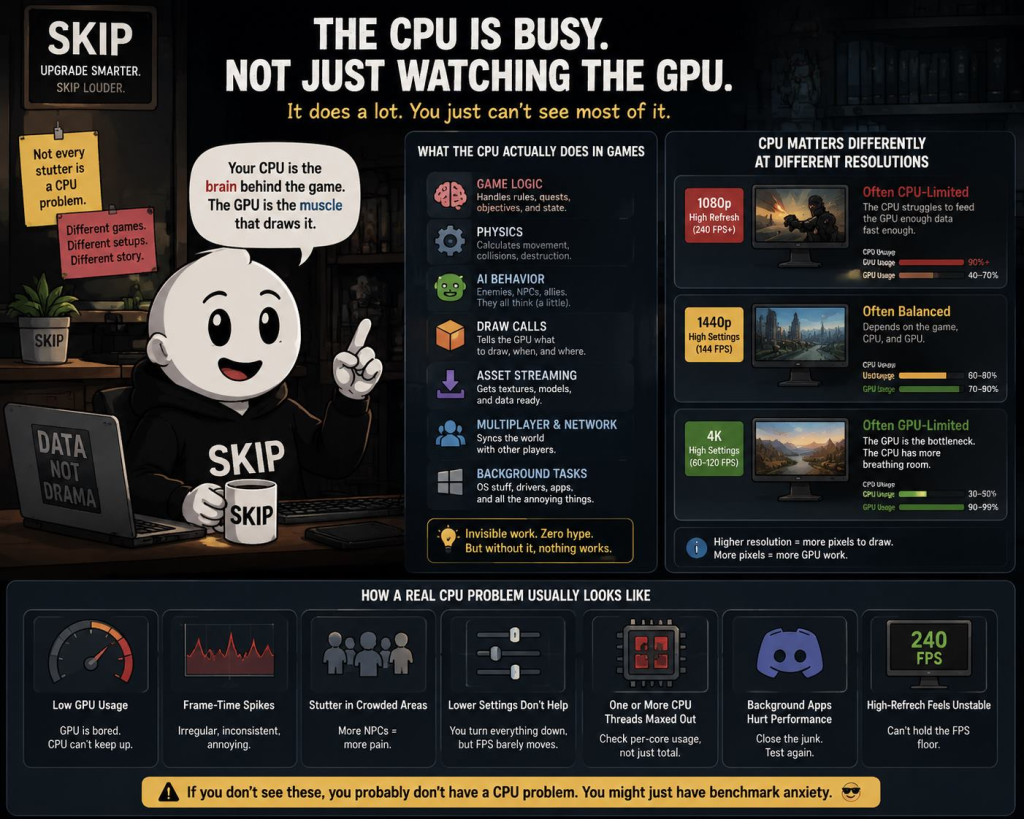
Your CPU is not just sitting there watching your GPU do all the work.
It handles:
- game logic
- physics
- AI behavior
- draw calls
- background tasks
- asset streaming coordination
- multiplayer systems
- all the invisible work that makes a game function
So yes, the CPU matters.
But here is what upgrade marketing prefers to ignore:
The CPU does not matter equally in every game, every resolution, or every setup.
At 1080p with a high-end GPU chasing 240 FPS, the CPU can matter a lot.
At 1440p or 4K with a mid-range GPU, you are often GPU-limited.
Which means a shiny new CPU might improve your benchmark charts more than your actual experience.
Very useful if you play charts.
Less useful if you play games.
The Internet Loves Turning Bottlenecks Into Drama
If you read Reddit build threads, Quora questions, YouTube comments, and hardware forums, the pattern is familiar:
Someone asks if their CPU is bottlenecking their GPU.
Half the replies say yes.
The other half ask what game, resolution, refresh rate, settings, GPU usage, CPU usage, RAM, cooling, and background apps look like.
The second group is less exciting.
They are also usually more useful.
Because “CPU bottleneck” is not a diagnosis.
It is a starting point.
A real CPU problem usually looks like:
- GPU usage is low when it should be high
- frame-time spikes are constant
- the game stutters in crowded areas
- lowering graphics settings does not improve performance much
- one or several CPU threads are maxed out
- background apps noticeably hurt performance
- high-refresh targets feel unstable
If you have none of that, you may not have a CPU problem.
You may just have benchmark anxiety wearing a tiny hat.
Six Cores Are Not Suddenly Illegal
This is where the conversation gets stupid.
A lot of mainstream gaming PCs still run perfectly usable 6-core and 8-core CPUs.
Something like an i5-12400F, i5-12490F, Ryzen 5 5600, Ryzen 5 7600, or similar chip is not obsolete just because newer CPUs exist.
For most normal gamers, a decent 6-core / 12-thread CPU is still fine.
Not magical.
Not immortal.
But fine.
The problem is that CPU marketing often compares old chips against the newest gaming monsters at low resolution with high-end GPUs, then lets people panic from there.
Yes, a Ryzen 7 9800X3D is faster in games.
Breaking news: expensive newer gaming CPU is faster than older mainstream CPU.
Thank you, science.
The real question is not:
“Is the new CPU faster?”
Of course it is.
The real question is:
“Will I actually feel the difference in the games I play?”
That is where a lot of upgrades stop looking heroic.
When A CPU Upgrade Actually Matters
There are real cases where upgrading your CPU makes sense.
I am not anti-CPU.
I am anti-buying-a-new-platform-because-a-comment-section-yelled-at-you.
A CPU upgrade matters when:
- you play CPU-heavy games
- you chase very high FPS at 1080p
- you use a high-end GPU that is clearly underused
- your 1% lows are bad
- your system stutters even after lowering GPU settings
- you stream, record, edit, or run heavy background tasks
- your CPU is old enough to be near or below modern minimum specs
- upgrading your GPU did not fix the problem
This is why some older 4-core and early 6-core CPUs are starting to feel rough.
Not because the internet said so.
Because some modern games genuinely demand more.
Monster Hunter Wilds is a good example of why this gets messy. Players complained heavily about performance, and reports around later updates and fixes repeatedly pointed toward both CPU and GPU optimization issues. That does not mean everyone needs a new CPU. It means bad optimization can make hardware diagnosis feel like reading tea leaves in a wind tunnel.
When A CPU Upgrade Is Mostly Noise
On the other hand, many gamers do not need a new CPU.
Especially if:
- you play at 1440p or 4K
- your GPU is already the limiting factor
- your games feel smooth
- your CPU is a modern 6-core or 8-core chip
- you do not chase 240 FPS
- you mostly play single-player games at reasonable settings
- your issue is actually RAM, storage, cooling, drivers, or bad game optimization
This is the boring answer.
And boring answers do not sell motherboards.
Because a CPU upgrade is never just a CPU upgrade.
It can mean:
- new motherboard
- new RAM
- new cooler
- reinstalling or retuning half the system
- compatibility checks
- BIOS updates
- spending money you originally promised yourself you would not spend
A CPU upgrade has a way of walking into your wallet alone and leaving with three friends.
Check These Before Buying A New CPU
Before you upgrade, check the boring stuff.
Yes, I know.
Deeply unsexy.
But it saves money.
Check:
- GPU usage in the games you actually play
- CPU usage per core, not just total CPU usage
- temperatures
- background apps
- RAM capacity and dual-channel setup
- storage health
- game patches
- driver updates
- whether lowering graphics settings actually improves FPS
- whether stutter happens in every game or only one poorly optimized port
If only one game runs badly, your CPU may not be the problem.
The game may just be a mess wearing a launcher icon.
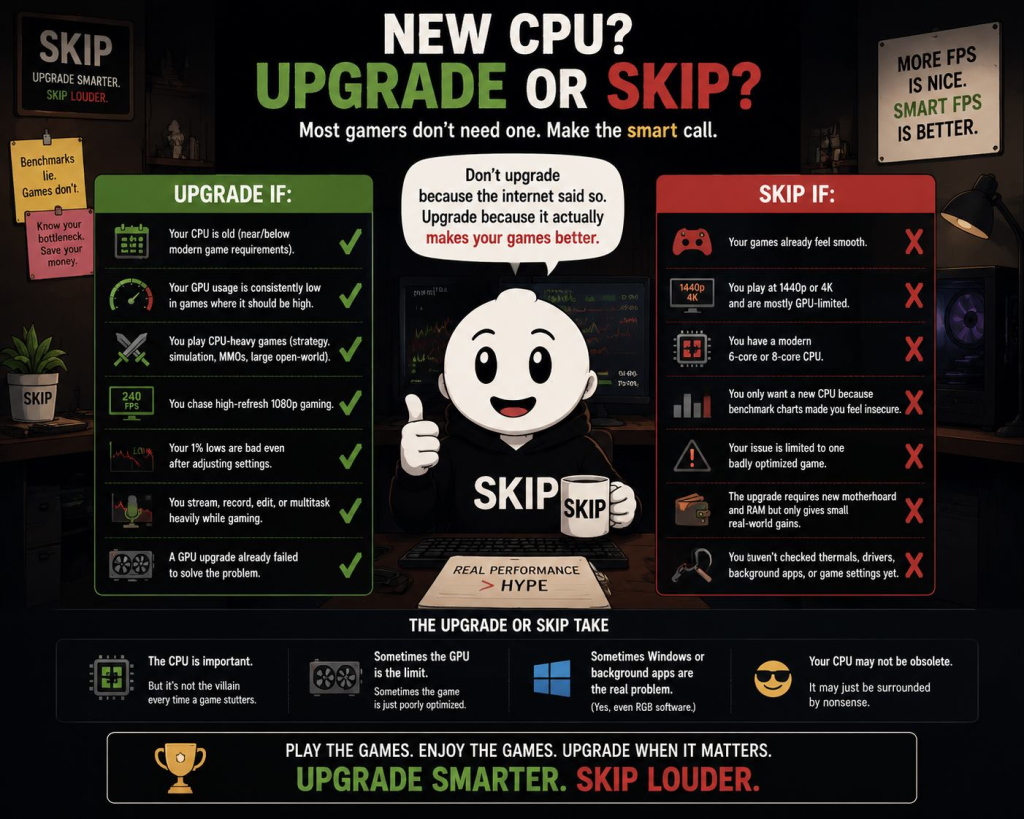
Upgrade If:
- Your CPU is old enough to be near or below modern game requirements
- Your GPU usage is consistently low in games where it should be high
- You play CPU-heavy games like strategy, simulation, MMOs, or large open-world titles
- You chase high-refresh 1080p gaming
- Your 1% lows are bad even after adjusting settings
- You stream, record, edit, or multitask heavily while gaming
- A GPU upgrade already failed to solve the problem
Skip If:
- Your games already feel smooth
- You play at 1440p or 4K and are mostly GPU-limited
- You have a modern 6-core or 8-core CPU
- You only want a new CPU because benchmark charts made you feel insecure
- Your issue is limited to one badly optimized game
- The upgrade requires a new motherboard and RAM but only gives small real-world gains
- You have not checked thermals, drivers, background apps, or game settings yet
The Upgrade or Skip Take
Most gamers do not need a new CPU.
Some do.
That is the entire annoying truth.
If you are on an ancient 4-core chip trying to push a modern GPU in 2026, yes, the CPU may be holding you back.
If you are using a reasonable 6-core or 8-core CPU, playing at 1440p, and your games feel fine, the emergency is probably imaginary.
The CPU is important.
But it is not the villain every time a game stutters.
Sometimes the GPU is the limit.
Sometimes the game is badly optimized.
Sometimes Windows is doing something stupid in the background.
Sometimes you have seventeen Chrome tabs, a launcher, RGB software, Discord, Steam, a hardware monitor, and YouTube open, then wonder why the machine feels tired.
Your CPU may not be obsolete.
It may just be surrounded by nonsense.
Next up:
The Hidden Cost of Chasing Ultra Settings.
Because nothing says “smart upgrade” like spending $600 to make shadows 8% more emotional.
Upgrade smarter. Skip louder.