
Disclosure: This post may contain affiliate links. If you buy through them, we may earn a small commission at no extra cost to you.
Welcome back to Upgrade or Skip.
In the last post, we talked about the upgrade anxiety cycle.
Don’t upgrade because of anxiety.
Good.
Now let’s talk about upgrades that actually earn their price.
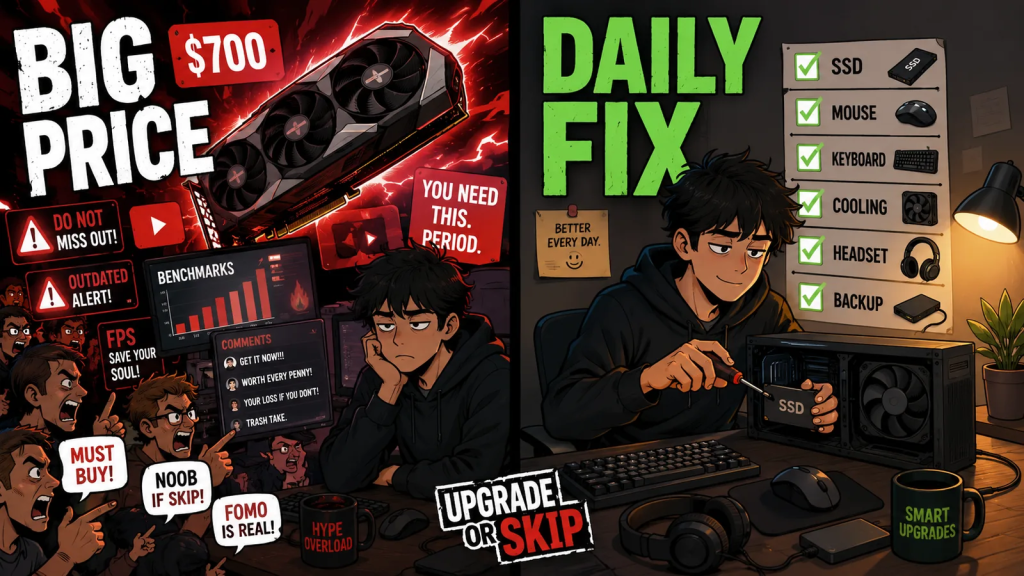
The internet loves talking about $700 GPUs.
It spends surprisingly little time talking about the upgrades you actually notice every day.
Real life is usually improved by the $40 purchase you kept postponing.
That is the strange thing about PC upgrades.
Expensive upgrades get the attention.
Useful upgrades usually look boring, inexpensive, and completely unqualified for a YouTube thumbnail.
But the best upgrade is not always the one that wins benchmarks.
Sometimes it is the one you notice every single day.
Expensive Upgrades Get Attention. Small Ones Fix Your Day.
Everyone argues about CPUs.
Nobody gets excited about replacing a dying SSD.
Until Windows takes three minutes to boot.
Everyone debates GPU tiers like they are choosing a family crest.
Nobody wants to talk about the mouse that makes your wrist hurt, the keyboard you hate typing on, the fan that sounds like it is filing a complaint, or the dusty case slowly turning your PC into a space heater with RGB.
That is because small upgrades rarely look dramatic.
They do not give you a new identity.
They do not make strangers on Reddit nod with respect.
They usually do not turn a bad PC into a great PC.
But they can turn an annoying PC into a much less annoying PC.
And that matters far more than spec-sheet culture wants to admit.
Spend enough time reading Reddit, PC forums, YouTube comments, or product reviews, and the pattern becomes obvious.
The upgrades people remember are rarely the loudest purchases.
They are the ones that quietly removed daily frustration.
- The SSD that stopped the waiting.
- The extra RAM that ended multitasking stutters.
- The quieter fan that made the room peaceful again.
- The better mouse that no longer felt like office punishment.
- The backup drive people wish they had bought before the old one died.
Very glamorous.
Very useful.
Deeply offensive to benchmark charts.
Upgrade Things You Touch Every Day
If you use something every day, even a small improvement can feel much bigger than it looks on paper.
That is why peripherals can be genuine upgrades.
Not because another keyboard with twice as much RGB lighting will suddenly unlock your esports career.
Please remain calm.
Typing comfort.
Mouse shape.
Scroll wheel feel.
Click weight.
Headset comfort.
Desk space.
Those are all part of your actual PC experience.
If your mouse hurts your hand, you notice it every day.
If your keyboard is mushy, loud in all the wrong ways, or simply unpleasant to type on, you notice it every day.
If your mouse pad is tiny, worn out, or replaced by bare wood because apparently friction is now a lifestyle choice, you notice it every day.
It turns out dragging a mouse across bare wood is not a premium gaming feature.
None of this means you need an expensive keyboard, a streamer microphone, or a mouse whose specification sheet is longer than a rental agreement.
It simply means a $25–80 upgrade can be completely worthwhile if it fixes something your hands deal with every single day.
The rule is simple:
If you touch it every day and hate it every day, it qualifies as an upgrade.
A Small SSD Can Feel Bigger Than A New CPU
Storage is boring.
Until it isn’t.
Then it becomes your entire personality.
A slow or cramped drive can make an otherwise capable PC feel much older than it really is.
Windows feels sluggish.
Games take forever to load.
Updates become hostage situations.
Searching for files starts feeling like archaeology.
Steam begins asking which game deserves to survive another week.
Lovely.
A decent SSD does not need to be a flagship model to improve your daily experience.
For many people, moving from an old hard drive to an SSD is still one of the biggest quality-of-life upgrades available.
Even moving from a tiny SSD to a larger one can feel surprisingly significant, not because FPS suddenly increases, but because you stop treating storage management like a weekly moral dilemma.
Storage prices change constantly.
Don’t assume every SSD under $100 is automatically a great deal, and don’t pay flagship prices for performance your workload will never notice.
Buy the drive that fits your system and the way you actually use it, not the one with the biggest marketing numbers.
For gaming, Windows, applications, and everyday work, a sensible PCIe 3.0 or PCIe 4.0 NVMe SSD is already more than enough for most people.
You rarely notice a faster SSD in benchmark charts.
You notice it every morning.
RAM Is Worth It Only When You Are Actually Running Out
RAM upgrades are where people love spending money simply to feel protected.
That does not automatically make them wrong.
It just makes them suspicious.
If your system constantly runs out of memory…
If games stutter while Chrome, Discord, launchers, overlays, and background applications are all open…
If your actual workload genuinely needs more memory…
Then yes, a RAM upgrade under $100 can make perfect sense.
But if your system still has plenty of available memory and everything already feels smooth, installing more RAM may change almost nothing.
This is why diagnosis matters.
Open your monitoring tools.
Look at real usage.
Check whether the limitation is RAM, VRAM, storage, CPU, GPU, or simply one badly optimized game throwing furniture around.
More RAM is useful when you actually need more RAM.
Revolutionary sentence.
Please alert the industry.
Cooling Is An Upgrade
Cooling does not feel exciting.
Until your PC starts sounding like it is preparing for takeoff.
Then suddenly cooling becomes extremely interesting.
A better CPU cooler.
A couple of decent case fans.
Fresh thermal paste.
Cleaner airflow.
A dust filter that has seen soap sometime this decade.
None of these look particularly exciting on a shopping list.
But together, they can make an aging PC feel dramatically better.
Lower temperatures usually mean less noise.
Less noise usually means less irritation.
Better airflow helps hardware stay closer to its intended performance.
Fresh thermal paste can help if the original application has dried out after years of use.
Cleaning dust can help far more than many people want to admit.
Dust has ruined more performance than benchmark charts ever will.
That said, cooling is not magic.
A $30 fan will not transform an entry-level GPU into a flagship.
Fresh thermal paste will not convince an old processor to suddenly discover another gigahertz.
But if your PC is hot, loud, dusty, or throttling, cooling maintenance may be one of the most honest upgrades you can make.
It fixes a real problem.
Not an imaginary one.
Audio Matters More Than RGB
Audio is another place where a relatively small upgrade can make a much bigger difference than people expect.
Not because everyone needs studio headphones.
Not because your Discord friends deserve broadcast-quality warmth every time you ask who forgot to ward the objective.
But because bad audio is daily friction.
A more comfortable headset can make long sessions easier.
A clearer microphone can stop you from sounding like you’re broadcasting from inside a kitchen drawer.
Even a pair of decent speakers can make casual gaming, movies, or music far more enjoyable.
Sometimes a simple standalone microphone is a better upgrade than replacing an otherwise perfectly good headset.
Again, this is not about buying status.
It is about removing annoyance from something you use every day.
RGB makes your desk brighter.
Good audio makes every day better.
Choose your priorities accordingly.
Your Monitor Settings Are Free
Here is the part nobody wants to hear in a buying guide.
Some of the best upgrades cost absolutely nothing.
Check your refresh rate.
Make sure your monitor is actually running at the refresh rate you paid for.
More people than you’d think are using 144Hz monitors at 60Hz because Windows quietly decided comedy was necessary.
Enable variable refresh rate if your monitor and GPU support it.
Adjust brightness and color settings.
Update your graphics drivers.
Check your display cable.
Disable unnecessary startup programs.
Review your Windows power settings.
Optimize your in-game settings before buying new hardware.
Sometimes the best $100 upgrade costs $0.
Deeply inconvenient for affiliate marketing.
Excellent for your wallet.
Even better for your ability to ignore unnecessary shopping.
The Upgrade Nobody Wants To Buy
Backups are not exciting.
Surge protectors are not exciting.
UPS units are not exciting.
External drives are not exciting.
Nobody buys backups because they are fun.
Everybody wishes they had one after a drive dies.
Recovery is almost always more expensive than preparation.
This is the upgrade category people ignore because it does not increase FPS.
It does not make your setup photo look better.
It does not generate impressive benchmark screenshots.
But reliability is part of performance.
If your PC contains work files, family photos, school assignments, client projects, website backups, game saves, or anything you would genuinely hate to lose, a backup drive or cloud backup plan may be a far better use of $100 than another RGB accessory.
Not exciting.
Correct.
Those are different things.
What Not To Buy Under $100
Not every cheap upgrade is a smart upgrade.
Some are simply smaller mistakes.
Be careful with:
- Tiny CPU upgrades that barely change performance.
- Random no-name power supplies.
- Cheap RGB kits that solve absolutely nothing.
- Storage from brands with questionable listings and no real reputation.
- Used hardware you cannot properly test or return.
- Cooling products that do not fit your case, socket, or memory clearance.
- “Gaming” accessories that are mostly plastic confidence.
Cheap is not the same as good value.
Sometimes under $100 is a bargain.
Sometimes it is simply a cheaper mistake.
Very efficient.
Very disappointing.
Upgrade If:
- The upgrade fixes something you notice every day.
- Your storage is slow, nearly full, or constantly forcing you to delete files.
- Your system genuinely runs out of RAM during normal use.
- Your PC is hot, loud, dusty, or thermal throttling.
- Your mouse, keyboard, audio, or desk setup causes daily frustration.
- You need a backup solution before something important disappears.
- The current price actually makes sense.
Skip If:
- You are buying because you feel behind.
- The upgrade improves benchmark numbers but not your real experience.
- You cannot clearly explain the problem it solves.
- Your current setup already feels good.
- The part is cheap because it is unreliable or poorly supported.
- You are buying RGB instead of fixing what actually annoys you.
- A free settings change would solve the problem first.
The Upgrade or Skip Take
The best PC upgrades under $100 are rarely the most exciting ones.
They are the ones that remove friction.
Less waiting.
Less noise.
Less heat.
Less discomfort.
Less storage anxiety.
Less wondering why your PC annoys you every single day.
More comfort.
More reliability.
More room to breathe.
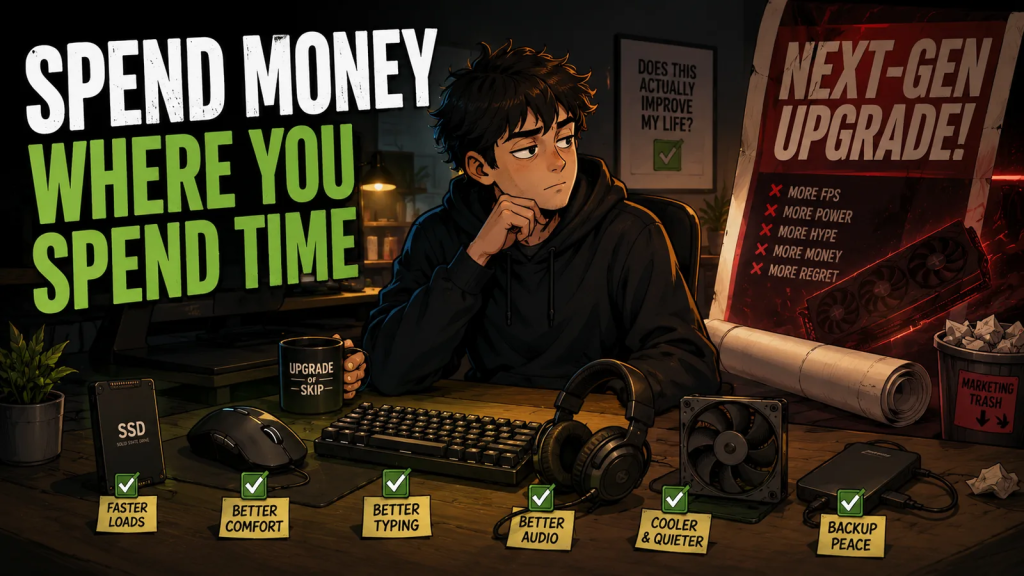
A good $50 upgrade you notice every day is worth more than a $500 upgrade you only notice in benchmark charts.
Spend money where you spend time.
Not where marketing spends its budget.
That is the rule.
Next up:
Should You Buy a Used GPU in 2026?
Or are you simply paying for someone else’s dust, mining history, and emotional baggage?
We’ll find out.
Upgrade smarter. Skip louder.